Best AI Note-Taking Tools for Meetings in 2026

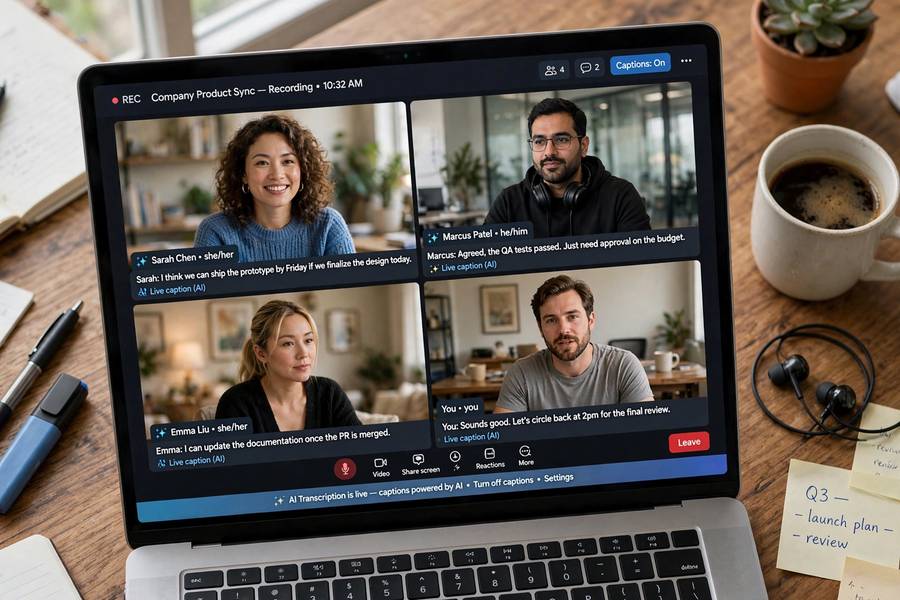
I used to be the person frantically typing during meetings, capturing every third sentence and missing the point of the other two. Then I’d spend the evening reconstructing what was decided from fragments. AI meeting tools ended that era for me — and, judging by adoption numbers, for half the knowledge workforce. But the market is now crowded with tools that all promise “never take notes again,” and they are not interchangeable. Some transcribe brilliantly and summarize badly. Some are great for sales calls and useless for standups. Picking wrong means paying for a tool nobody trusts.
This guide compares the best AI note-taking tools for meetings as of 2026 — what each category does well, the tradeoffs that matter, and how to choose for your actual workflow. For the general note-taking landscape beyond AI, see my roundup of the best note-taking apps; for workplace AI broadly, how to use AI at work.
What These Tools Actually Do
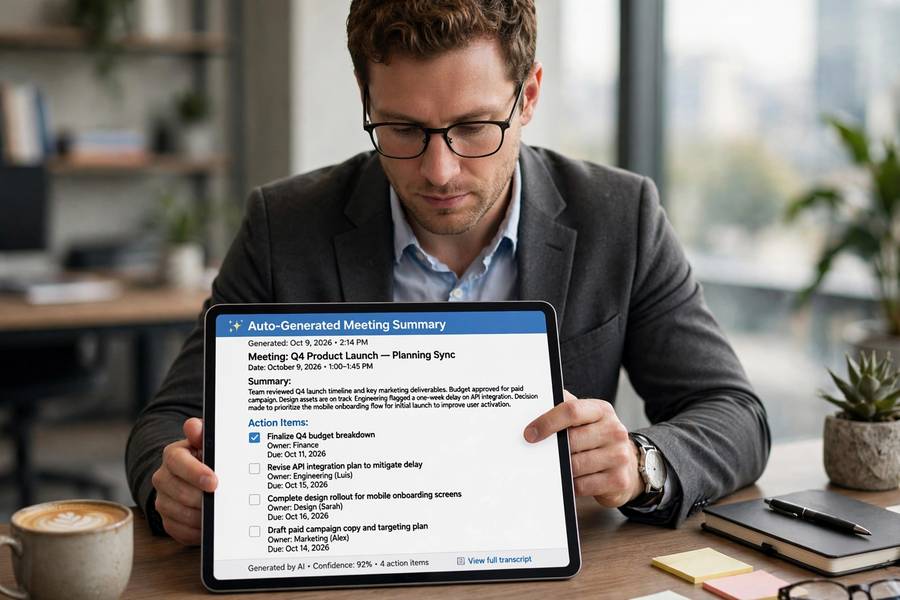
Strip away the marketing and every AI meeting tool does three things: capture (record and transcribe the conversation), understand (identify speakers, topics, decisions), and deliver (summaries, action items, searchable records). The quality differences live in the details of each stage.
Capture quality depends on audio handling — can it separate speakers reliably, handle crosstalk, work with bad microphones, process multiple languages? Understanding quality is about the AI’s judgment: does it know a decision from a discussion, an action item from a musing, the key point from the small talk? Delivery quality is the output design: a summary you can actually use versus a wall of text you won’t read.
Most tools also add a fourth function now: participation. AI attendees that join your video call, chatbots you can ask “what did we decide about the launch date,” and integrations that push action items into your task manager. The tool is evolving from a recorder into a meeting participant — which is great for utility and worth thinking about for privacy, covered below.
The Big Categories Compared
The market splits into a few recognizable types. The dedicated meeting assistants — the category leaders that join your calls as participants — offer the fullest feature set: real-time transcription, speaker identification, automatic summaries, action item extraction, and searchable archives. They’re the default choice for teams living in video calls.
The platform-native options — transcription and recap features built into the video conferencing platforms themselves — are the path of least resistance. Less powerful than dedicated tools, but zero setup, no extra bot joining your calls, and often included in plans you already pay for. For many teams, “good enough and already there” beats “better but another subscription.”
Then there are the specialists: tools built for sales calls with coaching features, tools for user research with analysis workflows, mobile-first tools for in-person meetings. Specialists win when your use case matches their specialty and lose on generality. A sales team should seriously consider a sales-specific tool; a general team probably shouldn’t pay the specialist premium.
My honest take: most teams should start with their platform’s native option, identify what it’s missing after a month, and only then shop for dedicated tools. You’ll buy much more accurately when you know your actual gaps.
Transcription Accuracy: What to Expect
Modern AI transcription is remarkably good — and remarkably uneven. In ideal conditions (clear audio, one speaker at a time, standard accents, minimal jargon), accuracy exceeds 95 percent. In real meetings (crosstalk, accents, acronyms, someone on a bad connection from an airport), it drops meaningfully. The tools have improved enormously at how voice recognition works in general, but meetings are among the hardest audio environments.
What separates good tools from mediocre ones isn’t the best case — everyone nails the best case now — it’s the hard cases. Speaker diarization (who said what) accuracy varies widely and matters enormously for the summary quality. Technical vocabulary handling differs: some tools learn your company’s jargon and acronyms, others transcribe your product name wrong forever. Accent robustness is the quiet differentiator — test with your actual team, not the vendor’s demo.
Practical advice: run a two-week trial with your real meetings before committing. Transcribe the same meetings with two competing tools and compare. The differences that matter — your acronyms, your accents, your crosstalk-heavy brainstorms — only show up in your real data.
Summaries and Action Items: Where Quality Varies
Transcription is table stakes; the summary is the product. And summary quality varies more than any other feature. Good summaries read like they were written by an attentive colleague: decisions highlighted, action items with owners, open questions flagged, the small talk omitted. Bad summaries are just shorter transcripts — technically condensed, practically useless.
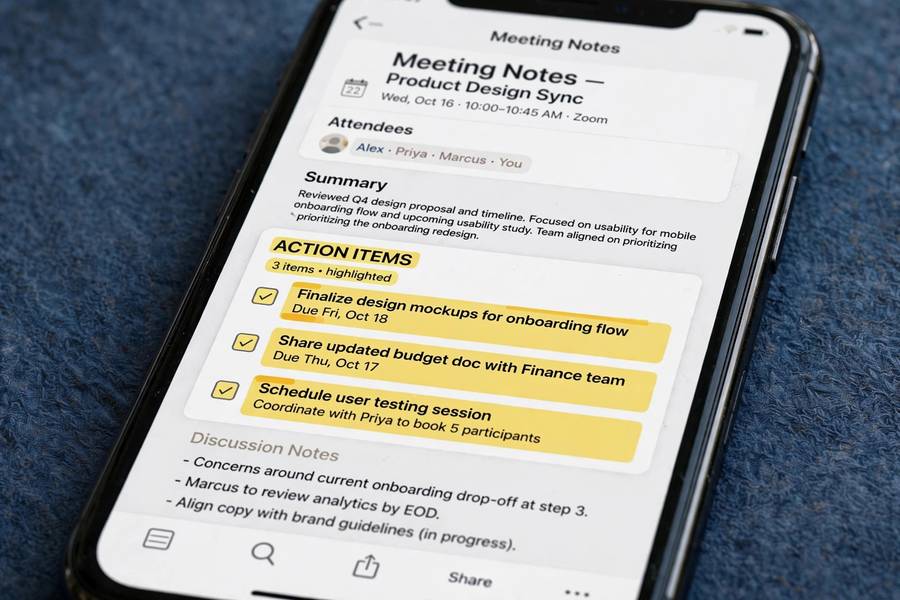
The action item extraction deserves special scrutiny because it’s the feature everyone wants and the hardest to get right. “Someone should look into the API issue” — is that an action item, and whose? Good tools handle attribution and specificity; bad ones generate vague task lists nobody trusts. Test this specifically in your trial: after a real meeting, check whether the extracted action items match what a human would have written down.
Customization helps a lot. The best tools let you define summary templates — the standup template differs from the client-call template differs from the brainstorm template. If a tool only offers one generic summary format, its output will feel generic. Your meetings have structure; your summaries should reflect it.

Integrations That Matter
A meeting tool that doesn’t connect to your workflow is a fancy archive nobody opens. The integrations that matter: your calendar (automatic joining and scheduling), your task manager (action items flow through, not copied manually), your CRM (for customer-facing teams), your team chat (summaries posted where people actually look), and your document storage.
The task manager integration is the one I’d prioritize. Action items that auto-appear in the assignee’s task list get done; action items that sit in a meeting summary get forgotten. This single integration determines whether the tool changes behavior or just creates records. Test it in the trial — “automatic” integrations that require five clicks per item aren’t automatic.
Also consider the search integration: can you ask across all your meetings — “what did we decide about pricing in Q2?” — and get an answer? This cross-meeting memory is where these tools become genuinely powerful over time, turning your meeting history into a queryable knowledge base. It’s also where the privacy considerations sharpen, which brings us to…
Privacy and Consent: The Uncomfortable Part
AI meeting tools record conversations, transcribe them, store them, and make them searchable. That’s the product. It’s also a significant privacy surface, and the norms are still catching up. The basics: in many jurisdictions, recording requires consent from participants — the “this meeting is being recorded” announcement isn’t just politeness, it’s law in some places. Know your jurisdiction’s rules.
Beyond legal compliance, there’s the cultural question. Some team members will be uncomfortable being recorded and transcribed, and “just deal with it” is bad management. Be transparent about what’s recorded, who can access it, how long it’s kept, and whether it’s used for anything beyond summaries — performance evaluation via meeting transcripts is a trust-destroyer that some companies have tried.
Data handling varies by vendor: where recordings are stored, retention controls, whether your data trains their models, compliance certifications. For customer-facing calls, check your contractual obligations — some client agreements restrict recording. Get the answers before the rollout, not after the incident. And give people a real opt-out path for sensitive conversations; not every meeting should be transcribed.
For Sales Teams vs Internal Teams
Sales teams and internal teams need different things, and buying the wrong type wastes money. Sales-focused tools add call coaching (talk ratios, filler words, competitor mentions), CRM auto-logging, deal-risk signals, and battle-card surfacing during calls. If your team sells, these features pay for themselves — the coaching alone, applied consistently, measurably improves close rates.
Internal teams need different strengths: good handling of recurring meetings with evolving context, project tracking across meeting series, decision logs, and clean integration with internal task management. The sales-coaching features are dead weight here — you’re paying for sophistication you’ll never use.
Hybrid teams — account managers, customer success, consultants — sit in between and should prioritize the customer-facing features (accurate records, follow-up automation) over pure coaching. When evaluating, bring your actual meeting types to the demo, not the vendor’s ideal scenario. “Show me how this handles our weekly client check-in” beats any feature list.
The Free and Built-In Options
Before spending money, check what you already have. Major video platforms now include AI recap features — transcription, summaries, action items — in their business tiers. They’re less sophisticated than dedicated tools but improving fast, and the price (already paid) is compelling. For many teams, the built-in option plus good habits covers 80 percent of the need.
There are also capable free tiers from dedicated tools — limited meeting hours per month, basic summaries, fewer integrations. Fine for individuals and tiny teams; the limits bite fast at team scale. Open-source transcription exists for the privacy-conscious, though you’ll assemble the summarization pipeline yourself.
My recommendation ladder: start with built-in platform features (free, zero friction). If you hit real limits after a month, trial dedicated tools’ free tiers. Buy only when you’ve identified specific gaps worth paying for. The teams that buy first and evaluate later end up with shelfware; the teams that evaluate first buy once and use it daily.
How to Choose in One Afternoon
Here’s the fast evaluation process. Morning: list your three most common meeting types and what you need from each (decisions captured? action items routed? coaching?). Midday: check your platform’s built-in features against that list — mark the gaps. Afternoon: trial two dedicated tools on real meetings, comparing transcription of your jargon, summary quality, action item accuracy, and the task-manager integration.
Score on five criteria: transcription quality on your real audio, summary usefulness (would you forward it without editing?), action item accuracy, integration with your task workflow, and privacy/data controls. Weight them by your needs — a sales team weights coaching and CRM; an engineering team weights jargon handling and task routing.
Then commit for a quarter, not a year. These tools evolve fast enough that annual lock-in is risky, and three months of real use tells you everything. Revisit annually — the “best” tool in 2026 won’t necessarily be the best in 2027. And whatever you choose, pair it with solid personal note-taking habits for the moments that matter — the Cornell notes method still beats any AI for the meetings where you’re doing the thinking, not just attending.
Frequently Asked Questions
It depends on your workflow. Dedicated meeting assistants offer the fullest features, platform-native transcription is the easiest starting point, and sales teams should consider sales-specific tools with coaching. Start with your video platform’s built-in features, identify gaps after a month, then trial dedicated tools on real meetings.
Over 95% in ideal conditions, lower with crosstalk, accents, jargon, or bad audio. The real differentiator between tools is hard cases: speaker identification, your company’s acronyms, and accent robustness. Trial with your actual meetings before committing.
In many jurisdictions, yes — recording laws vary by location. Beyond legal requirements, be transparent about what’s recorded, who can access it, and how long it’s kept. Give people an opt-out for sensitive conversations, and check client contracts before recording customer calls.
Yes, but quality varies widely — it’s the hardest feature to get right. Test action item extraction specifically in your trial: check whether extracted items match what a human would write, including correct attribution. The task-manager integration matters as much as the extraction itself.
For individuals and small teams, often yes — built-in platform features and free tiers cover transcription and basic summaries. Limits on meeting hours and integrations bite at team scale. Start free, identify specific gaps, and buy only to fill them.
Keep reading: