
I used to tutor a high school junior who carried three different notebooks, a stack of loose printed slides, and — I’m not exaggerating — sticky notes stuck to the inside of her laptop lid. Her notes existed everywhere and nowhere. The week we moved her system into a single note taking app, her quiz scores jumped a full letter grade. Not because the app was magic. Because she could finally find things.
That’s the real job of a note taking app: not to look pretty, but to make your thinking retrievable. I’ve tested the major options the way my students actually use them — in lectures, at 1 a.m. before exams, on phones with cracked screens — and here are the twelve worth your time.
Contents
- What Actually Makes a Note Taking App Good
- The 12 Best Note Taking Apps
- How to Choose the Right One for You
- Note Taking Methods Worth Pairing With Your App
- Mistakes That Make Any App Useless
- Frequently Asked Questions
What Actually Makes a Note Taking App Good
Before the list, a quick tutor’s reality check. Students always ask me which app is “the best,” and the honest answer is: the best one is the one you’ll actually open. But four features separate the keepers from the clutter:
Fast capture. If it takes six taps to start a note, you’ll stop using it by week two. The best apps open to a blank note in about one second.
Search that works. You’ll have hundreds of notes by midterms. Full-text search — including text inside images or PDFs in the better apps — is non-negotiable.
Sync across devices. You take notes on a laptop in lecture and review them on your phone on the bus. If an app locks you to one device, skip it.
Organization that matches your brain. Some people think in folders. Some think in tags. Some think in links between ideas. Pick the structure that feels natural, not the one a productivity guru swears by.
Price matters too, obviously — half the apps below have genuinely useful free tiers, and I’ve marked them.
The 12 Best Note Taking Apps
Best all-rounders
1. Notion — best for students who want everything in one place
Notion is the Swiss Army knife: notes, to-do lists, databases, calendars, and wikis in one workspace. Students love building a “second brain” dashboard with class pages, assignment trackers, and reading lists. The free plan is generous enough for most students. The downside? It can be slow to load, and the sheer flexibility means you’ll spend a weekend setting it up instead of studying. If you enjoy organizing, it’s unbeatable. If you don’t, keep reading.
2. Microsoft OneNote — best free option, period
Here’s the thing nobody tells students: OneNote is completely free, syncs everywhere, handles handwriting beautifully, and has one of the best web clippers for saving articles. It mimics a paper notebook with tabs and pages, which feels instantly familiar. The interface looks a little dated, but functionally it’s the best deal in this entire list. If you’re on a budget — and what student isn’t — start here.
3. Evernote — best for research-heavy courses
Evernote invented this category, and it still shines at one thing: collecting. Web clips, PDFs, scanned handouts, photos of whiteboards — it swallows everything and makes it searchable, including text inside images. The free plan is limited to a small monthly upload quota, so it’s best for students drowning in source material for papers and projects.
4. Obsidian — best for deep thinkers and grad students
Obsidian stores your notes as plain text files on your device and links them together like a personal Wikipedia. It’s beloved by researchers and anyone writing theses because ideas connect visually in a graph. There’s a learning curve, and syncing to mobile costs extra, but for students who think in connections rather than folders, nothing else comes close.
Best for handwriting
5. GoodNotes — best handwriting app for iPad
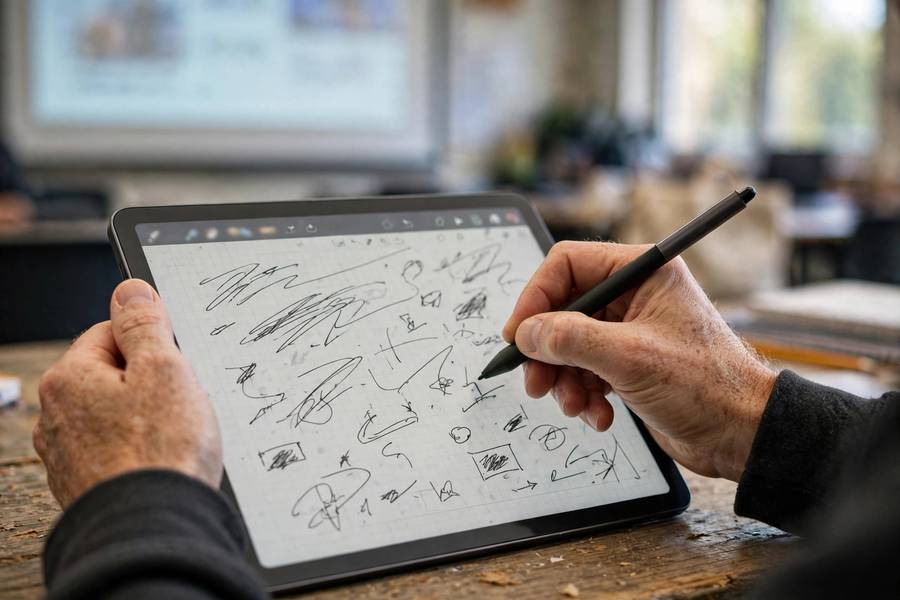
If you take notes with an Apple Pencil, GoodNotes is the gold standard. The writing feels natural, the organization is notebook-based, and features like searchable handwriting (yes, it can search your scribbles) are genuinely useful. It’s Apple-only, which is the main limitation, but iPad note-takers rarely switch once they’ve tried it.
6. Notability — best for lecture recording
Notability’s killer feature: it syncs your audio recording to your handwriting. Tap a word you wrote, and it plays back what the professor was saying at that exact moment. For fast-talking lecturers, this is a superpower. Like GoodNotes, it’s Apple-centric, so Android and Windows users should look elsewhere.
Best simple and free
7. Google Keep — best for quick capture
Keep is the sticky note of apps: dead simple, instant sync, color-coded notes, checklists, and voice memos that transcribe automatically. It won’t organize a thesis, but for grocery lists, quick ideas, and reminders between classes, it’s perfect — and free with your Google account.
8. Apple Notes — best if you’re already in the Apple world
Apple Notes has quietly become excellent: folders, tags, scanning documents, collaboration, and solid search — all free and pre-installed. Most iPhone users overlook it because it’s “just there.” Don’t. For straightforward typed notes, it’s all most students need.
9. Simplenote — best minimalist option
No formatting toolbar, no folders-within-folders, no fuss. Just fast, synced plain-text notes with tags and search. If every other app on this list sounds exhausting, Simplenote is your answer. Free, unlimited, and available everywhere.
Best for specific needs
10. Bear — best for writers and Markdown fans
Bear is beautiful — genuinely pleasant to write in, which matters more than you’d think for long study sessions. It uses Markdown and organizes with hashtags. Apple-only and the full feature set needs a subscription, but writers love it.
11. Joplin — best open-source pick
Joplin is free, open-source, and privacy-friendly, with solid Markdown notes, web clipping, and to-dos. The interface isn’t as polished as the big names, but if you care about owning your data, it’s the strongest free option after OneNote.
12. Roam Research — best for networked thought (with a price tag)
Roam pioneered the “bi-directional linking” idea Obsidian later popularized. It’s powerful for researchers building big webs of ideas, but it’s expensive for students and has a steep learning curve. Try it only if Obsidian’s free version left you wanting more.

How to Choose the Right One for You
Stop comparing feature lists and answer three questions:
What device do you actually use? iPad with a stylus? GoodNotes or Notability, done. Chromebook and Android phone? OneNote or Google Keep. Decision made in ten seconds.
Do you type or handwrite? Be honest about what you’ll sustain. Plenty of students buy a stylus, use it for a week, and go back to typing. There’s no wrong answer — only the answer you’ll stick with.
What’s your actual pain? Losing notes? You need search and sync (OneNote, Evernote). Messy organization? You need structure (Notion, Bear). Forgetting lecture details? You need audio sync (Notability). Match the app to the problem, not to the hype.
And give any app a real two-week trial with actual coursework before judging it. The first three days of any system feel awkward — that’s the learning curve, not a verdict.
If you’re building a full study system around your notes, pair your app choice with proven study techniques for final exams — the app holds the notes, but the method is what moves them into memory.
Note Taking Methods Worth Pairing With Your App
An app is a container. What you put in it matters more. Three methods my students swear by:
The Cornell Method. Divide your page (or template) into notes, cues, and summary sections. After lecture, write questions in the cue column and a two-sentence summary at the bottom. That summary step alone doubles retention for most students. Works beautifully in OneNote, Notion, or GoodNotes templates.
Zettelkasten (slip-box). One idea per note, linked to related notes. Sounds fussy, but it’s how Obsidian and Roam users naturally work — and it’s devastatingly effective for essay-heavy subjects where you need to connect ideas across weeks of material.
Mind mapping. Start with the central concept and branch outward. Great for visual learners and for planning essays before writing. Most apps support this with plugins or built-in canvas features.
Language learners take note: pairing spaced repetition with your notes — reviewing vocabulary notes on a schedule — is one of the fastest ways to make words stick. My guide on how to learn a new language faster covers the technique in detail.
Mistakes That Make Any App Useless
I’ve watched students download five apps and still fail, always for the same reasons:
Collecting instead of processing. Copying lecture slides word-for-word into Notion isn’t studying — it’s transcription. Your notes should be shorter than the source material, in your own words. If your notes are just the textbook rewritten, the app can’t save you.
The great migration trap. Switching apps every month, re-organizing everything each time, and calling it “productivity.” Pick one. Commit for a semester. The best system is the one you stop thinking about.
No weekly review. Notes you never revisit are a diary, not a study tool. Spend twenty minutes every Sunday skimming the week’s notes. This single habit matters more than which app you chose — I tell every student this, and the ones who listen are the ones whose grades move.
Ignoring backup. Apps sync, but sync isn’t backup. Once a month, export your most important notebooks. It takes five minutes and you’ll thank yourself the day something glitches.

Frequently Asked Questions
Microsoft OneNote. It’s completely free, syncs across all devices, handles both typing and handwriting well, and includes a strong web clipper. Google Keep is simpler but less powerful; Apple Notes is excellent if you’re all-in on Apple devices.
Yes, especially if you want notes, tasks, and databases in one workspace. The free plan covers most student needs. The trade-off is complexity — expect to spend time setting it up, and it’s slower to open than simpler apps like Keep or Apple Notes.
Research slightly favors handwriting for conceptual understanding, because it forces you to paraphrase instead of transcribing. But typed notes are easier to search and organize. The honest answer: use whichever method you’ll actually review. Apps like OneNote, GoodNotes, and Notability let you do both.
The most common are Notion, OneNote, GoodNotes (iPad users), and Apple Notes — largely because they’re free or already installed. Popularity isn’t a quality signal though; match the app to your device and your actual study habits.
For most students, yes — with one condition: you need a real review habit. Digital notes are easier to search and never get lost, but they’re also easier to ignore. A weekly 20-minute review of your digital notes beats a perfect paper system you never open.
One top-level container per subject (notebook, folder, or database), with a consistent naming convention like “PSYCH 101 — Week 3 — Memory.” Add tags for cross-cutting themes like “exam-relevant” or “needs-review.” The system matters less than consistency: pick one structure and use it for every class.