Best AI Tools for Office Work in 2026

I spent the first half of this year doing something my colleagues found mildly obsessive: I ran my actual office work through as many AI tools as I could get my hands on — writing, meetings, spreadsheets, scheduling, the works. Not demos, not toy tasks, but real deadlines with real consequences. Some tools earned a permanent place in my workflow. Most got deleted within a week. A few were so bad I still tell the story at dinners.
This guide is the survivor’s list: the AI tools that actually help with office work in 2026, organized by what they do, with honest notes on where each one falls short. No sponsored placements, no hype — just what survived contact with real work. For the broader playbook, see how to use AI at work.
How I Chose (and What I Rejected)
My criteria were simple and ruthless: the tool had to save measurable time on real tasks, be reliable enough to trust without babysitting, and handle the boring parts without creating new boring parts (like fixing its mistakes).
I rejected anything that: required more setup than the task it automated, produced output needing heavy correction (a draft you rewrite entirely isn’t a draft, it’s a distraction), locked essential features behind confusing pricing, or raised data-handling concerns I couldn’t resolve. About 70% of what I tested failed at least one of these. The survivors below passed all four.
One note on categories: I grouped by job-to-be-done rather than by tool type, because nobody wakes up thinking “I need a large language model today.” You need the email written, the meeting summarized, the spreadsheet analyzed. The tool is incidental.
Writing and Communication
The most mature category — AI writing assistance actually works now, with caveats.
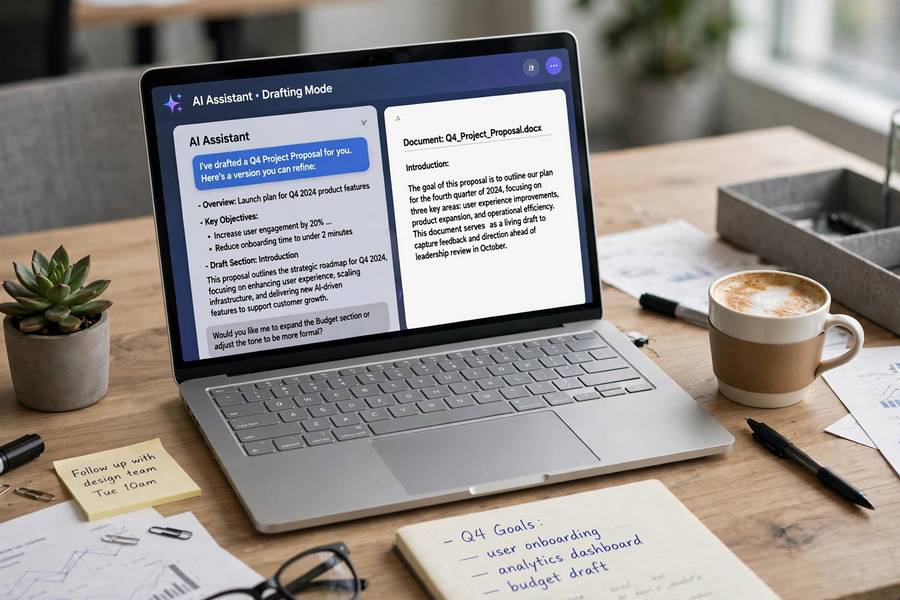
General writing assistants (ChatGPT, Claude). The workhorses. Drafting emails, memos, reports, proposals, job descriptions, performance review notes. The trick is treating them as junior drafters: give detailed briefs, expect solid structure with generic phrasing, then rewrite in your voice. They save the most time on first drafts and the least on final polish — which is exactly the right division of labor. Keep sensitive content out unless your employer has an approved enterprise version.
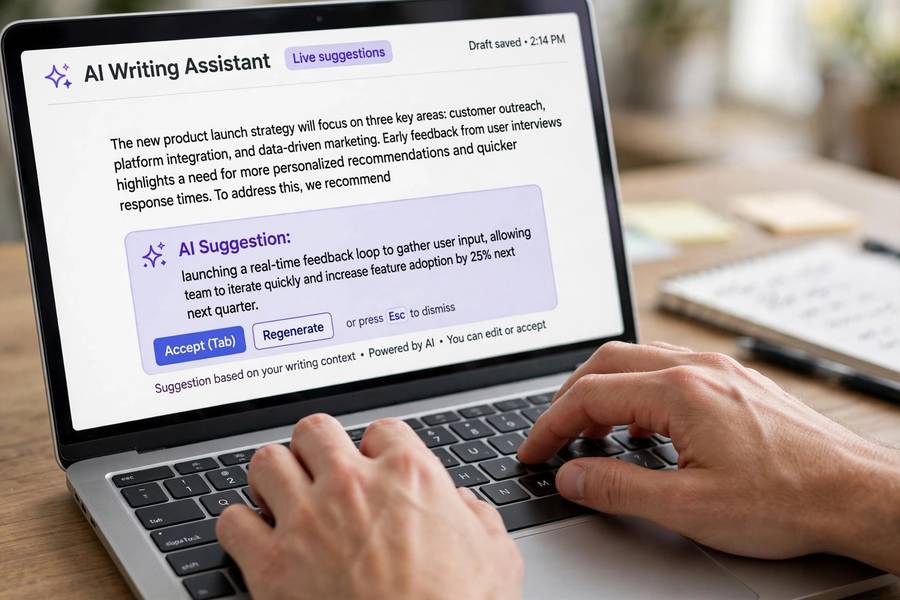
In-editor assistants (Grammarly’s AI features, Microsoft Copilot in Word, Google’s Help Me Write). These live where you already write, which eliminates the copy-paste tax. Copilot in Word is genuinely useful for “turn these bullets into a paragraph” and “shorten this to one page.” Grammarly’s rewrite suggestions are best-in-class for tone adjustment. The downside: they’re tied to their ecosystems — great if you’re all-in on Microsoft or Google, annoying if you’re not.
What to watch for: AI writing converges on a recognizable style — competent, bland, slightly corporate. If everyone uses the same tools the same way, all office writing starts sounding identical. The fix is deliberate voice: use AI for structure and speed, then inject your actual personality in the edit. The edit is where the value is; don’t skip it.
Meetings: Notes, Summaries, and Follow-Ups
This is where AI went from “interesting” to “indispensable” for me. My full workflow for this — the short version:
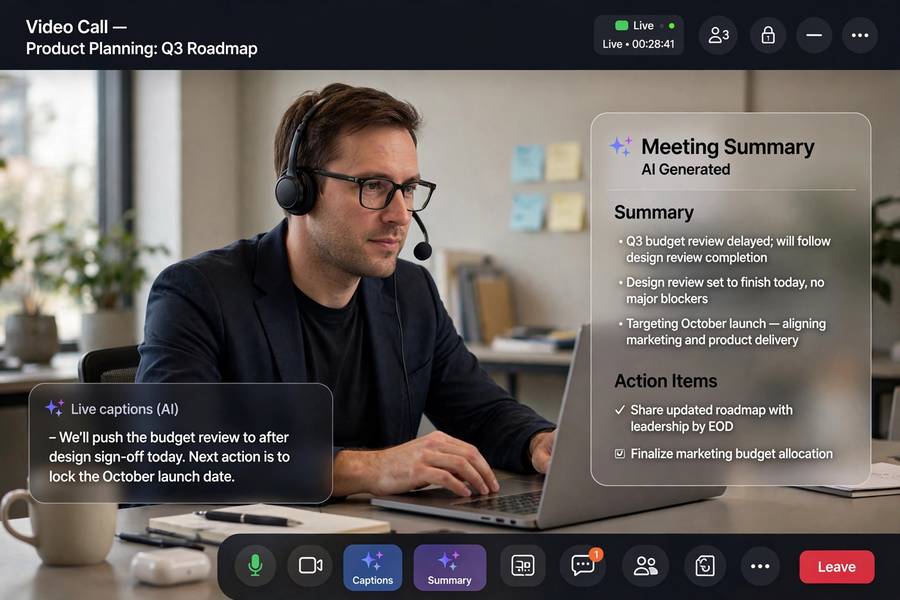
AI notetakers (Otter, Fireflies, Fathom, and built-in options in Teams/Zoom/Meet). They join your calls, transcribe, and produce summaries with action items. The transcription quality is now excellent for clear audio; the summaries are good for standard meetings and shaky for messy, political, or highly technical ones. Always skim before sharing — the summary of a sensitive discussion going out unreviewed is a career-limiting event waiting to happen.
The real win isn’t the notes — it’s the presence. When the AI is capturing everything, you can actually listen instead of frantically typing. I participate better in meetings now, which is a benefit no feature list captures.
Watch for: consent and privacy. Recording laws vary by jurisdiction, and workplace norms vary by company. Announce the notetaker, check your company’s policy, and know where the recordings are stored. Also: some participants speak less freely when recorded, which changes what the meeting produces. The tool affects the thing it measures.
Data and Spreadsheets
AI for data work is powerful and dangerous in equal measure — it accelerates analysis and can accelerate errors just as fast.
Spreadsheet copilots (Copilot in Excel, Google Sheets’ AI features). “Explain this pivot table,” “write a formula that does X,” “find anomalies in this column.” The formula-writing alone justifies the price for anyone who isn’t a spreadsheet native — describe what you want in plain English, get working formulas. Always verify the formulas on sample data before trusting them on real data. An AI-written VLOOKUP that silently references the wrong column is worse than no formula at all.
Data analysis assistants (ChatGPT/Claude with data files, dedicated tools). Upload a CSV, ask questions in plain English, get charts and summaries. Genuinely useful for exploratory analysis — “what drove the Q3 dip?” answered in seconds from raw data. The limitation: these tools are confident pattern-matchers, not statisticians. They’ll happily report a “trend” that’s noise. Treat AI analysis as a hypothesis generator, then verify with proper methods before presenting.
The golden rule: AI can do your data homework, but it can’t do your data judgment. Every number it produces needs a human asking “does this make sense?” before it goes into a deck. The speed is real; the verification burden is non-negotiable.
Scheduling and Email Triage
The unglamorous categories where AI quietly saves the most time:
Scheduling assistants. Tools that find meeting times across calendars, draft scheduling emails, and handle the back-and-forth. The best ones (built into Calendly-style tools and email clients) eliminate the “does Tuesday work?” thread entirely. Time saved per meeting scheduled: small. Meetings scheduled per year: enormous. It compounds.
Email triage and drafting. AI that summarizes long threads (“catch me up on this 47-message chain”), drafts replies in your voice, and flags what needs your attention. The thread summarization is the killer feature — walking into a conversation cold and getting briefed in thirty seconds. Drafting works well for routine replies; for anything sensitive or political, draft-then-heavily-edit.
Priority filtering. Some tools now learn which emails actually matter to you versus which just look urgent. This is quietly transformative for inbox sanity — the algorithm learns your real priorities from your behavior, not the sender’s formatting.
Watch for: the uncanny valley of AI-written emails. Recipients can increasingly tell, and in some contexts (apologies, condolences, negotiations) an AI-drafted message reads as disrespectful no matter how well written. Know when the human touch isn’t optional.
Automation and Workflow Tools
The power-user category — connecting AI to your actual workflows:
Zapier/Make with AI steps. “When a form is submitted, have AI draft a personalized response, then send it for approval.” The pattern — trigger, AI processing, human approval, action — automates the repetitive middle of workflows while keeping humans at the decision points. Start with one workflow, prove it works, then expand.
Built-in platform automation. Notion AI, Coda AI, and similar tools that bring AI inside your docs and databases: summarize this page, extract action items from these notes, draft a status update from these tasks. The advantage is context — the AI works on your actual data, in place, without copy-paste.
Custom GPTs / agents for recurring tasks. Weekly report drafting from your task tracker, first-pass proposal reviews against a checklist, meeting prep briefs assembled from your calendar and docs. The setup takes an afternoon; the payoff is weekly.
The principle: automate the toil, not the judgment. If a task requires understanding context, making tradeoffs, or owning consequences — keep the human. If it’s transforming information from one format to another — automate it.
What Didn’t Make the Cut (and Why)
Honesty requires the rejects:
AI presentation designers. The slides look… fine. Generic-fine. Every AI-generated deck has the same energy, and audiences can feel it. Useful for internal status updates; embarrassing for anything that matters. I still design important decks myself.
AI decision-makers. Tools claiming to “make data-driven decisions” for you. The decisions were data-flavored guesses with no accountability. Hard pass — decisions need owners, and software can’t own consequences.
All-in-one “AI employees.” The hype category. Every one I tested needed so much supervision, correction, and prompt-engineering that it created more work than it saved. The technology isn’t there yet for autonomous office work; the supervised-assistant model is.
Anything with unresolved data concerns. If I couldn’t answer “where does my company’s data go?” clearly, it was out — regardless of features. This killed several promising tools. Your employer’s data policy is the first filter, not the last.
How to Introduce AI Tools at Work Without the Drama
If you’re bringing these to a team, not just yourself:
Start with the willing. Find the two or three colleagues already curious. Let them get wins, then let the wins spread. Mandates breed resistance; examples breed adoption. And keep the broader goal in view — how to be more productive overall, not just more AI-assisted.
Lead with time saved, not technology. Nobody cares about the model; they care about the Friday afternoon they get back. Frame every tool as “this gives you X hours back,” with the X measured, not promised.
Address the fear directly. People worry AI means their job is at risk. Be honest: these tools change what the job’s busywork looks like; they don’t change the need for judgment, relationships, and accountability. The people who thrive are the ones who direct the tools, not the ones who ignore them.
Set data ground rules early. What’s approved, what’s not, where data goes. Get IT/security involved before the rollout, not after someone pastes the unreleased financials into a public chatbot. This is the step everyone skips and regrets.
Measure and share. Track time saved, share wins in team meetings, build the case with evidence. Adoption follows proof, not presentations. For the bigger picture of how AI is used in business, that’s the next read.

Frequently Asked Questions
The proven categories: writing assistants (ChatGPT, Claude, Copilot in Word) for drafts; AI notetakers (Otter, Fireflies, Fathom) for meetings; spreadsheet copilots for formulas and analysis; scheduling assistants for calendar coordination; and workflow automation (Zapier/Make with AI steps) for repetitive processes. The best tool depends on your specific bottleneck.
It depends on the tool and your company’s policy. Enterprise versions (with data-protection commitments) are generally safe for approved use; public free tiers may use inputs for training. Always check your employer’s AI policy first, and never paste sensitive, confidential, or regulated data into tools you haven’t vetted.
They’re replacing busywork, not judgment. AI excels at drafting, summarizing, transcribing, and transforming information — the toil. It can’t own consequences, navigate relationships, or make accountable decisions. The workers who thrive are those who direct AI tools effectively, not those who compete with them on speed.
Start with one painful task — usually email drafting or meeting notes — and one approved tool. Measure the time saved, expand to the next bottleneck, and bring colleagues along with evidence rather than mandates. Set data ground rules with IT before rolling out to a team.
Keep reading: