
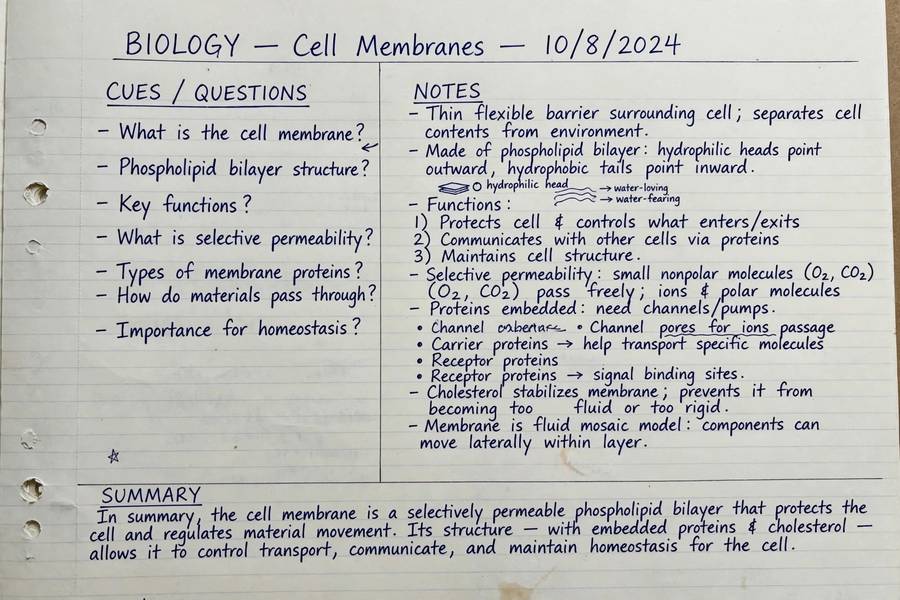
Of every study technique I have taught, the Cornell Notes method has the best effort-to-results ratio I know. It takes thirty seconds to set up, works for nearly every subject, and quietly builds self-testing into your note-taking — so you are studying while you write, not just transcribing.
It was developed in the 1950s by Cornell education professor Walter Pauk, and it has survived every educational fad since for a simple reason: it works. Here is exactly how to use it, why it works, and how to adapt it to your subjects.
Table of Contents
- The Cornell Layout: Three Sections
- How to Take Cornell Notes (Step by Step)
- How to Review Cornell Notes
- Why It Works: The Learning Science
- Cornell Notes for Different Subjects
- Digital vs Paper Cornell Notes
- Cornell Notes Templates and Shortcuts
- Common Mistakes to Avoid
- Cornell Notes for Lectures vs. Readings
- Give It Three Weeks
- Frequently Asked Questions

The Cornell Layout: Three Sections
Divide each page into three areas:
- Notes column (right, ~70% of width): Where you capture the lecture or reading — the main content.
- Cue column (left, ~30% of width): Left blank during class. Afterward, you fill it with questions, keywords, and prompts.
- Summary (bottom, ~5–7 lines): A brief summary of the page in your own words, written after class.
That is the entire system. The magic is not in the layout — it is in what the layout forces you to do afterward.
How to Take Cornell Notes (Step by Step)
During Class: Capture in the Notes Column
Write in the wide right column. Do not try to transcribe — capture main ideas, key terms, examples, and anything the instructor emphasizes (“this will be on the test” is a direct order). Use abbreviations, arrows, and diagrams freely. Leave blank space between ideas so you can add clarifications later.
Within 24 Hours: Fill the Cue Column
This is the step most students skip, and it is the most important one. In the left column, write:
- Questions the notes answer (“What causes tides?”)
- Keywords and vocabulary terms
- Connections (“similar to supply/demand from ch. 3”)
Writing questions forces you to process the material — you cannot write a good question about something you do not understand.
Then: Write the Summary
At the bottom, summarize the page’s key points in 2–3 sentences, in your own words. If you cannot summarize it, you do not understand it yet — and now you know exactly what to revisit.
How to Review Cornell Notes
Reviewing is where Cornell notes earn their reputation:
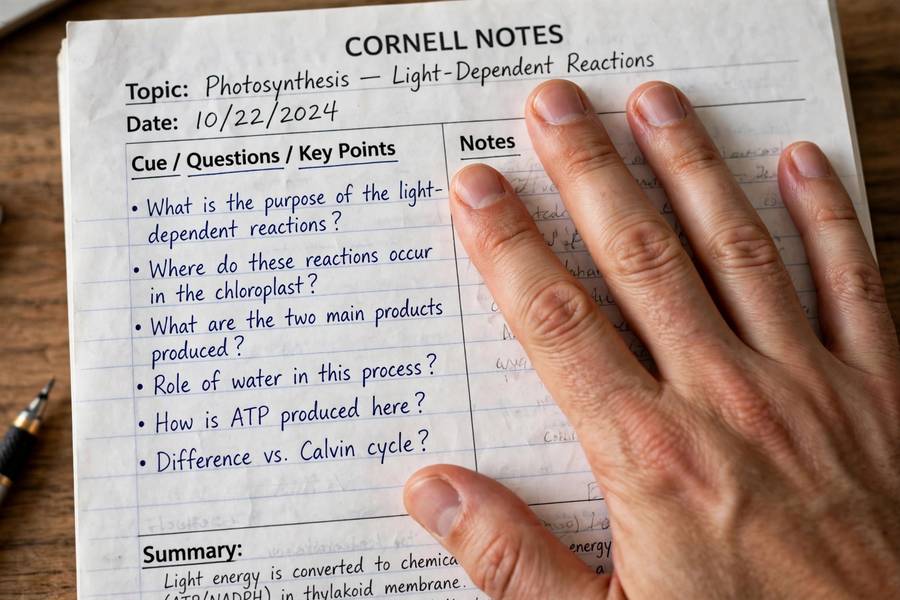
- Cover the notes column with your hand or a sheet of paper.
- Read each cue in the left column and answer aloud from memory.
- Uncover and check. Mark anything you missed.
- Read the summary last as a final consolidation.
This is built-in active recall — the single most effective study technique — with zero extra tools required. A ten-minute cue-column review the evening after class dramatically improves retention.
Why It Works: The Learning Science
Three mechanisms, all well-supported by research:
- Generative processing. Writing questions and summaries forces you to transform the material rather than copy it. Transformation is learning.
- Retrieval practice. The cover-and-recall review method is textbook active recall, which consistently outperforms re-reading.
- Spaced, organized review. The format makes review fast and targeted — you can quiz yourself on one page in two minutes, which means you actually do it.
It also solves the “beautiful notes, zero retention” problem: Cornell notes are explicitly designed to be used, not admired.
Cornell Notes for Different Subjects
- History/Literature: Cues become “why” questions (causes, motivations, themes). Summaries capture arguments, not just facts. In humanities, cues can be debate questions and thesis statements; summaries become your take on the reading.
- Science: Cues become process questions (“What are the steps of mitosis?”). Diagrams go in the notes column; labels become cues. In STEM, use cues for formulas and problem types, and summaries for the problem-solving procedure in plain language.
- Math: Work one example fully in the notes column; cues ask “when do I use this method?” — the discrimination skill tests actually measure.
- Languages: Vocabulary in cues, example sentences in notes; summaries track grammar patterns. The notes column holds vocabulary in context sentences while cues hold the native-language prompts.
Students who adapt the columns to their subject get far more from the method than those who fill it mechanically.
Digital vs Paper Cornell Notes
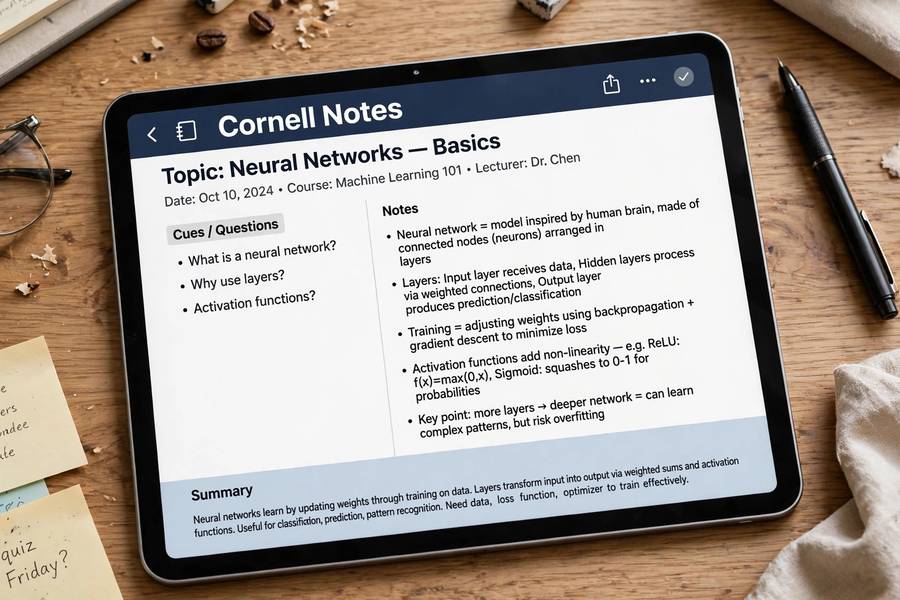
Both work. Paper is faster to set up and better for diagrams; many students find handwriting aids memory. Digital (in apps with templates or just a two-column table) wins on searchability, editability, and having everything in one place. My advice: try paper for two weeks first — the physical act of ruling the columns builds the habit — then digitize if you prefer screens.
Cornell Notes Templates and Shortcuts
Do not redraw the layout every time. Make a reusable template: draw the lines on 10 pages at once, photocopy a master, or save a digital template (a simple two-column table works in any app). Some students use a ruler and do it in five seconds — the setup should never become a procrastination ritual. Keep a stack of pre-ruled pages ready so starting takes zero effort.
For a deeper dive, see our guide to how the Common App works.
Common Mistakes to Avoid
- Skipping the cue column. Notes without cues are just regular notes. The cue column is the method. Leaving it blank until exam week wastes its power — it works through weekly review.
- Writing summaries during class. Summaries need reflection; write them after, when you have processed the material. A summary should be understandable to someone who never attended the lecture — if it is not, you have not processed the material yet.
- Too much detail in notes. If your notes column is a transcript, your cue questions will be shallow. Capture ideas, not sentences — transcription is not thinking.
- Never reviewing. Cornell notes you never quiz yourself on are just organized paper. The 10-minute evening review is non-negotiable.
Pair the method with smart exam prep — see how to study for final exams — and you have a complete system.
Cornell Notes for Lectures vs. Readings
In fast lectures, your notes column will be messier — that is fine. Capture fragments, star anything the instructor emphasizes, and leave generous blank space. The cleanup happens within 24 hours when you fill the cue column; that is when messy capture becomes organized knowledge.
For textbook readings, slow down and be pickier. Read a section first, then write — never copy while reading. Your cue questions for readings should be harder than lecture cues, because you had time to think: “Why does the author argue X instead of Y?” rather than “What is X?”
The method is the same; the capture discipline differs.
Give It Three Weeks
The first week feels slower than your old note-taking — you are doing more work per page. That is the point. By week three, the cue-column habit becomes automatic and review takes minutes instead of hours. Students who quit in week one never see the payoff; students who push through week three rarely go back.
Frequently Asked Questions
A note-taking system dividing each page into three sections: a wide notes column for capturing content, a narrow cue column for questions and keywords (filled in after class), and a bottom summary. The format builds self-testing directly into your notes.
Draw a vertical line about 30% from the left edge and a horizontal line about 2 inches from the bottom. Take notes in the large right section during class, add questions to the left column within 24 hours, then write a brief summary at the bottom.
They force generative processing (writing questions and summaries), enable retrieval practice (cover-and-recall review), and make review fast and targeted. Research supports all three mechanisms as powerful learning drivers.
Yes — use a two-column table template in any notes app, or dedicated Cornell templates. Digital wins on search and organization; paper wins on setup speed and diagramming. Both support the same review method.
Questions the notes answer, key vocabulary, and connections to other material. Write them within 24 hours of class — creating good questions requires processing the content, which is itself valuable studying.
Cover the notes column, read each cue, answer aloud from memory, then uncover to check. Finish by reading your summaries. Ten minutes of this the evening after class dramatically improves retention.