Last year I landed in a new country at 11 PM with a dead data connection and no way to find my hotel. The airport kiosks were closed, and I spent forty minutes hunting for a convenience store that sold local SIM cards. A friend traveling with me was online in three minutes — she’d bought an eSIM plan on the plane. That night converted me from “eSIM sounds like a gimmick” to “why did I wait so long.” But it’s not better in every situation. Here’s the honest breakdown.
Table of Contents
- What a SIM Actually Does
- Physical SIM: The Tiny Card You Know
- eSIM: The SIM That Isn’t There
- Head-to-Head: The Real Differences
- Convenience and Setup
- Travel and Switching Carriers
- Dual SIM: Using Two Numbers
- Security
- Phone Resale and Repairs
- Where Physical SIMs Still Win
- Where eSIM Clearly Wins
- My Verdict: Which Is Worth Your Money?
- Frequently Asked Questions
What a SIM Actually Does
A SIM (Subscriber Identity Module) is how your phone proves to a carrier that you are you. It stores a unique identifier and encryption keys that authenticate your phone on the mobile network. Without a valid SIM profile, your phone can’t make calls, send texts, or use cellular data — it’s just a Wi-Fi device.
The key insight: the “SIM” is really just data — an identity file. The only question is whether that file lives on a removable plastic chip (physical SIM) or on a rewritable chip soldered inside your phone (eSIM). Everything else follows from that difference.
Physical SIM: The Tiny Card You Know
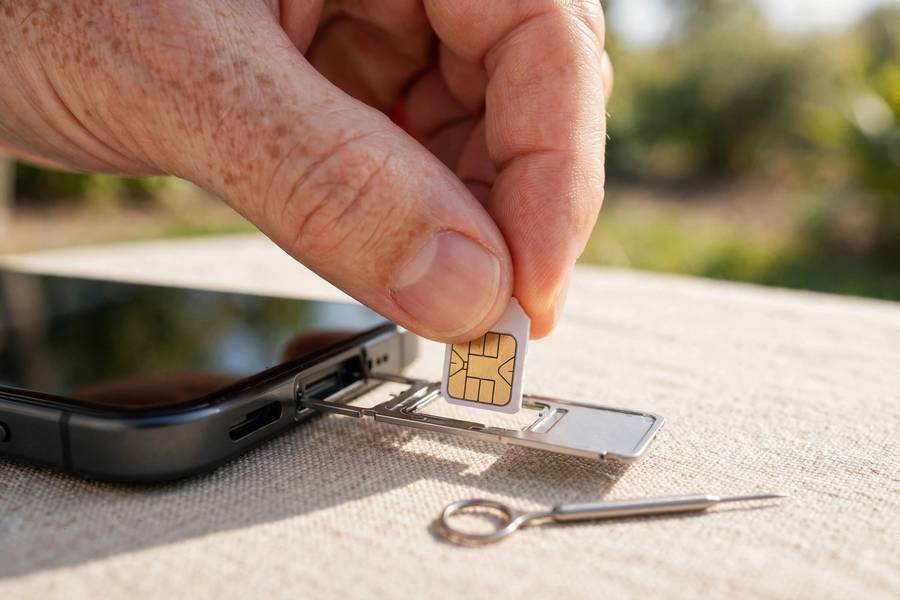
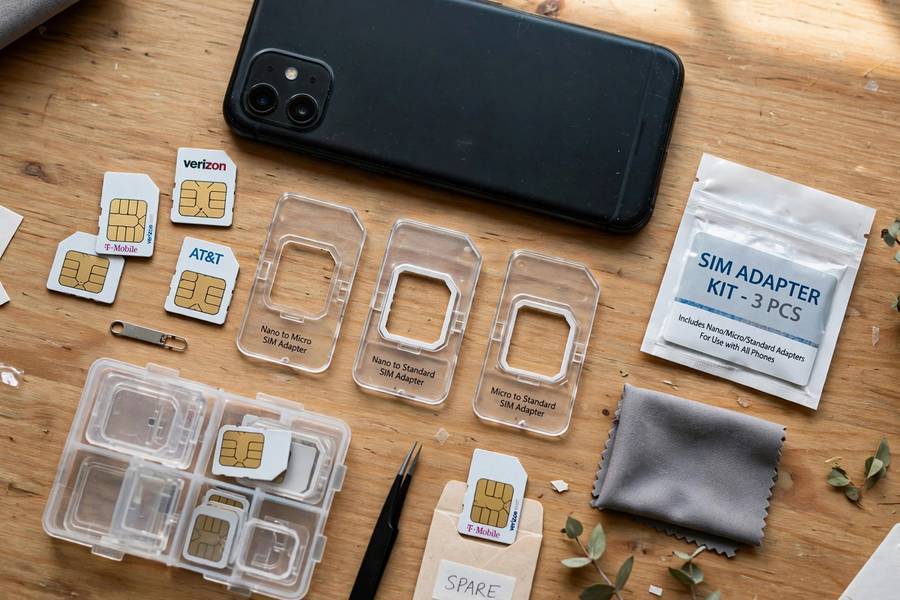
The physical SIM is the little plastic-and-gold chip you’ve been sliding into phones for decades. Today’s standard is the nano-SIM, the smallest of the bunch. You get one from a carrier store, pop it into the SIM tray with an ejector tool, and you’re connected.
Its strengths are obvious: it’s universal, it works in basically every phone on earth, and it’s transferable — moving to a new phone means moving the card. If your phone dies, you pull the card out, put it in a backup phone, and you’re reachable in seconds. No carrier call needed, no internet required for the swap.
Its weaknesses: you need the physical card in hand. Lose it, and you’re disconnected until a replacement arrives. Buying a plan while traveling means finding a store, showing ID, and hoping the clerk speaks your language. And that SIM tray takes up space inside the phone — space manufacturers would love to reclaim for battery or other components.
eSIM: The SIM That Isn’t There
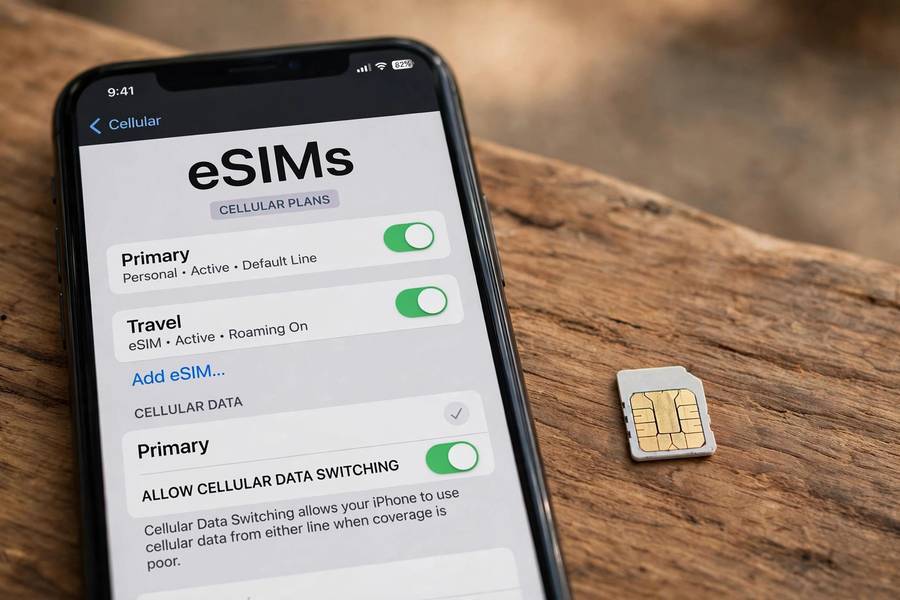
An eSIM (embedded SIM) is a small chip soldered directly onto your phone’s circuit board during manufacturing. Instead of swapping cards, you download carrier profiles onto it — usually by scanning a QR code, tapping a link, or using a carrier’s app. Most modern phones can store 5–10 profiles and keep two active at once.
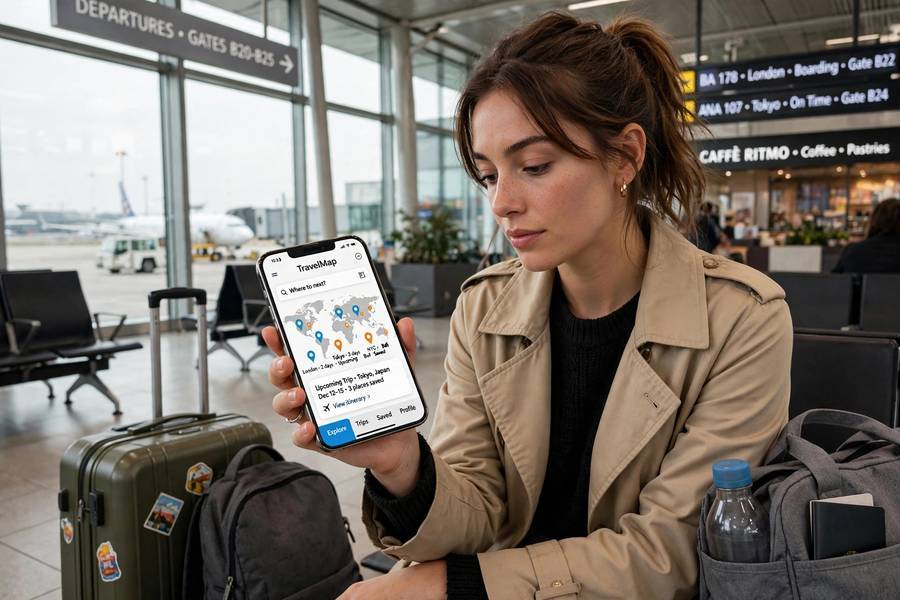
Setup is the headline feature: buy a plan online, scan a code, and you’re connected in minutes. No store visit, no waiting for shipping, no ejector tool. For travel, this is genuinely transformative — you can buy a local data plan for your destination country while you’re still on the plane, and land connected. (More travel-tech tips in our international travel packing guide.)
The eSIM also enables better water and dust resistance (one less hole in the phone body) and frees internal space. Some phones — newer iPhones in the US, for example — have dropped the physical SIM tray entirely and are eSIM-only.
Head-to-Head: The Real Differences
Convenience and Setup
eSIM wins for anyone comfortable with a phone settings menu. Downloading a profile takes minutes. Physical SIM wins for anyone who wants zero tech involvement: hand a store clerk your phone and they handle it. If you’re buying a phone for a parent who calls you for help with the TV remote, the physical SIM is the safer choice.
Travel and Switching Carriers
This is eSIM’s killer feature. Travel eSIM providers sell data plans for 190+ countries, often for a few dollars per gigabyte. You can compare plans in an app, buy the cheapest, and activate it on landing. With a physical SIM, you’re hunting for airport kiosks with inflated tourist prices or visiting local carrier shops.
Switching carriers at home is also easier with eSIM — many carriers let you transfer your number to eSIM through their app without a store visit. But there’s a catch: some budget carriers and MVNOs still don’t support eSIM at all, so check before you commit.
Dual SIM: Using Two Numbers
Want a work number and a personal number on one phone? Or your home number plus a travel data plan? Most eSIM phones handle this elegantly: one eSIM profile active alongside a physical SIM (dual SIM), or two eSIM profiles active at once (dual eSIM). Physical-SIM-only phones typically need two physical trays, which many phones don’t have.
Security
Here’s a nuance most comparisons skip. A physical SIM can be stolen — someone with your card can put it in another phone and receive your calls and 2FA codes. An eSIM can’t be physically removed, which is genuinely better if your phone is stolen: the thief can’t just pop your SIM into another device. However, eSIM transfers are vulnerable to social engineering — attackers convincing your carrier to move your number to their device (SIM swapping). Both need carrier-side protections; neither is bulletproof. Overall, eSIM is slightly safer against theft, roughly equal against remote attacks.
Phone Resale and Repairs
Selling a phone with an eSIM? You must remember to delete your profiles — a factory reset usually handles it, but double-check. With a physical SIM, you just take your card out; forgetting is nearly impossible. For repairs, a physical SIM is easier: phone in the shop for a week? Move your card to a spare and keep your number. With eSIM, you’ll need to transfer the profile, which requires internet and sometimes a call to the carrier.
Where Physical SIMs Still Win
- Your carrier doesn’t support eSIM — still common with smaller regional carriers and some prepaid brands.
- You swap phones often — reviewers, repair techs, people with a drawer of backup phones. Moving a card takes 10 seconds; transferring eSIM profiles takes 10 minutes and sometimes a support call.
- Older or budget phones — eSIM requires a compatible chip; many budget Android phones still lack it.
- Zero-hassle setup for non-technical users — a physical card handed over in a store is foolproof.
Where eSIM Clearly Wins
- International travel — buy a plan on the plane, land connected, skip the kiosk markup.
- Dual numbers on one phone — work + personal, or home + travel data, without carrying two devices.
- Quick carrier switching — compare and activate plans from your couch.
- Phone durability — one fewer opening means better water and dust resistance.
- Newer flagship phones — some are eSIM-only, so the choice is already made for you.
My Verdict: Which Is Worth Your Money?
If your phone supports eSIM and your carrier does too, use the eSIM as your primary line and keep the physical slot free (if you have one). That gives you the best of both worlds: instant plan changes at home, cheap travel data abroad, and a physical slot available as a backup.
But don’t overthink it. The SIM format is plumbing — what matters is the plan’s price, coverage, and data allowance. A great physical-SIM plan beats a mediocre eSIM plan every time. And if your carrier or phone doesn’t support eSIM yet, you’re not missing anything essential; the physical SIM still does the job it has done for thirty years.
One last hands-on tip: before traveling, screenshot your eSIM’s QR code or save the activation details somewhere accessible offline. If your phone dies mid-trip and you’re setting up a replacement, you’ll want those details — and you can’t download them without internet. I learned that one the hard way in that airport at 11 PM.
For the bigger picture of how your phone actually connects — the wireless tech behind all of this — check out how Wi-Fi gets data to your devices.
Frequently Asked Questions
A physical SIM is a removable chip you insert into your phone’s SIM tray. An eSIM is a chip built into the phone that you activate by downloading a carrier profile (usually via QR code). Both do the same job — authenticating you on the mobile network — but eSIM lets you switch plans without handling a physical card.
eSIM is better for travelers and people who switch carriers often, since you can buy and activate plans in minutes from anywhere. Physical SIM is better if you swap phones frequently, your carrier doesn’t support eSIM, or you want the simplest possible setup. For most people with eSIM-compatible phones, using eSIM as the primary line is the best option.
Yes — most phones that have both support dual SIM standby, letting you keep two numbers active (for example, a work number and a personal number, or your home number plus a travel data plan). Many newer phones also support two active eSIM profiles at once.
No. Most major carriers in the US, UK, and EU support eSIM, but many smaller regional carriers, budget MVNOs, and carriers in some countries still don’t. Always check with your specific carrier before buying an eSIM-only phone.
Slightly. An eSIM can’t be physically removed and put in another phone, which helps if your phone is stolen. Both are vulnerable to SIM-swapping attacks where criminals trick the carrier into transferring your number — that risk is about the carrier’s security, not the SIM format.
You transfer the eSIM profile to the new phone, usually through your carrier’s app, a QR code, or during the phone’s setup process. It’s straightforward but takes a few minutes and needs internet access — unlike a physical SIM, which you just move over by hand.