What Is a VPN and How Does It Work? A Beginner’s Guide


You’ve seen the ads — every podcast, every YouTube video, everyone telling you that you NEED a VPN. But what is a VPN and how does it work, actually? More importantly: do YOU need one, or is it just marketing noise?
Let’s cut through the hype together. I’ll explain virtual private networks in plain English — what they do, what they don’t do, and how to decide if one belongs in your digital life. No jargon, no fear-mongering, just the facts.
What Is a VPN and How Does It Work? The Simple Explanation
A VPN (Virtual Private Network) is a service that creates a secure, encrypted tunnel between your device and the internet. Normally, your internet traffic travels from your device to your internet provider to the website — visible to your provider and anyone snooping on your network. With a VPN, your traffic first goes through an encrypted tunnel to the VPN company’s server, and only then out to the internet.
Think of it like sending mail. Normally, you send postcards — anyone handling them can read what you wrote. A VPN puts your postcards in a sealed, armored envelope addressed from a different post office. The contents are hidden, and the return address shows the VPN server’s location, not yours.
Two things happen simultaneously: encryption (your data is scrambled so eavesdroppers can’t read it) and IP masking (websites see the VPN server’s address instead of yours, hiding your location and identity).

How Does a VPN Work? Step by Step
Here’s what happens when you connect to a VPN and visit a website:
- You connect to a VPN server. Open the VPN app, pick a server location (say, a server in another city or country), and hit connect. This takes seconds.
- An encrypted tunnel is established. Your device and the VPN server agree on encryption keys. From this point, everything between you and the server is scrambled.
- Your traffic goes through the tunnel. When you visit a website, your request travels encrypted to the VPN server first. Your internet provider sees only encrypted gibberish going to the VPN — not which sites you visit.
- The VPN server forwards your request. The server decrypts your request and sends it to the website on your behalf, using its own IP address.
- The response comes back the same way. The website replies to the VPN server, which encrypts the response and sends it back through the tunnel to you.
The whole process adds a tiny bit of delay (your data takes a slightly longer path), but with a good VPN service, you won’t notice it in everyday browsing or streaming.
What Does a VPN Actually Protect You From?
Let’s be specific about the real threats a VPN addresses — and the ones it doesn’t:
A VPN DOES protect you from:
- Snoopers on public Wi-Fi. That coffee shop hotspot? Anyone with basic tools can watch unencrypted traffic on open networks. A VPN encrypts everything, making you invisible to local snoopers. This is the VPN’s strongest use case.
- Your internet provider tracking your browsing. ISPs can see and log every site you visit. A VPN hides your browsing activity from them (though the VPN provider itself could theoretically see it — choose a reputable one).
- Location-based tracking and price discrimination. Websites see the VPN server’s location, not yours. This can affect what content you can access and sometimes what prices you’re shown.
- Network-level censorship and blocking. On restrictive networks (some workplaces, schools, or countries), a VPN can bypass blocks by tunneling through them.
A VPN does NOT protect you from:
- Viruses and malware. A VPN is not antivirus. Download something malicious and the VPN happily delivers it through the encrypted tunnel.
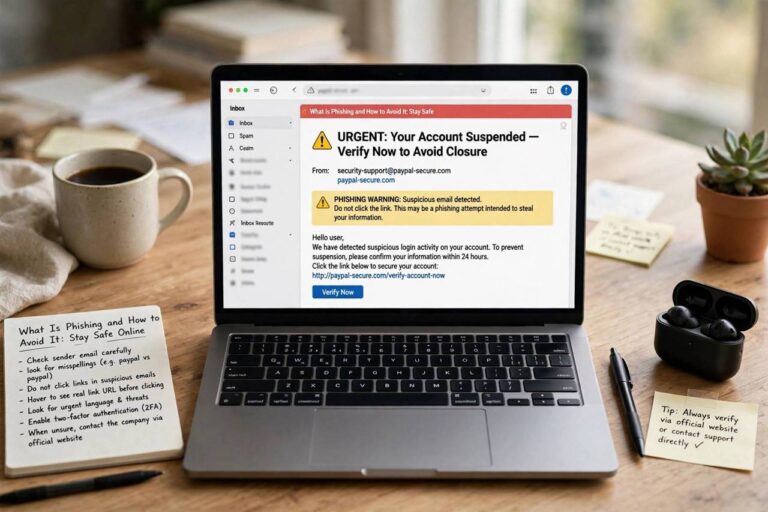
- Phishing and scams. If you type your password into a fake bank site, the VPN encrypts your mistake beautifully — but it’s still a mistake.
- Tracking by the sites you’re logged into. If you’re logged into an account, that site knows exactly who you are, VPN or not. A VPN hides your IP; it doesn’t make you anonymous to services where you’ve identified yourself.
- A bad VPN provider. You’re shifting trust from your ISP to the VPN company. A shady free VPN that logs and sells your data is worse than no VPN at all.
When Do You Actually Need a VPN?
Honest assessment time. You probably benefit from a VPN if you:
- Use public Wi-Fi regularly. Cafes, airports, hotels — if you work or browse on open networks, a VPN is genuinely smart protection.
- Travel internationally. Access your home country’s services and protect yourself on unfamiliar networks.
- Work remotely with sensitive data. Many employers require VPNs for accessing company systems — and for good reason.
- Care about ISP privacy. If you’d rather your internet provider didn’t have a log of your browsing, a VPN solves that.
- Want to access region-locked content. Streaming libraries differ by country; a VPN lets you appear elsewhere. (Check the terms of service of your streaming platforms, though.)
You probably DON’T need a VPN if you only browse from your secure home network, don’t care about ISP logging, and practice good security basics otherwise. A VPN is a tool, not a magic shield — and it’s one layer among several.
VPNs as Part of Your Security Toolkit
A VPN works best alongside other basic security habits, not instead of them:
- Strong, unique passwords for every account — ideally managed by a password manager. If you’re wondering are password managers safe, the short answer is yes, and they’re one of the highest-impact security steps you can take.
- Two-factor authentication on every important account. Even if someone steals your password, they can’t get in without the second factor.
- A firewall — your devices almost certainly have one built in. Here’s how firewalls work to block unwanted incoming connections.
- Secure Wi-Fi at home — modern standards like WPA3 and newer hardware help. Curious about the latest? Here’s what Wi-Fi 6E is and why it matters for your home network.
- Software updates. The unglamorous hero of security. Update your devices promptly.
Think of it as layers: the VPN protects your connection, the password manager protects your accounts, the firewall protects your device, and updates patch the holes. No single layer does everything.

Choosing a VPN: What to Look For
If you decide a VPN is for you, here’s how to pick a good one:
- Paid beats free. Running VPN servers costs real money. If you’re not paying, you’re the product — free VPNs have a poor track record on privacy. A reputable paid VPN costs a few dollars a month.
- No-logs policy. Look for providers with independently audited no-logs policies — meaning they don’t record your activity even if asked.
- Strong encryption standards. Modern protocols like WireGuard or OpenVPN with AES-256 encryption are the current standard.
- Kill switch. This cuts your internet if the VPN connection drops, preventing accidental unprotected browsing. Essential feature.
- Server network and speed. More servers in more locations means better speeds and more options. Look for recent independent speed tests.
- Transparent ownership. Know who runs the company and where it’s based. Avoid providers with murky ownership.
Setting Up a VPN (It’s Easier Than You Think)
- Choose a reputable paid provider and create an account.
- Download their app for your devices (phone, laptop, tablet — most allow multiple simultaneous connections).
- Log in and connect. Pick a nearby server for best speed, or a specific country if you need that location.
- Enable the kill switch in the app’s settings.
- Verify it’s working — most providers have a “check my IP” page confirming your visible location has changed.
That’s it. Connect when you’re on untrusted networks, or leave it on all the time if you prefer — modern VPNs are light enough that many people just run them continuously.
VPN Protocols: The Quick Version
You’ll see protocol names in VPN apps — here’s what they mean without the engineering degree:
- WireGuard: The modern standard. Fast, efficient, excellent battery life on phones. If your VPN offers it, use it — it’s the best all-around choice for most people.
- OpenVPN: The veteran. Battle-tested for years, very secure, slightly slower than WireGuard. A solid fallback if WireGuard isn’t available.
- IKEv2: Great for mobile devices because it reconnects quickly when you switch networks (like moving from Wi-Fi to cellular). Good choice for phones.
- Avoid: PPTP and L2TP — outdated protocols with known weaknesses. Any reputable VPN has moved on; if yours still defaults to these, that’s a red flag about the provider.
For most users, the practical advice is simple: choose WireGuard if available, don’t overthink it. The protocol matters far less than choosing a trustworthy provider in the first place.
FAQ
What is a VPN and how does it work in simple terms?
A VPN creates an encrypted tunnel between your device and a VPN server. Your internet traffic goes through this tunnel first — scrambled so snoopers can’t read it — then out to websites from the VPN server, which masks your real location and IP address.
Is using a VPN legal?
In most countries, yes — VPNs are legal and widely used by businesses and individuals. A few countries restrict or ban them. Using a VPN doesn’t make illegal activity legal, though; it just encrypts your connection.
Does a VPN slow down my internet?
Slightly — your data takes a longer path through the VPN server, and encryption adds a small overhead. With a quality VPN and a nearby server, the difference is usually unnoticeable for browsing, streaming, and video calls.
Can I be tracked if I use a VPN?
A VPN hides your IP address and encrypts your traffic from local snoopers and your ISP. But it doesn’t make you fully anonymous — sites where you’re logged in still know who you are, and browser fingerprinting can still identify you. Think of a VPN as strong privacy protection, not invisibility.
Are free VPNs safe to use?
Generally, no — or at least, not trustworthy. Running VPN infrastructure costs money, so free providers often monetize through ads, data collection, or selling user information — the opposite of what a VPN is for. If privacy matters to you, a reputable paid VPN is worth the few dollars a month.