How to Organize Important Documents: A Calm, Simple System That Works


We have all been there — the passport is somewhere, the car title is definitely in “that drawer,” and the insurance paperwork you need right now has simply vanished into the paper void. Learning how to organize important documents is one of those unglamorous life skills that pays you back forever: less panic, less searching, and the quiet confidence of knowing exactly where everything is. And I promise: it is simpler than you think. You do not need a fancy filing system or a weekend-long project. You need one afternoon, a handful of folders, and a straightforward method you will actually maintain. Take a breath. Grab that pile of papers you have been avoiding. By the end of this guide, you will have a calm, working system — physical and digital — that keeps every important document findable in under a minute. Let us do this together.
How to Organize Important Documents, Step 1: Gather Everything
Before organizing anything, you need the full picture. Walk through your entire home and collect every important document into one pile — drawers, filing cabinets, shoeboxes, the glove compartment, that kitchen “catch-all” drawer, email inboxes, cloud drives. Yes, all of it. This step feels overwhelming, and that is normal; remind yourself this is the last time you will ever have to hunt. As you gather, do a quick triage into three piles: keep (vital records, deeds, policies), digitize then shred (old bills, statements available online), and shred immediately (expired coupons, junk mail, anything with personal info you no longer need). A crosscut shredder is worth its weight here — identity theft starts in recycling bins.

Step 2: Sort Into These 7 Categories
Forget complicated taxonomies. Nearly every household document fits into seven folders:
- Identity & vital records: birth certificates, passports, Social Security cards, marriage/divorce certificates, citizenship papers. These are the hardest to replace — they get the most secure storage (more below).
- Home & property: deeds, mortgage documents, lease agreements, home insurance, property tax records, major renovation receipts.
- Vehicles: titles, registrations, loan documents, insurance cards, maintenance records.
- Financial: bank account info, investment statements, loan documents, tax returns (keep at least 7 years).
- Insurance (non-home): health, life, disability policies — anything you would need in an emergency.
- Medical: vaccination records, prescriptions, advance directives, family medical history summaries.
- Work & education: employment contracts, pay stubs (recent), diplomas, certifications, professional licenses.
Label each folder clearly — a label maker or just neat handwriting on folder tabs works perfectly. If paper piles are a recurring theme in your home, you might also love our guide to declutter your house room by room — documents are just one front in the war on clutter.
Step 3: Choose Your Physical System
You have three good options; pick the one that matches your space and style:
- The binder method (my favorite for most people). One large binder with tabbed dividers for the seven categories, sheet protectors for the irreplaceable originals. Everything in one grab-and-go volume. Perfect for apartments and small homes.
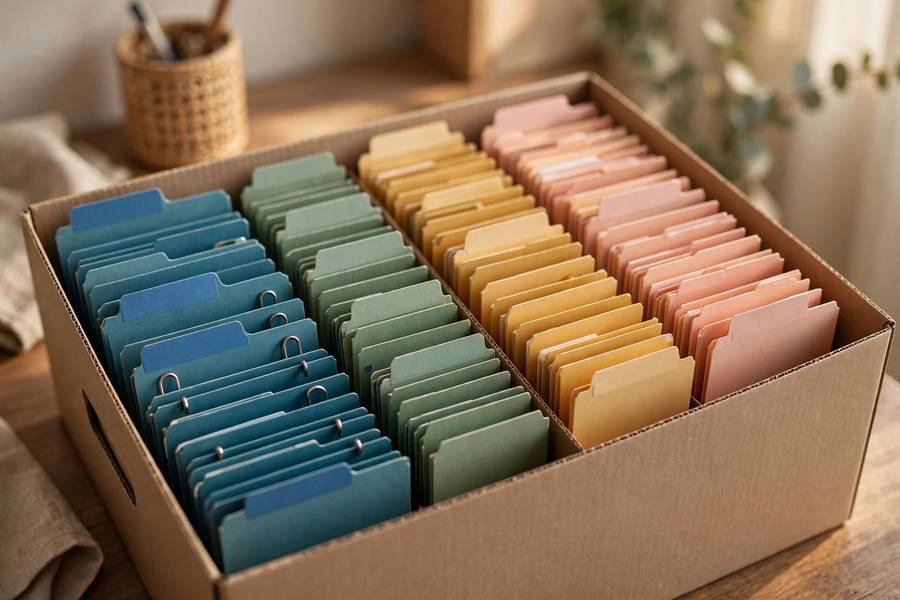
- The file box method. A portable file box with hanging folders, one per category. Slightly more capacity than a binder, still grabbable in an emergency.
- The filing cabinet method. Best if you have significant volume — a home business, rental properties, years of records. Dedicate one drawer to the seven categories.
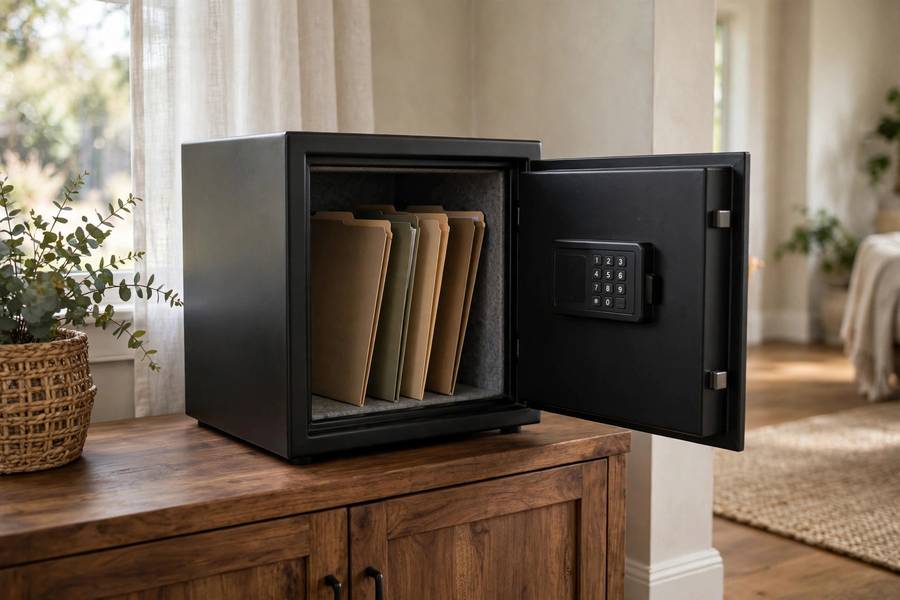
Whichever you choose, the vital-records folder deserves special treatment: store originals of birth certificates, passports, and deeds in a fireproof and waterproof safe or lockbox (a small one costs less than dinner out). Keep copies in your main system. In a true emergency — fire, flood, evacuation — you grab one box and go.
Step 4: Digitize Everything (Your Backup Brain)
Paper burns, floods, and gets lost. Digital copies are your safety net. You do not need a fancy scanner — your phone is enough. Use a scanning app (your phone’s built-in Notes or Files app works) to capture each important document as a clear PDF. Name files consistently: 2026-01-15_home-insurance_policy.pdf beats scan_final_FINAL2.pdf every time. Store them in a single encrypted location: a cloud service with two-factor authentication enabled, or an encrypted USB drive kept somewhere separate from the originals (a trusted family member’s house is ideal). The goal is simple: if your home and everything in it disappeared tomorrow, you could reconstruct your entire paper life from the digital copies. While you are building better systems, our guide on how to be more organized in daily life pairs beautifully with a newly tamed document system.
Step 5: The 15-Minute Monthly Maintenance
Here is where most organizing systems die — and where yours will live. Once a month, spend 15 minutes: file anything new into its folder, scan anything worth digitizing, shred what is expired. Put it on your calendar like an appointment. That is the entire secret. Systems do not fail because they are badly designed; they fail because nobody maintains them. Fifteen minutes a month keeps your afternoon of work paying dividends forever. And once a year, do a slightly deeper review: pull each folder, toss what is outdated (old insurance policies replaced by new ones, expired warranties), and confirm your digital backups are current.
Going Paperless: The Digital-First Household
Once your system is running, you can stop most paper from entering your home in the first place — which is the ultimate organization hack. Switch every bill, bank statement, and insurance notice to paperless delivery; it takes an afternoon of logging into accounts and saves you years of filing. For the paper that still arrives, adopt a simple rule: touch it once. When mail comes in, immediately sort it into three actions — file it (important document), scan-and-shred it (worth a digital copy), or recycle it (everything else). Never set it down “to deal with later,” because later is how piles are born. Keep your scanner app on your phone’s home screen and your shredder somewhere accessible, not buried in a closet. Within a month, the paper flowing into your home drops dramatically, and your monthly 15-minute maintenance session shrinks to five. The goal was never to become a filing enthusiast — it is to spend almost no time thinking about documents at all.
What to Keep vs. What to Shred: A Quick Reference
- Keep forever: birth/death/marriage certificates, Social Security cards, passports (even expired — useful as backup ID), property deeds, vehicle titles, estate documents.
- Keep 7+ years: tax returns and supporting documents, major medical records, home purchase/sale records.
- Keep 1–3 years: bank and investment statements (if not available online), insurance policies (current plus one prior), pay stubs (until the year’s tax return is filed).
- Shred after use: utility bills (once paid, unless needed for taxes), credit card offers, expired coupons, ATM receipts.
- When in doubt, digitize then shred. A scanned copy takes no physical space and satisfies nearly every “just in case” instinct.
Teach Someone Else Your System
A document system only you understand is a single point of failure. Once yours is running, walk one trusted person — a spouse, an adult child, a sibling — through it: where the binder or file box lives, where the digital copies are and how to access them, where the safe is and where its key or code is kept. You do not need to share every detail of your finances; you need them to be able to find things if you cannot. Write a one-page “in case of emergency” sheet listing locations (not passwords — point to your password manager for those) and keep it with the vital records. This conversation feels morbid and takes twenty minutes. It is also one of the kindest things you can do for the people who love you.
FAQ
What documents should I keep in a fireproof safe?
Originals of anything expensive or slow to replace: birth certificates, passports, Social Security cards, property deeds, vehicle titles, marriage certificates, and estate planning documents. Keep copies of these in your main filing system for everyday reference, so the safe only gets opened when truly needed. A small fireproof/waterproof safe or lockbox is sufficient for most households.
Should I keep paper copies if I have digital scans?
For most documents, a good scan is enough — but keep the paper originals of vital records (birth certificates, deeds, titles) because some institutions still require originals or certified copies. For bills, statements, and policies available online, digitize and shred the paper confidently. The rule: if replacing the original would take weeks and cost money, keep it; otherwise, the scan suffices.
How do I organize documents for an entire family?
Use the same seven categories, but add a sub-divider per family member within Identity, Medical, and Work & Education. Color-coding helps: one color per person for their personal folders. Keep one shared “household” set for property, vehicles, and shared finances. And make sure at least one other trusted adult knows where everything is — a perfect system nobody else can navigate fails when it matters most.
What should I do with a deceased loved one’s documents?
Create a separate, clearly labeled section or box — do not mix them into your active system. You will need the death certificate (order several certified copies), the will, account information, and insurance policies for estate settlement, a process that can take a year or more. Keep everything until the estate is fully closed and tax matters resolved, then archive the essentials (death certificate copies, the will) permanently and shred the rest. This is emotional paperwork; give yourself grace and do it in small sessions.
How do I organize documents that only exist digitally?
The same seven categories apply — just as folders on your computer or cloud drive instead of physical tabs. Use consistent naming (date first: 2026-10-14_document-name.pdf) so everything sorts chronologically automatically. The critical extra step for digital-only documents is the backup rule: cloud storage plus one local copy (external drive), because a single cloud account is a single point of failure. And download anything important that lives only in an online portal — companies get acquired, portals get redesigned, and “it’s in my account” is not an archive strategy.
How often should I update my document system?
Fifteen minutes monthly for filing new items and shredding expired ones, plus one deeper annual review where you check each folder, confirm digital backups are current, and purge outdated policies and records. Put both on your calendar. A system you maintain beats a perfect system you abandon — consistency is the entire game.