Best Apps for Organizing Study Notes (That Actually Work)


Here’s something I see in my classroom every single semester: students with brilliant minds and terrible systems. Their notes live in five different places — a notebook, a phone app, random screenshots, the margins of a textbook — and when exam week arrives, they can’t find anything. If that sounds familiar, the problem isn’t your memory. It’s your system. And the right apps for organizing study notes can fix it.
I’ve spent years watching students transform their grades simply by getting their notes organized. In this guide, I’ll show you what to look for in a study notes app, the best options for different kinds of learners, and the simple system I teach my own students.
Why Organized Notes Change Everything
Let me share a pattern I’ve observed over a decade of teaching: the students who struggle most at exam time usually didn’t study less — they studied from chaos. Scattered notes mean scattered review. You end up re-reading everything because you can’t find the important parts, which is exhausting and ineffective.
Organized notes do three things for you. First, the act of organizing is itself studying — sorting, tagging, and summarizing forces your brain to process the material. Second, organized notes make review dramatically faster; you can find any concept in seconds. Third, they reduce the low-grade anxiety of “I know I wrote this down somewhere…” which, trust me, drains more mental energy than students realize.
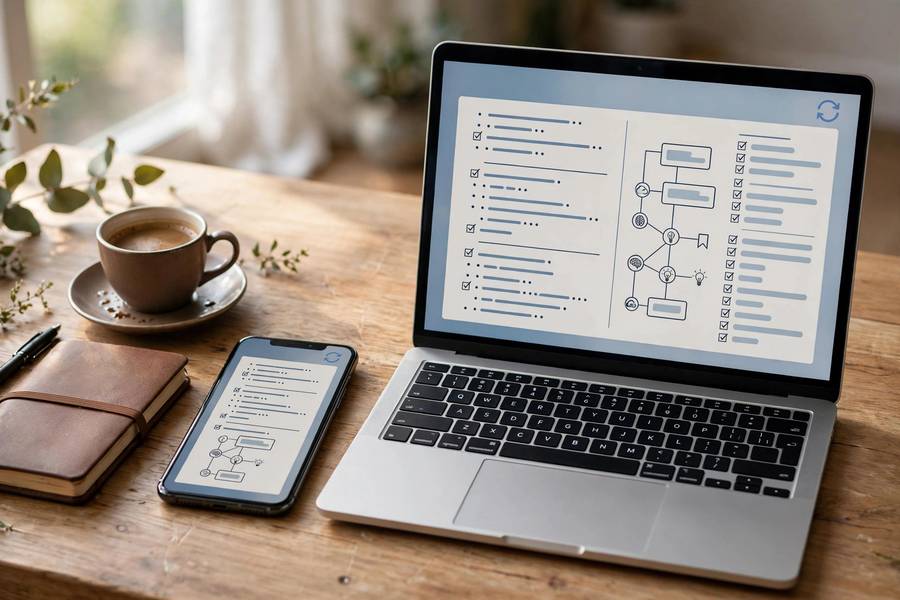
A good app doesn’t just store your notes — it becomes the backbone of how you learn. If you’re starting from zero, my overview of the best note taking apps is a great companion to this guide.
What to Look for in a Study Notes App
Not every note app is built for studying. Here’s what actually matters for students:
- Fast capture. If it takes ten taps to save a thought, you won’t use it in class. The best apps let you capture in seconds.
- Organization that matches your brain. Folders, tags, notebooks, or linked pages — pick the structure that feels natural, because you’ll abandon one that doesn’t.
- Search that actually works. This is non-negotiable. You should be able to find any note by keyword instantly — including text inside images and PDFs if possible.
- Cross-device sync. Notes taken on your phone in class should be on your laptop when you study at night. Seamlessly.
- Formatting flexibility. Checklists for to-dos, tables for comparisons, headings for structure — studying needs more than plain text.
- Offline access. Lecture halls have dead zones. Your notes shouldn’t.
- Price a student can afford. Many excellent apps are free or have generous free tiers. Never pay for features you won’t use.

The Best Apps for Organizing Study Notes
Notion — Best for Building a Study System
Notion is the app I recommend most to students who want everything in one place: notes, task lists, databases of key terms, even study schedules. Its superpower is structure — you can build a page per course, with linked databases for vocabulary, formulas, and practice questions. The learning curve is real (give it a weekend), but students who commit to it rarely go back. The free plan is generous enough for most students.
OneNote — Best Free All-Rounder
Microsoft’s OneNote is completely free and feels like a digital binder — notebooks, sections, pages, exactly like the paper system many students already know. It handles handwriting, audio recording synced to your typed notes, and math equations beautifully. If your school gives you Microsoft 365, this is a no-brainer.
Obsidian — Best for Connecting Ideas
Obsidian takes a different approach: instead of folders, your notes link to each other like a personal Wikipedia. For subjects where concepts interconnect — history, biology, literature — seeing those connections visually is powerful. It’s free for personal use and your notes are stored as plain files you own forever. The tradeoff: it’s less intuitive at first, and mobile sync costs extra.
Google Keep — Best for Quick Capture
Keep isn’t a full study system — it’s a capture tool. Color-coded sticky notes, checklists, voice memos, photo notes, all searchable and synced. I recommend it as a companion: capture fleeting thoughts in Keep during the day, then file the important ones into your main system each evening. Free, instant, everywhere.
Anki + Your Notes App — Best for Memorization
Technically a flashcard app, not a notes app — but I include it because the smartest study system I’ve seen pairs organized notes with spaced repetition. Take notes in your main app, then convert key facts into Anki flashcards. The combination of organized understanding plus spaced retrieval is, in my experience, the closest thing to a cheat code that studying has.
Matching an App to Your Learning Style
Here’s my honest advice after watching hundreds of students: the “best” app is the one you’ll actually use consistently. Match the tool to your tendencies:
- Visual learners: OneNote or Notion with embedded diagrams, color-coding, and image-heavy pages. Sketching concepts beats re-reading them.
- Structured thinkers: Notion’s databases or OneNote’s binder hierarchy. You like everything in its place — lean into it.
- Big-picture connectors: Obsidian’s linked notes. You’ll thrive seeing how ideas relate across subjects.
- Minimalists: Google Keep for capture plus one simple app for storage. Fewer features means fewer distractions.
- Handwriters: OneNote or Notability (iPad) with a stylus. Research consistently shows handwriting aids retention — don’t give it up just because apps exist.

The Simple System I Teach My Students
Apps don’t organize themselves. Here’s the dead-simple system I teach in my classroom — it works with any app:
1. One inbox. Every note, screenshot, and idea goes to one place first — your app’s inbox or quick-capture note. No deciding in the moment; just capture.
2. A weekly 15-minute sort. Every Sunday, spend fifteen minutes moving inbox items into course folders, tagging key concepts, and deleting what doesn’t matter. Fifteen minutes. That’s the whole maintenance cost.
3. One page per topic. Within each course, keep one living page per major topic. Add to it after every lecture instead of starting new scattered notes. By exam time, each page is a complete study guide.
4. A “key concepts” list per course. Maintain a running list of the 20–30 most important ideas. This becomes your final review sheet — and making it is itself powerful studying.
This system pairs beautifully with proven note-taking methods. If you want a structured format for that “one page per topic,” the Cornell Notes method is the classic I recommend first — it’s simple, research-backed, and works in any app.
Common Mistakes (and How to Avoid Them)
- Collecting apps instead of using one. Downloading six note apps is procrastination disguised as productivity. Pick one. Commit for a month.
- Over-organizing. A seventeen-level folder hierarchy you’ll never maintain is worse than three simple folders you actually use. Start simple.
- Copying slides verbatim. Transcription isn’t learning. Notes should be in your own words — if you can’t rephrase it, you don’t understand it yet.
- Never reviewing. The fanciest system fails if you don’t open it. Schedule review time; I suggest studying for final exams in short, spaced sessions rather than marathon cramming — your organized notes make this easy.
- Ignoring AI assistance. Modern apps increasingly offer AI summaries and organization help. The best AI note-taking tools can transcribe lectures and surface key points — a genuine time-saver when used alongside your own active note-taking, not as a replacement for it.
Final Thoughts
The app matters less than the system, and the system matters less than the consistency. Pick one app from this guide — the one that felt right as you read — and use it exclusively for the next month. Capture everything, sort weekly, and build one page per topic.
I’ve watched this simple shift rescue GPAs. Not because the app is magic, but because organized notes turn studying from a frantic search into a calm review. Your future exam-week self will thank you.
Frequently Asked Questions
It depends on your style: Notion is best for building a complete study system, OneNote is the best free all-rounder, Obsidian excels at connecting ideas across subjects, and Google Keep is ideal for quick capture. The best app is the one you’ll use consistently.
Yes — OneNote is completely free, Notion and Obsidian have generous free tiers, and Google Keep is free. Most students never need to pay for a note-taking app.
Research favors handwriting for retention, but typed notes are easier to organize and search. Many students do both: handwrite during lectures for understanding, then type up organized summaries for review. Apps like OneNote support both.
Use one app with a simple structure: one notebook or folder per course, one page per topic within each course, and a weekly 15-minute sort of your capture inbox. Keep a running “key concepts” list per course for exam review.
Yes — AI features can summarize lectures, extract key points, and auto-organize notes. They’re best used as assistants to your own active note-taking, not replacements for it. The thinking you do while organizing is itself valuable studying.