Text to Speech vs Speech to Text: What’s the Difference?

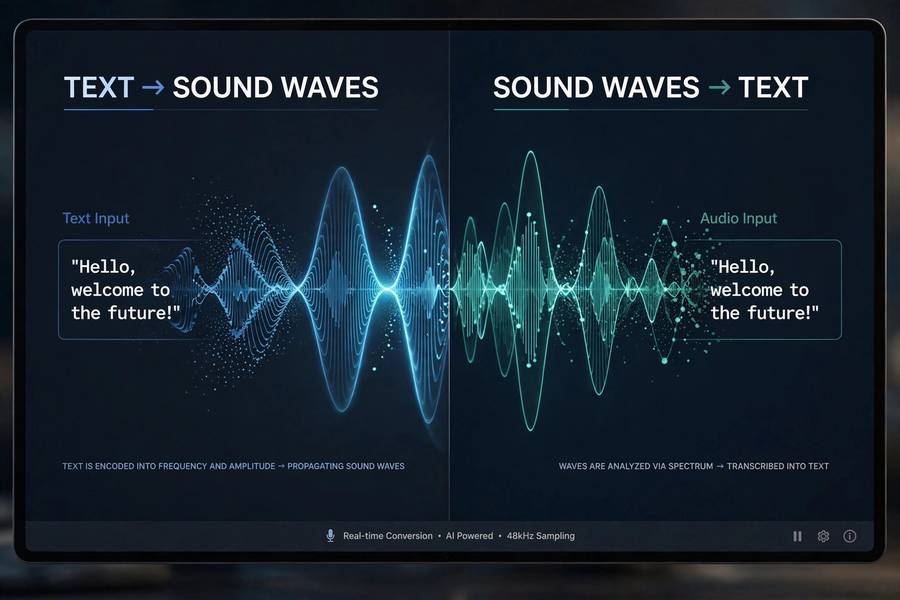
People mix these up constantly, and I understand why — the names are mirror images, they both involve voices and computers, and they usually appear together in the same products. But text to speech vs speech to text are opposite operations solving opposite problems, and choosing between them (or combining them) starts with understanding the difference clearly.
The one-sentence version: text to speech (TTS) turns written words into spoken audio — the computer talks. Speech to text (STT) turns spoken words into written text — the computer listens. Your voice assistant uses both: STT to understand your question, TTS to speak the answer. This guide unpacks each direction, how they differ technically, and when you’d use each. For depth on the synthesis side, see how text to speech works.
The Core Difference in One Picture
Imagine a bridge between two worlds: the world of written text (clean, structured, unambiguous) and the world of spoken audio (messy, continuous, full of variation). Text to speech crosses the bridge from text to audio. Speech to text crosses it from audio to text. Same bridge, opposite directions — and the journey is very different depending on which way you’re going.
Going from text to audio, you start with something clean and precise. The challenge is generation: producing natural-sounding speech from symbols, inventing the prosody, rhythm, and emphasis that the text only implies. Going from audio to text, you start with something messy — real human speech with accents, mumbling, background noise, false starts — and the challenge is interpretation: figuring out which words were actually said.
This asymmetry explains nearly every technical difference between them. TTS is a generation problem (create good output from clean input). STT is a recognition problem (extract clean meaning from messy input). Generation problems and recognition problems fail differently, improve differently, and suit different applications.
Text to Speech: The Computer Talks
Text to speech takes written text and produces spoken audio. The input is clean — characters on a screen — and the system’s job is to render them as natural human-like speech: correct pronunciation, appropriate rhythm and emphasis, a pleasant voice. Modern AI TTS does this in stages — text analysis, acoustic prediction, waveform generation — learning from thousands of hours of human speech.
The quality bar for TTS is perceptual: does it sound natural? A single mispronounced word or robotic pause breaks the illusion, but the system controls the entire output — it generates the audio from scratch, so it never has to deal with unexpected input. The text says what it says; the only question is how beautifully the system says it.
TTS use cases cluster around output: accessibility (screen readers), voice assistants’ spoken responses, audiobook narration, announcements, video voiceovers, language learning pronunciation models. Anywhere you need words turned into voice, consistently and on demand. The technology’s strength is reliability — the same text produces the same quality every time.
Speech to Text: The Computer Listens
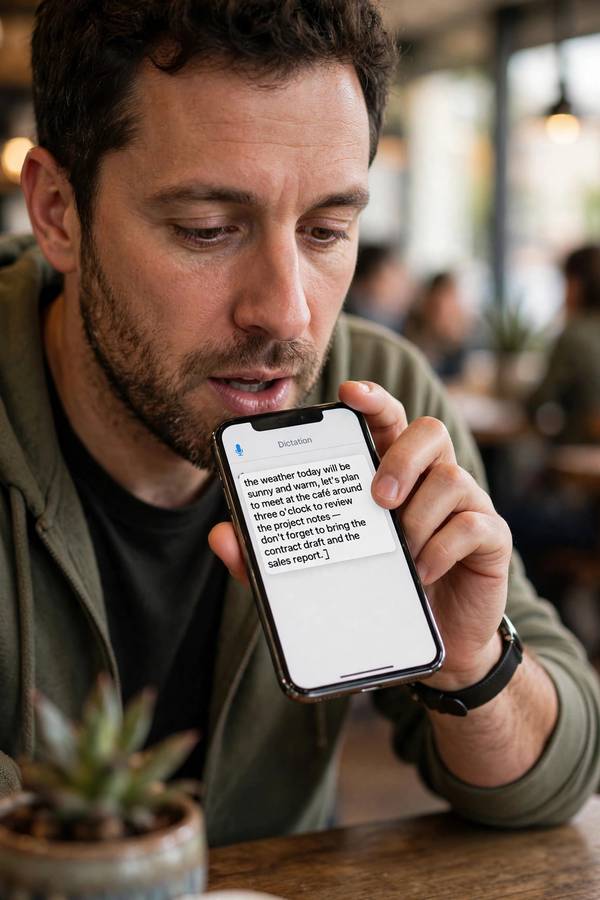
Speech to text takes spoken audio and produces written text — transcription. The input is messy by nature: different voices, accents, speeds, background noise, overlapping speakers, “ums” and false starts. The system’s job is to extract the intended words from all that acoustic chaos.
Modern STT uses neural networks trained on vast amounts of transcribed speech, learning to map audio patterns to words while filtering noise and handling variation. The pipeline typically involves acoustic modeling (what sounds are these?), language modeling (what words make sense here?), and decoding (what’s the most likely transcript?). For the full technical picture, see how voice recognition works.
The quality bar for STT is accuracy: did it hear correctly? And accuracy depends heavily on conditions — clear audio with one speaker is nearly perfect now; a noisy restaurant with three people talking is still hard. Unlike TTS, the system doesn’t control its input. Every new speaker, every new environment is a fresh challenge. STT use cases cluster around input: dictation, meeting transcription, voice commands, subtitles, call analysis.
Why One Direction Is Harder
Here’s the honest technical assessment: speech to text is the harder problem, and it always will be. TTS starts from perfect information (the exact text) and generates outward. STT starts from imperfect information (noisy audio) and must infer inward. Inference from messy data is fundamentally harder than generation from clean data — there are infinitely many ways to mumble a sentence, but only one text that needs voicing.
This shows up in the error profiles. TTS errors are mostly about naturalness — slightly off emphasis, a mispronounced name. The words are always right because the words were given. STT errors are about correctness — wrong words, missed words, especially with accents, jargon, or noise. A TTS mistake sounds slightly off; an STT mistake changes the meaning.
It also shows up in progress curves. TTS crossed the “sounds human” threshold a few years ago and is now refining. STT crossed “usable” earlier but keeps grinding on the hard cases — heavy accents, overlapping speech, domain jargon — because each new acoustic environment is genuinely new. If you’re choosing technology for a project, budget more testing for the STT side. It needs it.

Where They Meet: Voice Assistants
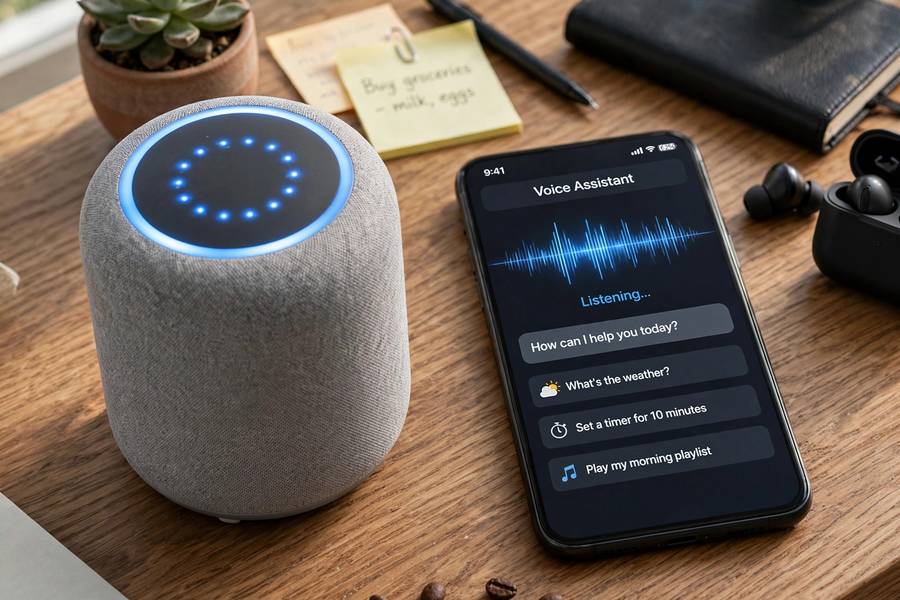
Voice assistants are the canonical combined system, and tracing a single interaction shows both technologies working together. You say “set a timer for ten minutes.” STT converts your audio to text: “set a timer for ten minutes.” A language model figures out the intent and formulates a response: “Timer set for ten minutes.” TTS converts that text to speech, and the speaker says it aloud.
The handoff between them is where things get interesting. STT errors propagate forward — if it hears “set a timer for ten minutes” as “set a timer for tin minutes,” everything downstream is confused. Latency compounds too: STT processing time plus model thinking time plus TTS generation time equals the pause before the assistant answers. The snappiness of modern assistants comes from optimizing all three stages together.
This pipeline also explains a common frustration: the assistant misunderstands you (STT error), then confidently speaks the wrong answer (TTS working perfectly on wrong text). The voice sounds great delivering nonsense. When debugging voice assistant failures, check the transcript first — the STT stage is guilty until proven innocent.
Choosing Between Them
The choice is usually obvious once you frame it as input vs output. Need to capture what people say? STT — dictation, transcription, voice commands. Need to produce spoken audio from text? TTS — narration, announcements, accessibility, voiceovers. The direction of your data flow decides.
Some decisions are less obvious. Subtitles for videos: STT (transcribe the audio). But dubbed translations: STT to transcribe, translation, then TTS to speak the new language. Audiobooks from ebooks: TTS. Meeting records: STT. Language learning: both — STT to check your pronunciation, TTS to model correct pronunciation.
Cost and complexity differ too. TTS is generally simpler to deploy — feed it text, get audio, with predictable quality. STT deployments need more care around audio quality, speaker variation, and accuracy measurement. If your project involves both, prototype the STT side first; it’s where the surprises live.
Using Both Together
The most interesting applications use both directions in a loop. Conversational AI — customer service voice bots, phone assistants — runs the full cycle: listen (STT), think (language model), speak (TTS). Real-time translation earbuds: STT in language A, translation, TTS in language B. Voice-based journaling apps: STT to capture, then TTS to read back.
Designing these loops requires thinking about the combined failure modes. Each stage’s errors compound — STT mishears, the model misunderstands the mishearing, TTS confidently speaks the confusion. Good loop design includes confirmation steps (“I heard you say X — correct?”), graceful degradation, and always an escape to text or human. The loop is powerful but fragile; the confirmation steps are what make it trustworthy.
There’s also a latency budget to manage. Each stage adds delay, and conversational turn-taking breaks down if the total exceeds roughly a second or two. This is why the frontier of voice AI is about streaming architectures — starting TTS before STT fully finishes, predicting responses early — all to keep the conversation feeling natural.
Common Confusions Cleared Up
“Voice recognition” vs “speech to text”: largely the same thing in common usage — converting speech to text. “Voice recognition” sometimes specifically means identifying who is speaking (speaker recognition), which is a different task from transcribing what was said. Context usually disambiguates.
“Text to speech” vs “voice cloning”: TTS generates speech in a general voice; voice cloning reproduces a specific person’s voice. Cloning is a specialized TTS application with its own ethical landscape. Regular TTS voices are either synthetic or licensed from voice actors.
“AI transcription” — that’s STT. “AI voiceover” — that’s TTS. “Voice AI” as a product category — usually both, in a loop. Once you have the directional mental model, the terminology sorts itself out. And if you ever get confused, just ask: is the computer talking, or is it listening? That question answers itself every time.
Frequently Asked Questions
Text to speech (TTS) converts written text into spoken audio — the computer talks. Speech to text (STT) converts spoken audio into written text — the computer listens. They are opposite directions across the same bridge between text and audio.
Speech to text is fundamentally harder because it must extract meaning from messy real-world audio — accents, noise, overlapping speakers — while text to speech generates from clean, exact text. STT errors change meaning; TTS errors mostly affect naturalness.
Yes. When you speak to a voice assistant, speech to text converts your words to text, a language model determines the response, and text to speech speaks it back. Most voice AI products combine both directions in a listen-think-speak loop.
Use speech to text when capturing spoken input: dictation, meeting transcription, voice commands, subtitles. Use text to speech when producing spoken output: narration, announcements, accessibility readers, voiceovers. Your data’s direction — in or out — decides.
In common usage, yes — both mean converting speech to text. Technically, “voice recognition” can also mean identifying who is speaking (speaker recognition), which is different from transcribing what was said. Context usually makes the meaning clear.
Keep reading: