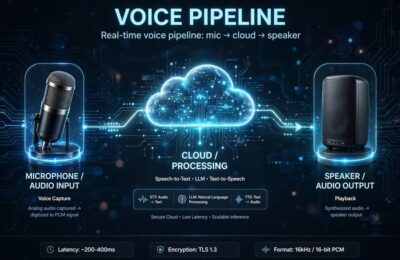
You’ve used a dozen products powered by TTS APIs without knowing it — the voice reading your GPS directions, the narration in that app, the automated voice confirming your appointment. An API is the behind-the-scenes machinery that lets any app or website turn text into speech without building voice technology from scratch. If TTS websites are restaurants, a TTS API is the wholesale food supplier that lets anyone open a restaurant.
This guide explains what a TTS API is in plain language: how it works, what you can build with it, how pricing works, and how to choose one — written for the curious non-developer and the developer evaluating options alike. For the voice technology itself, see how text to speech works.
Table of Contents
- APIs in Thirty Seconds
- How a TTS API Works Step by Step
- What You Can Build With a TTS API
- The Key Features to Compare
- How Pricing Works
- Real-Time vs Batch: Two Speed Modes
- Choosing a TTS API
- The Non-Technical Path: No-Code Options
- Common Gotchas
- Frequently Asked Questions
APIs in Thirty Seconds
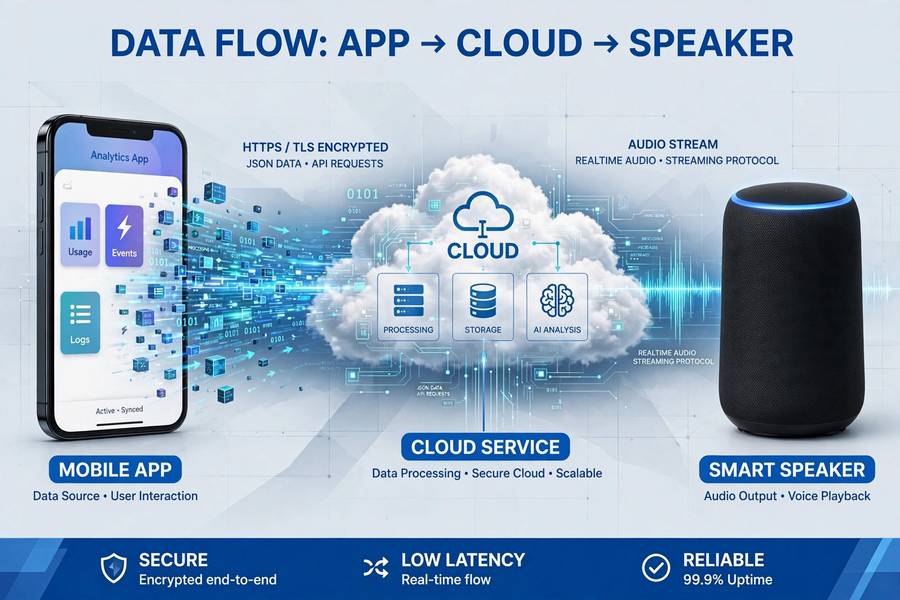
An API (Application Programming Interface) is a way for software to request services from other software over the internet. Your app sends a structured request (“convert this text to speech, using this voice”), the provider’s servers do the work, and your app receives the result (an audio file or stream). You get world-class voice synthesis without training models, buying GPUs, or hiring speech scientists.
The analogy I use: a TTS API is like a utility company. You don’t generate your own electricity — you connect to the grid and pay for what you use. Similarly, you don’t build voice AI — you connect to a TTS API and pay per character converted. The provider handles the infrastructure, the model improvements, and the scaling; you handle your product.
This utility model is why voice features exploded across apps in recent years. Before TTS APIs matured, adding voice to your app meant a major engineering project. Now it’s an afternoon’s integration. That collapse in difficulty is the economic story behind every “wait, this app talks now?” moment you’ve had. (For how web services like these operate generally, my piece on how a search engine works covers the request-response pattern these APIs share.)
How a TTS API Works Step by Step
The flow, concretely. Your application collects text that needs voicing — a chat reply, an article, a notification. It sends an API request: the text, plus parameters (which voice, what speed, what format, which language). Authentication happens via an API key — a secret credential identifying your account, like a password for your app.
The provider’s servers receive the request, validate it, and run the text through their TTS pipeline — the same neural synthesis described in the general TTS guides, just running on their infrastructure. The generated audio is encoded (typically MP3, WAV, or streaming formats) and returned in the API response. Your app plays it, saves it, or streams it to the user.
The whole round trip typically takes under a second for short texts — fast enough for conversational use. For longer content, APIs offer asynchronous modes: submit the job, get notified when it’s done, download the audio. Either way, your app never touches a neural network directly — it just sends text and receives audio, which is the API’s entire elegant simplicity.
What You Can Build With a TTS API
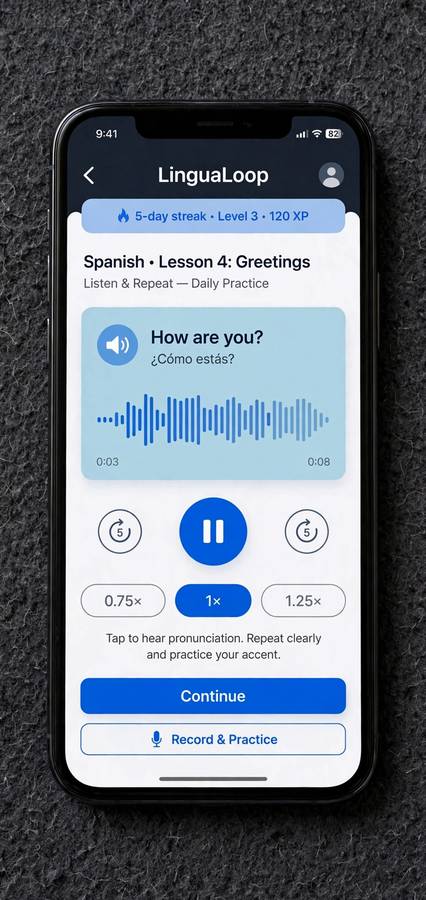
The application space is wide. Voice assistants and chatbots that speak their responses. Accessibility features — read-aloud in your app for visually impaired users. Language learning apps with pronunciation audio for any sentence. Content platforms that auto-generate audio versions of articles (the “listen to this article” button). IVR and phone systems with natural voices. Navigation and logistics apps with spoken instructions. Games with dynamic dialogue. Notification systems that speak alerts. E-learning platforms with narrated lessons in many languages.
The pattern across all of these: anywhere your product has text the user might want to hear, a TTS API adds the voice. The most successful integrations treat voice as a first-class feature, not a bolt-on — designing the user experience around listening, not just adding a speaker icon to a text interface.
An underappreciated category: internal tools. Companies use TTS APIs for automated status announcements, warehouse voice picking systems, training content generation, and customer callback systems. The unglamorous B2B uses are often the highest-ROI, because they replace expensive human-recorded audio or eliminate toil.
The Key Features to Compare
When evaluating TTS APIs, compare these dimensions. Voice quality and selection: how natural, how many voices, which languages and accents. Latency: time from request to first audio — critical for conversational uses, irrelevant for batch. Streaming support: can audio start playing before generation completes? (Essential for real-time.) SSML support: fine control over pronunciation, pauses, emphasis. Voice cloning: custom voices from samples (check the consent requirements). Language coverage and quality per language (counts lie; test yours).
Reliability and scale: uptime SLAs, rate limits, global infrastructure. Developer experience: documentation quality, SDKs for your stack, playground for testing. And the business terms: pricing model, commercial licensing clarity, data handling (is your text logged? used for training?), and compliance certifications.
No API wins on everything. The right choice depends on your priorities — a real-time voice agent and a batch audiobook generator need very different APIs. Rank your requirements before comparing, or you’ll drown in feature matrices.
How Pricing Works
TTS API pricing is almost universally per character (or per “credit” mapping to characters) — you pay for the text you convert, not the audio duration. Typical ranges run from fractions of a cent to a few cents per thousand characters depending on voice quality tier. To calibrate: this article is roughly 10,000 characters — converting it with a premium voice might cost a few cents.
Pricing tiers usually separate standard voices (cheaper, good quality) from premium/neural voices (pricier, best quality) and sometimes ultra-premium (cloned or specialized voices). Free tiers exist — monthly character allowances for testing and light use — and they’re genuinely useful for evaluation.
Watch for the cost multipliers: SSML-heavy requests sometimes count extra, certain languages cost more, and high-concurrency needs may require higher plans. Model your actual usage: characters per request × requests per month × voice tier. Then add 50% headroom — usage always grows once voice features ship. The good news: at current prices, voice features are cheap enough that cost rarely blocks; the bad news is that surprise bills come from unmonitored growth, so set up usage alerts from day one.
Real-Time vs Batch: Two Speed Modes
TTS APIs operate in two modes, and choosing wrong breaks your product. Real-time (streaming) mode minimizes latency — audio starts playing within hundreds of milliseconds, generating as it goes. This is for conversational AI, voice assistants, live applications where waiting feels broken. The tradeoff: sometimes slightly lower quality than batch, and more complex integration (handling audio streams, not files).
Batch mode maximizes quality and simplicity — submit text, get a complete audio file back. For content generation (audiobooks, video narration, article audio), batch is the right choice: no latency pressure, full quality, simple file handling. Asynchronous batch handles very long texts that would time out in a single request.
Some applications need both: generate the bulk content in batch, handle interactive parts in real time. Architect for this split early — retrofitting streaming into a batch-designed system (or vice versa) is painful. When in doubt about which you need, ask: does the user wait for this audio in a live interaction? Yes → real-time. No → batch.
Choosing a TTS API
The selection process I’d recommend. First, define your requirements: languages, latency needs, volume estimates, voice cloning needs, budget. Second, shortlist 3-4 providers matching those requirements — the market has clear leaders plus strong specialists. Third, test with your actual content: your jargon, your languages, your use case’s latency constraints. Vendor demos use optimized samples; your content is the real test.
Fourth, evaluate the developer experience honestly — you’ll live in this API’s docs and quirks. Good docs and SDKs save more engineering time than small price differences. Fifth, check the business terms: commercial licensing, data handling, SLAs, and what happens to your integration if you need to switch providers (API lock-in is real; abstract the TTS layer in your code so switching is feasible).
Finally, start small and scale. Prototype on the free tier, validate with real users, then commit. The API you choose for the prototype often becomes the production choice through inertia — so prototype with a provider you’d be happy to marry.
The Non-Technical Path: No-Code Options
You don’t need to code to use TTS APIs anymore. No-code platforms and automation tools (workflow builders, integration platforms) offer TTS as drag-and-drop blocks: when X happens, convert this text to speech, do Y with the audio. Content creators use these to auto-generate narration; businesses use them for notification systems and content pipelines.
The tradeoff vs direct API use: less control, higher per-unit cost, but zero engineering. For validating an idea or running a small operation, no-code is often the right call — you can always migrate to direct API integration when volume justifies engineering investment.
There’s also the middle path: TTS web apps with bulk/API-lite features — upload a spreadsheet of texts, get audio files back. Surprisingly capable for content production workflows, and no code required. The broader ecosystem of what AI tools are available includes many such bridges between raw APIs and finished products.
Common Gotchas
A few traps I’ve seen teams fall into. Not abstracting the provider: hardcoding one API throughout your codebase makes switching painful — wrap it in your own interface. Ignoring the data terms: some APIs log your texts; if you’re voicing sensitive content, verify handling or choose accordingly. Forgetting edge cases: empty strings, very long texts, special characters, mixed languages — test them all, because users will produce them.
Underestimating the voice selection’s product impact: the voice is your product’s audible personality. Choose deliberately, test with users, and don’t change it casually — users bond with voices. And the classic: building the whole feature around a free tier, then discovering the pricing at scale. Model costs at 10x your current estimates; if the math still works, proceed.

Frequently Asked Questions
A TTS API lets any app or website convert text to speech by sending text to a provider’s servers and receiving audio back — no voice AI expertise needed. Your app sends text plus parameters (voice, speed, language); the API returns playable audio. You pay per character converted.
Pricing is per character, typically fractions of a cent to a few cents per thousand characters depending on voice quality. Converting a 10,000-character article with a premium voice costs a few cents. Free tiers cover testing and light use; set usage alerts to avoid surprise bills as volume grows.
Voice assistants, read-aloud accessibility features, language learning pronunciation, article-to-audio content, phone systems, navigation voices, game dialogue, e-learning narration, and notification systems. Anywhere your product has text users might want to hear is a candidate.
For direct API integration, yes — basic programming. But no-code platforms now offer TTS as drag-and-drop workflow blocks, and many TTS web apps handle bulk conversion without code. Start no-code to validate, migrate to direct API when volume justifies engineering.
Real-time (streaming) mode minimizes latency for conversational uses like voice assistants — audio starts in milliseconds. Batch mode maximizes quality for content generation like audiobooks — submit text, receive a complete file. Choose based on whether users wait live for the audio.