Here’s a secret from people who produce a lot of AI-narrated content: the voice engine is maybe forty percent of the naturalness equation. The other sixty percent is what you feed it and how you post-process it. I’ve heard stunningly human results from mid-tier voices with well-prepared scripts, and I’ve heard flagship voices sound ridiculous reading unprepared text. The difference was never the model. It was the craft around it.
This guide covers how to make text to speech sound natural — the script techniques, the markup tricks, the voice selection, and the editing that separates professional results from obvious robot narration. For the underlying technology, see how text to speech works.
Table of Contents
- Write for the Ear, Not the Eye
- Punctuation as Direction
- Choose the Right Voice for the Content
- Use SSML for Fine Control
- Break Text Into Speakable Chunks
- Fix Pronunciation Proactively
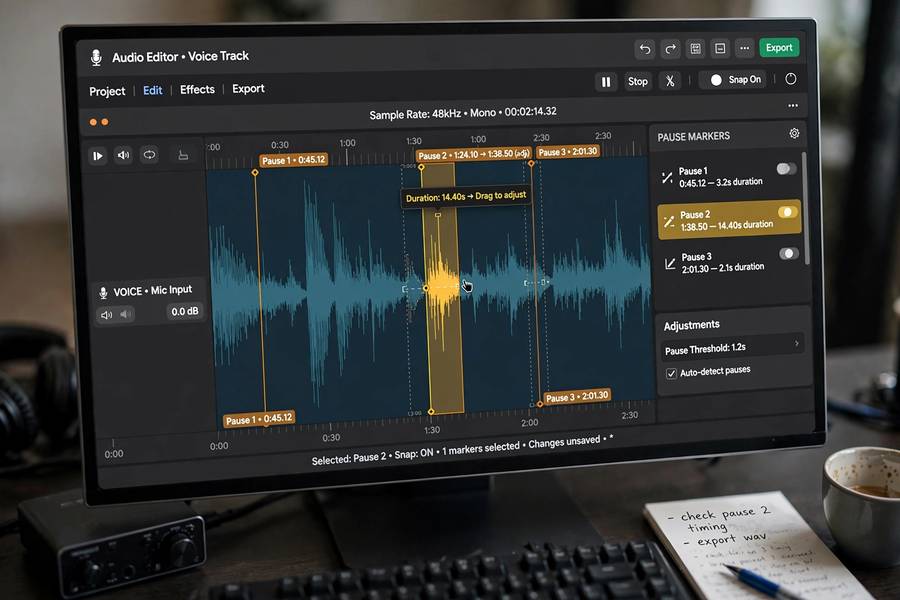
- Control Pace and Pauses
- Vary Energy Across the Content
- Post-Process Like Audio, Not Text
- The Listen-Back Test
- Frequently Asked Questions

Write for the Ear, Not the Eye
The single biggest naturalness lever is the script, and most scripts are written for eyes. Written language uses long sentences, complex clauses, parentheticals, and formal constructions that no human would speak aloud. When TTS reads such text faithfully, it sounds unnatural — not because the voice is bad, but because the text was never speakable.
Rewrite for the ear: shorter sentences (under 20 words where possible), simple clause structures, conversational vocabulary, explicit transitions instead of implied ones. Read every sentence aloud yourself first — if you stumble, the AI will too. If you draft scripts by dictation, how voice recognition works covers the transcription side of that workflow. Contractions help enormously (“it’s” vs “it is,” “you’ll” vs “you will”) because they match spoken rhythm. Rhetorical questions, direct address (“here’s why that matters”), and varied sentence lengths all push the text toward speakability.
This is also where most AI-narrated content fails invisibly: the script was generated by a text AI optimized for reading, then fed to a voice AI. Two AIs, neither thinking about the ear. Always do a speakability pass — read it aloud, mark the awkward spots, rewrite. Ten minutes of this improves naturalness more than any voice upgrade.
Punctuation as Direction
To a TTS engine, punctuation is stage direction. Commas signal brief pauses and intonation shifts. Periods signal full stops with falling pitch. Question marks raise pitch. Exclamation marks add energy. Dashes create dramatic pauses. Ellipses trail off. Most people punctuate for grammar; for TTS, punctuate for performance.
Strategic comma placement controls rhythm. “The results, which surprised everyone, changed the plan” reads differently from “The results which surprised everyone changed the plan” — the commas create the pauses a human speaker would naturally insert. Use them deliberately to shape phrasing, even where strict grammar wouldn’t require them. You’re writing a musical score, not an essay.
Paragraph breaks matter too — they typically produce longer pauses, signaling topic shifts. Use short paragraphs for conversational pacing. And avoid punctuation the engine misreads: excessive semicolons (often read as odd pauses), unusual symbols, or formatting artifacts like “>>>” that get read literally. Clean text in, clean performance out.
Choose the Right Voice for the Content
Voice-content mismatch is instantly noticeable: a perky upbeat voice narrating serious news, a solemn voice selling party supplies. Match the voice’s inherent character to the content’s tone. Most platforms let you preview voices — use that feature with your actual script, not the demo text. A voice that sounds great saying “hello, welcome” might grate over twenty minutes of technical explanation.
Consider the less obvious dimensions: pace (some voices naturally read faster), warmth vs authority, age impression, accent appropriateness for the audience. For long content, prioritize listenability over impressiveness — the “amazing” voice that’s tiring after ten minutes loses to the pleasant voice you forget you’re hearing. The best narration voice is the one that disappears.
Consistency matters for series content. Pick one voice and stick with it — audiences bond with consistent narration the way they bond with a podcast host’s voice. Switching voices between episodes breaks that bond for no benefit.
Use SSML for Fine Control
SSML (Speech Synthesis Markup Language) is the professional’s tool for directing TTS — XML-style tags that control pronunciation, pauses, emphasis, pitch, and rate with precision. Most serious TTS platforms support it, and learning the basics pays off immediately.
The essential tags: <break> for pauses of exact durations (“a two-second pause before the reveal”); <emphasis> for stressing key words; <prosody> for adjusting rate, pitch, and volume on specific passages; <say-as> for controlling how things are read (digits as numbers vs characters, dates in specific formats); and <phoneme> for exact pronunciation of tricky words using phonetic alphabets.
You don’t need SSML everywhere — that’s micromanagement. Use it surgically: the dramatic pause before a key point, the correct pronunciation of a name the engine mangles, the slowed rate for a complex explanation, the emphasis on a contrast word. A dozen well-placed tags across a script transform the delivery from default to directed. Think of it as the difference between handing an actor a script and actually directing them.
Break Text Into Speakable Chunks
TTS engines process text in chunks, and very long inputs degrade quality — prosody flattens, errors compound, and you lose the ability to fix problems surgically. Generate audio in paragraph or section-sized chunks, then assemble. This also gives you natural edit points and lets you regenerate only the problematic sections.
Chunking has a performance benefit too: the engine “sees” limited context per chunk, so help it by making chunks self-contained. A paragraph that depends on the previous paragraph’s setup for its intonation may read oddly in isolation. Slight redundancy at chunk boundaries — restating the topic briefly — smooths the joins.
For dialogue or multi-speaker content, chunk by speaker and use different voices. The chunk boundaries become speaker turns, which is exactly how the final audio should be structured anyway. This approach also makes revisions cheap: re-record one line, not the whole chapter.

Fix Pronunciation Proactively
Every TTS engine mispronounces things — brand names, technical terms, foreign words, unusual names, acronyms. The pros don’t discover these in the final listen; they hunt them in advance. Scan your script for anything the engine might mangle: proper nouns, jargon, abbreviations, numbers in unusual formats.
Fixes, in order of preference: respell phonetically (“Saoirse” → “SEER-sha” — ugly in the script, perfect in the audio; keep a clean script separately), use SSML <phoneme> tags for precision, or add custom pronunciation entries if your platform supports a lexicon. Test each fix by generating just that sentence — don’t regenerate the whole script to check one word.
Build a pronunciation glossary for recurring projects. Every series, brand, or long document develops its own tricky terms; a shared glossary means you fix each once. This is unglamorous work that separates professional output from amateur — listeners forgive many things, but a narrator who mispronounces the main character’s name loses them instantly.
Control Pace and Pauses
Natural speech isn’t metronomic — pace varies with content. Explanations slow down; exciting narratives speed up; key points get pauses around them. Default TTS reads at one steady pace, which is a major naturalness killer over long content.
Use rate adjustments strategically: slightly slower for complex or important passages (gives the listener processing time), slightly faster for transitional or familiar material. The adjustments should be subtle — 5-10% shifts, not dramatic swings. You’re shaping, not showing off.
Pauses are even more powerful. A beat of silence before a key revelation, a longer pause between sections, a breath after a surprising statement — silence is the most underused tool in TTS production. Humans pause to think, to emphasize, to let points land. Program those pauses deliberately with <break> tags or paragraph structure. The difference between good and great AI narration is often just better silence.
Vary Energy Across the Content
Monotone delivery — the same energy from start to finish — is the hallmark of amateur TTS production. Human speakers modulate: more energy for exciting parts, softer for serious moments, conversational for asides. Your TTS production should too.
Most platforms offer some combination of style/emotion settings, prosody controls, and per-section adjustments. Use them to create an energy arc: engaging opening, steady middle with variation, emphatic key points, warm close. Even crude adjustments (slightly higher pitch and faster rate for the exciting section) beat flat delivery.
The subtle version: vary sentence-level emphasis so consecutive sentences don’t share the same intonation pattern. TTS engines sometimes fall into rhythmic ruts — every sentence rising and falling identically. Breaking the pattern with SSML emphasis or restructured sentences keeps the ear engaged. Listen for the rut specifically; once you hear it, you can’t unhear it, which makes you good at fixing it.
Post-Process Like Audio, Not Text
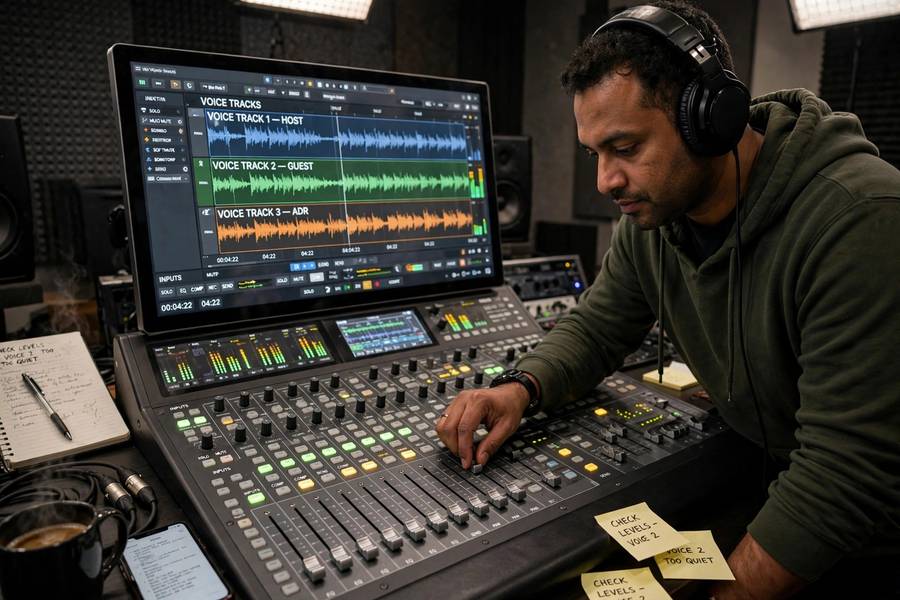
Treat the generated audio as a recording session, not a finished product. Basic audio post-processing elevates TTS significantly: trim awkward silences at chunk joins, normalize levels across sections, add subtle room tone or background music to mask the “too clean” digital quality, and use gentle compression to even out dynamics.
The “too clean” problem is real — human recordings have room tone, breath sounds, tiny imperfections; raw TTS has digital silence between phrases, which the ear reads as artificial. Adding a very quiet room tone bed (barely perceptible) or soft background music makes the audio feel recorded rather than generated. It’s counterintuitive — adding noise improves realism — but it works.
For dialogue or dramatic content, consider light processing per voice (slight EQ differences) to enhance voice distinction. And always master to consistent loudness standards for your platform — nothing says amateur like volume jumping between sections.
The Listen-Back Test
The final and most important technique: listen to the entire output, start to finish, on headphones, doing nothing else. Not while working, not at 2x speed — full attention, as your audience will hear it (they won’t multitask through your content the way you multitask through production).
Listen for: mispronunciations you missed, rhythmic ruts, energy flatness, awkward pauses or missing pauses, chunk-join glitches, and the overall question — would I keep listening? Mark timestamps of every issue, fix them, regenerate. One full listen-back pass catches 90% of remaining problems.
Then, if the content matters, get a second ear — someone unfamiliar with the script. Fresh listeners hear what you’ve gone deaf to after hours of production. Their “this part sounds weird” is gold; your familiarity is the enemy of quality control. This is the same principle behind how AI models are trained with held-out evaluation — fresh judgment catches what familiar eyes miss.
Frequently Asked Questions
Write the script for the ear (short sentences, contractions, conversational tone), punctuate for performance, choose a voice matching the content, use SSML for pauses and emphasis, fix pronunciations proactively, vary pace and energy, and always do a full listen-back pass.
SSML (Speech Synthesis Markup Language) uses tags to control pronunciation, pauses, emphasis, pitch, and rate precisely. Key tags include break for timed pauses, emphasis for stress, prosody for rate/pitch changes, and phoneme for exact pronunciations. Use it surgically on key moments, not everywhere.
Usually the script, not the voice: text written for reading (long sentences, formal constructions) sounds unnatural when spoken. Also check for monotone pacing, missing pauses around key points, and mispronunciations. The voice engine is about 40% of naturalness; script and production are the other 60%.
In chunks — paragraph or section-sized. Long inputs degrade prosody quality, and chunking gives you edit points, cheaper revisions (regenerate one section, not everything), and natural speaker-turn boundaries for dialogue content.
Scan scripts in advance for names, jargon, and unusual terms. Fix by phonetic respelling, SSML phoneme tags, or platform pronunciation lexicons. Test fixes on single sentences, and keep a pronunciation glossary for recurring projects so each term is fixed once.