How to Introduce AI to Your Team: 9 Steps That Actually Work


I once watched a manager announce AI adoption to his team by sending a two-line email: “We now have AI licenses. Please use them.” Six months later, exactly one person was using the tools — the manager himself, mostly to write the emails he could have written faster by hand. Nobody was against AI. They just had no idea what to do with it, and nobody wanted to be the first to look foolish trying.
That story plays out everywhere because most AI rollouts confuse access with adoption. Buying licenses is easy. Getting thirty busy people to change how they work is the hard part, and it fails when leadership treats it like a software install instead of a culture change. I’ve studied dozens of these rollouts since 2024, and the successful ones all follow a similar pattern. This guide is that pattern: nine steps for introducing AI to your team that skip the hype and the chaos. For the broader picture, see my guide on how to use AI at work.

The Mistake Most Teams Make First
The default move is announcing AI like it’s a perk: “Good news, everyone, you now have access to our AI platform!” Then leadership sits back and waits for productivity to rise. It doesn’t, because nobody changed anything. People poke at the tool for a week, get mediocre results from mediocre prompts, conclude AI is overrated, and go back to their old workflow with the quiet satisfaction of someone who tried and was proven right.
The deeper mistake is leading with the technology instead of the job. A rollout that starts “here’s this amazing tool” puts the burden on every employee to figure out where it fits. That’s a research project nobody has time for. Successful rollouts flip it: “here’s a painful part of your job, and here’s how this tool takes it off your plate.” The tool is identical. The framing is everything.
There’s also the fear factor that nobody addresses in the launch email. A chunk of your team is quietly wondering whether AI is a preamble to their job disappearing. If you don’t name that anxiety and answer it directly — AI is here to handle the repetitive parts so you can do the parts that need judgment — it will poison the rollout from the inside. People who fear a tool don’t learn it; they avoid it.
Start With a Problem, Not a Tool
Before anyone touches a chatbot, spend a week finding the team’s most painful repetitive work. Interview people. Watch what they complain about. The candidates are usually the same everywhere: writing first drafts of routine emails, summarizing long documents, formatting reports, triaging incoming requests, taking meeting notes, answering the same questions over and over.
Pick two or three of these and make them the entire focus of your rollout. This is counterintuitive — you bought a tool that can do a thousand things, and you’re pointing it at three. But constraint is what makes adoption happen. When someone sees their Tuesday-morning report-writing shrink from two hours to thirty minutes, they start looking for other uses on their own. That curiosity is worth more than any training session.
The business cases for AI in the workplace are well documented — see my breakdown of how AI is used in business — but your team’s version needs to be specific to your team’s actual pain. Generic use cases inspire yawns. “We will use AI to reduce the support ticket triage queue by half” inspires effort.
Pick One Pilot Team
Do not roll out to everyone at once. Pick one small team — five to eight people, ideally a mix of enthusiasts and skeptics — and make them your pilot group. The enthusiasts will find the clever uses. The skeptics will find the real problems. Both are valuable, and a small group is cheap to support and easy to listen to.
Give the pilot team two things the wider rollout won’t have: direct access to whoever runs the AI program, and explicit permission to experiment badly. People who are afraid of doing it wrong will never discover how to do it right.
Run the pilot for four to six weeks. At the end, you want three things: a short list of proven use cases with real before-and-after numbers, a list of problems and how you solved them, and two or three pilot members who can demo their workflow to the rest of the company. That demo — a colleague showing their actual work, not a vendor showing a slide deck — is the most persuasive marketing material you will ever have.
Set Ground Rules Early
Nothing kills AI adoption faster than a data scare. One person pastes a client contract into a public chatbot, legal hears about it, and suddenly the whole program is frozen while a policy committee forms. This happens constantly. Set the rules before the scare, not after.
Your ground rules need to answer four questions: what data can go into AI tools, which tools are approved for what kind of data, who reviews AI-generated work before it leaves the building, and what happens when something goes wrong. If your company already has an AI policy, your rollout should implement it, not reinvent it. If you don’t have one, write a one-page version now and refine it later — a short rule that exists beats a perfect policy that’s still in committee.
Keep the tone practical, not prohibitive. “Don’t put customer names into the free chatbot” is a rule people can follow. A twenty-page acceptable-use document is a rule people will skim and ignore. And make the safe path the easy path: if the approved tool with proper data handling is harder to reach than the public chatbot, guess which one people will use.
Train People on Prompts, Not Just Products
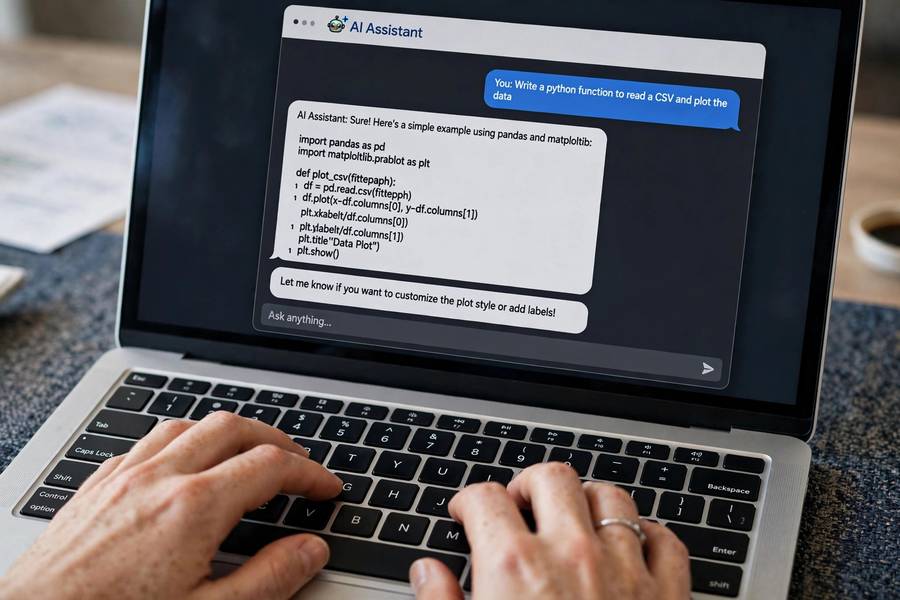
Most AI training is product training: here are the buttons, here’s the settings page, here’s how you log in. That’s necessary but almost useless, because the product isn’t the hard part — the prompt is. A person who knows where the buttons are but writes one-sentence prompts will get mediocre results and conclude the tool is mediocre.
Teach prompt writing as a concrete skill, not a mystical art. The curriculum is short: give the AI context (who you are, who the output is for), be specific about the format and length you want, show one example of good output when it matters, and iterate — treat the first answer as a draft, not a verdict. One 45-minute session on this beats a full day of feature tours.
Use your team’s actual work as training material. Don’t teach prompting with generic examples about writing poems or planning vacations. Teach it with last week’s status report, last month’s proposal, the actual document formats your team produces. When people see the tool handle their real job, the skill transfers instantly. Also point them toward broader productivity practices — I keep a separate guide on how to be more productive that pairs well with AI adoption.
Make Wins Visible
Adoption spreads through stories, not mandates. Create a lightweight channel — a Slack channel, a monthly ten-minute slot in the team meeting, a shared doc — where people post their AI wins. The format is simple: what the task was, what it took before, what it takes now.
The wins that spread adoption are always small and concrete. “I used to spend Friday afternoon formatting the weekly report; now it takes twenty minutes and I just review the draft.” That’s relatable in a way that “we achieved a 40% productivity uplift” never is. People adopt tools that solve their specific Friday-afternoon problem, not tools that deliver abstract efficiency.
Celebrate the experimenters, not just the results. Someone who tried three prompts and found a workflow deserves recognition even if the time saved is modest. You’re building a culture of experimentation, and culture responds to what gets noticed.
Handle the Skeptics
Every team has skeptics, and most of them are right about something. The person who says “the AI gets our terminology wrong” has a real complaint about domain accuracy. The person who says “it takes me longer to fix the draft than to write it” may be writing tasks where AI genuinely doesn’t help. Dismissing skeptics turns them into saboteurs. Listening to them turns some into your best use-case finders.
The move is to ask skeptics for their hardest task and try it together. Sometimes the AI fails and you’ve learned a boundary — valuable information. Sometimes it works and the skeptic converts, which is worth ten enthusiast testimonials because nobody suspects the converted skeptic of drinking the Kool-Aid.
There is one skeptic you don’t need to win: the person who objects on principle and won’t try anything. Don’t fight them. Give the program enough wins that they become irrelevant, and let peer pressure do what persuasion couldn’t. Adoption at scale is a social phenomenon; the last holdouts join when not joining becomes the weird option.
Measure What Matters
Leadership will ask for ROI, and “people seem to like it” won’t survive the budget review. Measure three things: time saved on specific tasks (before and after, from the pilot’s real workflows), quality and error rates (AI-assisted work should have fewer mistakes, not more — if it has more, your review process is broken), and adoption breadth (what percentage of the team uses it weekly for real work, not what percentage has a license).
Track license usage separately from real usage. A login is not adoption. Weekly active use on actual work tasks is adoption.
Report the numbers in human terms. “The reporting workflow went from 3 hours to 45 minutes” beats “we realized 78% efficiency gains” because humans can picture a Friday afternoon.
Roll Out in Phases
After the pilot, expand in waves, not all at once. Each wave gets the proven use cases, the ground rules, the prompt training, and access to people from the previous wave who can mentor. The mentors matter enormously — a colleague who struggled with the same workflow last month is a better teacher than any vendor trainer.
Expect each wave to take six to eight weeks to reach steady state. That sounds slow, and it is — deliberately. Fast rollouts produce shallow adoption: everyone has access, nobody has changed. Slow rollouts produce deep adoption: each wave actually transforms how a team works before the next one starts. The company that does three deep waves in a year ends up with more real AI usage than the company that “rolled out to everyone” in a month.
Keep a simple feedback loop running permanently. A quarterly fifteen-minute survey: what are you using AI for, what’s working, what’s broken. The answers keep the program honest and surface the next wave of use cases.

Frequently Asked Questions
Name the fear directly: explain that AI is meant to handle repetitive parts of the work so people can focus on judgment, creativity, and relationships. Start with use cases that make their existing jobs easier rather than tasks that replace them, and let early wins from colleagues do the persuading.
No — start with a small pilot team of five to eight people for four to six weeks. They find the proven use cases and the real problems. Then expand in waves, using pilot members as mentors. Company-wide day-one rollouts produce shallow adoption.
Set clear rules before rollout: what data can go into AI tools, which tools are approved for sensitive data, who reviews AI-generated output before it is shared externally, and what to do when something goes wrong. Make the safe, approved path the easiest one to use.
Expect four to six weeks for a pilot to produce proven use cases, and six to eight weeks per expansion wave to reach steady use. A deliberate multi-wave rollout takes months but produces genuinely transformed workflows rather than unused licenses.
Measure time saved on specific tasks with before-and-after numbers, error rates in AI-assisted work, and weekly active use for real work — not logins. A license count is not adoption; weekly use on actual tasks is.
Keep reading: