How to Declutter Your Desk in One Focused Afternoon


My desk used to tell a story I did not want told. Sticky notes curled at the edges, a mug with three-day-old coffee, cables snaking everywhere, and a stack of papers I kept meaning to file but somehow never did. Learning how to declutter your desk was not about buying a matching set of organizers for me. It was about admitting that a chaotic surface was quietly costing me focus every single morning.
The method below takes one afternoon, and it works because it deals with the real reasons desks get messy instead of just shuffling clutter into prettier piles. You will sort everything you own on your desk, decide what actually earns its spot, and set up a maintenance rhythm that takes minutes instead of hours. By the end, your desk will feel like a tool again instead of a to-do list you never finished.

Why Your Desk Keeps Getting Messy
Before touching a single paperclip, it helps to understand why desks refill themselves. A desk is a landing zone. Mail arrives, devices need charging, coffee needs a place to sit, and projects leave half-finished evidence behind. Every item that lands there had a reason, and most of those reasons were temporary. The problem is that nothing ever checks out.
There are usually three kinds of clutter fighting for your surface. First, the tools of active work: your laptop, notebook, the report you are reading. These are fine. Second, the drifters: things that belong somewhere else but got parked here because you were in a hurry. Third, the ghosts: items whose job ended weeks ago, like the takeout menu from a restaurant you will never order from again. When you learn how to declutter your desk, your real job is separating the first group from the other two.
It also helps to be honest about your work style. Some people work best with everything visible. Others need a completely clear surface to think. Neither is wrong, but the method only sticks if it matches how you actually operate. If you are a visual worker, your system will keep current projects visible in neat trays. If you are a minimalist, almost everything goes into drawers. Fighting your own nature is why most desk makeovers last about four days.
The One-Afternoon Reset Method
Start by taking everything off the desk. Everything. The laptop, the lamp, the pen cup, the tangled cables, all of it. Pile it on the floor or the bed if you have to. This step feels dramatic, but it is the whole secret. You cannot declutter a desk while working around the clutter. The empty surface gives you a blank slate and forces you to look at the full inventory of what you were storing there.
While the desk is bare, wipe it down. Dust collects under monitors and keyboards in ways you do not notice until everything is moved, and a clean surface makes the reset feel real. This takes five minutes and changes the psychology of the whole project. You are no longer tidying. You are rebuilding.
Now sort the pile into four groups. Keep means it is used weekly and belongs within arm’s reach. Relocate means it belongs somewhere else in your home or office. Store means it is useful but used rarely, like tax documents or backup cables. Discard means it is trash, recycling, or donation. Be decisive with the relocate pile especially. Most desk clutter is just misplaced household items on an extended vacation.
Deal with the discard pile immediately by bagging trash and setting donations by the door. Handle the relocate pile next, walking each item to its real home. Only then start putting keepers back on the desk. The order matters. If you rebuild before dealing with the other piles, the drifters sneak back onto the surface and the whole exercise was theater.
Setting Up Zones That Actually Work
Once only the keepers remain, arrange them in zones. The center of the desk, directly in front of where you sit, is for active work only. Your laptop or keyboard, one current project, and a drink. That is it. When you sit down, the empty center signals that work can begin. When you stand up, its tidiness tells you the day closed well.
The left or right side, depending on your handedness, becomes your reference zone. This is where the notebook you write in daily, the phone dock, or the document you are actively referencing lives. Items in this zone change often, which is fine. The rule is simple: when a reference item’s job ends, it leaves the desk the same day.
A small tray or corner handles the inbox. Every desk needs a place for things that arrive during the day and have not been decided yet. Without one, incoming items scatter across the surface. With one, the whole mess stays contained in a single rectangle. Process the inbox tray once a day, ideally before you stop working. Most of what lands in it takes under two minutes to file, recycle, or act on.
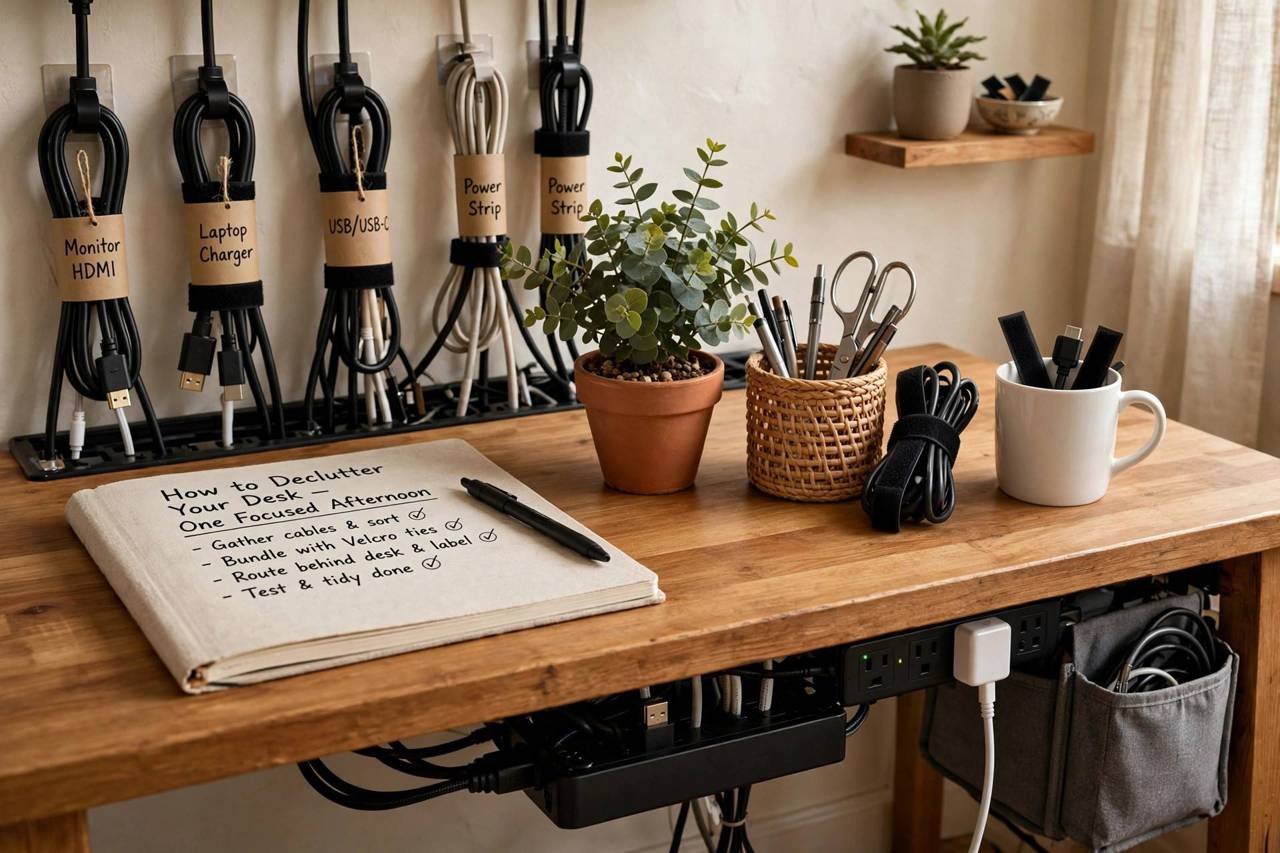
Cables deserve their own strategy because they regenerate like weeds. Bundle charging cables with reusable ties, route them behind or under the desk, and plug everything into one power strip. Keep only the cables you use daily. The drawer full of mystery cables from phones you no longer own is a museum, not storage. Recycle them.
If you want to go further with the same mindset, the same approach works beyond the desktop. A guide to decluttering your closet applies the same sort-and-zone thinking to a bigger space, and pairing the two projects in one weekend is surprisingly satisfying.
Taming Paper, Drawers, and Digital Spillover
Paper is the number one desk reoffender. The fix is a two-bin system. One small tray holds action papers: things you must do something with this week. Everything else gets scanned, photographed, or filed the day it arrives. Receipts you need go in one envelope per month. Bills you pay online get shredded or recycled immediately. The action tray gets reviewed every Friday, and anything older than a month gets a decision or goes.
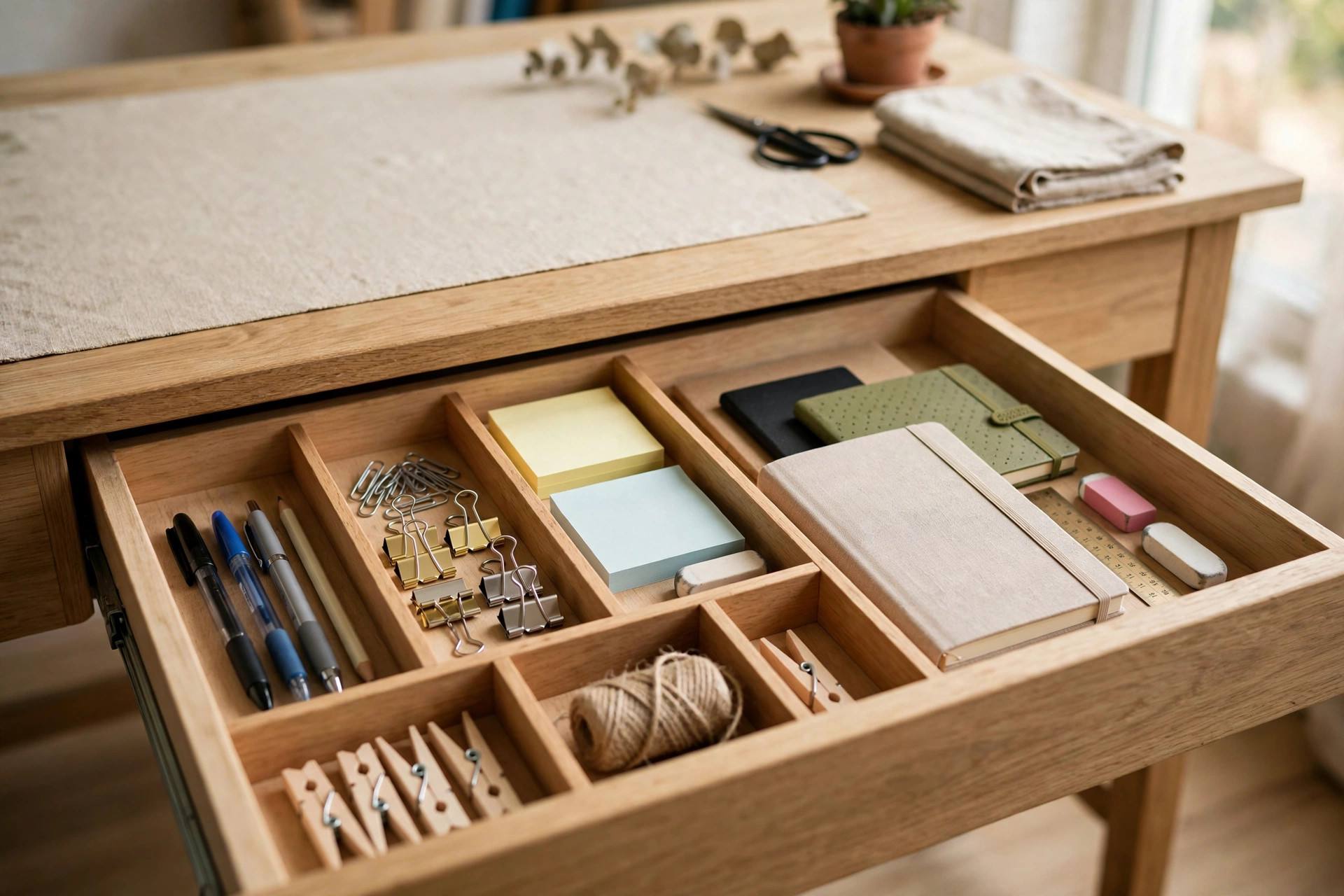
Drawers need the same ruthlessness as the desktop. Pull everything out, toss dried-out pens, duplicates, and the promotional stress ball shaped like a taco. What remains gets simple dividers, even if they are just small boxes or cut-down cartons. A drawer divided into zones stays organized. A drawer that is one big bucket becomes a graveyard within a week.
Do not forget the digital side of the desk. A cluttered desktop wallpaper full of files and a taskbar of pinned apps creates the same low-grade anxiety as physical mess. Spend twenty minutes moving files into folders, closing tabs you will never revisit, and deleting the screenshots folder’s backlog. The same sorting instinct applies, and your computer is the desk you look at most.
Building organized daily habits matters more than any single purge. The reset gets you to zero, but habits keep you there. End each workday with a five-minute close: inbox tray cleared, coffee mug to the kitchen, tomorrow’s top three tasks on one sticky note. It is boring, and it works.
Keeping It Clean Without Thinking About It
The maintenance system that actually survives is embarrassingly simple. First, the one-in-one-out rule. A new pen, notebook, or gadget means something old leaves the desk. Second, the landing pad rule. Every item that lives on your desk gets a defined home, and when you finish using it, it returns there. Not near there. There.
Third, the weekly reset. Pick one day, ten minutes, and restore the desk to its morning state. This is not a full declutter. It is a tune-up that catches drifters before they become residents. Pair it with something you already do, like Friday afternoon playlist time, and it becomes automatic.
Finally, notice what accumulates. If the same kind of item keeps piling up, the problem is the system, not you. Mail piling up means you need a better mail spot by the door. Snacks everywhere means a dedicated drawer. Desk clutter is feedback. Listen to it, and the desk mostly takes care of itself.
Small spaces make this even more important. If your desk lives in a studio or a corner of the living room, the same zone thinking applies to organizing a small apartment, where every surface has to earn its keep twice over.
How to Declutter Your Desk in 15 Minutes a Day
Not everyone can spare a full afternoon, and that is fine. The daily version of how to declutter your desk spreads the same method across a work week, fifteen minutes at a time. Day one is the surface sweep: clear everything off, wipe it down, and put back only what you used today. Day two is the drawers, one at a time, tossing the dead pens and mystery items. Day three is cables, bundling and routing everything out of sight. Day four is paper, processing the pile with the two-bin system. Day five is setting up your maintenance habits.
The trick is treating each session as complete in itself. Do not pull everything out on day two and leave it for day three. Each fifteen-minute block should end with the desk looking better than when you started. By Friday you will have done the full reset without ever feeling like you did a big project, and the daily habit will already be forming.
This gradual approach works especially well if decision fatigue is your problem. Facing one drawer is easy. Facing the entire desk is paralyzing. Small sessions let you make fifty small decisions across a week instead of two hundred in an afternoon, and the quality of your choices goes up. Keep a donation bag nearby all week and take it out on Friday. The physical act of removing things from your home closes the loop and makes the whole week feel like an accomplishment.
Frequently Asked Questions
How long does it take to declutter a desk?
For most people, one focused afternoon is enough. Plan for two to three hours, including sorting, cleaning, and rebuilding. If your desk has years of accumulated clutter, give it a full day, but resist stretching it longer. Momentum is the whole point.
What should I keep on my desk and what should go?
Keep only what you use at least weekly: your computer, a notebook, a pen, a drink, and whatever your current project requires. Move reference materials, supplies, and personal items to drawers, shelves, or their real homes elsewhere. If you have not touched it in a month, it does not live on the desk.
How do I stop my desk from getting messy again?
Three habits do most of the work: a daily five-minute close-down, a weekly ten-minute reset, and the one-in-one-out rule for new items. Also give every item a defined home so putting things away takes seconds instead of decisions.
Should I buy organizers to declutter my desk?
Not at first. Sort and declutter before buying anything, because you do not yet know what you need to store. Once the keepers are chosen, a few simple trays or drawer dividers help, but no organizer can fix a system that lets clutter accumulate.
What is the fastest way to declutter a desk before guests arrive?
Grab a box and sweep everything that is not essential into it, wipe the surface, and stash the box in a closet. Then sort the box properly the next day. It is a triage move, not a system, but it gets the surface presentable in fifteen minutes.