You tap a stream and seconds later you’re watching someone game in Seoul, a concert in London, a friend unbox sneakers in Ohio — live. It feels like magic. It’s not. How does live streaming work? A relay race at light speed: capture, encode, ingest, transcode, distribute, deliver, decode — each stage adding milliseconds, each a potential point of failure.
As someone obsessed with how moving images reach your eyes, I find live streaming genuinely miraculous — the most technically demanding thing the consumer internet does routinely. Here’s the full chain, plus why your stream buffers at the worst moment.
Table of Contents
- How Does Live Streaming Work? The Chain at a Glance
- Stage 1: Capture — From Camera to Computer
- Stage 2: Encoding — Shrinking Reality in Real Time
- Stage 3: Ingest and Transcoding — The Platform Takes Over
- Stage 4: Distribution — CDNs and the Last Mile
- Stage 5: Playback — Your Device Rebuilds the Picture
- Latency: Why “Live” Is Never Instant
- Why Streams Buffer, Lag, and Drop
- Frequently Asked Questions
How Does Live Streaming Work? The Chain at a Glance
One paragraph: camera captures video, microphone captures audio; software encodes it into a compressed stream in real time; the stream is ingested to platform servers; the platform transcodes it into multiple quality levels and packages it for delivery; a CDN copies it to servers near every viewer; your device downloads small chunks, decodes, plays — typically 5–30 seconds behind reality.
Every stage is a trade-off: quality vs. bandwidth, speed vs. stability, cost vs. scale. The miracle is it works at all — billions of hours monthly, mostly without you noticing the machinery. Let’s open the hood.
Stage 1: Capture — From Camera to Computer
Everything starts with photons and sound waves. A camera sensor converts light into raw digital video — and “raw” is the operative word: uncompressed 1080p runs about 1.5 gigabits per second. Your home upload might be 10–20 megabits. The first problem of live streaming: reality is far too data-dense to transmit. Everything downstream manages that gap.
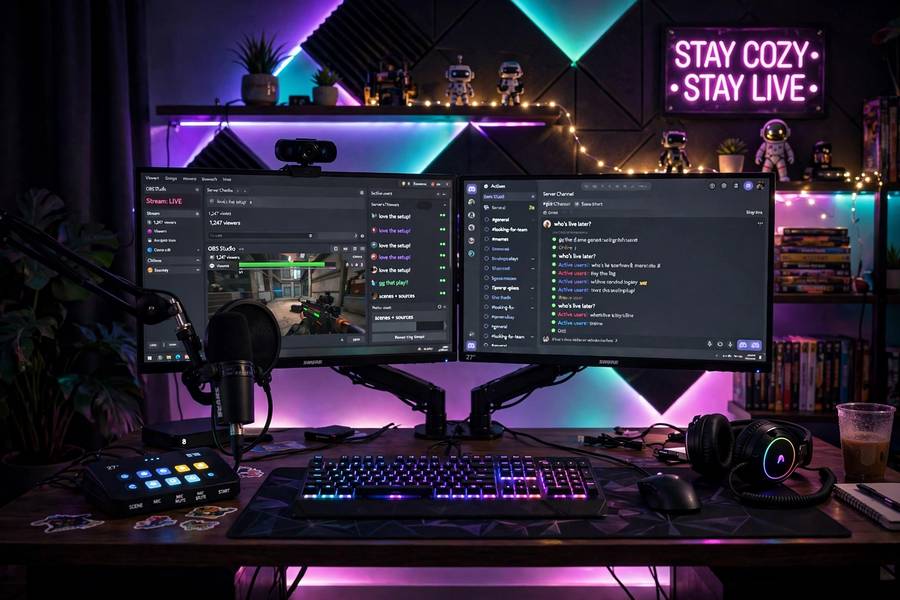
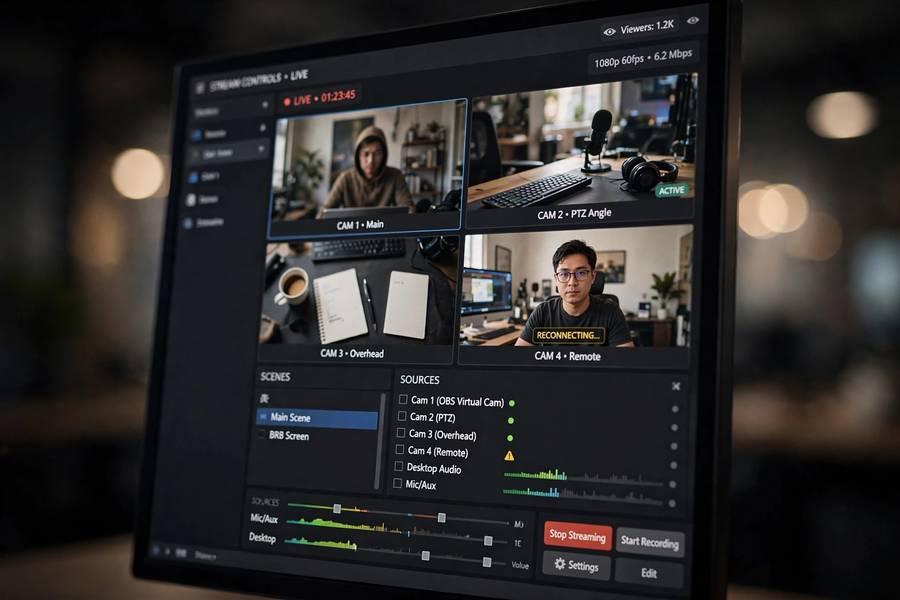
The typical chain: camera (or webcam) → capture card or USB → streaming software (OBS Studio is the open-source standard). The software composites the scene — webcam over gameplay, overlays, alerts — into one feed. Audio runs parallel: microphone → interface → software, mixed with desktop audio and music. Streamers obsess over audio more than video — viewers forgive 720p, not echo. (Adjacent rabbit hole: how noise-cancelling headphones work.)
Pro broadcasts add multiple cameras with a switcher, dedicated audio engineers, bonded cellular or fiber uplink, redundancy everywhere. A Twitch streamer and a World Cup broadcast run the same fundamental pipeline at wildly different budgets.
Stage 2: Encoding — Shrinking Reality in Real Time
Encoding is the most computationally brutal stage: take the 1.5 Gbps firehose of raw video and compress it to ~6 Mbps (typical 1080p) — a 250:1 reduction — in real time, with no do-overs. Live encoding can’t look ahead; it compresses each frame as it arrives.
Codecs (H.264 standard; H.265/HEVC and AV1 successors) exploit redundancy:
- Spatial compression: within a frame, predictable areas (flat walls, clear skies) get described efficiently — like JPEG.
- Temporal compression: between frames, only changes transmit. A talking-head stream is mostly static background plus moving face — the codec sends the background once, updates the face. Fast motion (confetti, water, sports) looks blocky because everything changes every frame and the bitrate can’t keep up.
- Keyframes: periodic full frames as reset points; between them, only differences. Longer intervals = better compression, worse error recovery.
Encoding runs on the streamer’s machine (CPU software encoding, or GPU hardware like NVIDIA’s NVENC — the streamer standard) or dedicated hardware. A three-way tug-of-war: bitrate (quality), CPU usage (your melting computer), latency (delay). No free lunch — only trade-offs, negotiated sixty times a second. (Audio compresses too, via AAC — a rounding error next to video.)
Stage 3: Ingest and Transcoding — The Platform Takes Over
The encoded stream leaves via a protocol — RTMP is the veteran standard; SRT and WebRTC gain ground for lower latency. This “ingest” stream travels to the platform’s ingest servers; Twitch, YouTube, TikTok Live operate ingest points worldwide so data travels the shortest path.
Then the platform transcodes: re-encoding the single incoming stream into multiple quality levels — 1080p, 720p, 480p, 360p — called adaptive bitrate (ABR) renditions. Your player switches between them automatically. That smooth quality ladder? The platform re-encoding your favorite streamer’s output several times over, in real time, for millions of concurrent streams. Staggering compute.
The platform also packages the stream into 2–6 second chunks via HLS or DASH. The “stream” is actually a playlist of tiny files downloaded in sequence — enabling pause, rewind, and adaptive quality. This chunking is also the main source of latency (more below).
Platforms additionally run moderation, analytics, ad insertion, and VOD recording. The “live” experience is surrounded by machinery treating it as data to process, store, and monetize.

Stage 4: Distribution — CDNs and the Last Mile
The scaling problem: 100,000 concurrent viewers × 6 Mbps = 600 Gbps for one stream. No single server handles that. Enter the CDN.
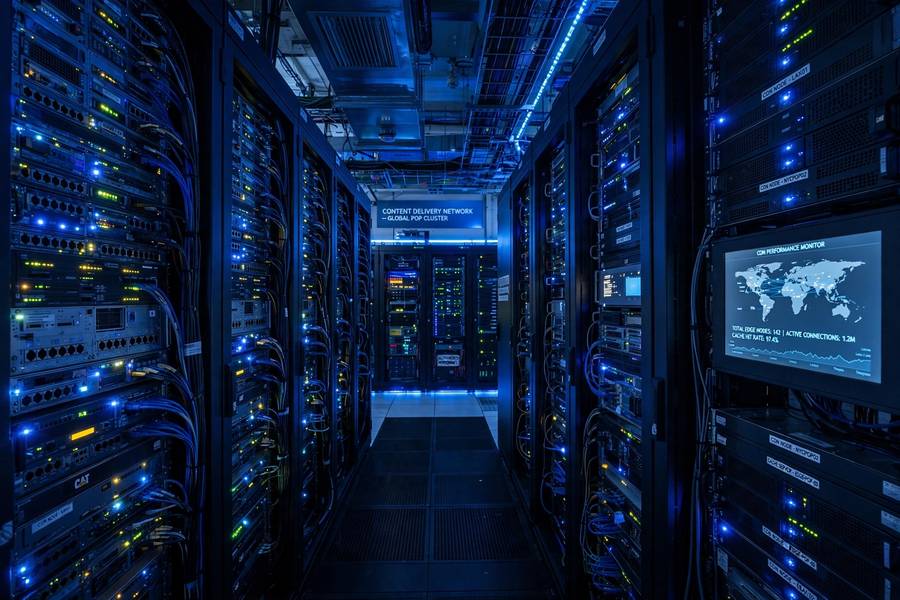
A content delivery network is a global fleet of edge servers — tens of thousands of machines in data centers and ISP facilities. Transcoded chunks get pushed to edge servers near viewers; you download from a server in your city, not platform headquarters. Same infrastructure delivering most heavy internet content — it’s how a Seoul streamer reaches Ohio without per-viewer Pacific crossings.
The “last mile” — ISP to your device, usually WiFi or cellular — is where most viewer-side problems live: congestion, interference, throttling, too many devices sharing the pipe. The CDN got the stream to your neighborhood; the last hundred feet are yours.
For massive events (World Cup finals, Apple keynotes), platforms pre-position capacity — but the architecture is the same: one ingest, many edges, chunked delivery.
Stage 5: Playback — Your Device Rebuilds the Picture
Your player downloads chunks ahead of what you’re watching — the buffer, typically 10–30 seconds held in reserve. It decodes each chunk, renders frames, syncs audio, displays.
The player decides constantly: connection slowing? Drop to a lower rendition before the buffer empties — that brief blur you sometimes see is the player sacrificing sharpness to avoid freezing. Buffer fully empty? The spinner — nothing to show, waiting for data.
Modern players also handle chat overlay (a separate real-time data stream alongside video), low-latency modes (smaller buffer, less stability), and DVR-style pause/rewind of the live edge.
Photons hitting a Seoul sensor to photons hitting your retinas: typically 5–30 seconds. Which brings us to the question everyone asks.
Latency: Why “Live” Is Never Instant
“Live” is a polite fiction. Every stage adds delay:
- Capture + encoding: ~0.5–2s (the encoder must see frames before compressing).
- Ingest transit: ~0.2–1s (physics).
- Transcoding + packaging: ~2–10s (chunks must fully form before distribution — the big one).
- CDN propagation: ~0.5–2s.
- Player buffer: ~5–30s (your safety margin).
Total: typically 5–30 seconds behind reality. Twitch’s low-latency mode trims to ~3–8s; WebRTC can go sub-second but sacrifices CDN scale. That’s why your friend texts “GOAL!” before you see it, and why betting on live sports via stream is a fool’s game — someone on a faster feed is always ahead. The delay isn’t a bug; it’s the architecture. Chunked, buffered, CDN-distributed video cannot be instant. The only zero-latency broadcast is being there.
(There’s a parallel in ML: real-time AI video faces the same trade-off — understanding requires time, which costs latency. For the compute side of this era, see how AI models are trained.)
Why Streams Buffer, Lag, and Drop
Buffering (the spinner). The buffer emptied — data isn’t arriving fast enough. Causes: connection slowed (WiFi congestion, ISP issues), overloaded CDN edge, or bitrate exceeding your bandwidth. Fixes: drop quality manually, switch to wired ethernet, move closer to the router, wait out peak congestion.
Lag/stutter. Frames arriving irregularly — usually encoding-side. The streamer’s CPU is overloaded (encoding + gaming on one machine), upload saturated, or keyframes misconfigured. Viewer-side, an underpowered device struggling to decode.
Desync. Audio and video pipelines drift. Platforms usually correct it; persistent desync means capture-side clock mismatch or an overloaded encoder.
Drops. Ingest failure — the streamer’s connection to the platform died. ISP outage, upload collapse, crashed PC. Platforms auto-reconnect; the audience sees black until ingest resumes.
“Why does it always buffer at the climax?” Climaxes are data-dense — fast motion, particles, scene changes — exactly what codecs compress worst. Your 6 Mbps stream might need 12 for a chaotic team fight. The encoder can’t exceed its cap, so quality collapses or the player chokes. Physics, not conspiracy.
Honest summary: live streaming works shockingly well for what it does — compressing reality 250:1 in real time, copying it worldwide, delivering to millions with seconds of delay. When it buffers, you’re seeing the seams of one of the internet’s great engineering achievements. Annoying seams. But seams in a miracle.
Frequently Asked Questions
A camera captures raw video, software encodes it into a compressed stream in real time, the stream is sent to platform servers, transcoded into multiple quality levels, distributed worldwide via CDNs as small chunks, and your device downloads, decodes, and plays those chunks.
Every stage adds delay: encoding (0.5–2s), transcoding and chunk packaging (2–10s), CDN distribution (0.5–2s), and your player’s buffer (5–30s). Total latency is typically 5–30 seconds behind reality; low-latency modes can trim it to 3–8 seconds.
Buffering means data isn’t arriving fast enough — usually WiFi congestion, ISP slowdown, or the stream’s bitrate exceeding your bandwidth. Manually lowering quality, using wired ethernet, or moving closer to your router usually fixes it.
Transcoding is when the platform re-encodes the incoming stream into multiple quality levels (1080p, 720p, 480p, etc.). Your player switches between these automatically based on your connection — that’s adaptive bitrate streaming, and it’s why quality adjusts smoothly instead of freezing.
For 1080p streaming you need roughly 8–12 Mbps of stable upload speed (above your 6 Mbps stream bitrate, for headroom). Stability matters more than peak speed — upload fluctuations cause dropped frames even on fast connections.
HLS packages video into small chunks distributed via CDNs — massively scalable but with 5–30 seconds of latency. WebRTC streams peer-to-peer style with under a second of latency but can’t scale to huge audiences. Platforms choose based on whether they need reach or immediacy.