How to Install a Thermostat Yourself: A Beginner’s Guide


Swapping out an old thermostat is one of the highest-value DIY projects in a home: it takes under an hour, needs only basic tools, and a modern programmable or smart thermostat can noticeably cut heating and cooling waste. This guide covers how to install a thermostat for a standard home HVAC system, furnace, central air, or heat pump. (If you landed here looking for a car thermostat, that’s a different job entirely; this is the one on your hallway wall.)
Safety First: This Is Low Voltage, But Treat It Seriously
Home thermostats run on 24-volt low-voltage wiring, which won’t shock you the way household current will, but you still turn the power off. Switch off the breaker for your furnace/air handler at the electrical panel, not just the thermostat. Some systems have a separate switch near the furnace; turn that off too. Tape a note on the panel so nobody flips it back on while you’re working. If your thermostat controls line-voltage electric baseboard heat (thick wires, no low-voltage terminals), stop: that’s a different, higher-voltage job and many homeowners sensibly hire an electrician for it.
Check Compatibility Before You Buy
Not every thermostat works with every system. Check three things on your current setup:
System type: conventional furnace/AC, heat pump, or boiler. Heat pumps need a thermostat with heat-pump support (it will say so on the box). Millivolt systems, common with gas fireplaces and some wall heaters, need a millivolt-compatible model.
The C-wire: smart and Wi-Fi thermostats need continuous power, which comes from the common wire, usually blue or black, labeled C. Pull off your old thermostat’s faceplate and look at the terminals. If there’s a wire on C, you’re set. If not, check whether there’s an unused wire bundled behind the wall you can connect at the furnace end, or choose a thermostat that includes a power-adapter kit.
Voltage: standard thermostats are 24V. If your current thermostat is a chunky dial controlling baseboard heaters directly, it’s line voltage (120/240V) and this guide doesn’t apply.
What You’ll Need
- New thermostat (correct type for your system)
- Screwdrivers (flathead and Phillips)
- Smartphone for photos
- Masking tape and pen for labeling wires
- Level (many thermostats include a tiny one)
- Drill and wall anchors if mounting holes don’t line up
How to Install a Thermostat: Step by Step
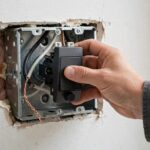
Step 1: Photograph the old wiring. Remove the old thermostat’s faceplate to expose the wire terminals. Take a clear photo of which colored wire goes to which lettered terminal (R, W, Y, G, C, etc.). This photo is your lifeline if anything gets confusing later.
Step 2: Label every wire. Wrap a small piece of masking tape around each wire and write its terminal letter on it. Then loosen the terminal screws and free the wires. If a wire pops back into the wall, you’ll fish it out with needle-nose pliers, but labeling first usually prevents the panic.
Step 3: Remove the old base. Unscrew the mounting plate from the wall. Fill old screw holes with spackle if the new base won’t cover them, and let it dry. If the old thermostat was a mercury-switch model, don’t throw it in the trash; mercury thermostats are hazardous waste and most areas have free collection programs.
Step 4: Mount the new base. Pull the wires through the center opening of the new mounting plate, level it, mark your holes, and screw it to the wall. Use wall anchors if you’re not hitting a stud. A crooked thermostat with an old mercury bulb would read wrong; digital models don’t care about level for accuracy, but they look better straight.
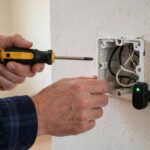
Step 5: Connect the wires. Attach each labeled wire to the matching terminal on the new thermostat: R to R, W to W, Y to Y, G to G, C to C. If your system has both Rc and Rh with a jumper, follow the new thermostat’s instructions for your setup. Push any excess wire back into the wall so it doesn’t interfere with the faceplate.
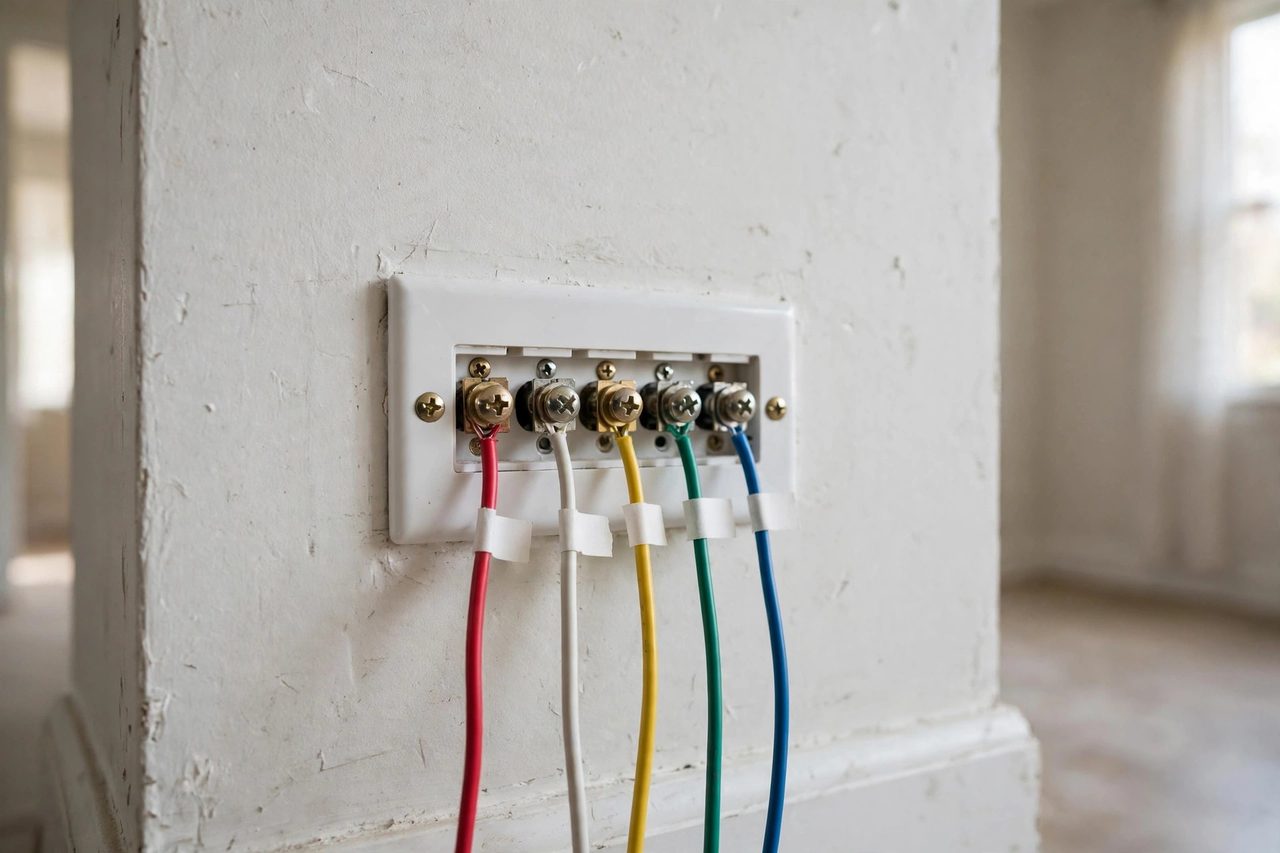
Step 6: Attach the faceplate and restore power. Snap or screw on the faceplate, remove your tape note, and flip the breaker back on. The thermostat should power up within a minute.
Step 7: Configure and test. Follow the setup wizard: system type (conventional vs. heat pump), fuel type, and any accessory equipment. Then test every mode: set cooling a few degrees below room temp and confirm the AC kicks on; set heating above room temp and confirm the furnace fires; run the fan-only mode to check the blower. Give each mode a few minutes. If the heat pump blows cool air in heating mode, the reversing-valve setting (O/B) is backwards; flip it in the settings menu.
Common Problems and Fixes
Thermostat won’t power on: check the breaker, then check the C-wire connection at both ends. Some furnaces have a small fuse on the control board that blows if wires touched during installation; it’s a cheap automotive-style fuse and easy to replace.
System short-cycles (turns on and off rapidly): often a heat-anticipator or cycle-rate setting. Check the installer settings for your equipment type.
Heat and cool reversed on a heat pump: the O/B reversing valve setting, as above. It’s the single most common heat-pump thermostat mistake.
Old wires are unlabeled colors: ignore the colors and trust your labels and photo from Step 1. Wire color conventions are frequently violated in the real world.
Getting the Most From a New Thermostat
One more setup step people skip: check the temperature calibration after a day of operation. Compare the thermostat’s reading with a reliable thermometer placed nearby; if it’s off by more than a degree or two, most models let you apply an offset in the settings. Also confirm the thermostat isn’t affected by drafts, direct sun, or nearby heat sources like lamps, which fool its sensor and make the whole system work harder than it should.
Installation is only half the value; programming is the other half. Set back heating by 7 to 10 degrees for the 8 hours you’re asleep or away, and do the reverse in summer. Smart thermostats with learning or geofencing features handle this automatically once trained. And if your energy bills don’t budge after a month, check that auxiliary or emergency heat isn’t running constantly on a heat pump, that’s the expensive mode and a common misconfiguration.
Smart Thermostat Features Actually Worth Using
If you installed a smart thermostat, the hardware is only half the upgrade; the features are the other half. Scheduling is the big one: program setbacks for sleep and away hours rather than holding one temperature all day. Geofencing uses your phone’s location to set back automatically when everyone leaves and recover before you return, no programming required. Learning modes watch your manual adjustments for a week or two and then build the schedule themselves.
Energy reports show where your heating and cooling dollars go, which is genuinely useful for spotting problems like auxiliary heat running too often. Remote sensors, available for some models, fix the classic cold-bedroom problem by averaging temperatures across rooms instead of reading only the hallway. And filter reminders based on actual runtime beat the calendar-based guessing most people do. Set these up in the first week while the install is fresh in your mind; features you don’t configure in week one tend to stay unconfigured forever.
When to Call an HVAC Professional Instead
DIY thermostat installation covers the vast majority of standard systems, but some situations genuinely warrant a pro. No C-wire and no spare wire: running new thermostat cable through finished walls is doable but miserable, and an HVAC tech does it routinely. Complex multi-zone systems with dampers, or communicating equipment that uses proprietary digital protocols rather than standard R/W/Y/G wiring, need matched thermostats and configuration you shouldn’t guess at.
Heat pumps with auxiliary heat behaving strangely after installation, emergency heat running constantly or the system never satisfying the setpoint, can indicate wiring or configuration issues that get expensive fast if ignored; auxiliary heat costs several times what the heat pump does. Any sign of a failing furnace, strange smells, soot, or frequent lockouts, means the thermostat isn’t your problem and a service call is overdue. And if you open the old thermostat and find a rat’s nest of unlabeled, spliced, or damaged wire, that’s the universe telling you to hire someone. Knowing where DIY ends isn’t a lack of skill; it’s the skill.
A thermostat swap is the rare project that’s cheap, fast, and genuinely useful: under an hour, basic tools, and an immediate upgrade in comfort and efficiency. The keys are turning off the breaker, photographing and labeling every wire, confirming compatibility (especially the C-wire and heat-pump settings), and testing every mode before you call it done. Program the schedule in the first week while the install is fresh, and you’ll actually capture the energy savings that justify the project. When the wiring looks wrong or the system is complex, calling a pro isn’t giving up; it’s the smartest DIY decision there is.
Frequently Asked Questions About Installing a Thermostat
Can I install a thermostat myself?
Yes, for standard 24-volt systems. It’s a beginner-friendly job: label wires, swap the base, reconnect, and test. Line-voltage baseboard systems are the exception and warrant an electrician.
What is a C-wire and do I need one?
The C-wire (common wire) provides continuous 24V power. Smart and Wi-Fi thermostats need one. Check behind your old thermostat for a wire on the C terminal; if none exists, look for a spare wire in the bundle or use the adapter kit many smart thermostats include.
Do I need to turn off the breaker to change a thermostat?
Yes. Turn off the breaker for the furnace/air handler at the electrical panel before touching any wires. It’s low voltage, but shorting wires can blow the furnace’s control-board fuse.
Why is my new thermostat blowing cold air in heat mode?
On a heat pump, this almost always means the O/B reversing-valve setting is backwards. Flip it in the thermostat’s installer settings menu.
How do I dispose of an old mercury thermostat?
Don’t put it in the trash. Mercury thermostats are hazardous waste; most areas offer free collection through hardware stores or municipal programs.
Will a smart thermostat work without a C-wire?
Many include a power adapter kit that repurposes an existing wire to provide continuous power, and some models can power-share without one. But a real C-wire is the most reliable setup; if your cable has a spare unused wire, an HVAC tech can connect it at the furnace end in minutes.