Type a sentence, get a painting. Midjourney turned AI image generation from a research curiosity into something millions of people use for fun, work, and art. I’ve generated thousands of images with these tools, and the technology behind them is genuinely fascinating — even if you’ve never typed a prompt in your life.
Here’s how Midjourney actually works: the diffusion process, what it learned from, why prompting matters so much, and where the whole thing breaks down. This guide is the conceptual one — the technology, not the tutorial. To actually use the tool — signing up, writing prompts that work, parameters, plans — see our companion guide, how to use Midjourney.
Table of Contents
- The Short Answer
- What Midjourney Actually Is
- Diffusion: The Core Idea
- How a Prompt Becomes an Image, Step by Step
- What the Model Learned (and From What)
- Why Prompting Matters (The Short Version)
- Versions and Quality Jumps
- Honest Limitations
- Frequently Asked Questions

The Short Answer
Midjourney is an AI image generator that turns text descriptions into images using a technique called diffusion. It starts with random visual noise and gradually refines it — guided by your prompt — until a coherent image emerges. The model learned what things look like from hundreds of millions of image-text pairs, the same training approach I describe in how AI models are trained.
What Midjourney Actually Is
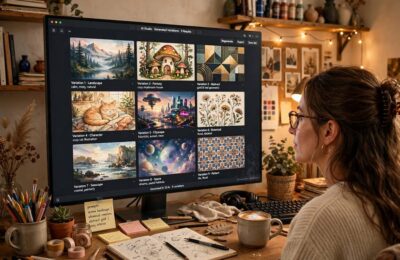
Midjourney is a company (a small, independent lab) and its product: an image generation model you interact with primarily through Discord (and now a web app). You type /imagine followed by a description, and get back four image variations. Pick one to upscale or create variations of.
What made Midjourney stand out wasn’t being first — it was aesthetic quality. From early on, its outputs had a distinctive polished, artistic look that other generators took longer to match. It became the tool of choice for people who cared about beauty, not just accuracy.
Under the hood, it’s a diffusion model — the same family of technology behind most modern image generators. The differences between tools come down to training data, model architecture, and tuning choices.
Diffusion: The Core Idea
Diffusion is beautifully intuitive once you see it. The training process works like this:
Forward (training): Take a real image. Gradually add noise until it’s pure static. Do this millions of times, at every noise level. The model learns: “given this noisy image, what did it look like one step less noisy?”
Reverse (generation): Start with pure noise. Ask the model: “what would this look like slightly less noisy?” Repeat hundreds of times. The noise gradually resolves into an image.
It’s like watching a photograph develop in a darkroom, except the “photograph” is being invented, not revealed. At each step, your text prompt steers the denoising — pulling the emerging image toward what you described.
The key insight: the model never “draws” anything. It sculpts images out of noise by repeatedly removing the wrong kind of noise. What remains is your image.
How a Prompt Becomes an Image, Step by Step
Here’s what happens when you submit a prompt like “a lighthouse at sunset, oil painting style”:
-
Text encoding. Your prompt is converted into a numerical representation (an embedding) that captures its meaning. “Lighthouse,” “sunset,” and “oil painting style” become directions in a high-dimensional space.
-
Noise initialization. The system generates a field of random noise — the seed of your image. (Same prompt + same seed = same image. Different seed = different image.)
-
Iterative denoising. Over dozens of steps, the model progressively removes noise, guided at each step by your text embedding. Early steps establish composition — where the lighthouse goes, where the horizon is. Later steps add detail — texture, lighting, brushstrokes.
-
Four variations. Midjourney generates four images from slightly different starting noise, giving you options.
-
Upscaling and variation. Pick a favorite: upscale it (generate a higher-resolution version) or create variations (same concept, new noise).
The whole thing takes under a minute now. Early versions took much longer — the speed improvements came from better algorithms and hardware, not shortcuts.

What the Model Learned (and From What)
Midjourney’s model trained on hundreds of millions of image-text pairs scraped from the web — photos, artwork, illustrations, each with captions or surrounding text. From this, it learned:
- What things look like. Lighthouses, faces, forests — the visual essence of millions of concepts.
- Styles. Oil painting, photorealism, anime, Art Deco — it learned style as a separable dimension you can apply to any subject.
- Composition. What makes an image feel balanced, dramatic, or beautiful — absorbed from the aesthetics of its training data.
- Text-image relationships. How words map to visual features, including tricky ones like “melancholic” or “cinematic lighting.”
This training is also the source of the biggest controversies: the images were scraped without artists’ consent, and lawsuits are ongoing. It’s the same consent debate I cover in my broader AI tools guide — just with higher stakes because the outputs compete directly with the artists whose work trained the model.
Why Prompting Matters (The Short Version)
One thing worth knowing even in a guide about the technology: with Midjourney, the prompt isn’t just a description — it’s a set of steering instructions for the denoising process described above. Small changes produce big differences: specificity anchors the composition, style keywords pull from the style dimensions the model learned, and parameters tune how it generates, not just what.
The craft of writing prompts — the formulas, the parameters worth learning, the iteration workflow — belongs to the practical side. To actually use the tool, see our companion guide, how to use Midjourney: signup, prompt-writing, parameters, and subscription tiers.
Versions and Quality Jumps
Midjourney’s version history is a compressed timeline of the whole field:
- Early versions: Dreamlike but flawed — mangled hands, melted faces, surreal artifacts. Charming, not reliable.
- Middle versions: Big quality jumps. Photorealism became possible. Hands mostly fixed. The “Midjourney look” — polished, dramatic, slightly samey — emerged.
- Recent versions: Remarkable fidelity. Text in images (historically impossible), consistent characters across images, fine detail. The remaining flaws are subtle.
Each jump came from more data, bigger models, and better training — the standard recipe. The pace has been fast enough that skills learned a year ago are partially obsolete.
Honest Limitations
Hands and anatomy. Much better than before, still occasionally wrong. Extra fingers are rarer now but not extinct.
Text in images. Improved enormously, still unreliable for long or precise text. Don’t generate your logo this way.
Consistency. Getting the same character or object across multiple images remains hard. Character reference features help but aren’t perfect.
Factual accuracy. It generates plausible-looking things, not true things. Historical scenes, technical diagrams, maps — verify everything.
Bias. The model reflects its training data: certain professions, cultures, and body types are over- or under-represented. Prompting can compensate, but the defaults reveal the data.
Copyright and ethics. The training-data lawsuits are unresolved. Commercial use exists in a legal gray area that’s actively being defined. If you’re using generated images commercially, understand the landscape.
The sameness problem. Midjourney outputs have a recognizable aesthetic. For distinctive work, you have to fight the defaults — which is a skill in itself.

Frequently Asked Questions
Midjourney uses diffusion: it starts with random visual noise and gradually refines it over dozens of steps, guided by your text prompt, until a coherent image emerges. The model learned what things look like from hundreds of millions of image-text pairs. You type a description, get four variations, then upscale or iterate on favorites.
Diffusion is a technique where the model learns to reverse noise: during training it sees images progressively noised into static and learns each denoising step. To generate, it starts from pure noise and repeatedly removes the “wrong” noise, steered by your prompt, until an image emerges. It’s like developing a photograph that’s being invented, not revealed.
Midjourney operates on paid subscriptions with different tiers based on generation time. Pricing and plans change, so check their site for current details. Free trials have been offered at times but aren’t guaranteed.
It’s legally unsettled. In the US, the Copyright Office has held that purely AI-generated images without human creative input can’t be copyrighted. Midjourney’s terms grant paid users broad rights to use images commercially, but the underlying training-data lawsuits could reshape the landscape. For commercial use, understand the current terms and legal uncertainty.
Its standout quality has been aesthetic polish — outputs with a distinctive artistic, cinematic look. Other tools may lead in photorealism, editing control, or integration. “Better” depends on your use case: Midjourney for beauty and art, others for precision, editing, or workflow integration.
Common limits: occasional anatomical errors, unreliable text within images, difficulty keeping characters consistent across images, plausible-but-wrong factual details, training-data bias, unresolved copyright questions around training data, and a recognizable “AI look” you must actively fight for distinctive work.