How to Spot Fake News Images Before You Share Them

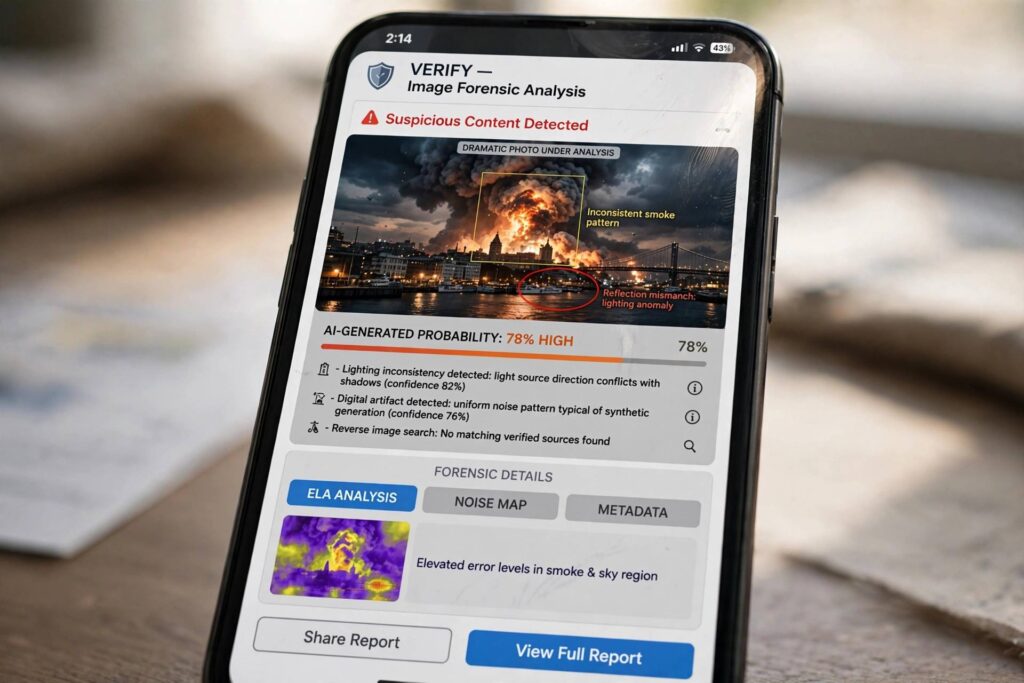
Learning how to spot fake news images has become a survival skill. I have watched doctored photos of protests, disasters, and public figures travel halfway around the world before anyone checked whether they were real. The good news is that you do not need special software or a forensics degree. A two-minute checklist — reverse image search first, then a scan for AI tells, then a look at the source — catches the vast majority of fakes.
The uncomfortable truth is that most of us share images for emotional reasons, not factual ones. A photo that confirms what we already believe gets reposted without a second thought. The people who create fake news images count on exactly that reflex. So the real trick is building a tiny pause into your scrolling: see a dramatic image, feel the jolt, then verify before you amplify it.
Step 1: Start With a Reverse Image Search
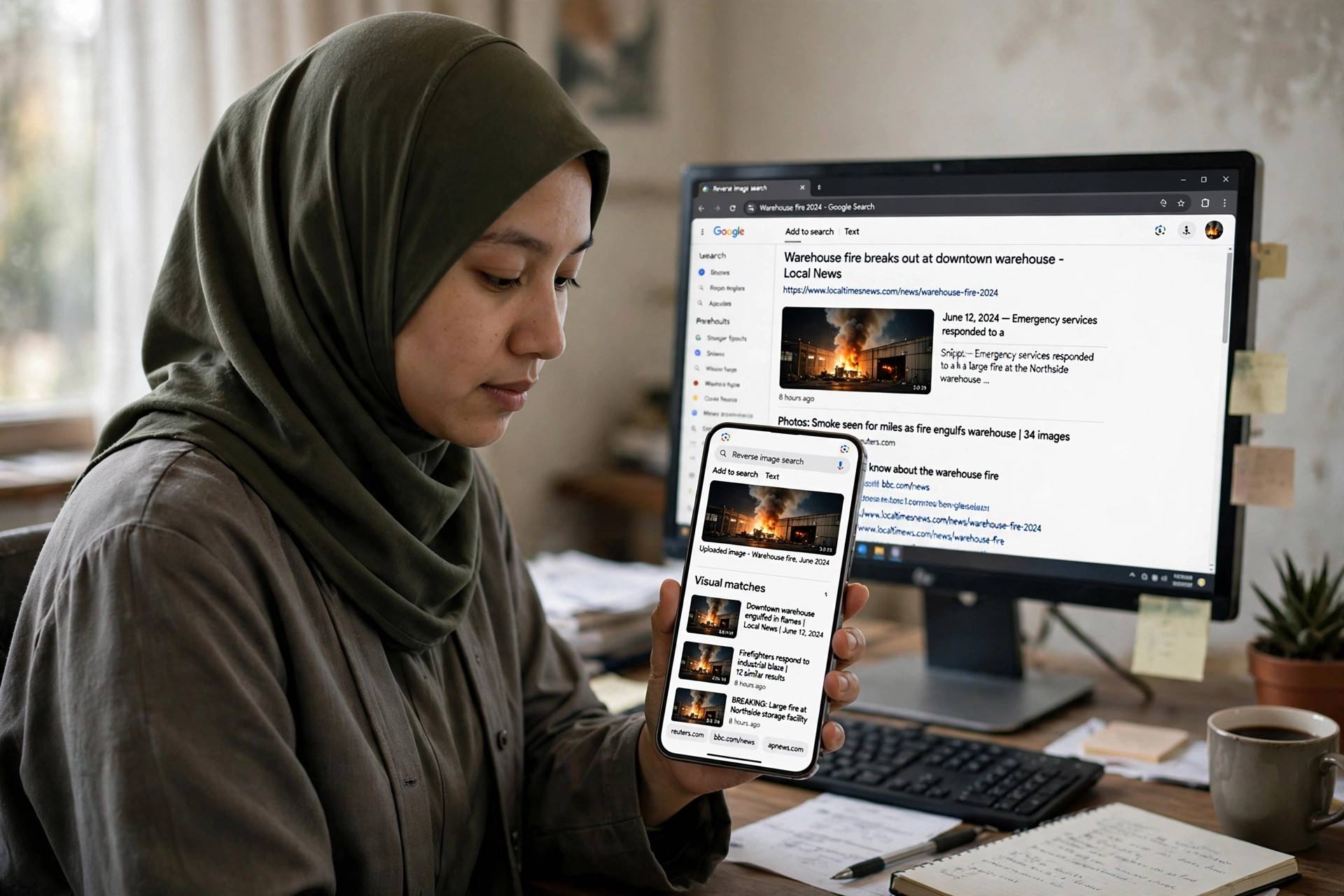
A reverse image search is the single most powerful tool for checking whether a news photo is real, and it takes about ten seconds. Instead of searching with words, you search with the image itself, and the search engine shows you where else that picture has appeared online.
Here is how I do it. On your phone, open Google, tap the camera icon in the search bar, and upload the image or paste its link. On a computer, you can right-click an image and choose “Search image with Google.” TinEye is a second option I keep in my toolkit — it is particularly good at finding the earliest known appearance of an image.
What are you looking for? Three things:
- Earlier appearances. If the photo is being shared as breaking news from today but the same image shows up from a disaster in 2019, it is recycled — out of context at best, fake at worst.
- The original context. An image can be 100% real and still 100% misleading. A genuine photo of a flooded street from another city gets relabeled as “happening now in our town.” The reverse search usually reveals the real caption.
- Fact-check labels. Search engines now flag images that fact-checkers have already debunked. If you see warnings from established fact-checking organizations, believe them.
I have personally caught recycled disaster photos this way more times than I can count. One memorable case: a dramatic photo of a burning building shared during a wildfire season turned out to be a movie still from three years earlier. Ten seconds of reverse searching would have saved thousands of shares.
Step 2: Look for AI Tells — Hands, Text, and Lighting
Not every fake is a recycled photo. The newer problem is AI-generated images that never existed in front of any camera. These are harder, but current generators still leave fingerprints. I run through what I call the “hands, text, lighting” check.
Hands
AI generators still struggle with hands more than anything else. Count the fingers. Look for hands melting into sleeves, wrists bending at impossible angles, or a hand holding an object where the grip makes no physical sense. In a crowd scene, scan the background hands — they are where the generator gets lazy.
Text
Look at any text in the image: signs, banners, t-shirts, license plates, newspaper headlines. AI-generated text frequently dissolves into letter-like squiggles — shapes that look like writing at a glance but spell nothing. A protest sign that reads something like “FRELADOM NOW” is a dead giveaway. Also check watermarks; fake logos of real news outlets get subtly misspelled.
Lighting and physics
Check whether shadows fall in the same direction. Look at reflections — in windows, sunglasses, or puddles — and see whether they match the scene. AI images often have an over-polished, too-perfect quality: skin that looks like plastic, hair that flows with no wind, or backgrounds that blur in ways a real lens never would.
One more trick: zoom in on faces at the edges of a crowd. Real crowds have distinct individuals; AI crowds tend to have faces that smear or blend into each other the further you look from the center.
Step 3: Check the Metadata and the Source
Metadata is the hidden information embedded in a photo file — the camera model, the date and time it was taken, sometimes even GPS coordinates. Most social platforms strip metadata when you upload, which is itself a clue: a “breaking news photo” with zero metadata attached tells you nothing about when or where it was taken.
But you can still do source checks:
- Who posted it? A brand-new account with no followers posting “exclusive” disaster footage is not a news source. Real eyewitnesses are usually local accounts with a normal posting history.
- Does any established outlet have it? If a genuinely dramatic event happened, professional photographers and wire services will have covered it. If the only trace of the image is anonymous reposts, be skeptical.
- Look for corroboration. One photo of a dramatic scene with no video, no second angle, no local reports? That is suspicious. Real events produce multiple witnesses.
- Read the URL. Screenshots of “news articles” are easy to fake. If the image claims to be from a news site, visit that site yourself and search for the story. Do not trust the screenshot.
How Fake News Images Spread So Fast
Understanding the mechanics helps you resist them. A fake image does not spread because people are stupid — it spreads because the sharing infrastructure is built for speed, not verification. News feed algorithms reward content that generates strong reactions, and nothing generates reactions like a shocking photo.
The typical lifecycle goes like this: someone posts a dramatic image with a dramatic caption. It gets angry or emotional reactions, which the algorithm reads as engagement. Engagement pushes it to more feeds. By the time a fact-checker publishes a correction — usually hours later — the original has been seen a hundred times more than the debunk. Studies of misinformation spread consistently find that corrections never catch up.
This is why the two-minute check matters more than any debunk. Every person who verifies instead of sharing breaks one link in the chain. You do not need to become a forensic analyst; you just need to be the person who pauses.
How to Spot Fake News Images in Under Two Minutes
Let me give you the actual field routine — the compressed version I run when a dramatic image lands in my feed and I have to decide fast whether it deserves a share. Set a timer in your head. Two minutes, three moves, done.
Minute one: reverse search and read the results skeptically. Upload the image to Google’s reverse search or TinEye and scan the earliest dates first, not the most recent shares. Ask one question: does this image predate the event it supposedly shows? A photo of a “protest today” that first appeared eighteen months ago is recycled — case closed, do not share. Also check the captions on the earliest results. I once traced a viral “flood rescue” photo back to a film set publicity still. The image was real; the context was fiction. That distinction matters because recycled real photos fool even careful people — the photo checks out visually, so the brain stops checking.
Minute two: the hands-text-lighting sweep. Zoom in — actually pinch and zoom, do not eyeball it at thumbnail size. Count fingers on the most prominent hands. Read every visible sign, shirt, and headline letter by letter. Check whether shadows agree with each other. Most AI fakes that survive a casual glance die under a ten-second zoom. The generators are improving fast, so this check has a shelf life, but right now it still catches the majority of synthetic images.
The final filter: does it want you angry? This is not a technical check, it is a psychological one, and honestly it is the most reliable. Fake news images are engineered for outrage, fear, or vindication — emotions that short-circuit verification. If an image makes you furious or smug before you have verified it, that feeling is the product. The creators are counting on you sharing from the gut. Make it a rule: the stronger the emotional jolt, the longer the verification pause. Boring images rarely lie; electrifying ones lie constantly.
One more practical habit: follow two or three dedicated fact-checking accounts and check their feeds before sharing anything explosive. They are usually hours ahead of the debunk cycle, and a quick search of their recent posts takes twenty seconds. You do not need to become your own forensics lab — you just need to borrow someone else’s for half a minute before you hit share.
Frequently Asked Questions
Can I trust Google Lens or reverse image search for every fake?
Reverse image search catches recycled and out-of-context photos, which are still the most common type of fake news image. It struggles with brand-new AI-generated images that have never appeared online before. That is why you combine it with the hands-text-lighting check and source verification rather than relying on any single method.
Are AI-generated images illegal to share?
In most places, generating or sharing an AI image is not itself illegal. It becomes a legal problem when the image defames a real person, impersonates someone, or is used for fraud. But even when it is legal, sharing something you have not verified contributes to the problem — the ethical standard is higher than the legal one.
How can I tell if a video is fake?
Many of the same principles apply: reverse image search works on screenshots from videos, and AI tells like odd hands and inconsistent lighting show up in AI-generated video too. For deepfakes of real people, watch for lip-sync mismatches, unnatural blinking, and voices that do not quite match the person’s known speech patterns. Slowing a video down often reveals glitches invisible at full speed.
What should I do when I see friends sharing a fake image?
Correct them privately if you can — a quiet direct message works far better than a public callout, which tends to make people defensive. Share the evidence (the reverse image search result showing the earlier date), not just your conclusion. And do not pile on; anyone can be fooled by a convincing fake.
Do fact-checking sites really keep up?
They do their best, but they are outnumbered. A fact-checker might debunk a viral image hours after it peaks, and the correction reaches a fraction of the original audience. Treat fact-checkers as a resource for verification, not as a cleanup crew that makes sharing first and checking later acceptable.
The Two-Minute Rule
Here is my challenge to you: for the next week, run the two-minute check on every dramatic news image you are tempted to share. Reverse search it. Scan the hands, the text, the lighting. Ask who posted it and whether anyone credible corroborates it. I guarantee you will catch at least one fake — and once you do, the pause becomes a habit. Knowing how to spot fake news images is not about becoming cynical; it is about becoming the kind of person who makes the internet slightly harder to fool.