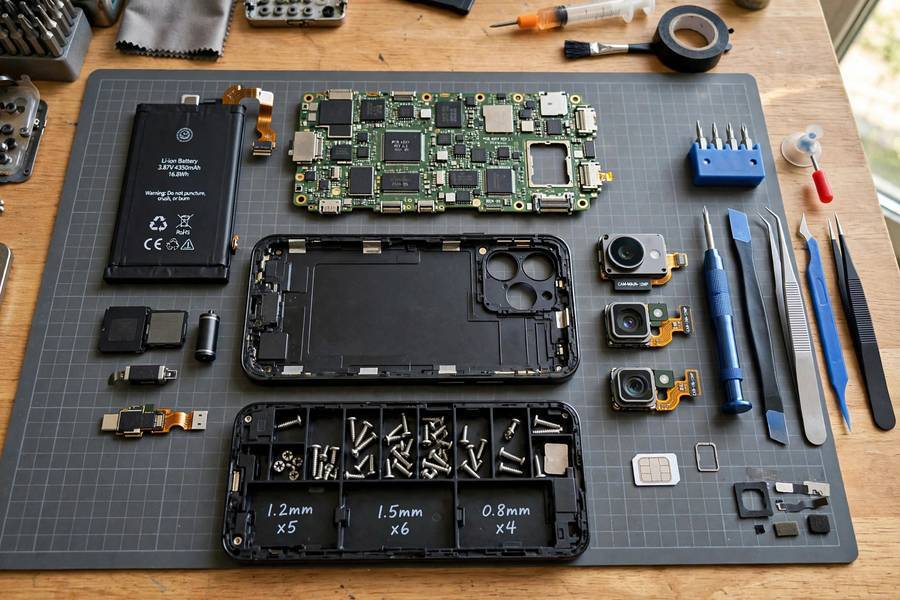
Your phone is doing about a dozen jobs right now that used to need a dozen separate devices — phone, camera, map, music player, calculator, television, game console, and a computer that would have embarrassed a 1990s NASA workstation. I have tested phones professionally for years and the engineering density still impresses me. Let us look inside — figuratively.
Table of Contents
- The Big Idea: A Computer With Radios Attached
- The Processor: The Brain (and It’s Really Several Brains)
- Memory and Storage: RAM vs the Stuff That Stays
- The Radios: How Your Phone Talks to the World
- The Display and Touch Layer
- Cameras: Tiny Lenses, Heavy Computation
- Sensors: How Your Phone Knows Which Way Is Up
- The Battery and Power Management
- The Software: The Other Half of the Machine
- Frequently Asked Questions
The Big Idea: A Computer With Radios Attached
Strip away everything and a smartphone is a general-purpose computer — processor, memory, storage, display, input — with a bundle of wireless radios bolted on so it can communicate without wires. That is genuinely the whole architecture. Everything else is optimization: making it small, making it sip power, and making it survive in your pocket.
The reason this matters: a 2010 camera could take photos. Your phone can take photos, edit them, back them up, share them, and identify the mountain in the background — because it is not a camera with extras. It is a computer that happens to have a camera attached.
The Processor: The Brain (and It’s Really Several Brains)
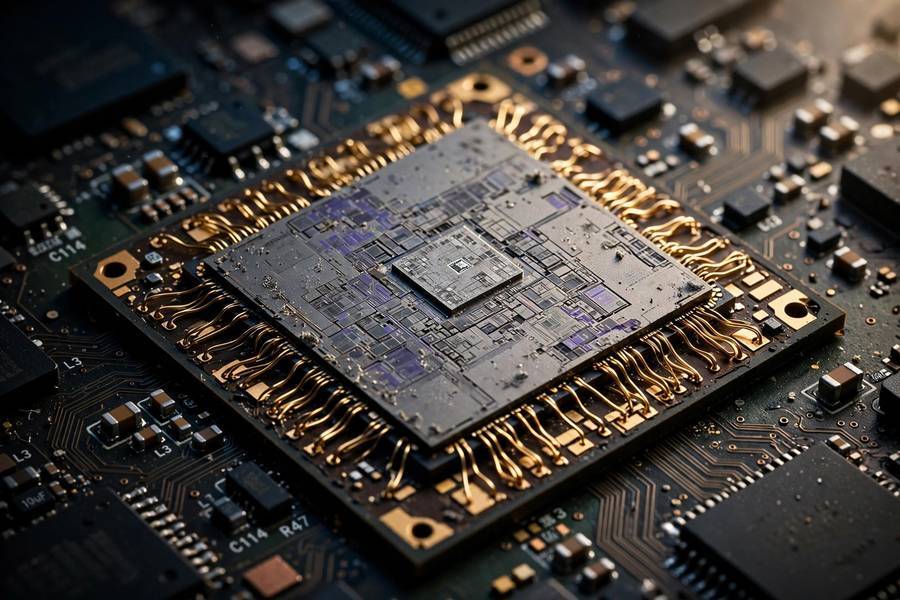
Your phone’s chip — Apple A-series, Snapdragon, Tensor, Exynos — is a System on a Chip (SoC): an entire computer system etched onto one piece of silicon. Inside you will find:
- CPU (central processing unit): The general-purpose cores that run apps and the operating system. Modern phone CPUs have 8 cores in a mix of fast “performance” cores and efficient cores that handle background tasks sipping power.
- GPU (graphics processing unit): Handles the display, games, photo rendering, and anything visual. Phone GPUs are shockingly powerful now — they drive 120Hz displays without breaking a sweat.
- NPU / neural engine: A dedicated AI accelerator. Face unlock, photo enhancement, voice transcription, on-device translation — the NPU does the machine-learning math far more efficiently than the CPU could.
- ISP (image signal processor): A specialized pipeline that turns raw camera sensor data into the photo you see, applying noise reduction, HDR merging, and color science in milliseconds.
- Modem: The cellular radio baseband, often integrated into the same chip. It handles the entire conversation with the cell tower.
I have benchmarked enough phones to tell you the honest truth: for everyday use — messaging, browsing, social media — any mid-range chip from the last few years is more than enough. You feel the difference in sustained heavy tasks: 4K video editing, demanding games, computational photography.
Memory and Storage: RAM vs the Stuff That Stays
Two kinds of memory, constantly confused:
- RAM (6-16GB in modern phones): Working memory. It holds the apps you are actively using so switching between them is instant. More RAM means more apps stay alive in the background without reloading. When your phone “runs out of RAM,” apps get killed and reopened — that is the lag you feel on old phones.
- Storage (128GB-1TB): Your photos, apps, files. This is flash memory — no moving parts, fast, and it keeps data without power. Unlike old hard drives, there is nothing to defragment.
One practical tip from years of watching people buy phones: storage size matters more than most specs. 128GB fills up fast if you shoot video — and unlike RAM, you cannot upgrade it later.
The Radios: How Your Phone Talks to the World
Your phone is a radio station and receiver several times over. The main radios:
- Cellular (4G/5G): Your phone constantly negotiates with nearby cell towers, handing off between them as you move. 5G is faster but shorter-range, which is why coverage feels patchy — high-frequency signals need more towers.
- WiFi: Short-range, high-speed connection to your router — preferred for heavy data since it doesn’t count against your cellular plan (how WiFi works).
- Bluetooth: Very short-range, low-power. Headphones, watches, car stereos. This is the radio your wireless earbuds use to receive audio.
- NFC: Extremely short-range — centimeters. Tap-to-pay works by inductive coupling near a terminal; deliberately short-range so nobody skims it from across the room.
- GPS: A receiver listening to timing signals from satellites, calculating position from arrival-time differences — fused with WiFi and tower data for faster indoor fixes.
All of these radios share antennas tucked around the phone’s frame, and software constantly juggles them — switching between WiFi and cellular, managing Bluetooth, keeping GPS warm — while trying not to drain the battery. Radio management is one of the unsung heroes of phone engineering.

The Display and Touch Layer
The screen is two stacked systems: the display panel (LCD or OLED) that produces the image, and the capacitive touch sensor laminated on top that detects your fingers. OLED dominates flagships now because each pixel makes its own light — true blacks, better contrast, thinner panels. LCD is cheaper and still excellent in mid-range phones.
Refresh rate — 60Hz vs 90Hz vs 120Hz — is the spec people underestimate. A 120Hz display redraws twice as often, and scrolling genuinely looks and feels smoother. Once you have used one, 60Hz looks choppy. It is one of the few specs I tell people to actually care about.
The touch sensing itself is a whole engineering discipline — your finger disturbs a grid-based electric field under the glass, and a controller chip measures exactly where. Short version: no pressure needed, just the electrical properties of your fingertip.
Cameras: Tiny Lenses, Heavy Computation
Phone cameras are a masterclass in doing more with less. The lenses are tiny — physics limits how much light a millimeter-wide lens can gather — so phones compensate with computation. Here is the pipeline when you tap the shutter:
- Multiple frames captured: The phone actually takes several exposures in a fraction of a second — some dark, some bright.
- Merged by the ISP: These merge into one image with detail in both shadows and highlights (computational HDR).
- AI enhancement: The NPU removes noise, sharpens details, adjusts colors, and sometimes literally reconstructs texture the lens could not resolve.
- Multi-camera fusion: Wide, ultrawide, and telephoto modules combine data. “Zoom” on most phones is a blend of optical zoom and computational cropping.
This is why a phone with a “worse” sensor can take better photos than one with a better one — software matters as much as hardware. Night mode, portrait blur, the “DSLR look”: almost entirely computation.
Honest buying advice: ignore megapixel counts. Look at sensor size, aperture, and real sample photos in the conditions you actually shoot in.
Sensors: How Your Phone Knows Which Way Is Up
Your phone is studded with sensors you never think about:
- Accelerometer: Detects movement and orientation. Screen rotation, step counting, shake-to-undo — all accelerometer.
- Gyroscope: Detects rotation precisely. Works with the accelerometer for image stabilization and AR.
- Magnetometer (compass): Tells the phone which direction it is facing, so maps can orient correctly.
- Proximity sensor: Turns the screen off when you hold the phone to your ear. Usually infrared now, hidden under the display.
- Ambient light sensor: Adjusts screen brightness to your environment.
- Barometer: Detects altitude changes — used for floor-level detection in malls and faster GPS locks.
- Fingerprint / Face ID: Biometric authentication. Ultrasonic or optical fingerprint sensors read the ridges of your finger; Face ID projects 30,000 infrared dots to build a depth map of your face.
The clever part is sensor fusion: combining data from multiple sensors to figure out context. Walking vs driving? Accelerometer patterns plus GPS speed. Picked up the phone? Accelerometer plus proximity. Constant background computation you never notice — until it breaks and your screen will not rotate.
The Battery and Power Management
The lithium-ion battery is the component everything else is designed around. Every chip, every radio, every pixel is engineered first for power efficiency, because the battery cannot get much bigger — physics and pocket size set hard limits.
Power management is genuinely sophisticated: the CPU switches power states in microseconds, the display dims selectively on OLED, radios sleep between transmissions, and the OS freezes background apps. “Battery optimization” settings meaningfully change how aggressively the system kills background activity.
Charging has gotten fast — 25W to 100W+ wired is common — but the chemistry hasn’t changed: fast charging generates heat, and heat ages batteries. Practical advice: charge overnight on a slower charger when you can, use fast charging when you need it, and don’t stress the 20–80% rule unless you keep phones 4+ years.
The Software: The Other Half of the Machine
Hardware is half the phone. The operating system — iOS or Android — does an enormous amount of invisible work:
- Resource management: Deciding which apps get CPU, memory, and radio time.
- Security sandboxing: Every app runs isolated, with explicit permission prompts for camera, location, contacts. This is why phones are dramatically harder to infect with malware than PCs.
- Updates: Monthly security patches and annual OS upgrades. This is the unsexy spec that matters most for longevity — a phone with 5+ years of updates is a better buy than a slightly faster phone with 2 years.
- On-device AI: Transcription, translation, photo editing, spam call screening — increasingly done on the NPU without sending your data to servers. This is where AI tools are landing first for most people: inside the phone, invisible, genuinely useful.
My honest take after testing phones for years: software experience and update commitment matter more than any hardware spec for most buyers. A mid-range phone with clean software and long updates beats a flagship with bloated software abandoned after two years.

Frequently Asked Questions
A smartphone is a general-purpose computer with wireless radios attached. A System-on-a-Chip processor runs apps and the operating system, memory and storage hold data, radios (cellular, WiFi, Bluetooth, GPS, NFC) handle all wireless communication, and sensors, cameras, and the display provide input and output.
The main components are the System-on-a-Chip (CPU, GPU, AI accelerator, image processor, modem), RAM, flash storage, a lithium-ion battery, the OLED or LCD display with a capacitive touch layer, camera modules, multiple radios with antennas, and sensors including accelerometer, gyroscope, compass, proximity, and ambient light sensors.
Through cellular data (4G/5G) via nearby cell towers, or through WiFi when connected to a router. The phone’s modem negotiates with towers and hands off between them as you move; it prefers WiFi for heavy data use because it’s faster and doesn’t use your cellular plan.
Computational photography. The phone captures multiple exposures in a fraction of a second, merges them for HDR, then uses the AI accelerator to remove noise, sharpen detail, and adjust color. The lens gathers raw light data; the chip does the heavy lifting to produce the final image.
The display (especially at high brightness), followed by cellular radios working hard in weak-signal areas, GPS navigation, and demanding apps like games or video recording. Weak signal is the sneaky one — your phone boosts radio power to stay connected, draining the battery much faster than normal.
Hardware-wise, 4-5 years easily for most people. The real limiter is software support — security updates and OS upgrades. A phone with 5+ years of promised updates will stay safe and functional far longer than one abandoned after 2 years, regardless of how fast its chip was at launch.