Nobody buys a printer because they love printers. You buy one because you need boarding passes or shipping labels, and then it sits there judging you until the one morning you actually need it — when it’s out of ink. I’ve tested my share of printers, and here’s what I’ve learned: understanding how the two main types work is the difference between buying the right one and buying a money pit.
Table of Contents
- The 60-Second Version
- What Happens When You Hit Print
- Inkjet Printers: Tiny Drops, Millions of Them
- Thermal vs Piezo Inkjet
- Laser Printers: Static Electricity and Heat
- Inkjet vs Laser: The Honest Comparison
- Why Printer Ink Costs More Than Champagne
- The Other Types You’ll Run Into
- How to Pick the Right Printer
- Making Your Printer Last
- Frequently Asked Questions
The 60-Second Version
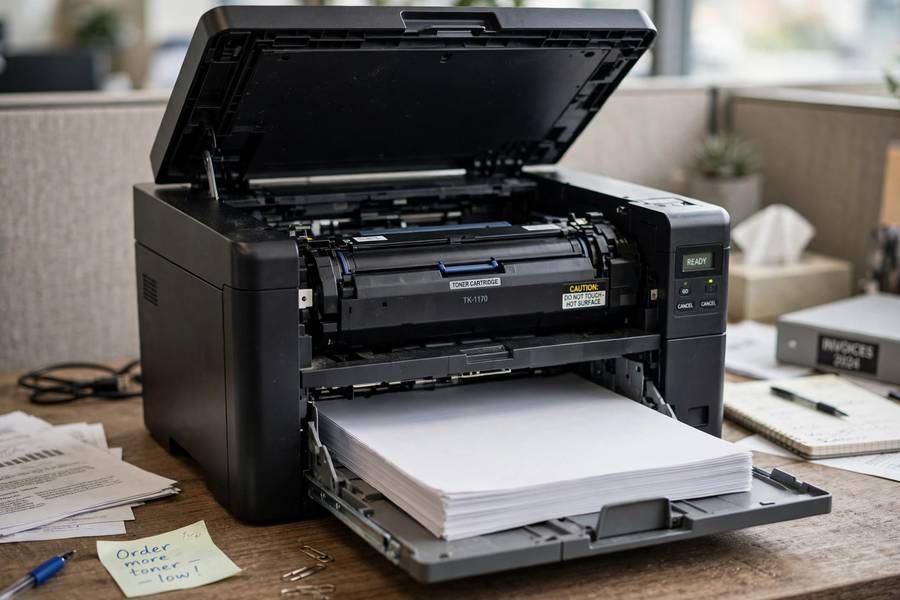
A printer turns digital data into marks on paper. Inkjet printers spray microscopic droplets of liquid ink onto the page. Laser printers use static electricity to attract powdered toner onto paper, then melt it on with heat. Inkjet is cheaper to buy and better for photos; laser is faster, cheaper per page, and better for text. That’s the whole decision in one paragraph — the rest is detail.
What Happens When You Hit Print
Before any ink or toner moves, your computer and printer have a conversation:
- You hit Print. Your computer’s software converts the document into a page description — essentially a set of instructions saying “put this text here, this image there.”
- The driver translates. The printer driver (software specific to your printer model) converts those instructions into a language the printer understands, like PCL or PostScript.
- Spooling. The data goes into a queue (the “print spooler”) so you can keep working while the printer catches up.
- The printer renders the page. The printer’s own processor interprets the instructions and figures out exactly where every dot goes — this is called rasterizing.
- Paper feeds, marking happens. Rollers pull a sheet from the tray, the print mechanism does its thing (ink spray or toner fusion), and the finished page lands in the output tray.
When printing is slow, the bottleneck is usually step 4 or 5 — the printer’s brain or its mechanics — not your computer. This whole pipeline is another example of the input-process-output model I described in how computers work — the printer is basically a specialized output device for your PC.
Inkjet Printers: Tiny Drops, Millions of Them
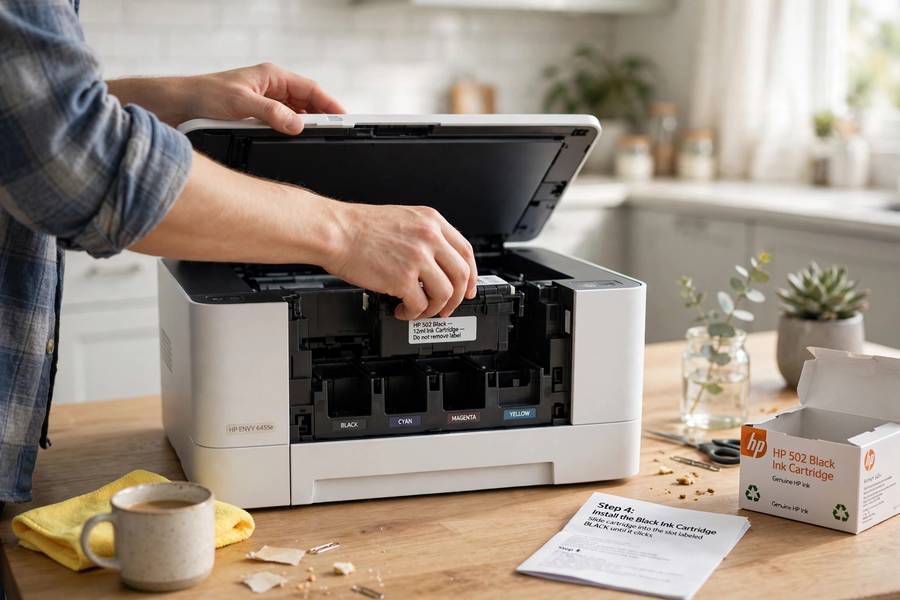
An inkjet printer works by firing microscopic droplets of liquid ink onto paper — we’re talking droplets measured in picoliters (trillionths of a liter). The print head sweeps back and forth across the page, firing thousands of droplets per second from tiny nozzles, building up text and images dot by dot.
The magic is in the resolution: a decent inkjet places thousands of dots per inch, and by varying droplet size and layering cyan, magenta, yellow, and black (CMYK), it can reproduce millions of colors. That’s why inkjets dominate photo printing — liquid ink soaks slightly into photo paper and produces smooth gradients that look genuinely photographic.
The tradeoff: it’s slow (the head has to physically sweep every line), and those nozzles clog if the printer sits unused. Print something at least every week or two, or you’ll spend your Saturday running cleaning cycles that drink ink.
Thermal vs Piezo Inkjet
Two technologies fire those droplets, and it’s worth knowing which you have:
- Thermal inkjet (most HP and Canon printers): tiny heating elements vaporize a bubble of ink, and the expanding bubble pushes a droplet out of the nozzle. Cheap to manufacture — but the heat stresses the print head, which is partly why these printers treat print heads as disposable.
- Piezoelectric inkjet (Epson’s technology): a crystal flexes when electrified, mechanically squeezing a droplet out. No heat involved, so the print head lasts longer and can handle more ink types. Epson’s EcoTank printers — the ones with refillable ink bottles instead of cartridges — use this.
For most buyers this is trivia, but it explains why Epson can sell printers with permanent print heads and bottled ink while HP and Canon mostly stick with cartridges.
Laser Printers: Static Electricity and Heat
Laser printers are more Rube Goldberg — and more impressive. The process has six stages, happening in seconds:
- Charging: A wire or roller gives the rotating drum a uniform negative static charge.
- Exposing: A laser (or LED array in “LED printers”) draws the page image onto the drum by discharging specific spots — writing with light, similar in concept to how a projector turns data into images.
- Developing: The drum rolls past the toner cartridge. Toner is a fine plastic powder with a positive charge, so it clings to the discharged areas — the page image appears on the drum in powder.
- Transferring: Paper rolls under the drum with a stronger charge, pulling the toner off the drum and onto the page.
- Fusing: The paper passes through fuser rollers heated to around 200°C (400°F), which melt the plastic toner permanently into the paper fibers. That’s why fresh laser prints come out warm.
- Cleaning: A blade wipes leftover toner off the drum, and the cycle repeats for the next page.
It’s essentially a photocopier with a computer attached — which makes sense, because that’s literally what the first laser printers were. The result: razor-sharp text, fast speeds (20–40 pages per minute is normal), and toner that never dries out, no matter how long the printer sits idle.

Inkjet vs Laser: The Honest Comparison
| Inkjet | Laser | |
|---|---|---|
| Upfront cost | Cheap ($60–$200) | More ($150–$400+) |
| Cost per page (text) | High (5–15¢) | Low (2–4¢) |
| Photo quality | Excellent | Mediocre (color laser) |
| Speed | Slow (5–15 ppm) | Fast (20–40 ppm) |
| Sits unused well? | No — nozzles clog | Yes — toner never dries |
| Size | Compact | Bulky |
| Best for | Photos, occasional color | Documents, homework, offices |
The rule of thumb I give friends: if you print mostly text and let the printer sit for weeks, buy a laser. The number of inkjet owners I’ve met who spend more on replacement cartridges than the printer cost — because the nozzles clogged between uses — is depressing. If you print photos or need color graphics, buy an inkjet (preferably a tank model). Don’t buy a color laser for photos; you’ll be disappointed.
Why Printer Ink Costs More Than Champagne
You’ve heard the stat: printer ink costs more per milliliter than vintage champagne. It’s mostly true, and the reason is the business model, not the chemistry.
Printer manufacturers sell the hardware at or below cost and make their profit on consumables — the classic “razor and blades” model. That $80 printer was probably sold at a loss; the company plans to make it back ten times over on cartridges. The ink itself costs pennies to produce. You’re paying for the business model.
Your defenses:
- Tank printers (Epson EcoTank, Canon MegaTank, HP Smart Tank): refillable ink bottles that cost a fraction per page of cartridges. Higher upfront price, dramatically lower running cost. If you print regularly, these pay for themselves fast.
- High-yield cartridges: the XL versions cost more upfront but print 2–3x the pages — always cheaper per page.
- Third-party ink: cheaper, but quality varies and some printers reject them via firmware. Fine for text; for photos, stick with OEM.
- Print in draft/grayscale for everyday documents. Your grocery list doesn’t need photo quality.
The Other Types You’ll Run Into
- Tank inkjets — covered above; the smart money for home color printing.
- Dye-sublimation printers — heat transfers dye onto special paper; what photo kiosks and event photographers use. Superb photo quality, but expensive per print and photo-only.
- Thermal label printers — heat-sensitive paper, no ink at all; the go-to for shipping labels. If you ship packages regularly, one pays for itself fast.
- 3D printers — a completely different technology (melting plastic layer by layer), despite the name. Not a paper printer at all.
How to Pick the Right Printer
Answer these three questions honestly:
- What do you print? Mostly black-and-white documents → monochrome laser. Photos and color graphics → tank inkjet. Shipping labels → thermal label printer. “Almost nothing, twice a year” → honestly, use the library or a print shop; a printer will cost you more in dried ink than it’s worth.
- How often? Daily/weekly → running cost (per-page) matters most; get a tank or laser. Monthly or less → get a laser (toner doesn’t expire) or skip owning one.
- What’s your real budget? Add two years of ink/toner to the sticker price. A $70 cartridge inkjet that prints 200 pages a month will cost you more over two years than a $250 laser. Do the math before you buy — cost per page × your monthly pages × 24.
Also: check the duplex (double-sided printing) — it halves paper use and most mid-range printers include it. And Wi-Fi printing is table stakes now; if a printer is USB-only in 2026, it’s old stock.
Making Your Printer Last
- Inkjet: print something every 1–2 weeks. A single test page keeps nozzles clear. This one habit prevents most inkjet deaths.
- Keep it covered. Dust is the enemy of paper feeds and print heads alike.
- Use decent paper. Ultra-cheap paper sheds fibers that jam feeds and dirty rollers.
- Don’t yank jams. Open the panels, follow the paper path, pull gently in the direction of travel. Yanking tears paper and leaves shreds inside.
- Power it off properly. Use the power button, not the wall switch — printers park the print head in a sealed position on shutdown, which prevents drying.
Frequently Asked Questions
A printer converts digital document data into marks on paper. Inkjet printers spray microscopic droplets of liquid ink onto the page, while laser printers use static electricity to attract powdered toner and then melt it onto the paper with heat.
Inkjet printers spray liquid ink and are cheaper to buy, better for photos, but slower with higher per-page costs. Laser printers use powdered toner fused with heat — they’re faster, cheaper per page, and better for text, but bulkier and mediocre at photos.
Manufacturers sell printers at or below cost and profit from cartridges — the “razor and blades” model. The ink itself is cheap to make. Tank printers with refillable bottles, high-yield cartridges, and printing in draft mode all cut the real cost dramatically.
Buy a monochrome laser if you mostly print text documents and let the printer sit unused for weeks — toner never dries out. Buy a tank inkjet if you print photos or color graphics regularly. If you print almost nothing, a print shop or library is cheaper than owning a printer.
Ink dries in the microscopic nozzles when the printer sits unused. Print at least one page every week or two to keep ink flowing. Running the built-in cleaning cycle can clear mild clogs, but it uses a lot of ink — prevention is cheaper than the cure.
No — laser printers use toner, a fine plastic powder, instead of liquid ink. Toner cartridges last thousands of pages, never dry out or clog, and cost less per page than ink. That’s why lasers are better for infrequent printers.