When Stable Diffusion XL — SDXL — arrived, the community’s reaction was immediate and a little disrespectful to its predecessor: side-by-side comparisons made SD 1.5 look like a talented sketch artist next to a professional illustrator. Faces got better. Hands got better. Text inside images went from Lovecraftian horror to actually legible. It was the same open-source idea, scaled up until the quality gap was impossible to ignore.
But SDXL isn’t just “SD 1.5 but better.” It’s a bigger model with bigger appetites — more VRAM, more disk space, different prompting behavior — and switching involves real trade-offs. This guide explains what SDXL is, exactly what improved, what it demands from your hardware, and how to decide whether it’s your daily driver or a specialist tool. For the foundations, see my guide to the original Stable Diffusion.
Table of Contents
- SDXL in One Paragraph
- What’s Actually Bigger Under the Hood
- Image Quality: Where You’ll See the Difference
- Text Rendering: The Party Trick That Matters
- Prompting SDXL: Shorter Is Better
- The Hardware Cost of the Upgrade
- The SDXL Ecosystem: Base, Refiner, Turbo, Lightning
- Should You Switch? An Honest Decision Guide
- SDXL and Aspect Ratios: Leaving the Square Behind
- Migrating an SD 1.5 Workflow to SDXL
- Frequently Asked Questions
SDXL in One Paragraph
Stable Diffusion XL is the successor to Stable Diffusion 1.5/2.x: a larger, more capable open-source text-to-image model with roughly 3.5 billion parameters (versus ~860 million in SD 1.5), a bigger and better text encoder, and native high-resolution output at 1024×1024. It generates noticeably better images — especially photorealistic faces, hands, and composed scenes — understands shorter natural-language prompts, and renders short text inside images far more reliably. The price: it needs about twice the VRAM and disk space.
What’s Actually Bigger Under the Hood
Three things grew, and each matters:
The image model itself. SDXL’s denoising network (the U-Net) is roughly three times the size of SD 1.5’s. More parameters means more capacity to learn fine detail — skin texture, fabric weave, the subtle geometry of hands. This is the main reason images look sharper: the model literally has more room to store what good images look like. If the parameter concept is fuzzy, my explainer on what an AI model is covers it.
The text encoder. SD 1.5 used a single CLIP text encoder; SDXL uses two — a larger OpenCLIP model plus the original. This is why SDXL “understands” prompts better. It extracts richer meaning from your words, which is also why it responds well to shorter, more natural prompts instead of the keyword-soup style SD 1.5 rewarded.
The training resolution. SD 1.5 was trained at 512×512; SDXL at 1024×1024. Generating at a model’s native training resolution always looks best, so SDXL’s default output is four times the pixels — and detail scales with it.
Image Quality: Where You’ll See the Difference
The improvements aren’t subtle in the areas that mattered most:
Faces and people. SD 1.5’s faces at small sizes were famously melty. SDXL renders convincing faces even in group shots and at distance — the single most visible upgrade for portrait and scene work.
Hands. The meme-worthy failure of early AI art. SDXL doesn’t nail hands every time, but the hit rate went from “often wrong” to “usually plausible.” Combined with negative prompts for anatomy, it’s a solved-ish problem for most use cases.
Composition. SDXL handles complex scenes — multiple subjects, spatial relationships (“a cat sitting on a stack of books next to a window”) — far more reliably. SD 1.5 would jumble relationships; SDXL mostly respects them.
Photorealism. If your goal is “looks like a photograph,” SDXL is dramatically closer. Skin, lighting falloff, depth of field — the textures that sell realism are all better.
Where SD 1.5 still holds its own: stylized illustration, anime, and heavily fine-tuned community styles. Years of community fine-tuning built an enormous library of specialized SD 1.5 models, and SDXL’s fine-tune library, while growing fast, is still catching up in some niches.
Text Rendering: The Party Trick That Matters
Ask SD 1.5 to render a sign reading “BAKERY” and you’d get “BAK3RY” or eldritch glyphs. SDXL renders short text correctly with surprising reliability — shop signs, book titles, simple logos. It’s not perfect (long passages still garble), but it crossed the threshold from “unusable” to “genuinely useful.”
This matters more than it sounds. Text-in-image unlocks posters, memes, product mockups, thumbnails, and comics — entire categories of practical work that were off-limits before. If you’ve ever needed a quick YouTube thumbnail with a title on it, SDXL is the first open model that can actually do the job.
Prompting SDXL: Shorter Is Better
Here’s the habit you must unlearn: SD 1.5 rewarded long keyword-stuffed prompts (“ultra detailed, masterpiece, 8k, trending on artstation, intricate, sharp focus…”). SDXL’s better text encoder responds best to shorter, natural descriptions — closer to how you’d describe the image to a person.
“a cozy reading nook by a rainy window, warm lamp light, watercolor style” will outperform a 60-word keyword pile on SDXL. The model extracts meaning rather than matching tokens, so write like a human. Keep one or two quality terms if you like, but the era of prompt-stuffing is over — and honestly, good riddance. Clear writing beats incantations.
The Hardware Cost of the Upgrade
The bill for all this quality:
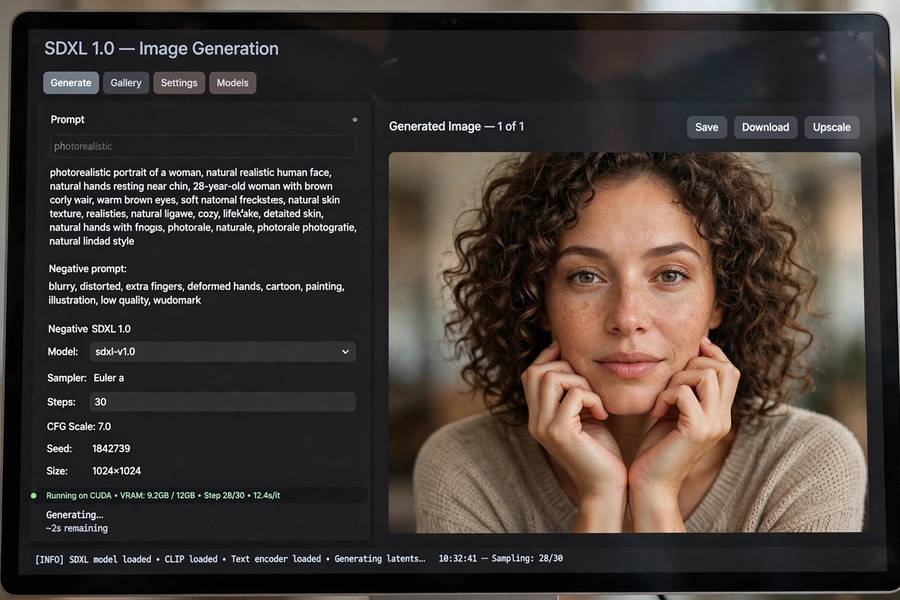
- VRAM: 8GB minimum (tight), 12GB+ recommended. SD 1.5’s 6GB floor doesn’t apply here — the model file alone is ~7GB.
- Disk: ~7GB per base model, plus refiner and variants. Budget 20GB+ for a comfortable SDXL setup.
- Speed: slower per image than SD 1.5 on the same card — more parameters means more math. A 12GB card still generates a 1024×1024 image in well under a minute, but don’t expect SD 1.5 speeds.
This is why many users run both: SD 1.5 for fast iteration and experimentation, SDXL for final quality. The models coexist fine in the same interface — switching is a dropdown.
The SDXL Ecosystem: Base, Refiner, Turbo, Lightning
SDXL spawned variants worth knowing:
Base + Refiner. The original two-stage pipeline: the base model generates the composition, the refiner adds fine detail. In practice, most users now skip the refiner — the base model alone is good enough, and the refiner doubles generation time for marginal gains.
SDXL Turbo. A distilled version that generates in 1–4 steps instead of 20–30. Near-instant images, slightly reduced quality and prompt adherence. Fantastic for rapid iteration: sketch with Turbo, finalize with the full model.
Lightning / Hyper variants. Community and official distillations pushing speed further — a few steps, seconds per image, quality close to the full model. The speed-quality trade-off keeps improving.
Fine-tunes. The community has produced SDXL fine-tunes for photorealism, anime, specific art styles, and more — the library grows weekly.
Should You Switch? An Honest Decision Guide
Switch to SDXL as your default if: you have 8GB+ VRAM, you care about photorealism or people, you want text in images, or you prefer natural-language prompting.
Stay on SD 1.5 if: you have 6GB VRAM, you work in a niche style with great SD 1.5 fine-tunes, you value generation speed above all, or your workflow is built around SD 1.5-specific tools.
Use both if: you have the VRAM and disk space. It’s the professional answer — fast model for drafts, quality model for finals.
The trajectory is clear, though: the ecosystem’s energy is on SDXL and its successors. Learning SDXL now is learning the future default. And the underlying story — bigger models, better encoders, more training — is the same story as how AI models are trained at every scale: capacity plus data plus compute equals capability.
SDXL and Aspect Ratios: Leaving the Square Behind
SD 1.5 was trained at 512×512, and straying far from square produced warped results — stretched faces, duplicated subjects. SDXL was trained on a range of aspect ratios, so it handles portraits, landscapes, and widescreen compositions far better. 832×1216 for portraits, 1216×832 for landscapes, 1024×1024 for square — these are the native-feeling sizes.
The rule: stay near one megapixel total (1024×1024 worth of pixels). Push much higher on consumer VRAM and you’ll hit out-of-memory errors; go much lower and detail suffers. I generate at a supported ratio, then upscale if I need print sizes — generating huge directly is rarely worth the VRAM cost. One more tip: pick the ratio before you generate, not after. Cropping a square image to widescreen throws away a third of your composition; generating at the right ratio from the start keeps every pixel intentional.
Migrating an SD 1.5 Workflow to SDXL
If you’re moving from SD 1.5, expect an adjustment period — your old habits will fight you. The big three: shorten your prompts (SDXL wants sentences, not keyword piles), trim your negative prompt (the universal list still helps, but the 30-term anatomy arsenal is overkill — SDXL’s anatomy is simply better), and regenerate your favorite LoRAs — SD 1.5 LoRAs do not work on SDXL, full stop.
Your checkpoints don’t transfer either: SD 1.5 fine-tunes won’t load in an SDXL pipeline. Budget time to rebuild your small collection in SDXL versions. The upside is that you’ll need fewer of them — SDXL’s base model covers ground that required specialized fine-tunes in the 1.5 era.
My advice: don’t migrate cold turkey. Run both side by side for a few weeks — SD 1.5 for fast drafts, SDXL for finals — and let your SDXL habits form naturally. By the time you stop opening the 1.5 tab, the migration is done.
Frequently Asked Questions
Yes, significantly — better faces, hands, composition, photorealism, and text rendering, with more natural prompt understanding. The trade-off is higher hardware requirements: 8GB+ VRAM versus 6GB for SD 1.5.
8GB of VRAM is the practical minimum and feels tight; 12GB or more is recommended for comfortable use. The base model file alone is about 7GB, leaving little working room on 8GB cards.
Yes — short text like signs, titles, and labels renders correctly with surprising reliability, a major improvement over SD 1.5’s garbled output. Longer passages can still garble, so keep in-image text brief.
SDXL works best with shorter, natural-language prompts rather than the long keyword lists SD 1.5 rewarded. Describe the image like you’d describe it to a person; one or two quality terms at most.
A distilled version of SDXL that generates images in 1–4 steps instead of 20–30, making it near-instant. Quality and prompt adherence are slightly reduced, so it’s best for rapid iteration rather than final images.