What Is Ray Tracing in Games? Explained Simply

You have seen the screenshots. One version of a game looks good. The ray-traced version looks like someone replaced the lighting department with actual physics. Puddles reflect the neon signs above them. Sunlight bounces around a room the way sunlight actually does. And then you look at the frame rate counter and understand why everyone argues about it. So what is ray tracing in games, how does it actually work, and is it worth the performance cost? I have played plenty of games with it on and off, and I will give you the plain-English version — no jargon wall, no marketing fluff.
Here is the one-sentence version to carry with you: ray tracing is a way of rendering light in games by simulating how actual light rays behave — bouncing, reflecting, refracting — instead of faking it with shortcuts. The fakes have gotten incredibly good over the years, which is why this is even a debate. But when you see real ray-traced lighting next to the old tricks, the difference is not subtle. Let us dig into why.
What Is Ray Tracing in Games? The Plain-English Explanation
Everything you see in a game is math pretending to be light. For decades, games used a bag of clever tricks called rasterization: the graphics card draws the 3D scene as flat triangles on your screen, then applies pre-baked lighting, fake reflections (often just a flipped copy of the scene pasted onto a shiny surface), and shadow maps that approximate where shadows should fall. These tricks are fast, and artists have gotten shockingly good at them. Most of what you have admired in games for the last twenty years was faked beautifully.
Ray tracing throws out most of the fakery. Instead of approximating light, it simulates it: for each pixel on your screen, the game traces the path of light rays backward from the camera, bouncing them around the scene to figure out what each ray hit, what color it picked up, and how bright it should be. A ray hits a red wall, bounces to a white ceiling, and the ceiling picks up a faint red tint — exactly like real life. Reflections show what is actually there, not a pre-rendered approximation. Shadows have natural softness. Glass refracts.
The catch is arithmetic. Simulating light properly means calculating an absurd number of ray bounces per frame, and that is brutally expensive for a graphics card. Which is why ray tracing existed in movies for years — where a single frame can take hours to render — long before any real-time game could attempt it. The only reason it is in games now is that graphics hardware finally caught up.
How Ray Tracing Actually Works (Without the Jargon Wall)
Let us walk through what happens for a single frame. The game needs to decide the color of every pixel on your screen — millions of them, sixty or more times per second. With ray tracing, for each pixel, the GPU fires rays into the 3D scene and tracks their journeys.
Reflections: A ray hits a puddle and bounces. The game follows the bounce to see what the puddle should reflect — the building across the street, the neon sign, the sky. That is why ray-traced reflections look correct from every angle, while old fake reflections only worked from the angles the artists predicted.
Shadows: Rays are cast from each light source to determine what blocks them. Objects partially blocking the light create naturally soft shadow edges — penumbras, if you want the fancy word — instead of the hard, artificial shadow boundaries of old techniques.
Global illumination: This is the big one. Light bounces off surfaces and illuminates other surfaces — the red-wall-tinting-the-ceiling effect. Traditional games faked this with hand-placed fill lights and baked lightmaps. Ray tracing computes it for real, which is why ray-traced scenes have a cohesive, photographic quality that is hard to describe and impossible to miss.
Refraction and transparency: Light bending through glass, water, and translucent materials. The old tricks for glass were… rough. Ray-traced glass actually behaves like glass.
In practice, games rarely do everything with ray tracing — full path tracing of every pixel is still too expensive for most hardware. Instead, games use hybrid rendering: rasterization for the basic geometry, ray tracing layered on top for reflections, shadows, or global illumination specifically. You will see settings like “ray-traced reflections: on” — that is the hybrid approach, and it is how most games deliver the visual payoff at a playable frame rate.
Which Games and GPUs Support Ray Tracing?
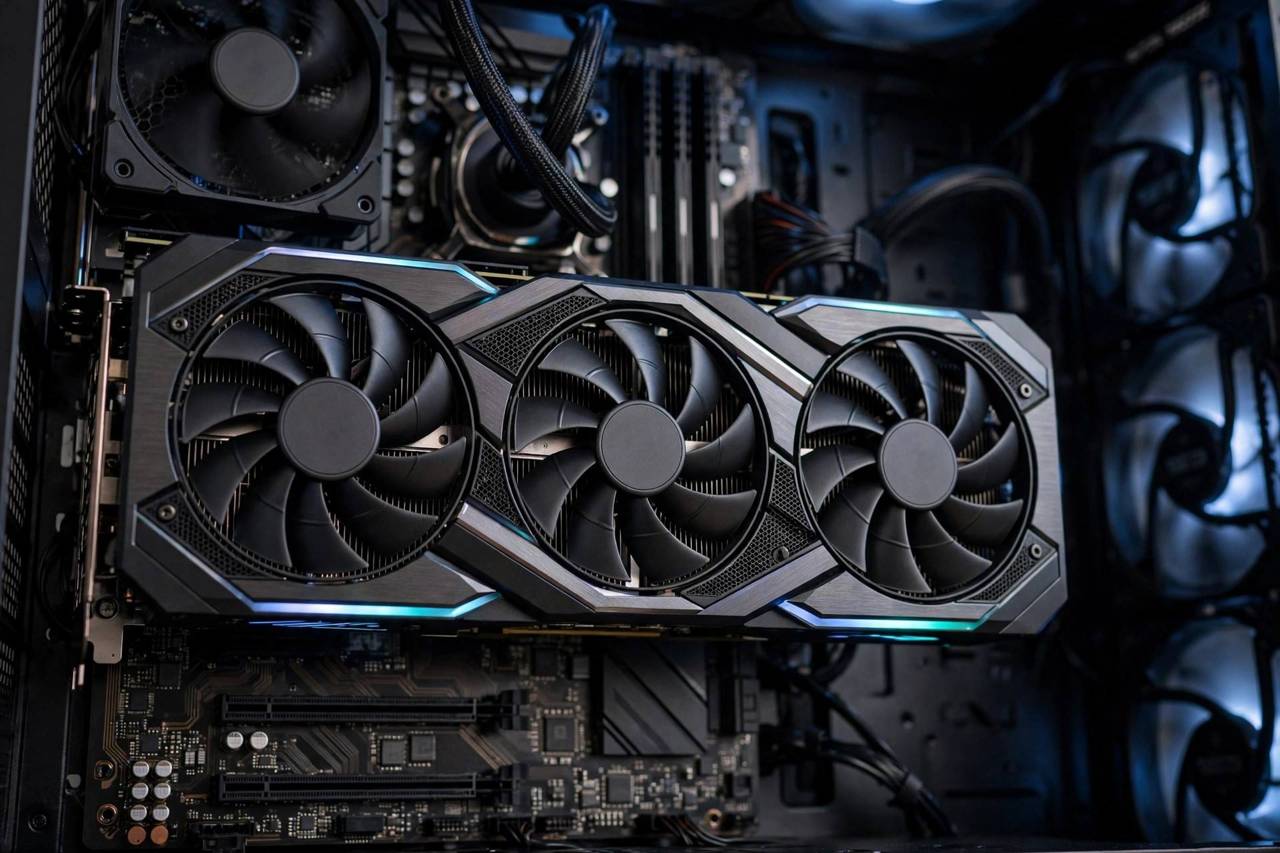
On the hardware side, ray tracing needs a GPU with dedicated ray-tracing hardware. On PC, that means NVIDIA’s RTX series cards and AMD’s Radeon RX 6000 series and newer, plus Intel’s Arc cards. Consoles joined the party too — the PlayStation 5 and Xbox Series X/S both support ray tracing, though usually in more limited implementations than a high-end PC, often at 30 frames per second or with dynamic resolution to keep things smooth.
The game list has grown enormously since the first RTX cards launched. Major titles across genres now ship with ray tracing options: open-world blockbusters use it for reflections and global illumination, horror games use it for oppressive realistic lighting, racing games use it for car paint and wet roads that look genuinely wet. If a big-budget game released in the last few years does not have a ray tracing mode, it is increasingly the exception.
How do you know if a game supports it? Check the graphics settings menu for ray tracing options, or the game’s PC system requirements and feature lists. And manage your expectations by platform: a flagship PC GPU delivers the full experience, while consoles typically offer a choice between a ray-traced “quality mode” at lower frame rates and a non-ray-traced “performance mode” at higher frame rates. That choice — beauty or smoothness — is the defining tradeoff of this entire technology, which brings us to…
The Performance Cost: Why Your Frame Rate Drops
Ray tracing is expensive. There is no way around this: simulating light physics costs an enormous amount of computation, and the bill comes due in frames per second. Turning on full ray tracing can cut frame rates dramatically compared to rasterized rendering on the same hardware. This is physics, not poor optimization — though optimization quality varies hugely between games, and a well-implemented ray tracing mode costs far less than a sloppy one.
The industry’s answer is upscaling and frame generation. Technologies like NVIDIA’s DLSS, AMD’s FSR, and Intel’s XeSS render the game at a lower internal resolution and use AI to reconstruct a sharp final image — recovering much of the performance lost to ray tracing. Frame generation goes further, synthesizing entirely new frames between rendered ones. These technologies are the reason ray tracing is actually playable: the combination of ray tracing plus upscaling is the real product, not ray tracing alone.
So is it worth it? My honest take after years of toggling it: it depends on the game and on you. In slow, atmospheric games — horror, exploration, story-driven adventures — ray-traced lighting transforms the experience, and I leave it on. In fast competitive shooters, I turn it off without hesitation; frame rate wins, and you are not admiring puddle reflections mid-firefight. Anyone who tells you it is always worth it or never worth it is selling a GPU, not giving advice. And I do have strong opinions about difficulty settings, but that is a different article.
Ray Tracing vs. Traditional Rendering: Can You Tell the Difference?
Sometimes dramatically, sometimes barely — and the “barely” cases are worth understanding. In scenes with lots of reflective surfaces, complex lighting, or glass and water, ray tracing is transformative. Night cities with wet streets are the canonical demo for a reason: every neon sign reflected in every puddle, all physically correct. Interiors with light bouncing between surfaces gain a photographic realism that rasterization struggles to fake.
But in bright, flat, outdoor scenes — a sunny field, a cartoon-styled game — the difference shrinks. Great artists with great rasterization tricks can get remarkably close in simple lighting conditions. This is why some players turn ray tracing on, squint, and feel underwhelmed: they tested it in exactly the scenario where it matters least. Try a rainy night city instead. Then decide.
There is also the motion factor. Screenshots flatter ray tracing; in motion, at full speed, with your eyes on the gameplay, the difference compresses further. Nobody is studying reflections during a boss fight. The visual upgrade is real, but its felt value depends on how you play. If you are the kind of player who stops to admire the scenery — no judgment, I am absolutely that player — ray tracing is for you. If you play with your eyes locked on the crosshair, spend the performance on frame rate instead.
For context on everything that has to happen before lighting even enters the picture — the modeling, animation, and engineering of a modern game — how video games are made covers the full pipeline. Ray tracing is the finishing touch on an already enormous process. And if you are weighing where to play these games at all, how cloud gaming works is worth a read — the rendering happens on distant servers, which changes the hardware question entirely.
Frequently Asked Questions
Do I need an RTX graphics card for ray tracing?
You need a GPU with dedicated ray-tracing hardware, which includes NVIDIA RTX cards, AMD Radeon RX 6000 series and newer, and Intel Arc cards. Older GTX cards and integrated graphics lack the hardware and cannot run ray tracing at playable speeds. Consoles (PS5, Xbox Series X/S) also support it with more limited implementations.
Why does ray tracing lower my FPS so much?
Because it replaces cheap lighting approximations with actual light simulation — tracing millions of light rays and their bounces every frame is enormously computationally expensive. Upscaling technologies like DLSS and FSR exist specifically to recover the lost performance, and using them alongside ray tracing is the intended way to play.
Is ray tracing worth it in competitive games?
Usually not. In fast-paced competitive games, high frame rates and low input lag matter far more than lighting fidelity, and you will not notice reflections mid-firefight. Save ray tracing for cinematic, atmospheric, and story-driven games where the visual upgrade transforms the experience.
What is the difference between ray tracing and path tracing?
Path tracing is the full version: every pixel’s lighting is computed by tracing complete light paths with multiple bounces. Most games use hybrid ray tracing — rasterization for the base image plus ray tracing for specific effects like reflections or shadows — because full path tracing remains too expensive for real-time play on current hardware.
Will ray tracing become standard in all games?
The trend is clearly in that direction — each hardware generation makes it cheaper, and more games ship with it every year. But rasterization tricks keep improving too, and performance-conscious genres will always prioritize frame rate. Expect ray tracing to become the default for cinematic games while remaining optional in competitive ones.