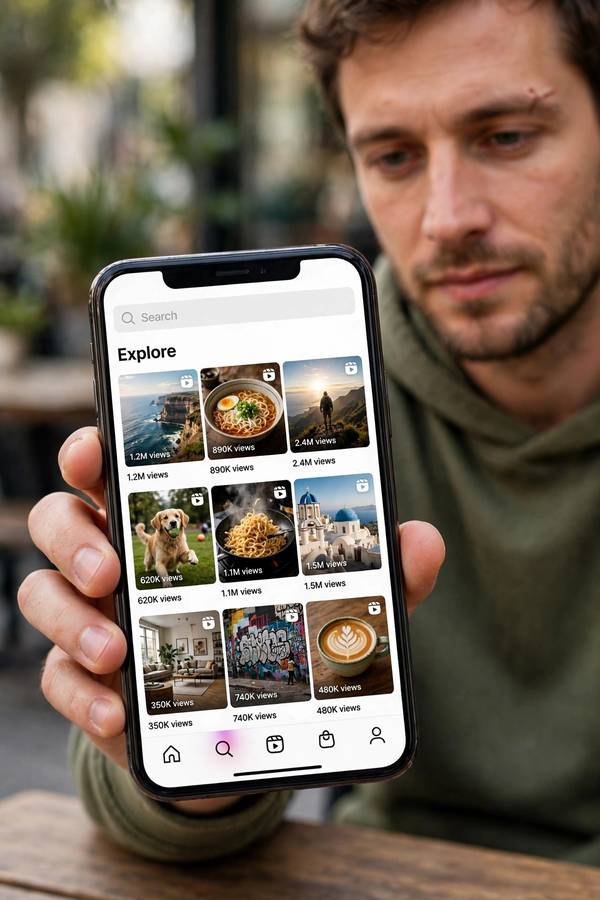
Tap the magnifying glass on Instagram and you enter the strangest mirror in social media: a grid of photos and videos from strangers, arranged by an algorithm’s theory of who you are. Mine is currently 40% woodworking, 30% urban photography, and 30% cooking — a portrait so accurate it’s faintly embarrassing. A friend’s is entirely dog rescues and marathon training. We use the same app. We live on different planets.
The Explore page is Instagram’s discovery engine — the interest graph to the home feed’s social graph. While your feed shows people you chose to follow, Explore shows what the algorithm thinks you’ll like from the entire platform. This guide explains how it builds that theory of you: the signals, the ranking, the Reels factor, and how to bend it to your will. The shared foundations are in how recommendation algorithms work.
Table of Contents
- Explore vs Feed: Two Different Graphs
- How Instagram Builds Your Interest Map
- Candidate Generation: Finding Your Universe
- Ranking: Ordering the Grid
- The Signals That Matter Most
- Reels Changed Explore Completely
- Why Everyone’s Explore Looks Different
- The Explore Page and Your Mental Health (Honestly)
- How to Train Your Explore Page
- Frequently Asked Questions
Explore vs Feed: Two Different Graphs
Instagram runs two recommendation systems side by side, and confusing them is the source of most misunderstandings:
The home feed is the social graph: content from accounts you follow (plus suggested posts and ads), ranked by predicted interest. You built this — every follow was a choice.
Explore is the interest graph: content from accounts you don’t follow, selected purely by predicted appeal. You didn’t build this — your behavior built it.
This distinction explains the common complaint “my feed is boring but my Explore is great” (or vice versa). The feed reflects your past choices — follows you made years ago, friends you’re too polite to unfollow. Explore reflects your current behavior — what you actually engage with right now. Behavior is more honest than choices, so Explore often feels more “you” than your own feed.
It also explains why Explore is where discovery happens. The feed can only show you more of what you already chose. Explore can show you anything — which makes it both the most exciting and the least controlled surface on the platform.
How Instagram Builds Your Interest Map
The core of Explore is mapping your interests from your interactions. The system tracks which posts you like, save, share, comment on, and dwell on — then identifies the accounts, topics, and content clusters behind those posts.
The key concept is the “interest neighborhood”: if you engage with several woodworking accounts, the system identifies the broader woodworking content cluster — including accounts you’ve never seen — as your neighborhood. Explore then surfaces the best-performing content from that neighborhood.
This works at multiple granularities. It knows you like woodworking generally, that you prefer hand-tool content over power tools specifically (from which posts you linger on), and that you engage most with workshop tour videos (format preference). The map has layers: topic, subtopic, format, aesthetic.
The map is also dynamic. Interests decay — stop engaging with cooking content and it fades from the map over weeks. New interests appear fast — a weekend of engaging with pottery videos and pottery enters the rotation. Your Explore is a living document of your recent curiosities, which is why it can feel more current than your own self-image.
Candidate Generation: Finding Your Universe
Like YouTube’s system, Explore uses two stages. First: from billions of posts, find candidates that might interest you.
The candidate pool comes from several sources:
Neighborhood content. Posts from accounts similar to ones you engage with — the core source. If you like three urban photography accounts, posts from fifty similar accounts become candidates.
Engaging content in your clusters. Posts performing well (high engagement velocity) within your interest neighborhoods. The system favors content that’s resonating with people like you right now.
Adjacent exploration. Content from neighboring interest clusters — close to your tastes but not exactly. This is the discovery mechanism: woodworking adjacent to metalworking, urban photography adjacent to street portraiture.
Broadly viral content. Occasionally, massively performing posts get tested on wider audiences, including you. This is how trends cross cluster boundaries.
The candidate set is typically thousands of posts — far more than the grid shows. Ranking decides what you actually see.
Ranking: Ordering the Grid
The ranking model scores each candidate on predicted actions: will you like it, save it, share it, comment, tap through to the profile, follow the account, spend time on it? Each action gets a predicted probability, weighted by value — a save outweighs a like, a share outweighs a save, a follow is the jackpot.
The weights reveal Instagram’s values: saves and shares indicate content worth keeping or spreading (high value), comments indicate conversation (medium-high), likes are cheap (low weight — everyone double-taps). “Not interested” taps are strong negatives. Dwell time — how long you look before scrolling — is a quiet but powerful signal.
The grid layout adds a wrinkle: position matters, but less predictably than a vertical feed. Users scan grids in patterns, and the system has data on which grid positions get attention. The top rows carry the highest-confidence picks; lower rows can be more exploratory.
Ranking also enforces diversity — not showing twelve nearly identical posts in a row — and freshness, blending recent posts with evergreen performers. The grid should feel varied and current, not repetitive.

The Signals That Matter Most
Ranked by practical impact on your Explore:
Saves. The strongest positive signal. Saving means “I want this later” — the highest intent short of following. Save deliberately and your Explore transforms.
Shares and sends. Sharing a post to a friend or your story tells the system the content has social value. High share rates also boost the post’s distribution to others.
“Not interested.” Tap the three dots, mark it. The strongest negative signal, and the fastest way to evict unwanted content clusters. Most users never use it; those who do reshape their Explore in days.
Profile taps and follows from Explore. Tapping through to a creator’s profile, and especially following, tells the system the discovery worked. This also migrates the interest from Explore (interest graph) to feed (social graph).
Dwell time. Lingering on a post without tapping anything still registers. The system measures view duration per post — your eyes vote even when your thumbs don’t.
Likes. Still counted, but devalued — they’re too cheap to be discriminating. A like is a weak signal wearing a strong disguise.
Reels Changed Explore Completely
The Reels push transformed Explore from a photo grid into a video-first discovery surface, and the algorithmic dynamics shifted with it:
Faster learning. Like TikTok’s format advantage, short video generates dense behavioral signals. Reels taught Instagram your video tastes fast — which is why Explore pivoted so quickly for most users when Reels launched.
Cross-format signals. Your photo engagement informs your Reels ranking and vice versa. The interest map is now format-agnostic at the topic level — woodworking interest spans photos, carousels, and Reels.
Creator disruption. Reels distribution, like TikTok’s, is less follower-dependent than the old photo feed. Unknown creators can reach massive Explore audiences on a single video’s merit — which flooded Explore with new voices and made it feel fresher (and more chaotic). The dynamics mirror TikTok’s closely enough that how to grow on TikTok applies here too.
The TikTok-ification critique. As Explore became more video-heavy and algorithm-driven, it felt less like Instagram and more like TikTok. Users who came for friends’ photos found an entertainment feed instead. This tension — social graph vs. interest graph, friends vs. discovery — is Instagram’s defining strategic conflict, and Explore is where the interest graph is winning.
Why Everyone’s Explore Looks Different
The personalization runs deep because the inputs are behavioral and the neighborhoods are specific. Two people interested in “fitness” can have entirely different Explores — one powerlifting, one yoga, one marathon training — because the system maps sub-interests, not categories.
The divergence compounds over time. Every interaction refines the map; refined maps produce more precisely targeted content; precise content generates more specific interactions. After a year, two users’ Explores share almost nothing — they’ve been trained on different behavioral histories through different feedback loops.
This is also why comparing Explores is so revealing (and so fun). Your Explore is a behavioral portrait — arguably more honest than your dating profile. The woodworking/cooking/photography grid says more about how I actually spend my attention than anything I’d write about myself.
The Explore Page and Your Mental Health (Honestly)
I want to address this directly because Explore’s design has specific psychological effects worth understanding:
The comparison engine. Explore surfaces the most engaging content in your interest areas — which means the most impressive woodworking, the most beautiful photography, the most aspirational cooking. It’s a highlight reel of your hobbies, and highlight reels distort. Everyone’s best work, all the time, calibrated to your interests, can make your own efforts feel inadequate.
The engagement trap. The grid is infinite and the content is precisely targeted to your interests. This combination — endless + personally irresistible — is the most addictive format in social media. There’s no natural stopping point, no “caught up” state.
The narrowing effect. Left untrained, Explore converges on a narrow set of clusters and keeps you there. Intellectual and aesthetic narrowing isn’t dramatic day-to-day, but over months it shapes what you’re exposed to. These patterns overlap with what AI bias is whenever the system’s model of “engaging” correlates with who you are rather than what you like.
None of this is a reason to panic, but it is a reason to be deliberate. The controls below aren’t just about better content — they’re about a healthier relationship with the most precisely targeted feed ever built.
How to Train Your Explore Page
Use “not interested” ruthlessly. Three dots on any post → Not Interested. This is the single fastest lever. A dozen taps over a few days can evict an entire content cluster.
Save what you want more of. Saves are the strongest positive signal. Curate actively — your saves are instructions to the algorithm.
Follow deliberately. Following migrates content to your feed and strengthens the interest signal. Unfollow accounts that no longer represent you — stale follows pollute the map.
Engage with what you want, ignore the rest. Don’t hate-watch, don’t doom-scroll through content that bothers you. Every second of dwell time is a vote. Scroll past quickly.
Refresh periodically. Instagram offers an option to reset Explore recommendations. Useful when the page has converged somewhere unhealthy or just stale.
Set boundaries. The infinite grid is designed to be endless. Decide before opening: what am I looking for? The algorithm optimizes for your time; make sure some of that time is on your terms.
Frequently Asked Questions
Instagram maps your interests from your behavior — likes, saves, shares, comments, and dwell time — then finds candidate posts from similar accounts and interest clusters, ranks them by predicted engagement (with saves and shares weighted highest), and displays them in your Explore grid. Content comes from accounts you don’t follow.
Because it’s built from your behavior, not your stated preferences. Every interaction — especially saves, shares, and dwell time — refines a detailed interest map at the subtopic level. Behavioral data is more honest than what you’d say about yourself, which is why Explore can feel more “you” than your own feed.
Use Instagram’s option to reset Explore recommendations, tap “Not Interested” on unwanted posts (the fastest lever), save content you want more of, and unfollow stale accounts. A dozen deliberate “not interested” taps over a few days can noticeably reshape the page.
The home feed ranks content from accounts you follow (your social graph — past choices). Explore recommends content from accounts you don’t follow based on your interest map (your interest graph — current behavior). Feed reflects who you chose; Explore reflects what you actually engage with.