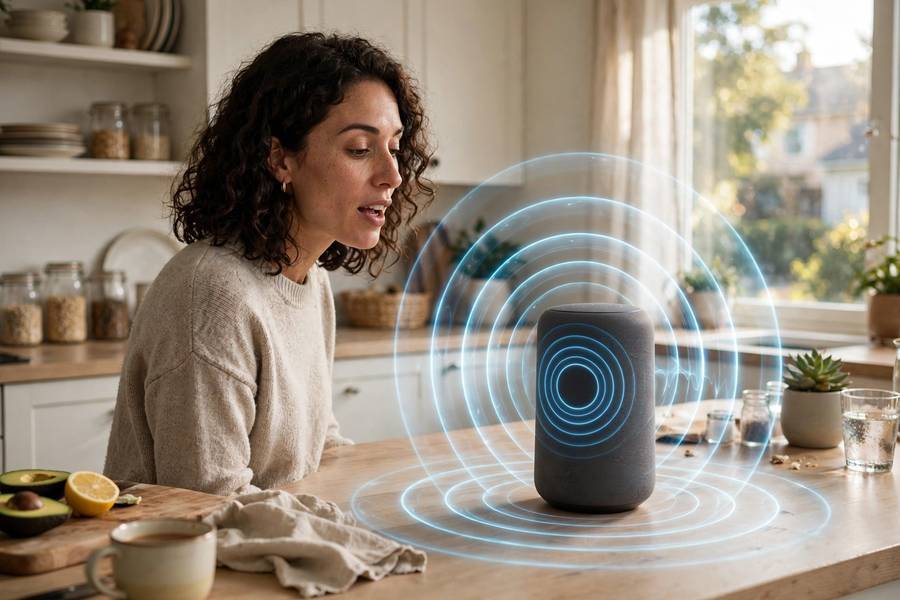
You say “hey Siri” and your phone wakes up. You dictate a text and the words appear, mostly right. It feels like magic until it transcribes “let’s get tacos” as “let’s get sockos” — and then you wonder how the whole thing works at all.
The reverse process also uses AI: our guide to how text-to-speech works explains how written words become spoken audio.
I’ve dug into speech recognition systems both as a user and from the research side. The pipeline from sound waves to text is one of the most elegant in all of AI — and understanding it explains exactly why accents, noise, and proper nouns still cause trouble.
At the heart of it is a trained neural network — see what an AI model actually is.
Contents
- The Problem: Sound Is Messy
- Step 1: Capturing and Cleaning Audio
- Step 2: Turning Sound into Features
- Step 3: The Acoustic Model (What Sound = What Phoneme)
- Step 4: The Language Model (What Words Make Sense)
- How Modern End-to-End Systems Differ
- Why Accents and Noise Still Break It
- Where Your Voice Data Goes
The Problem: Sound Is Messy
Before the AI part, appreciate the difficulty. Human speech is:
- Continuous — we don’t pause between words; “recognize speech” arrives as one unbroken sound stream
- Variable — the same word sounds different from every speaker, at every speed, in every mood
- Noisy — real environments add traffic, chatter, wind, and room echo
- Ambiguous — “wreck a nice beach” and “recognize speech” are acoustically nearly identical
Early researchers in the 1950s built systems that could recognize ten spoken digits — in a quiet room, from one speaker, with pauses between digits. Getting from there to “transcribe anything, anyone, anywhere” took seventy years. The fact that it works at all is remarkable.
Step 1: Capturing and Cleaning Audio
It starts at the microphone. Modern devices don’t just record — they preprocess aggressively:
Wake word detection runs on a tiny, always-on model listening only for “hey Siri” or “ok Google.” This runs locally on your device specifically so your audio isn’t streamed to servers 24/7. It’s a small neural network optimized to sip battery.
Noise suppression separates your voice from background sound. Modern systems use neural networks trained on noisy/clean audio pairs — they’ve learned what human speech “looks like” spectrally and can suppress everything else. This is why today’s assistants work in cars and cafes where 2010-era systems failed completely.
Echo cancellation removes the device’s own speaker output (so it doesn’t transcribe itself) and handles room reverberation.
Only after this cleaning does the real recognition begin.
Step 2: Turning Sound into Features
Raw audio — 16,000 amplitude samples per second — is too raw for a neural network to use directly. So the system converts it into features: compact representations of what the sound contains at each moment.
The classic approach slices audio into 25-millisecond windows (overlapping), and for each window computes which frequencies are present — producing a spectrogram, essentially a picture of the sound. Human speech has a distinctive structure in this representation: vowels show as bands of energy (formants), consonants as bursts and frication.
Modern systems often learn their own features directly from waveforms, but the principle is the same: convert the continuous messy signal into a sequence of numerical snapshots, typically 100 per second.
Step 3: The Acoustic Model (What Sound = What Phoneme)
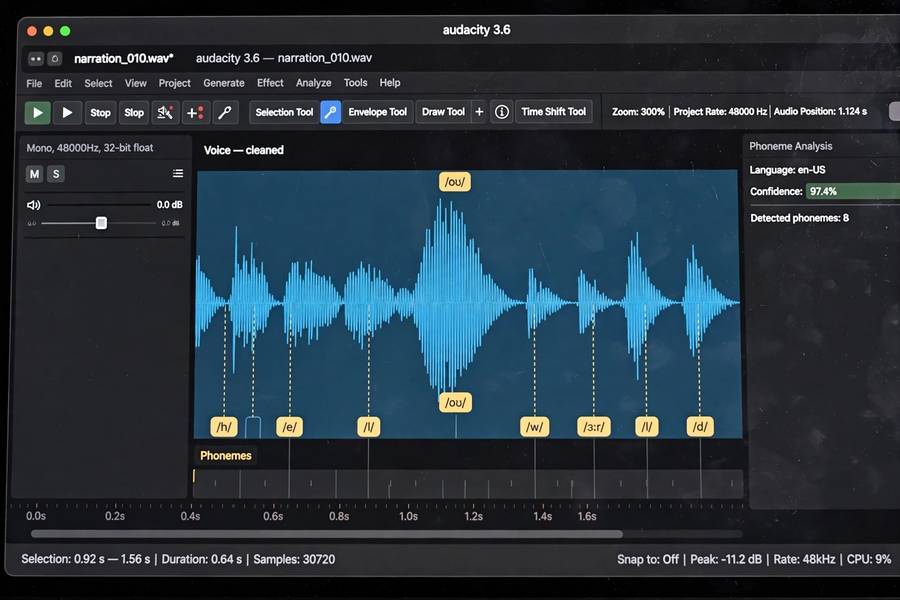
The acoustic model maps sound features to phonemes — the distinct sounds of language (English has roughly 44). Given a slice of audio, it outputs probabilities: 70% this is “s,” 20% “sh,” 10% “f.”
This is where deep learning transformed the field. Older systems used Hidden Markov Models with Gaussian mixtures — statistical machinery that worked but plateaued. Around 2012, deep neural networks took over acoustic modeling and error rates fell off a cliff. Then came CTC (Connectionist Temporal Classification), which elegantly solved the alignment problem: the model doesn’t need to know exactly where each phoneme starts and ends in the audio — it learns the alignment itself.
In my testing, the acoustic model is responsible for most of the “how did it get that so wrong” moments. When it mishears, it’s usually here — the sounds were genuinely ambiguous, and the model guessed wrong.

Step 4: The Language Model (What Words Make Sense)
Raw phoneme sequences are ambiguous — that’s the “wreck a nice beach” problem. The language model resolves ambiguity using knowledge of what words and sentences are plausible.
Given the phoneme sequence that could be “recognize speech” or “wreck a nice beach,” the language model knows the first is enormously more likely in context. It combines the acoustic evidence with linguistic probability: the final transcription maximizes both “does it sound like this?” and “would someone say this?”
Modern systems use neural language models — cousins of the models behind ChatGPT — which is a big reason accuracy keeps improving. The better the system understands language generally, the better it disambiguates speech specifically.
The full decoding search considers thousands of candidate transcriptions and picks the best joint score. All of this happens in a fraction of a second.
How Modern End-to-End Systems Differ
The pipeline I just described — features → acoustic model → language model → search — is the classical architecture. The modern trend is end-to-end models that go straight from audio to text in one neural network.
Models like OpenAI’s Whisper (which I’ve tested extensively) are trained on 680,000 hours of audio-text pairs scraped from the internet. No separate phoneme stage, no hand-built pronunciation dictionaries. The network learns the entire mapping itself.
The results are striking: Whisper handles accents, background noise, and technical jargon far better than older systems, and it does translation and language identification as side effects of its training. This is the same “scale + data beats hand-engineering” story that’s played out across all of AI.
Your phone’s assistant increasingly uses these end-to-end approaches, sometimes running partially on-device for privacy and speed.
Why Accents and Noise Still Break It
Understanding the pipeline tells you exactly where failures come from:
Accents: the acoustic model learned phoneme-to-sound mappings from its training data. If that data underrepresents your accent — and most datasets underrepresent non-American, non-standard accents — the mappings are wrong for you. This isn’t the system being prejudiced; it’s a training data gap. The fix is more diverse data, and it’s happening, slowly.
Noise: heavy background noise corrupts the features before recognition even starts. Neural noise suppression helps enormously, but a jackhammer next to the microphone is still a jackhammer.
Proper nouns: names of people, places, and products are the hardest words because the language model has weak priors for them. “Call Dr. Krzyzewski” fails because the system has never seen that name often enough to expect it. Context helps — “call” narrows it to contacts — but unusual names remain the top failure category in my experience.
Homophones and domain jargon: “their/there/they’re” and specialized vocabulary trip up the language model when context is thin.
Where Your Voice Data Goes
The privacy question, honestly answered:
- Wake word detection: on-device, always. Your audio isn’t streamed until the wake word triggers.
- After triggering: most assistants send the audio to company servers for processing. This is where the heavy models run.
- Storage: policies vary and change. Most providers let you review and delete voice recordings; some use recordings (anonymized, they say) to improve models.
- On-device trend: newer phones run increasingly capable speech models locally. Apple’s and Google’s latest systems do significant processing on-device — better for privacy and latency.
My practical advice: check your assistant’s privacy settings, delete stored recordings periodically if it bothers you, and assume anything you say to a smart speaker is processed on someone’s server. The convenience-privacy tradeoff is real, and only you can decide where your line is.

Frequently Asked Questions
Voice recognition captures audio, cleans it, converts it to spectral features, then uses an acoustic model to map sounds to phonemes and a language model to determine the most likely words — combining “what it sounded like” with “what makes sense linguistically.”
Acoustic models learn sound-to-phoneme mappings from training data. If that data underrepresents your accent, the mappings are inaccurate for your speech. It’s a training data gap, not a fundamental limitation — and it’s gradually improving with more diverse datasets.
No. A small on-device model listens only for the wake word (“Hey Siri”). Audio is only sent to servers after the wake word is detected. However, anything said after triggering is typically processed on company servers.
They’re generally used interchangeably. Technically, “speech recognition” (speech-to-text) is the transcription task, while “voice recognition” sometimes means identifying *who* is speaking (speaker identification) — but in common usage both mean converting speech to text.
Increasingly yes. Modern phones run capable on-device speech models (like Apple’s dictation and Google’s Gboard voice typing). Full-featured assistants still use servers for complex queries, but basic transcription works offline on recent devices.