Nobody likes paying for software before understanding what they’re buying, and Midjourney’s pricing has a quirk — “GPU hours” — that confuses almost everyone at first. I burned through my first month’s allowance in nine days because I didn’t understand the difference between fast and relax generations. This guide explains the plans plainly so you don’t repeat my mistake.
A quick note on freshness: Midjourney adjusts pricing periodically, so treat specific dollar figures here as directional — check the current numbers on their site before subscribing. The structure below (tiers, fast vs. relax hours, what each tier suits) has been stable for a long time and is the part that actually matters for your decision. For setup context, see how to use Midjourney and how Midjourney works.
Table of Contents
- How Midjourney Pricing Works: GPU Time
- Fast Hours vs Relax Hours
- The Plan Tiers, Bottom to Top
- What Each Tier Is Actually For
- The Hidden Costs Nobody Mentions
- How to Spend Less Without Downgrading
- Is It Worth It? The Honest Math
- Annual vs Monthly: The Break-Even Math
- Teams, Classrooms, and Edge Cases
- Squeezing the Basic Tier
- Frequently Asked Questions
How Midjourney Pricing Works: GPU Time
Forget “number of images” — Midjourney sells GPU time, measured in hours per month. Every generation consumes a slice of GPU processing; a standard image job takes roughly a minute of GPU time, upscale and variation jobs take less. Your plan gives you a monthly allowance, and when it’s gone, you’re done generating until it refills (or you buy more).
This model actually makes sense once you internalize it: complex jobs cost more than simple ones, and the pricing scales with real compute cost. But it means your usage habits determine everything. Someone generating careful, deliberate images might use a tenth of what a compulsive re-roller burns. Before choosing a tier, honestly assess which of those you are. If you haven’t learned efficient prompting yet, a primer on prompt engineering for beginners will save you real money by cutting wasted generations.
Fast Hours vs Relax Hours
This is the concept that trips everyone up, so let’s nail it. Fast hours are priority GPU access — your jobs jump the queue and complete in under a minute. Every plan includes a monthly allowance of fast hours, and they’re the default mode.
Relax hours are the slow lane: your jobs wait in a shared queue and might take several minutes. The catch that matters: relax mode doesn’t consume your fast-hour allowance — on eligible plans, it’s effectively unlimited. The tradeoff is patience.
The practical implication is huge. If you’re generating casually — an image here and there while you work on other things — relax mode means a mid-tier plan can feel unlimited. If you’re in a flow state iterating rapidly on a deadline, waiting five minutes per generation is maddening, and you’ll want fast hours. Most users need a mix: fast for active sessions, relax for background exploration.
The Plan Tiers, Bottom to Top
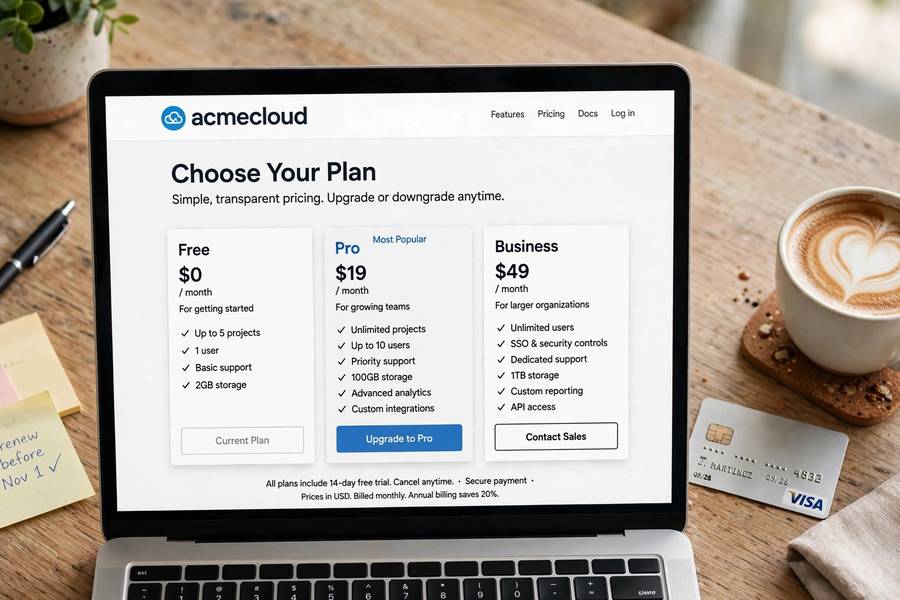
Midjourney’s lineup follows a familiar ladder (names and prices shift; the structure persists):
Basic tier — a small monthly fast-hour allowance, no relax mode. Enough to learn the tool and generate a few dozen images monthly. The “am I even into this” plan.
Standard tier — more fast hours plus unlimited relax generations. The sweet spot for most hobbyists and light professional use. Relax mode removes the anxiety of watching your allowance drain.
Pro tier — generous fast hours, unlimited relax, plus stealth mode (private generations) and more concurrent jobs. For working creatives generating daily.
Mega tier — the top rung: the most fast hours, highest concurrency, everything unlimited. For studios and heavy commercial users.
Annual billing typically discounts each tier meaningfully versus monthly — worth it only once you’re sure you’ll use it year-round. Start monthly; switch to annual after three months of consistent use.
What Each Tier Is Actually For
Match the tier to your reality, not your aspirations:
Casual explorer (a few images a week for fun, social posts, gifts): Basic tier. You’ll rarely hit the cap, and the low price removes all pressure.
Hobbyist creator (regular generating, learning prompting, building a portfolio): Standard tier. Unlimited relax mode is the feature that matters — it lets you experiment freely, and experimentation is how you improve.
Working creative (client work, content production, daily use): Pro tier. Stealth mode matters more than people expect — clients don’t love their unreleased concepts visible in a public gallery — and the fast-hour allowance supports deadline work.
Studio/team (multiple heavy users, production pipelines): Mega tier, or multiple Pro seats. At this level you’re comparing against the cost of stock licenses and junior designers, and the math usually favors Midjourney heavily.
The Hidden Costs Nobody Mentions
The subscription isn’t the whole picture. First, the learning tax: your first month will burn more GPU time than any other, because beginners re-roll constantly. Budget for it or start on relax mode. Second, the iteration habit: professionals generate far more images than they keep — a 20:1 ratio of generations to keepers is normal. Third, upscaling: final-quality upscales cost extra GPU time beyond the initial generation. None of these are dealbreakers, but they’re why “unlimited relax” on the Standard tier is such a big deal — it makes all three free in practice.

How to Spend Less Without Downgrading
If your tier feels tight, try these before upgrading: use relax mode for exploration and reserve fast hours for deadline work. Learn to prompt well — every wasted generation is money; good prompting is literally a cost-saving skill. Use variations (V buttons) instead of re-rolling from scratch; they’re cheaper and better. Batch your generating into sessions rather than dribbling it through the day — you’ll think more carefully per prompt. And upscale only keepers, never maybes.
Is It Worth It? The Honest Math
Compare against alternatives: a single stock photo license costs more than a month of the Basic tier. A commissioned illustration costs more than a year of Pro. If Midjourney replaces even a handful of stock purchases or one freelance commission monthly, it pays for itself many times over. The value question isn’t really about the price — it’s whether you’ll actually use it. The cheapest plan you use daily beats the expensive plan you forget about. Start small, prove the habit, then upgrade when a limit genuinely constrains you.
Annual vs Monthly: The Break-Even Math
The annual discount is substantial — typically around 20% — which makes the math simple: if you’ll use Midjourney for ten months out of twelve, annual wins. But the trap is committing before you have the habit. I’ve watched people buy annual plans in an enthusiasm spike, generate furiously for three weeks, then forget the subscription exists.
The disciplined sequence: start monthly on the lowest tier. After month three, audit honestly — are you generating weekly? Then consider annual on the tier you’re actually using, not the tier you aspire to. The annual discount on the right tier is smart money; the annual discount on the wrong tier is a donation. And set a calendar reminder for month eleven to re-evaluate before renewal — future you will thank present you.
Teams, Classrooms, and Edge Cases
A few situations the standard advice doesn’t cover. Teams: Midjourney subscriptions are per-account, so a studio needs either multiple seats or a shared account with clear usage norms — the Mega tier’s higher concurrency helps, but there’s no true team plan with centralized billing, so budget accordingly. Classrooms: educators should check current education terms; the public-by-default gallery makes student privacy a real consideration, favoring Pro’s stealth mode or alternative tools for minors.
The oddest edge case: subscription pausing. Midjourney generally doesn’t offer true pausing — you cancel and resubscribe, which is fine since your gallery history persists. If your usage is seasonal (a holiday content push, a semester project), the monthly plan’s flexibility is the feature: subscribe for the busy months, cancel for the quiet ones. The tool doesn’t punish this; use it as designed.
Squeezing the Basic Tier
On the cheapest tier? You can still do real work with discipline. Live in relax mode if your plan includes it; if not, make every generation count by writing careful prompts — the prompting skill from the guides here directly converts to money saved. Generate in batches during focused sessions rather than idly re-rolling through the day; intentionality is a cost control.
Upscale only finalists, never maybes. Use the website gallery to review before upscaling — every upscale is GPU time you can’t get back. And track your usage with /info weekly; knowing your burn rate prevents the end-of-month surprise. The Basic tier is genuinely enough for learning, portfolio building, and light professional use — it only feels small when your habits are wasteful. Fix the habits before upgrading the tier.
Frequently Asked Questions
Midjourney offers tiered subscriptions from a basic plan (small fast-hour allowance) up to pro and mega tiers with unlimited relax generations. Prices change periodically, so check their site for current figures; annual billing is cheaper than monthly.
Fast hours are priority GPU access with sub-minute generations, drawn from your monthly allowance. Relax hours are slower queue-based generations that don’t consume your allowance — effectively unlimited on eligible plans, but each job can take several minutes.
Start with the Basic tier monthly. It’s cheap enough to explore without pressure. Upgrade to Standard once you’re generating regularly — its unlimited relax mode is ideal for the experimentation phase where you burn the most generations learning.
Midjourney no longer offers a meaningful free tier. All plans are paid subscriptions based on GPU time. The lowest tier is inexpensive and sufficient for casual use.
Stealth mode makes your generations private instead of visible in the public gallery. It’s included on Pro and higher tiers — important for client work or unreleased concepts you don’t want publicly visible.
Keep reading: