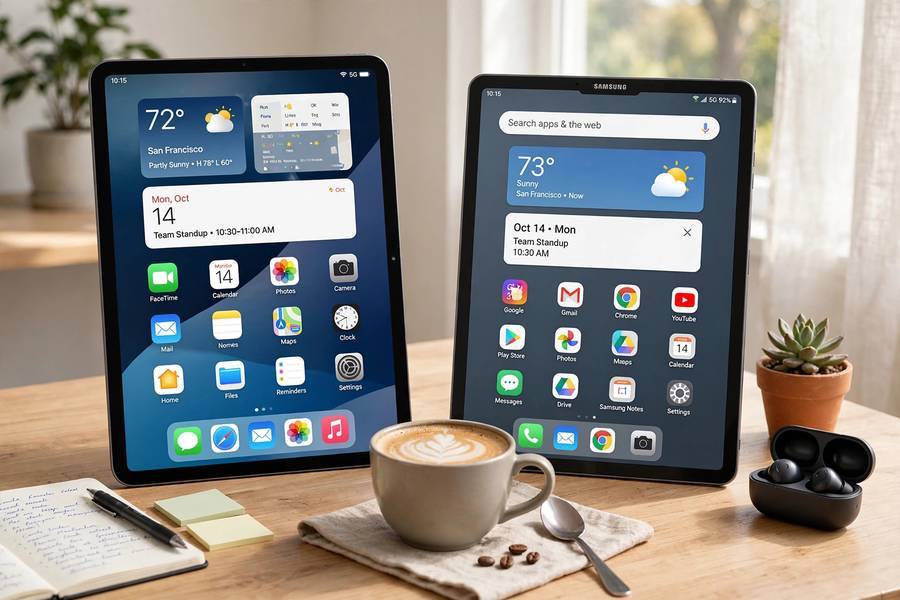
I’ve bought five tablets in six years — three iPads and two Android tablets — and I’ve kept exactly two of them. The rest went to family members or the resale market. When people ask me which tablet to buy, they want a simple answer, and I understand why. But the honest answer depends on what you’ll actually do with it.
I tested both sides the way a normal person would: Netflix in bed, email on the couch, reading on flights, sketching, video calls, and handing the thing to a small child with sticky hands. No lab benchmarks, no spec-sheet worship. Here’s what actually matters, where each side wins, and the straightforward recommendation I’d give a friend.
Table of Contents
- The Short Answer
- Price: Where Android Wins
- Apps: Where iPad Wins
- Performance and Software Updates
- Drawing, Keyboards, and Accessories
- Ecosystem: The Lock-In Question
- Kids and Family Use
- My Honest Recommendation
- Frequently Asked Questions
The Short Answer
If you just want the answer: buy the base-model iPad. At around $349, it’s the best value in tablets — great screen, fast chip, years of updates, and the best tablet app library on earth. For most people, most uses, it’s the right call and it’s not close.
Buy an Android tablet if: your budget is under $200, you’re deep in the Samsung ecosystem, or you specifically want Samsung’s DeX desktop mode or the included S Pen. A Samsung Galaxy Tab in the $250–450 range is a genuinely good device — just know what you’re trading away.
That’s the summary. The rest of this guide is for people who want to know why, or whose situation doesn’t fit the default.
Price: Where Android Wins
Let’s talk money first, because it’s Android’s strongest card.
The Android tablet market spans $80–150 budget tablets (Amazon Fire, Lenovo, Xiaomi) up to Samsung’s $800+ Galaxy Tab S flagships — there’s an Android tablet for literally every budget. Need something for a toddler to smash? $100. Want a big-screen Netflix machine? $200–300 gets you something perfectly good.
iPads start at $349 and climb to $999+ for the Pro — no budget option, no $150 iPad, and Apple rarely discounts. If $349 is more than you want to spend on a tablet, Android is your only real option.
But here’s the catch I’ve learned from buying cheap tablets: the sub-$150 Android tablets are mostly disappointing. Slow chips, dim screens, and software updates that stop after a year or two. They feel fine for a month and then the lag creeps in. The sweet spot for Android value is $200–400 — Lenovo and Xiaomi make solid tablets there, and Samsung’s Galaxy Tab A series lives in that zone. Below $150, you’re buying frustration with a touchscreen.
One more price consideration people forget: resale value. My two-year-old iPad sold for 60% of what I paid. My two-year-old Android tablet sold for about 30%. If you upgrade every few years, the iPad’s higher upfront cost partly pays for itself.
Apps: Where iPad Wins
This is the iPad’s biggest advantage and the reason I keep coming back to it. It’s not the hardware — it’s the software.
Developers build tablet-first apps for iPad in a way they simply don’t for Android. Procreate (digital art), LumaFusion (video editing), Notability and GoodNotes (handwritten notes), Affinity Designer — these are professional-grade tablet apps that either don’t exist on Android or exist in weaker form. The iPad App Store has over a million apps designed for the big screen.
On Android, the tablet app situation has improved — Google has been pushing developers, and Samsung’s flagships get decent support — but too many Android “tablet apps” are just stretched-out phone apps. They work, but the layouts are awkward, with giant buttons and wasted space. For casual use (YouTube, Netflix, web browsing, email), this doesn’t matter at all. For creative work, note-taking, or music production, it’s the difference between a tool and a toy.
My real-world test: I tried replacing my iPad with a mid-range Android tablet for a month of writing, PDF annotation, and photo editing. The hardware was fine; the apps weren’t — I kept hitting small walls. If your tablet use is Netflix and browsing, ignore this section. If you want to make things on your tablet, the iPad wins decisively.
Performance and Software Updates
Apple’s chips are absurdly good — the base iPad’s A-series outperforms most Android tablets costing twice as much, and the M-series chips in iPad Air and Pro models are laptop-grade. An iPad feels fast for years: apps open instantly, games run smoothly, no stutter with twelve apps open.
But the bigger deal is software updates. Apple supports iPads for 6–7 years with full iOS/iPadOS updates. My 2019 iPad still runs the latest software in 2026 and still feels fine. That longevity is unmatched.
Android is a mixed bag here. Samsung now promises 7 years of OS updates on its flagship tablets (4 years on mid-range and older models), which is genuinely good. Google’s Pixel Tablet gets similar support. But cheaper Android tablets? Often one or two years, sometimes zero — they ship with an old Android version and never see another update. That means missing security patches, which matters if you bank or shop on the thing.
So: iPad for longevity, Samsung/Google for respectable Android support, and assume a budget Android tablet is disposable tech with a two-year horizon.
Drawing, Keyboards, and Accessories
If drawing matters to you, this section decides it.
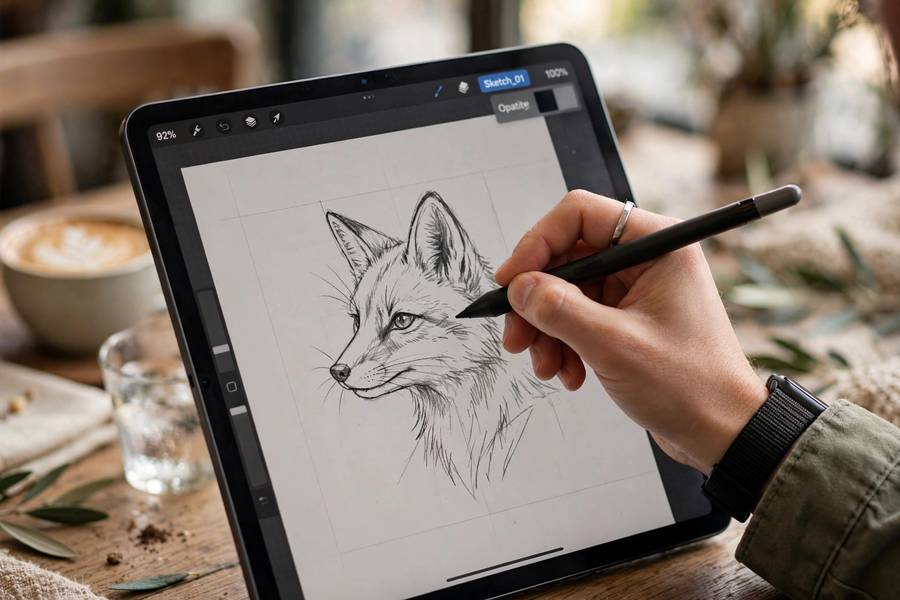
Apple Pencil ($99 for USB-C, $129 for Pro) paired with an iPad is the best drawing experience in tablets — low latency, pressure sensitivity, tilt, and that unbeatable app library (Procreate alone justifies it for many artists). The catch: the Pencil costs extra on every iPad, and Apple’s keyboards are shockingly expensive (the Magic Keyboard costs more than some Android tablets).
Samsung’s S Pen comes included in the box with Galaxy Tab S models, and it’s excellent — pressure-sensitive, low latency, with a silo to store it. For note-taking and casual drawing, it’s arguably the better value since you’re not paying $129 extra. Wacom-style EMR technology, no charging needed on most models.
For keyboards: both sides have good detachable options, but Apple’s are overpriced and Android’s third-party keyboard cases are plentiful and cheap. If you want a tablet-as-laptop setup on a budget, Android actually has the edge — a $300 tablet plus a $40 keyboard case gets you surprisingly far, especially with Samsung DeX giving you a desktop-like interface.
Audio note: whichever tablet you choose, pair it with decent audio for movies — here’s how wireless earbuds work and how noise cancelling headphones work if you’re picking a companion for your tablet.
Ecosystem: The Lock-In Question
Be honest with yourself about which ecosystem you’re already in, because it matters more than most spec comparisons.
iPhone + Mac user → get the iPad. Handoff (start an email on iPhone, finish on iPad), AirDrop, iMessage and FaceTime, shared clipboard, Sidecar (use the iPad as a Mac display), and iCloud keeping everything in sync. These little integrations add up to something genuinely convenient, and none of it works with an Android tablet.
Android phone + Windows PC → get a Samsung tablet. Phone Link on Windows pairs beautifully with Samsung devices, Quick Share replaces AirDrop, and your Google account syncs everything. Samsung’s ecosystem isn’t as seamless as Apple’s, but it’s good and getting better.
Mixed or no ecosystem? The iPad works fine standalone — then the decision is purely about price and apps.
One warning from experience: switching ecosystems later is annoying. Your purchased apps don’t transfer, your workflows need rebuilding, and accessories (Pencil vs S Pen, cases, chargers) don’t cross over. Pick the side you’re likely to stay on.
Kids and Family Use
Tablets and kids: I’ve watched this play out in my own family. Two scenarios:
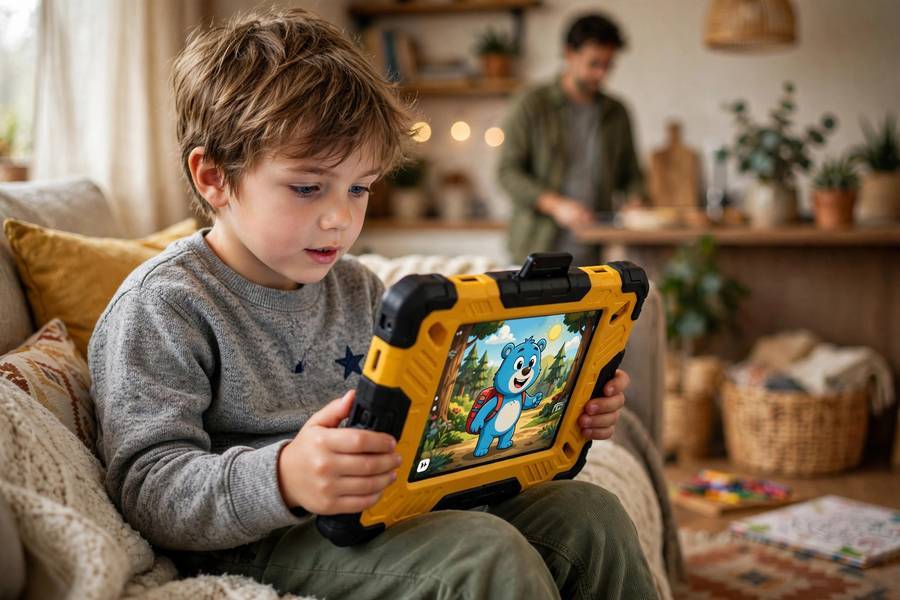
Young kids (under 8): Buy cheap and buy a rugged case. A $100–150 Android tablet (or Amazon Fire) in a foam bumper case is perfect — when it gets dropped down the stairs (it will), you’re out $100, not $349. Parental controls on both platforms are fine. Don’t overthink this one.
Older kids and students (8+): This is where the iPad pulls ahead. Schools increasingly standardize on iPads, the educational app library is far deeper, and Apple’s Screen Time parental controls are excellent. A base iPad lasts a student through years of school — my nephew’s iPad from 2021 is still his daily homework machine. The higher upfront cost amortizes over a much longer useful life.
My Honest Recommendation
Here’s my advice by situation — the same thing I’d tell a friend who asked:
- Most people, most uses: Base iPad ($349). Best apps, longest support, best resale. Done.
- Tight budget (under $200): Lenovo or Samsung Galaxy Tab A. Accept the two-year horizon.
- Digital artists: iPad Air + Apple Pencil. Procreate is worth it alone.
- Note-takers who hate extra costs: Samsung Galaxy Tab S with included S Pen.
- Samsung phone owners: Galaxy Tab — the integration is genuinely nice.
- Kids under 8: Cheap Android tablet + foam case. Don’t overthink it.
- Netflix-and-browsing only: Whichever is cheaper — the expensive features won’t matter to you.
- Someone who upgrades every 2 years anyway: iPad — you’ll recoup more at resale.
And the question nobody asks: do you even need a tablet? With a big phone and a laptop, a tablet often becomes a $349 Netflix machine. The happiest tablet owners bought for a specific job — drawing, reading, schoolwork, travel — not because tablets seemed useful in the abstract.
I kept two of my five tablets: a base iPad for work and travel, and a cheap Android tablet that lives on my kitchen counter for recipes and timers. Everything else found better homes. Buy for the job, not the fantasy — your wallet will thank you.
Frequently Asked Questions
For apps and long-term software support, yes — the iPad has far more tablet-optimized apps and 6–7 years of updates versus Samsung’s 4. Samsung wins on value extras: the S Pen is included free, DeX desktop mode is great for productivity, and prices are often lower. For creative work and longevity, iPad; for multitasking and included accessories, Samsung.
No. iPad apps come from Apple’s App Store and Android tablets use the Google Play Store — they’re completely separate ecosystems. Popular apps like Procreate are iPad-only, while some apps exist on both platforms but may differ in features. Anything you purchased on one platform must be repurchased on the other.
The base-model iPad is the best student tablet for most people: excellent note-taking apps like Notability and GoodNotes, 6+ years of software updates that outlast a degree, and wide school compatibility. On a tight budget, a Samsung Galaxy Tab A with the free Samsung Notes app is a solid alternative.
Honestly, often not. If your phone handles reading, video, and browsing comfortably and you own a laptop, a tablet risks becoming an expensive extra screen. Tablets earn their place for specific jobs — digital drawing, kids’ schoolwork, travel entertainment, or kitchen use — so buy for a concrete purpose rather than general usefulness.
iPads typically stay fast and supported for 5–7 years thanks to Apple’s long update policy. Good Samsung and Google tablets last 3–5 years. Budget Android tablets under $150 often feel slow within 1–2 years and may stop receiving security updates, making them effectively disposable.
Yes, for most people. The base iPad handles web browsing, streaming, email, reading, note-taking, video calls, and casual games with ease. You only need the iPad Air or Pro if you do professional creative work, want a better display for drawing, or need the extra performance for video editing and 3D apps.