Most voice recognition problems aren’t AI problems — they’re physics, settings, and habits problems. The gap between frustrating and flawless usually comes down to a handful of fixable things: nine adjustments, ordered by impact, that genuinely move the needle.
I’ve organized these from the environment inward: fix the room first, then the device, then the settings, then yourself. That order reflects where the leverage is — most people do it backwards, fiddling with settings while shouting across a noisy kitchen. For the technical background on what’s happening under the hood, see my guide on how voice recognition works.
Table of Contents
- 1. Kill the Background Noise
- 2. Get Closer to the Microphone
- 3. Place Your Smart Speaker Properly
- 4. Set the Right Language and Region
- 5. Train It on Your Voice
- 6. Speak Like You Mean It
- 7. Feed It Your Vocabulary
- 8. Update Everything
- 9. Know When to Switch to Typing
- Putting It All Together: The 80/20
- Frequently Asked Questions
1. Kill the Background Noise
This is the single highest-leverage fix, and it’s not close. Background noise is the number one accuracy killer — every 10 decibels of noise measurably degrades recognition, and the difference between a quiet room and a busy kitchen can swing error rates by 3-4x.
The fixes are unglamorous because they’re physical:
Move away from noise sources. The TV, the dishwasher, the open window facing traffic — put distance between the noise and the microphone. Sound follows the inverse square law: doubling the distance quarters the intensity. A few steps matter enormously.
Face the microphone. Your voice projects forward. Talking to a smart speaker while facing away halves your signal before the AI even gets involved. Face the device. It sounds obvious; nobody does it consistently.
Close the loop on competing audio. If your Echo is playing music and you’re shouting over it — pause the music first. Echo cancellation is good, not magic. The cleanest signal is no competing signal.
Soften the room. Hard surfaces reflect sound, creating echo that smears speech. Rugs, curtains, bookshelves help — you don’t need a studio, just fewer bare walls between you and the mic.
2. Get Closer to the Microphone
Distance is the second physics lever, and it compounds with noise. A phone held to your mouth delivers clean, loud, near-field audio — the easiest possible input. A smart speaker across the room delivers quiet, reverberant, far-field audio — the hardest.
Practical implications:
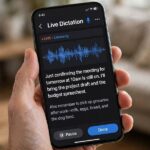
For dictation, hold the phone naturally. The keyboard mic is designed for arm’s-length use. Don’t shout across the room at your phone and wonder why it struggles.
For calls and meetings, use a headset. The microphone inches from your mouth beats any room mic, any beamforming array, any noise suppression algorithm. A $20 headset outperforms a $300 smart speaker for capture quality — physics doesn’t care about price tags.
For smart speakers, respect the range. Most are designed for within 15-20 feet in a normal room. Beyond that, or through walls, you’re asking for miracles. Walk closer. Your legs are the best signal booster ever invented.
The principle: every halving of distance roughly doubles the signal quality the recognizer has to work with. No setting, no update, no AI model compensates for being too far away as effectively as moving closer does.
3. Place Your Smart Speaker Properly
Smart speaker placement is a small thing with outsized effects, and most people get it wrong:
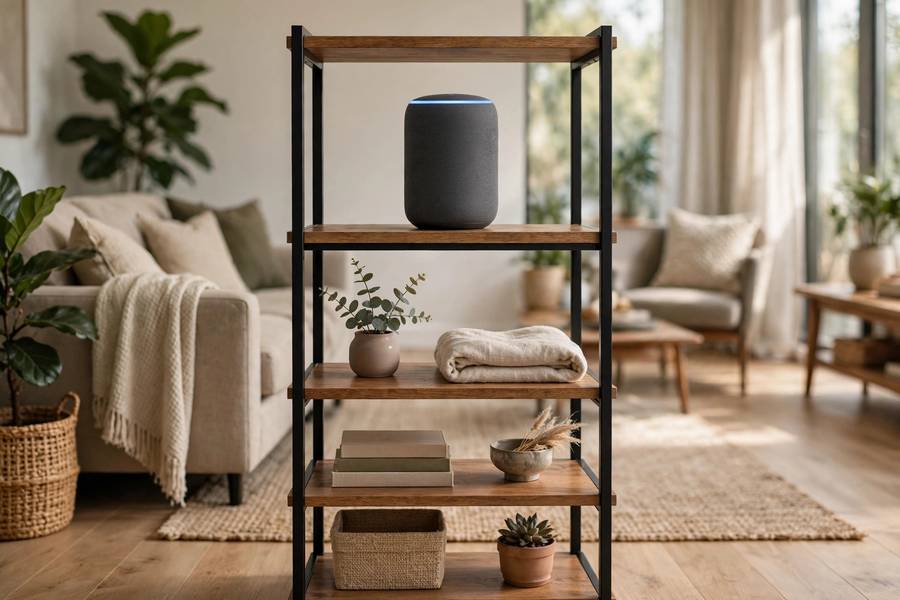
Central and elevated. Put the speaker roughly in the middle of where you’ll talk to it, at head height or above — on a shelf, not the floor. Sound travels; the speaker should be where your voice naturally goes.
Away from walls and corners. Walls reflect sound, creating echo and confusing the beamforming. Six inches of clearance from walls is the minimum; a foot is better. Corners are the worst — they concentrate reflections.
Away from noise sources. Not next to the TV, not on top of the humming fridge, not beside the window. Every noise source nearby is signal the device must suppress.
Away from other speakers. If you have multiple smart speakers, make sure they’re not close enough to both trigger — the “which device heard me” arbitration usually works, but it adds a failure mode you don’t need.
I’ve seen placement changes alone fix “my Alexa never understands me” complaints. Before you blame the AI, audit the real estate.
4. Set the Right Language and Region
This one takes thirty seconds and I’d estimate a third of users have it wrong. Your assistant’s language/region setting (en-US, en-GB, en-IN, en-AU…) selects which model variant processes your speech. The wrong setting means the wrong acoustic and language models — like being graded against the wrong answer key.
Match it to how you actually speak. British accent with en-US selected? The American-tuned model is working against your vowels. Indian English with en-GB? Same problem. Go to settings, set the variant closest to your speech.
Check after updates and new devices. Settings sometimes reset or default wrong on new hardware. After every major update or device setup, verify.
One language at a time (mostly). Multilingual households are genuinely hard for these systems. Most assistants handle one primary language well and code-switching poorly. If your household mixes languages, pick the dominant one for the assistant and accept the limitation — or use separate profiles where supported.
This is the highest-leverage settings fix. Everything else in software is fine-tuning; this is choosing the right instrument.
5. Train It on Your Voice
Modern assistants personalize — they learn your voice, your vocabulary, your patterns. But personalization needs data and time, and most users never complete the setup that jump-starts it:
Do the voice training. Siri, Google Assistant, and Alexa all offer voice enrollment — reading phrases so the system learns your voiceprint. It takes two minutes. It measurably improves recognition for your voice specifically, and it enables personal results (your calendar, not your partner’s).
Correct mistakes when prompted. When the assistant shows what it heard and offers corrections, make them. Those corrections are training signal — the system learns your personal error patterns and adjusts.
Use it consistently. Personalization compounds with use. The assistant that hears you daily for a month understands you better than on day one — not because the base model changed, but because your profile did.
Create separate voice profiles for household members where supported. A single profile averaging two different voices serves neither well. Most platforms support this now — set it up once, benefit forever.
The theme: the system meets you halfway, but you have to walk your half. Two minutes of setup saves hours of repeated commands.
6. Speak Like You Mean It
Your speaking habits matter more than you’d think — and the adjustments are small:
Pace yourself slightly. You don’t need to speak like a robot, but racing through a command at auctioneer speed costs accuracy. A natural, deliberate pace gives the acoustic model cleaner phoneme boundaries.
Enunciate the consonants. Vowels carry the melody; consonants carry the meaning. Mumbling the ends of words (“set a timer for ten min-uh”) is the most common self-inflicted accuracy wound. Finish your words.
Pause between the wake word and the command. “Alexa… turn off the lights” beats “Alexaturnoffthelights.” The pause gives the system a clean boundary between trigger and content. Half a second is plenty.
Don’t shout. Louder isn’t clearer — shouting distorts your voice’s acoustic properties and can reduce accuracy. Speak at a firm conversational volume.
Complete your sentences. Trailing off (“set a timer for… uh…”) forces the endpoint detector to guess when you’re done, often wrongly. Decide what you’re saying, then say it.
None of this requires elocution lessons. It’s the difference between talking at the device and talking to it — a small intentionality shift with real accuracy returns.
7. Feed It Your Vocabulary
Recognition fails most on the words the model knows least: proper nouns, technical jargon, unusual names. You can fix this:
Add contacts properly. “Text Mom” works when Mom is in your contacts as Mom. If the assistant mangles a name, check the contact entry — add phonetic spellings where supported. The system can only recognize names it knows.
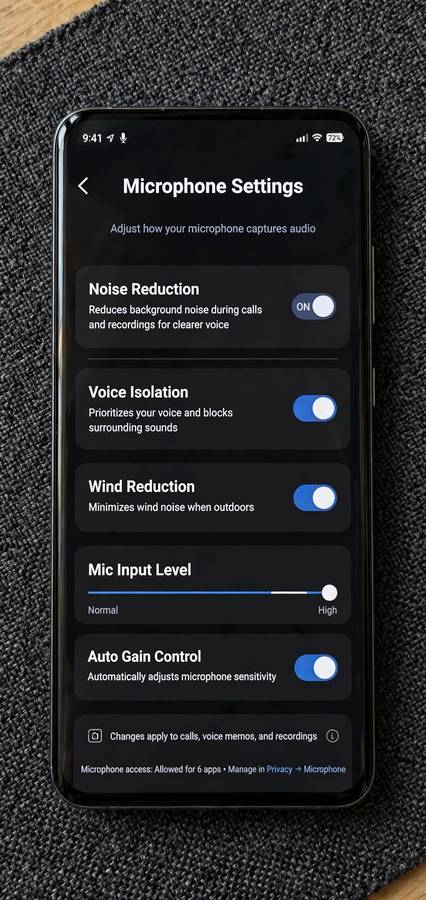
Use the assistant’s vocabulary features. Google lets you teach pronunciations; Siri learns from your corrections; Alexa has voice training. These exist because the base vocabulary is generic and your life is specific.
Spell it out for rare words. “Play the band C-H-V-R-C-H-E-S” — spelling forces the system to the right answer when pronunciation is ambiguous. Clunky, effective, underused.
Prefer common phrasings for commands. “Set a timer for ten minutes” is in every training corpus; “commence a decaminute chronometer protocol” is not. The system’s paraphrase handling is good, but common phrasings are bulletproof.
The underlying truth: the model is a statistical machine, and statistics favor the common. Meet it where it lives for commands; save your creativity for the content of your messages.
8. Update Everything
Unsexy, effective. Speech models improve constantly — larger-scale training, the kind described in how AI models are trained, keeps pushing accuracy up — and those improvements ship in OS and app updates:
Keep your OS current. Major phone updates routinely include speech recognition improvements. The model on your phone today is better than the one from a year ago, but only if you installed the updates.
Update the assistant app. Alexa, Google Assistant — the apps update independently of the OS, and the updates include model and feature improvements.
Restart occasionally. Stale audio pipelines and glitched microphone permissions cause mysterious accuracy drops that a restart fixes. The oldest advice in computing applies to voice AI too.
Re-do voice training after major updates. Occasionally the acoustic models change enough that your old voice profile is suboptimal. If accuracy drops after an update, re-enrolling takes two minutes and often restores it.
9. Know When to Switch to Typing
The final tip is knowing the tool’s limits — the most advanced accuracy technique is choosing the right modality:
Switch to typing for: proper nouns the system consistently mangles, passwords and codes (never dictate these anyway), noisy environments where physics wins, private content in public spaces, and anything where an error has real consequences.
There’s no shame in it. Voice is a tool, not a lifestyle. The people who love voice assistants most are the ones who’ve learned when not to use them — typing the tricky bits, voicing the routine ones. Multimodal is the power user move.
Give feedback on failures. When the assistant offers “did I get that right?” — answer honestly. When apps have feedback options, use them for systematic errors. Your corrections improve the system for everyone, and the AI skills to learn in 2026 increasingly include knowing how to steer these systems effectively.
Putting It All Together: The 80/20
If you do nothing else, do these three: reduce background noise, set the correct language region, and complete voice training. Those three fixes resolve the majority of accuracy complaints I encounter — not because the AI is simple, but because most failures are environmental and configurational, not algorithmic.
The deeper lesson: voice recognition accuracy is a system property, not a model property. The model is one component in a chain running from your vocal cords through room acoustics, microphone hardware, signal processing, software settings, and your speaking habits. Optimize the whole chain.

Frequently Asked Questions
The highest-impact fixes: reduce background noise, get closer to the microphone, set the correct language/region variant, complete voice training enrollment, and speak clearly at a natural pace. These environmental and settings fixes resolve most accuracy complaints — the AI model itself is rarely the bottleneck.
Common causes include background noise, poor speaker placement (too close to walls or noise sources), wrong language/region setting, no voice profile enrolled, and speaking too fast or mumbling. Check placement and settings before blaming the AI — most issues are environmental.
Yes. Voice enrollment teaches the system your specific voice characteristics, accent, and vocabulary, measurably improving recognition for you personally. It takes about two minutes during setup, and accuracy continues improving with consistent use as on-device personalization compounds.
For dictation, calls, and meetings — absolutely. A microphone inches from your mouth delivers far cleaner audio than any room microphone or smart speaker array. A basic headset outperforms expensive far-field hardware for capture quality because physics favors proximity.
Type for proper nouns the system consistently mangles, passwords and sensitive codes, very noisy environments, private content in public, and anything where transcription errors have real consequences. Knowing when not to use voice is part of using it well.