How to Stop Robocalls on iPhone

Figuring out how to stop robocalls on iPhone is one of those modern chores that feels like it should not be necessary — and yet here we are, with spam calls finding us through every defense we build. I test phones and apps for a living, and I have run every major call-blocking approach on my own iPhone over the years: the built-in settings, the carrier tools, the third-party apps, the nuclear options. The honest truth is that no single feature stops robocalls completely. What works is layered defense — several modest barriers stacked together, each one filtering out a different slice of the spam. This guide builds that stack, layer by layer.
We will start with what your iPhone can do out of the box, add your carrier’s free tools, cover the registry and reporting steps that help long-term, and finish with the aggressive options for when nothing else is enough.
Layer 1: Use the iPhone’s Built-In Defenses
Your iPhone already has meaningful spam protection — most people just have not turned it all on. Start here:
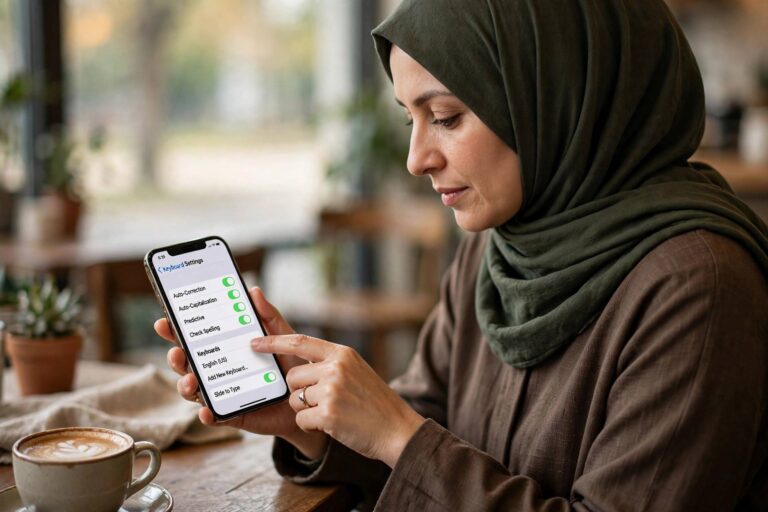
- Silence Unknown Callers. This is the big one: Settings > Phone > Silence Unknown Callers. Calls from numbers not in your contacts, recent calls, or Siri suggestions go straight to voicemail without ringing. Legitimate callers can leave a message; robocalls usually do not. The trade-off is real — you will miss calls from unknown-but-legitimate numbers like a doctor’s office or a delivery driver — so weigh this against your tolerance. For heavy spam victims, it is transformative.
- Live Voicemail. On recent iOS versions, Live Voicemail shows you a real-time transcription as the caller speaks, letting you pick up mid-message if it is someone real. Combined with Silence Unknown Callers, this is a powerful pair: spammers hit voicemail, you read the transcript, and you only engage with humans.
- Keep iOS updated. Apple refines its spam and call-screening features regularly. The call defenses on the latest iOS are meaningfully better than those from a few versions ago — updates are part of the defense.
- Block numbers individually. In the Phone app’s Recents tab, tap the info icon next to a spam number and choose Block this Caller. This is whack-a-mole against spoofed numbers, but it stops repeat offenders from the same source.
- Filter Unknown Senders for texts. Much robocall-adjacent spam arrives by text. Settings > Messages > Filter Unknown Senders sorts them into a separate list, keeping your main inbox clean.
A note on Silence Unknown Callers and emergencies: if you are expecting an important call from an unknown number — a job interview callback, a medical result — temporarily disable it. The feature is a tool, not a lifestyle; toggle it around your life.
Layer 2: Activate Your Carrier’s Spam Tools
The major U.S. carriers all offer free spam identification and blocking, and they work at the network level — before the call even reaches your phone. This is genuinely useful because it catches spam patterns across millions of users, not just your personal block list.
- Check your carrier’s app or account portal for its call-protection feature and make sure it is enabled — most are opt-in despite being free.
- Many carriers label suspected spam calls on your incoming call screen (“Spam Risk,” “Scam Likely”), which helps you decide whether to answer even without full blocking.
- Some carriers offer a premium tier with more aggressive blocking and additional features. Try the free tier first; for most people it is sufficient when combined with the iPhone’s built-in tools.
- Report spam calls through your carrier’s app when offered — it feeds the network-level filters that protect everyone.
Carrier tools and iPhone tools complement each other rather than overlapping: the carrier filters at the network, the iPhone filters at the device. Run both.

Layer 3: Register and Report
The National Do Not Call Registry (donotcall.gov) is free, takes a minute, and is worth doing — with realistic expectations. It is illegal for legitimate telemarketers to call registered numbers, and registration does reduce lawful telemarketing. It does not stop scammers, who ignore the law entirely, or robocalls you have consented to somewhere in fine print. Think of it as closing one door, not locking the house.
Reporting matters more than people think. File complaints about illegal robocalls with the FTC (the same donotcall.gov site handles complaints) and the FCC. Individual complaints rarely trigger action, but complaint data drives the enforcement cases that shut down major robocall operations — several large-scale operations have been dismantled based on exactly this data. When your carrier or a blocking app offers one-tap reporting, use it. You are contributing to the collective defense.
Layer 4: Third-Party Call Blockers — Worth It?
The App Store has a crowded field of call-blocking apps, and I have tested most of the prominent ones. Here is my honest assessment: a good blocking app adds value primarily through its crowd-sourced spam database — millions of users reporting numbers creates a blocklist no individual could build. The best ones identify spam in real time and can auto-block known offenders.
The caveats: these apps require access to your call data to function, so choose established developers with clear privacy policies and think about what you are trading. They work best as a complement to — not a replacement for — the built-in and carrier tools. And no app can block what it has not seen before, which is why brand-new spoofed numbers still get through. My recommendation: try one well-reviewed app if the free layers are not enough, evaluate for a month, and keep it only if your spam volume drops meaningfully.
How to Stop Robocalls on iPhone: Understanding the Enemy
A quick word on why this problem is so persistent, because it informs your strategy. Most robocalls today use spoofing — faking the caller ID to show a local number, or even your own number’s area code and prefix (“neighbor spoofing”), because people answer local-looking calls. This is why blocking individual numbers feels futile: the number is fake and changes constantly.
The industry’s answer is STIR/SHAKEN, a framework carriers use to verify that caller ID information is legitimate. It is increasingly deployed and it helps — verified calls can display a checkmark or “verified” label — but it is not universal, it does not cover every call path, and scammers adapt. The technology is improving the situation at the margins while the arms race continues.
The practical takeaway: since you cannot reliably identify spam by the number displayed, your defenses should be behavioral (Silence Unknown Callers, Live Voicemail screening) rather than number-based. Judge calls by whether the caller identifies themselves and leaves a message, not by what the screen says.
The Nuclear Options (When Nothing Else Works)
If spam remains unbearable after the full stack, you have stronger moves:
- A second number for sign-ups. Much spam originates from your number being sold or shared after you entered it on a form. Use a free secondary number (from a reputable VoIP service) for online sign-ups, loyalty programs, and anything non-essential. Your real number stays private.
- Audit where your number lives. Search for your number online — data broker sites often list it. Most brokers have opt-out processes (tedious but effective), and removing yourself reduces the raw material spammers buy.
- Never engage. Do not press numbers to “opt out,” do not call back, do not argue with the robocaller. Any interaction confirms your number is live and gets it sold at a premium. Hang up, block, report, move on.
- Consider a number change. The true last resort. If your number has been thoroughly compromised — sold across enough lists that the volume never drops — a fresh number, guarded carefully from day one with the practices above, can be life-changing. It is a hassle, but for severe cases it is the only complete reset.

Frequently Asked Questions
Why am I suddenly getting so many robocalls?
Common triggers: your number was included in a data breach or sold by a data broker, you entered it on a website or contest form, or scammers are running a campaign targeting your area code. Sometimes there is no specific trigger — automated dialers work through number ranges systematically. The defenses in this guide work regardless of the cause.
Does the Do Not Call Registry actually work?
Partially. It effectively stops legitimate telemarketers, who face real penalties for violations. It does nothing against scammers operating illegally — they ignore it. Register anyway (it is free and takes a minute), but treat it as one layer among several, not a solution.
Will Silence Unknown Callers block emergency callbacks?
It can block legitimate unknown callers, which is its main trade-off. If you call emergency services, their callback may come from an unlisted number. Temporarily disable the feature when you are expecting important unknown calls, and rely on Live Voicemail transcripts to catch anything you miss.
Are robocalls illegal?
Most are. U.S. law generally prohibits autodialed and prerecorded telemarketing calls to mobile phones without prior express consent, with narrow exceptions (such as certain informational calls and established relationships). The problem is enforcement against overseas and fly-by-night operations — which is why technical defenses matter more than legal ones for day-to-day peace.
Should I answer and ask to be removed?
No. Engaging with a robocall — pressing buttons, speaking to an agent, asking for removal — confirms your number reaches a live human, which increases its value to spammers. The correct response to a spam call is no response: hang up, block the number, and report it.
Do call-blocking apps drain battery or compromise privacy?
Reputable blocking apps have minimal battery impact — they activate briefly during incoming calls. The privacy question is real: they need access to call information to identify spam. Stick to well-established apps with transparent privacy policies, and remember that the built-in iPhone and carrier tools provide substantial protection without any third-party data sharing.
Build the Stack, Reclaim Your Phone
No single setting ends robocalls, but the layered approach does something nearly as good: it reduces the noise to a level you stop noticing. Turn on Silence Unknown Callers and Live Voicemail, enable your carrier’s protection, register with the Do Not Call list, report what gets through — and guard your number like the asset it is. Your phone should ring for people you know. Everything else can leave a message.