
Long ChatGPT conversations have a lifecycle: they start sharp, drift gradually, then quietly degrade — the AI forgetting early details, repeating suggestions, losing the thread. Most users experience this as mysterious decline. It’s not mysterious; it’s context mechanics, and once you understand what’s happening, you can manage it deliberately instead of suffering it passively.
This guide is the practical manual: why long conversations degrade, the techniques that keep them coherent, and when to start fresh. For the underlying concepts, see what a context window is and how to get better answers from ChatGPT.
Table of Contents
- Why Long Conversations Degrade
- The Lifecycle of a Long Chat
- Technique 1: Anchor Critical Information
- Technique 2: Checkpoint Summaries
- Technique 3: Strategic Fresh Starts
- Technique 4: Custom Instructions as Permanent Context
- Technique 5: Structured Conversation Design
- What Not to Do in Long Chats
- Memory Features: What ChatGPT Offers
- A Worked Example: Managing a 3-Hour Research Session
- Frequently Asked Questions
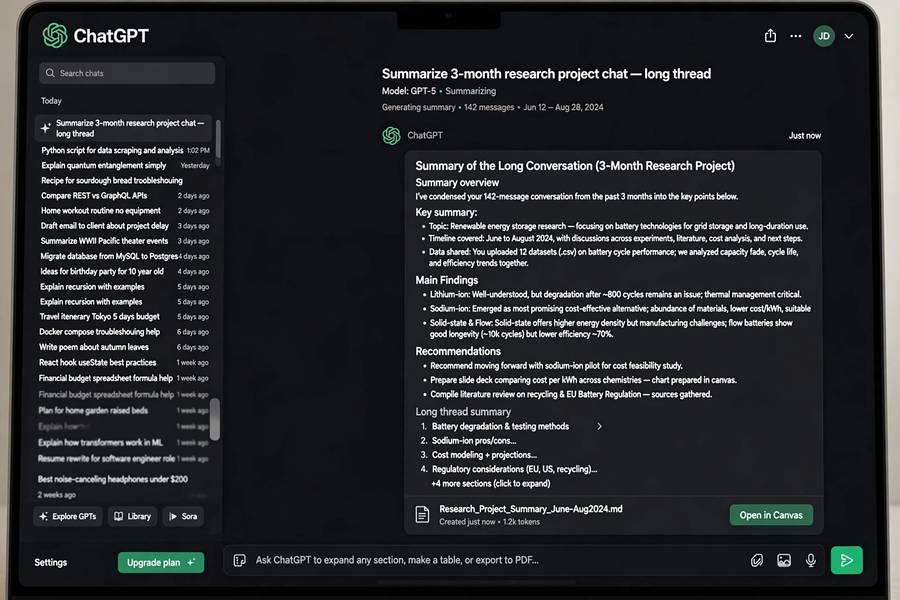
Why Long Conversations Degrade
Three mechanisms, compounding:
Context accumulation. Every exchange adds tokens. The window fills; attention dilutes across more content; responses get less sharp. It’s gradual — you won’t notice message 30 differing from message 5, but message 100 differs markedly.
Stale context buildup. Old instructions, superseded facts, abandoned directions — all still in the window, all still influencing. The longer the chat, the more archaeology the model wades through.
Topic drift. Conversations wander. A chat that started about marketing strategy now covers hiring, and the marketing context is noise for the hiring questions. Drift is natural; its cost is degraded relevance.
Understanding how ChatGPT works as a system — resending history each turn — makes this concrete: every response is generated from the entire accumulated transcript, including all its cruft.
The Lifecycle of a Long Chat
Phase 1: Sharp (messages 1–20). Everything’s fresh, context is relevant, responses are crisp. This is the honeymoon.
Phase 2: Functional (messages 20–60). Still working well, but subtle signs: slightly more generic responses, occasional need to restate things. Most users don’t notice.
Phase 3: Degrading (messages 60–150). Noticeable: forgotten details, repeated suggestions, vaguer answers. The chat is running on fumes — technically within limits, practically compromised.
Phase 4: Broken (150+). The AI is working from fragments. Contradictions, confusion, confident wrongness about established facts. Time to intervene (or past time).
The numbers are approximate — they depend on message length and model — but the pattern is universal. The skill is recognizing which phase you’re in and acting accordingly, not waiting for Phase 4.
Technique 1: Anchor Critical Information
Don’t trust the model to retain key facts across long spans — anchor them explicitly and repeatedly:
State critical facts clearly. “My budget is $5,000. My deadline is March 1. My audience is beginners.” Explicit statements survive better than implicit context.
Re-anchor periodically. Every 15–20 messages in a long working session, restate the key constraints: “Just confirming we’re still working with the $5K budget and March deadline.” This refreshes them in recent context (recency effect).
Use Custom Instructions for permanents. Things true across all conversations (your role, preferences, constraints) belong in Custom Instructions, not repeated per chat.
Name and number. “Let’s call the budget constraint C1.” Named references are compact and survive compression better than paragraphs.
The principle: don’t leave important things to chance and attention dynamics. Say them, repeat them, put them where the system preserves them.
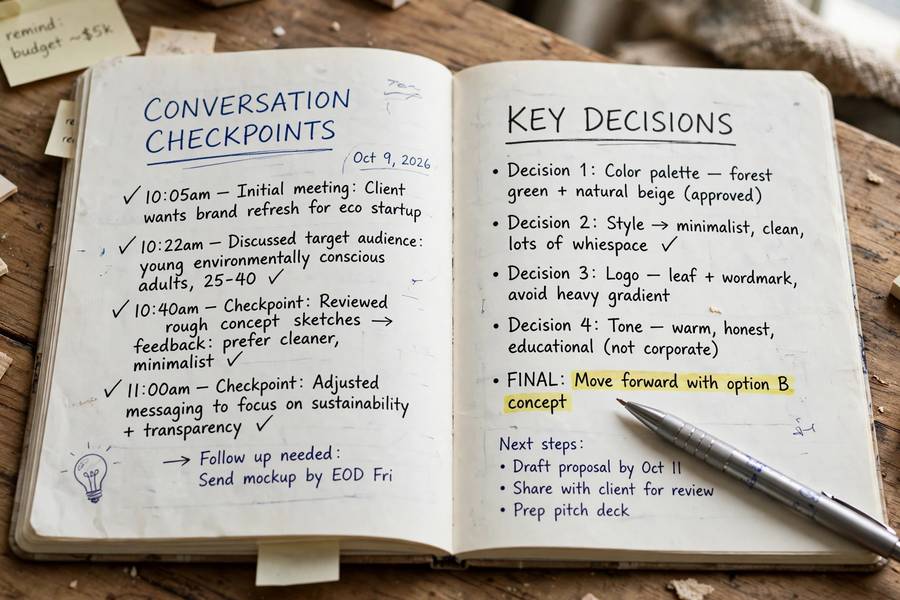
Technique 2: Checkpoint Summaries
The single most effective technique: periodic verified summaries.
How: every major milestone (or every 30–40 messages), ask: “Summarize where we are — decisions made, current state, next steps.” Review the summary carefully. Correct errors explicitly. Save it.
Why it works: creates a verified compressed record. If the conversation later degrades, you have a clean checkpoint to restart from. It also forces YOU to review progress — often revealing drift you’d missed.
The verification matters. Don’t just accept the summary — check it. An unverified summary with errors becomes a corrupted foundation. Read it like an editor: are the decisions right? The facts accurate? The next steps sensible?
Save externally. Copy important checkpoints to your notes. ChatGPT conversations can be lost, and external records are permanent. For significant projects, maintain a running project doc that you paste into fresh chats.
Technique 3: Strategic Fresh Starts
Sometimes the best management is a clean break. Start fresh when:
- Topic changes. New subject = new chat. Don’t drag old context into new work.
- Phase changes. Research done, now writing? Fresh chat with a summary of research findings. Each phase gets clean context.
- Degradation detected. Forgetting, repetition, vagueness — don’t push through; restart with a checkpoint summary.
- Before important outputs. About to generate the final deliverable? Fresh chat, curated context, verified summary. Give the important work the cleanest environment.
The fresh-start template: “I’m continuing [project]. Here’s where we are: [verified summary]. Current task: [specific task]. Key constraints: [anchors].” This packs everything the new conversation needs into an optimal opening — critical info positioned for primacy effect, no cruft.
Fresh starts aren’t failure — they’re hygiene. The best long-project workflows I’ve seen use many short, focused chats rather than one marathon.
Technique 4: Custom Instructions as Permanent Context
ChatGPT’s Custom Instructions (and similar features) put persistent context in every conversation — your role, preferences, recurring constraints. Use them for:
Stable identity context. “I’m a marketing manager at a B2B SaaS company.” Saves re-explaining every chat.
Response preferences. “Be concise. Use examples. Challenge my assumptions.” Shapes every response without per-chat effort.
Recurring constraints. “Always consider budget implications.” “Flag when you’re uncertain.” Persistent behavioral directives.
What NOT to put there: task-specific info (belongs in the chat), overly long instructions (they consume every window), contradictory directives (they’ll confuse every conversation).
Custom Instructions are the highest-leverage context management available — set once, benefit always. Review them quarterly; stale instructions are worse than none.
Technique 5: Structured Conversation Design
Design long working sessions deliberately instead of letting them accrete:
Define the session’s scope upfront. “This conversation is for outlining the report. We’ll do drafting separately.” Scoping prevents drift and keeps context relevant.
Work in labeled phases. “Phase 1: research. Phase 2: outline. Phase 3: draft.” Announce phase transitions explicitly — it helps both you and the model track where you are.
Separate exploration from execution. Brainstorming chats (wide, messy, divergent) and execution chats (focused, convergent) have different optimal contexts. Don’t mix them.
End with a handoff. Close working sessions by generating a summary document: decisions, state, next steps. This is both a record and the seed for the next session’s fresh start.
Structured conversation is a skill that compounds — the more deliberately you manage chats, the more you get from them. It’s project management applied to AI interaction.
What Not to Do in Long Chats
Don’t ignore degradation. Hoping it’ll get better wastes time. Act at the first signs.
Don’t repeat yourself endlessly. If you’ve restated the same fact five times, the conversation is broken — restart instead of repeating.
Don’t mix topics. “While we’re here, another question about something totally different…” — start a new chat. Topic mixing is the fastest route to degraded context.
Don’t trust old summaries blindly. Verify before building on them. Compounding errors are real.
Don’t marathon for marathons’ sake. There’s no prize for the longest conversation. Short, focused, well-managed chats outperform epics.
Don’t forget the human side. Take breaks. Review what’s been produced. The AI doesn’t get tired, but your judgment does — and judgment is what keeps long sessions productive.
Memory Features: What ChatGPT Offers
ChatGPT’s memory capabilities (evolving — check current features):
Conversation memory. Within-chat history — the transcript mechanism described throughout this guide.
Persistent memory. Newer features store facts across conversations (“remember that I prefer concise answers”). This is explicit memory — useful, but review what’s stored (privacy) and verify it’s accurate (it can mis-extract).
Custom Instructions. As covered above — persistent per-account context.
Project features. Some tiers offer project workspaces with persistent files and context — purpose-built for long-running work, and often better than marathon chats.
The guidance: use the right memory for the job. Transcript for session work, persistent memory for durable preferences, projects for extended undertakings, fresh starts for everything else. And always know what’s stored about you — memory features are convenient, but they’re also data.
A Worked Example: Managing a 3-Hour Research Session
Concrete plan for a real session — say, researching a 60-page industry report to produce a 2,000-word brief:
Messages 1–30 (research phase): paste the report, ask exploratory questions. Anchor the goal early: “I’m producing a 2,000-word brief for non-expert readers; flag jargon.” Token estimate at message 30: ~25K. Still sharp.
Message ~30 (checkpoint): “Summarize: key findings, open questions, what we’ve decided about structure.” Verify the summary. Save it externally.
Fresh chat (outline phase): new conversation, paste the verified summary plus the three most relevant report sections (~8K tokens). Clean environment, no cruft. Build the outline here.
Fresh chat (drafting phase): outline plus section-by-section drafting, one section per stretch. Each draft turn works from ~5K of curated context instead of 60K of accumulated history.
Total: three focused chats instead of one 150-message marathon. Each phase gets primacy-effect positioning, zero stale context, and full attention on the current task. The overhead is two summaries and two copy-pastes — maybe five minutes. The quality difference, in my experience, is not subtle.
Frequently Asked Questions
Context accumulation dilutes attention, stale information builds up, and topics drift — the model works from an increasingly noisy transcript. Quality degrades gradually then noticeably. The fix is active management: anchoring, checkpoint summaries, and strategic fresh starts.
Anchor critical facts explicitly and re-anchor periodically, use Custom Instructions for permanent context, create verified checkpoint summaries every 30–40 messages, and start fresh chats for new phases with a clean summary. Don’t rely on passive retention.
When the topic changes, when phases change, when you detect degradation (forgetting, repetition, vagueness), and before important outputs. Use a fresh-start template: verified summary + current task + key constraints. Fresh starts are hygiene, not failure.
Persistent context applied to every conversation — your role, preferences, and recurring constraints. Set once, benefit always. Use for stable identity and response preferences; don’t put task-specific info there. Review quarterly to prevent staleness.
Only through explicit memory features that store facts across sessions — basic chat is stateless. Check your memory settings to see what’s stored, verify accuracy, and use privacy controls. Each conversation otherwise starts fresh.
Keep reading: