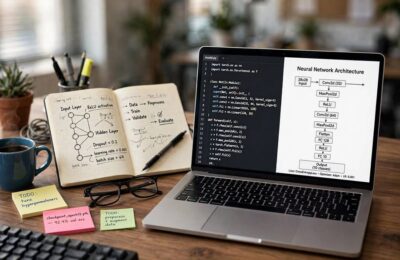
My workbench has a rule: nothing gets recommended until it’s been taken apart. I’ve applied that to dozens of AI tools over the last couple of years — signed up, tested them on real tasks, pushed them until they broke, kept notes. Some turned out to be proper power drills. Some were decorative paperweights with good marketing.
“AI tools” gets thrown around so loosely it barely means anything — your spam filter, your phone’s camera, and a sonnet-writing chatbot all share the label. So let’s fix that. Here’s what AI tools actually are, what’s really under the hood, the five kinds I’ve tested, where they genuinely shine, and where they fall on their faces. No hype. I don’t do hype.

The Two-Minute Definition
An AI tool is software that performs a task which used to require human judgment — writing, recognizing images, transcribing speech, making predictions — by using a trained model instead of hand-written rules.
The key phrase is “instead of hand-written rules.” Traditional software is a recipe: a programmer wrote explicit instructions for every situation. AI tools are more like an apprentice who’s watched a million examples and developed instincts. You don’t tell it the rules of good writing; you show it a mountain of writing and it figures out the patterns.
That distinction explains both the magic and the mess. The apprentice handles situations nobody explicitly programmed — that’s the magic. But it also confidently improvises when it doesn’t know something — that’s the mess. Keep that apprentice metaphor in your head; it explains nearly every AI behavior you’ll ever see.
What’s Actually Under the Hood
Let me pop the casing off. When people say “AI,” they almost always mean a model — a gigantic file of numbers (parameters or weights) shaped by training.
Training works like this: feed the model enormous amounts of data — text, images, whatever the tool handles — and give it a simple repetitive game. For language models: “predict the next word.” The model guesses, gets told how wrong it was, adjusts its numbers slightly, tries again. Billions of times. What emerges from that mind-numbing repetition is remarkable: the numbers settle into configurations capturing grammar, facts, reasoning patterns, even style.
Here’s what most explanations skip: the model doesn’t “know” things the way you do. No beliefs, no understanding — staggeringly sophisticated pattern-matching instincts. Ask a question and it’s essentially doing the world’s most advanced autocomplete, predicting what a good answer looks like from training patterns. Most of the time, the most plausible continuation of your question is the correct answer. But “most plausible” and “true” aren’t the same thing, and that gap is where every AI failure I’ve ever seen lives.
One more workbench truth: bigger isn’t automatically better. A smaller model trained carefully on the right data often beats a giant general one at specific tasks. I’ve watched lean, specialized tools outperform famous flagships at niche jobs. Size impresses investors; fit wins work.
The Five Kinds of AI Tools I’ve Taken Apart
Strip away the branding and nearly every AI tool I’ve tested falls into five buckets. Learn them and you can evaluate any new tool in minutes.
1. Text generators. The famous ones — chatbots and writing assistants. Words in, words out: drafts, summaries, emails, code, translations. I’ve tested these hardest — most useful, most overhyped. Verdict: superb first-draft machines, unreliable fact-checkers. Treat output like an intern’s draft — fast, often good, always needs review.
2. Image generators. Describe a picture in words, get pixels back. The tech (diffusion models — they start from noise and refine toward your description) is genuinely astonishing. I’ve used them for mockups, illustrations, concept art. Verdict: brilliant for brainstorming visuals, still shaky on details — count the fingers in any AI crowd scene and you’ll see what I mean. Hands remain their nemesis.
3. Voice and audio tools. Transcription (speech to text), voice cloning, music generation, noise removal. Transcription tools are AI’s quiet success story — scary accurate, even with accents and background noise. I’ve transcribed hours of interviews with near-perfect results. Voice cloning is impressive and slightly unnerving; it raises consent questions the industry is still fumbling with.
4. Code assistants. Autocomplete for programmers — suggesting next lines as you type, or generating whole functions from descriptions. Coming from enterprise software, I was skeptical. Then I tested one on a real project and it correctly scaffolded an entire API client. Verdict: massive productivity boost for experienced developers, dangerous for beginners who can’t spot confident mistakes. Same apprentice rule.
5. Search and answer engines. Tools that read the web (or your documents) and synthesize answers instead of listing links. Useful when they cite verifiable sources; treacherous when they don’t. I use them as research starting points, never the final word. The good ones show their work. Demand the receipts.
What They’re Genuinely Good At
After all that testing, here’s where AI tools have genuinely earned their workbench spot — tasks I’d now feel silly doing the slow way:
First drafts of anything. Blank-page paralysis is real, and AI kills it. Emails, outlines, product descriptions, lesson plans — rough shape in seconds, then your judgment. The draft is the starting line, not the finish.
Summarizing and extracting. Feed it a long document, get the key points. I’ve condensed 50-page reports into half-page briefs capturing everything important. Pattern-matching at its purest — where the tech is most reliable.
Transcription and translation. As mentioned — the accuracy genuinely surprised me. Enormous value for multilingual teams and content creators.
Repetitive creative variation. Need twenty headline options, ten color palette ideas, five ways to phrase a difficult email? The apprentice generates options tirelessly; you pick the winner. A brainstorming partner that never tires or takes offense.
Learning accelerator. Stuck on a concept? Ask for an explanation at your level, then follow-ups. Like a patient tutor with infinite time. (Verify important stuff independently — the tutor is confident even when wrong.)
Notice the pattern: the wins are all in speeding up human judgment, not replacing it. Every good use I’ve found keeps a human in the loop. Force multipliers for people who know what good looks like.

Where They Break
Now the honest part — a workbench review that only praises is a brochure. Every failure mode I’ve personally watched AI tools exhibit:
Hallucinations. The big one. The model generates plausible-sounding falsehoods with total confidence — invented citations, wrong dates, fake statistics, events that never happened, confidently described. I’ve caught a chatbot citing three academic papers that don’t exist, complete with realistic author names. It wasn’t lying; it was pattern-matching what a citation looks like. Never trust factual claims without verification. Ever.
Brittleness outside their lane. Ask a text model to do precise math or a multi-step logic puzzle and watch it wobble. Intuition engines, not calculators — weirdly bad at things computers are traditionally good at (exact arithmetic, strict logic chains), weirdly good at things computers were traditionally bad at (writing, recognizing images). Strengths and weaknesses almost inverted from classical software. Plan accordingly.
Stale knowledge. Most models have a training cutoff — they don’t know what happened after it. Ask about last month’s events: confident nonsense or a refusal. Tools with live web access mitigate this, but then you’re trusting their browsing and synthesis — back to verification.
Bias in, bias out. Models absorb the biases in their training data — all of them, including the ugly ones. I’ve seen subtly skewed outputs on demographic topics; vendors’ safety filters are an imperfect patch, not a fix. Treat sensitive topics with extra skepticism.
Overconfidence as a feature. This underlies everything above: the tools are designed to sound helpful and certain, even when guessing. No furrowed brow, no “hmm, I’m not sure.” The apprentice never admits it’s improvising. That’s on you to remember.
My workshop rule, earned through embarrassment: AI proposes, human disposes. The tool does the fast first pass; you do the judgment. Every burn I’ve had came from skipping the second half of that sentence.
How to Pick One Without Getting Burned
New AI tools launch weekly, and most are wrappers around someone else’s model with a fresh coat of paint. My evaluation checklist — the same one I run on my workbench:
1. Test it on YOUR task, not the demo. Demos are cherry-picked. Take the free trial and run five of your actual tasks through it. Score them honestly. A tool that aces the marketing video and fumbles your workflow is a no.
2. Check the data question. What happens to what you type in? Some tools train on user inputs by default; enterprise tiers usually promise not to. Pasting anything sensitive — client data, unpublished work, personal info? Read the privacy terms before the feature list. The most-skipped step and the most important one.
3. Look for the exit. Can you export your work? Cancel easily? Or does it lock your content and history into its ecosystem? A tool confident in its value doesn’t need lock-in. Ones that make leaving hard are telling you something.
4. Price the real usage. “Free” usually means limited generations, slower speeds, or your data as the product. Paid tiers ($10–$30/month is the common band) unlock the good models and higher limits. Do the math on your actual volume — daily use is cheap at $20/month; twice-a-month use is expensive at any price.
5. Prefer tools that show their work. Citations, sources, reasoning traces — anything letting you verify. A tool that says “trust me” is asking you to skip the human-disposes step. Hard pass.
6. Watch for the wrapper tax. Many new tools are just a nice interface on a well-known model you could use directly for less. Fine if the interface genuinely saves time — but know what you’re paying for. The model does the work; the wrapper does the packaging.
Businesses adopt these fastest in marketing and content — I’ve watched small teams use them for everything from brand voice development to campaign drafts. The pattern holds: AI accelerates people who already know their craft.
The Free vs Paid Question
“Should I pay?” — the question I hear most, and the answer is refreshingly practical.
Free is enough when: you’re experimenting, usage is light, or the tasks are low-stakes (brainstorming, casual questions, fun). Free tiers are genuinely useful — the workbench equivalent of borrowing a tool to see if you like it.
Paid earns its keep when: daily use, you need the best model (free tiers often run smaller, weaker versions), you hit usage caps constantly, or you need commercial-use rights and privacy guarantees. For professionals, one saved hour a month usually covers the subscription. Do your own math, but don’t romanticize free — your time has a price too.
The trap to avoid: subscription creep. Five $20/month AI tools is $1,200 a year. Audit quarterly: which did you actually open this month? I keep a simple list and ruthlessly cancel the ones gathering digital dust. The tools don’t mind. Your wallet does.

Frequently Asked Questions
AI tools are software that performs tasks requiring human-like judgment — writing, recognizing images, transcribing speech — using trained models instead of hand-written rules. Think of them as apprentices who learned from millions of examples: fast and capable, but their work always needs a human review.
The five main kinds are text generators (chatbots, writing assistants), image generators, voice and audio tools (transcription, voice cloning), code assistants for programmers, and search/answer engines that synthesize information from documents or the web.
Many offer capable free tiers with usage limits or weaker models. Paid plans (typically $10–$30/month) unlock the best models, higher limits, and better privacy terms. Free is fine for experimenting; paid earns its keep with daily professional use.
They replace tasks, not judgment. AI excels at fast first drafts, summarizing, and repetitive variation — but it hallucinates, can’t verify facts, and has no accountability. Every reliable workflow I’ve tested keeps a human reviewing and deciding. The tools multiply skilled people; they don’t substitute for them.
Through training: the model processes enormous datasets and repeatedly practices a simple game like predicting the next word, adjusting its internal numbers each time it’s wrong. Billions of repetitions shape those numbers into sophisticated pattern-matching instincts — not understanding, but remarkably useful imitation of it.
It depends on the tool’s terms. Some train on user inputs by default; paid and enterprise tiers usually promise not to. Never paste sensitive, client, or unpublished data into a tool without reading its privacy policy first — that’s the most-skipped and most-important check.
The Bottom Line
AI tools are apprentices, not oracles: software that learned patterns from mountains of data and now performs judgment-like tasks at inhuman speed. The five kinds — text, image, voice, code, answer engines — are genuinely useful with a human in the loop, genuinely dangerous without one. Test on your real tasks, read the privacy terms, verify every factual claim, cancel unused subscriptions.
My workbench verdict after two years of teardowns: the most useful flawed tools I’ve ever tested. The flaws are real — hallucinations, staleness, overconfidence — but so is the leverage for people who know their craft. For more no-hype explainers from the workbench, browse the artificial intelligence section.