
Customer support was AI’s first real workplace conquest, and it shows. The tools are mature, the playbooks are written, and the failure modes are well documented — which makes support the best place to learn how AI deployment actually works in practice. I’ve watched support teams go from “let’s put a chatbot on the site” to sophisticated setups where AI handles the routine, assists the agents on the complex, and the whole operation runs measurably better. I’ve also watched teams deploy a bot that told customers to do things that voided their warranties. Both outcomes are instructive.
This guide covers the AI tools for customer support teams that matter in 2026: what each category does, where it fits, and how to deploy it without the warranty-voiding incidents. For the wider context of workplace AI, see how to use AI at work.
Table of Contents
- The Four Categories of Support AI
- Customer-Facing Chatbots
- Agent Copilots: AI Beside the Human
- Ticket Triage and Routing
- Knowledge Base Generation
- Sentiment Detection and Escalation
- Measuring What the AI Is Actually Doing
- The Trust Problem
- A Deployment Sequence That Works
- Frequently Asked Questions
The Four Categories of Support AI
Support AI breaks into four categories, and confusing them is the root of most bad deployments. Customer-facing chatbots talk to customers directly. Agent copilots sit beside human agents and help them work faster. Triage systems sort and route incoming tickets behind the scenes. Knowledge tools generate and maintain the help content everything else draws on.
Each category has a different risk profile. A bad triage decision means a ticket goes to the wrong queue — annoying but fixable. A bad chatbot response goes directly to a customer — visible and potentially viral. This is why the sensible deployment order is back-office first, customer-facing last. Automate the invisible plumbing, prove the value, then carefully open the customer-facing tap.
Most vendors now sell platforms that span multiple categories, which is convenient but worth understanding separately. When evaluating, ask which category each feature belongs to and judge it on that category’s criteria. A great copilot doesn’t automatically make a great chatbot.
Customer-Facing Chatbots
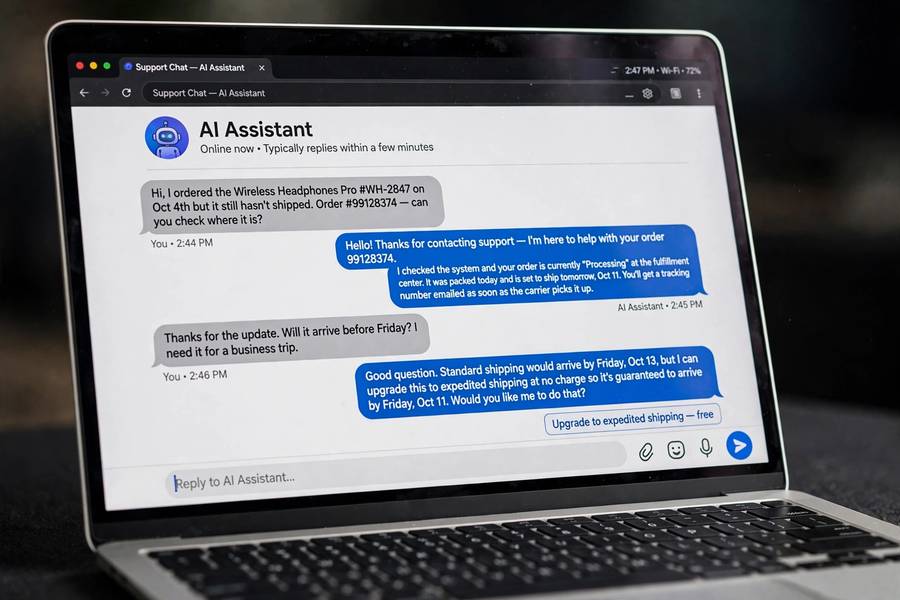
The chatbot is what everyone pictures, and it’s the hardest category to get right. A good support chatbot resolves the routine — order status, password resets, shipping questions, return policies — instantly and accurately, 24/7. The best ones handle 40 to 70 percent of conversations without human involvement, and customers genuinely prefer the instant answer for simple questions.
The failure mode is the confident wrong answer. Early support bots were retrieval systems that matched keywords to help articles — limited but predictable. Modern LLM-based bots can hold real conversations but can also invent policies, promise refunds that don’t exist, or give instructions that damage the product. The fix is grounding: the bot should answer from your actual knowledge base and say “let me connect you with someone” when it can’t find a real answer, rather than improvising.
My strong recommendation: launch chatbots in “suggest, don’t send” mode first, where the bot drafts responses for human approval. Watch what it gets right and wrong for a few weeks. Only then graduate the reliable topics to full automation, keeping the escape hatch — a visible, easy path to a human — permanently available. Customers forgive a bot that admits its limits. They don’t forgive a bot that lies confidently.
Agent Copilots: AI Beside the Human
Agent copilots are, in my view, the highest-ROI category and the lowest-risk. Instead of replacing agents, AI sits alongside them: drafting reply suggestions, summarizing long ticket histories, pulling relevant help articles, suggesting the next troubleshooting step. The human stays in control; the AI does the research and the typing.
The productivity gains are real and well measured — studies consistently show 15 to 35 percent faster resolution times, with the biggest gains for newer agents. That last point matters: copilots compress the learning curve. A new hire with a good copilot performs closer to a veteran because the institutional knowledge is surfaced automatically instead of living in senior agents’ heads.
The implementation is also the easiest sell internally. Agents don’t fear a tool that makes them better at their jobs the way they fear a tool designed to replace them. Frame the copilot as augmentation from day one, involve agents in tuning it, and track the metrics they care about — handle time, yes, but also the reduction in after-call work and the dreaded “let me research that and get back to you.”
For more on how these assistants work under the hood, see what AI agents are used for and AI agent examples in real life.
Ticket Triage and Routing
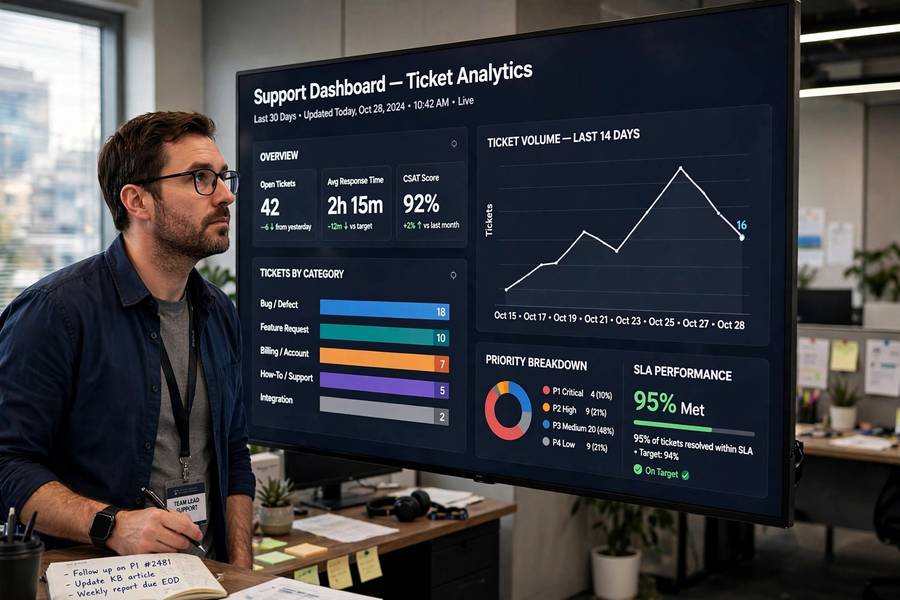
Before a human ever sees a ticket, AI can classify it: what product, what issue type, what urgency, what language, which team should own it. This sounds mundane. It is one of the most valuable applications in support, because misrouted tickets are a silent tax — every wrong queue adds hours or days of delay while the ticket bounces around.
Good triage also prioritizes. A customer whose service is completely down should not wait behind someone asking about a feature request, but in a FIFO queue that’s exactly what happens. AI urgency detection — combining the customer’s words, their account status, and the issue type — routes the burning problems to the front. Some systems detect VIP or at-risk customers and flag them for senior agents automatically.
The key metric here is routing accuracy, and you should measure it before trusting it. Run the triage in shadow mode for two weeks — AI classifies, humans route as usual, and you compare. Above 90 percent agreement on category and priority, you’re ready to automate with spot-checking. Below that, your categories are probably too vague, and the fix is better ticket taxonomy, not a better model.
Knowledge Base Generation
Every support AI is only as good as the knowledge it draws on, and most companies’ help centers are embarrassing — outdated articles, missing topics, screenshots from three redesigns ago. AI can help fix this: drafting articles from resolved tickets, identifying the questions customers ask that have no article, flagging content that’s gone stale, and translating the whole base into other languages.
The ticket-to-article pipeline is particularly powerful. Your support team solves the same undocumented problems every week; AI can watch those resolutions and draft help articles from them. A human editor reviews and publishes. Over months, this compounds into a knowledge base that actually reflects what customers ask, rather than what someone guessed they’d ask two years ago.
But maintain the review discipline. AI-generated help content has the same confident-error problem as chatbots — plausible-sounding instructions that are subtly wrong. Every generated article needs a knowledgeable human’s eyes before publication. The goal is scaling your experts’ knowledge, not replacing their judgment.
Sentiment Detection and Escalation
AI can read the emotional temperature of a conversation in real time — detecting frustration, confusion, or anger from word choice and patterns — and trigger interventions: alerting a supervisor, offering the customer an immediate human handoff, or prompting the agent with de-escalation suggestions.
Used well, this catches the conversations that are about to go bad while there’s still time. A customer typing in all caps at 11 PM is not having their problem solved by another macro response; they’re having a bad experience that a human needs to rescue. The business case writes itself in retention terms — some percentage of angry customers can be saved, and saved customers are dramatically cheaper than acquired ones.
Used badly, sentiment detection becomes surveillance theater — agents scored on customer emotions they can’t fully control, or customers creeped out by a bot that says “I sense you’re frustrated.” Keep the detection behind the scenes, use it to help rather than to score, and never let an algorithm’s read of someone’s mood drive consequential decisions without human judgment.
Measuring What the AI Is Actually Doing
Support AI needs honest measurement, because the vanity metrics are seductive. “Deflection rate” — the percentage of conversations the bot handles without a human — is the classic one. A high deflection rate with low customer satisfaction means your bot is successfully preventing customers from getting help. That’s not a win.
Measure the metrics that reflect customer outcomes: resolution rate (was the problem actually solved?), customer satisfaction on AI-handled conversations specifically, escalation rate and whether escalations arrive with good context, and time-to-resolution compared to the pre-AI baseline. Also measure the failure metrics: hallucination incidents, wrong-answer complaints, and the percentage of customers who immediately demand a human — a high “human please” rate is your bot telling you it’s not trusted.
Report AI metrics separately from overall support metrics. Blending them hides problems. The team needs to see exactly what the AI is doing, good and bad, to keep improving it.
The Trust Problem
Here’s the uncomfortable truth about support AI in 2026: a meaningful fraction of your customers will distrust it on sight. They’ve been burned by bad phone trees and dumber-than-advertised chatbots, and “AI-powered support” reads to them as “we fired the humans.” This trust deficit is real, measurable, and your deployment has to account for it.
The antidote is transparency and easy exits. Label the bot as a bot — pretending it’s human backfires the moment it’s discovered, and it always is. Make the path to a human obvious and fast, not buried three menus deep. And let the AI earn trust gradually: start it on the simple stuff where it’s genuinely excellent, and customers will learn that the bot is useful rather than learning that it’s a wall.
There’s also the internal trust problem — agents who see every AI announcement as a layoff prelude. Be explicit about the plan: AI handles volume growth and routine work; humans handle complexity and relationships. Then make it true in practice. The companies that deploy support AI while quietly cutting headcount get the worst of both worlds — a worse experience and a demoralized team.
A Deployment Sequence That Works
If I were deploying support AI from scratch, the sequence would be: first, knowledge base cleanup with AI assistance — everything downstream depends on good knowledge. Second, ticket triage in shadow mode, then live. Third, agent copilots for the human team, framed as augmentation. Fourth, the customer-facing chatbot in suggest-mode, graduating to automation topic by topic. Throughout: honest measurement, visible human escape hatches, and continuous tuning.
This sequence takes six to twelve months done properly, which feels slow until you consider the alternative: the big-bang chatbot launch that generates a viral thread of its failures and sets the program back two years. Support is where your customers experience your company most directly. Move at the speed of trust, not the speed of the vendor’s sales cycle.
For the broader business context of these deployments, my overview of how AI is used in business puts support AI alongside the other major workplace applications.

Frequently Asked Questions
The four main categories are customer-facing chatbots, agent copilots that assist human agents, ticket triage and routing systems, and knowledge base generation tools. Each has a different risk profile — back-office automation is safer to deploy first, customer-facing bots last.
No — and they shouldn’t. Good chatbots resolve 40 to 70 percent of routine conversations, but complex, emotional, and high-stakes issues need humans. The best setups use AI for routine work and copilots that make human agents faster, keeping an easy path to a person always available.
Ground the bot in your actual knowledge base so it answers from real content instead of improvising, program it to hand off to a human when it can’t find an answer, launch in draft-for-approval mode first, and monitor for hallucination incidents continuously.
Resolution rate, customer satisfaction on AI-handled conversations specifically, escalation quality, and time-to-resolution versus baseline. Deflection rate alone is misleading — a bot that prevents customers from getting help scores well on deflection and terribly on everything that matters.
Start with knowledge base cleanup, then ticket triage in shadow mode, then agent copilots for the human team, and finally the customer-facing chatbot — first in suggest-mode, graduating topic by topic to automation. This back-office-first sequence takes six to twelve months but avoids public failures.