What Is NFC on a Phone? Your Complete Guide to Tap Technology

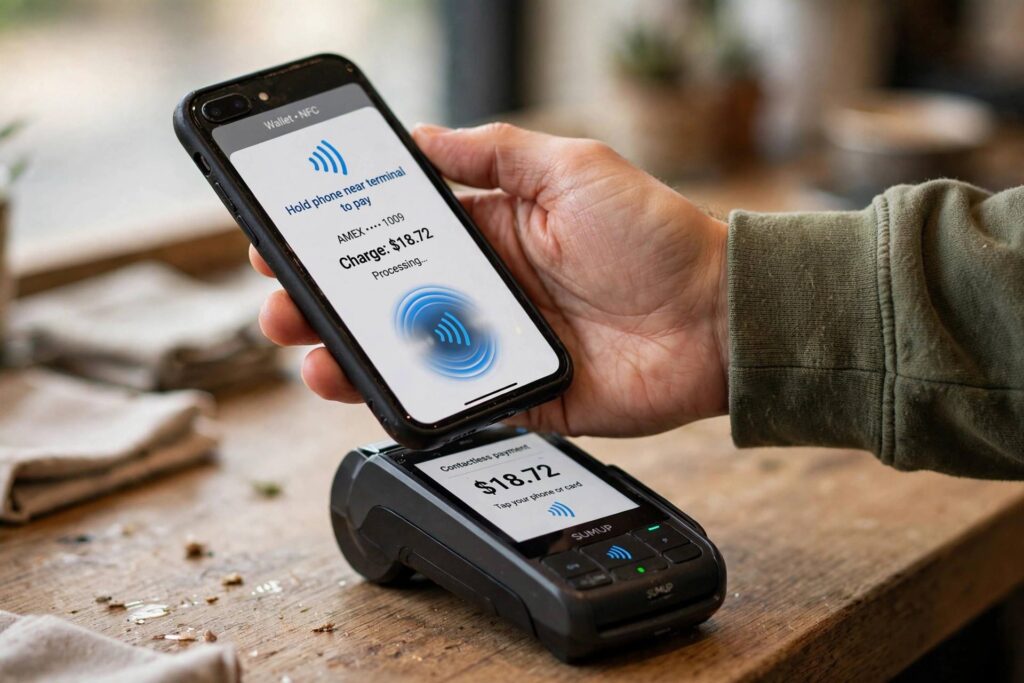
If you have ever held your smartphone near a payment terminal to pay for coffee, you have already used NFC without necessarily knowing its name. The term what is nfc on a phone comes up a lot in phone settings and spec sheets, and most people simply accept it as one of those invisible features that makes modern life easier. But what is NFC on a phone, exactly, and what else can it do besides tap-to-pay? I spent years writing about smartphone features, and NFC is one of those technologies that quietly powers far more than people realize — from boarding passes to smart door locks to the way two phones can share a contact with a single tap.
What Is NFC on a Phone? The Short Answer
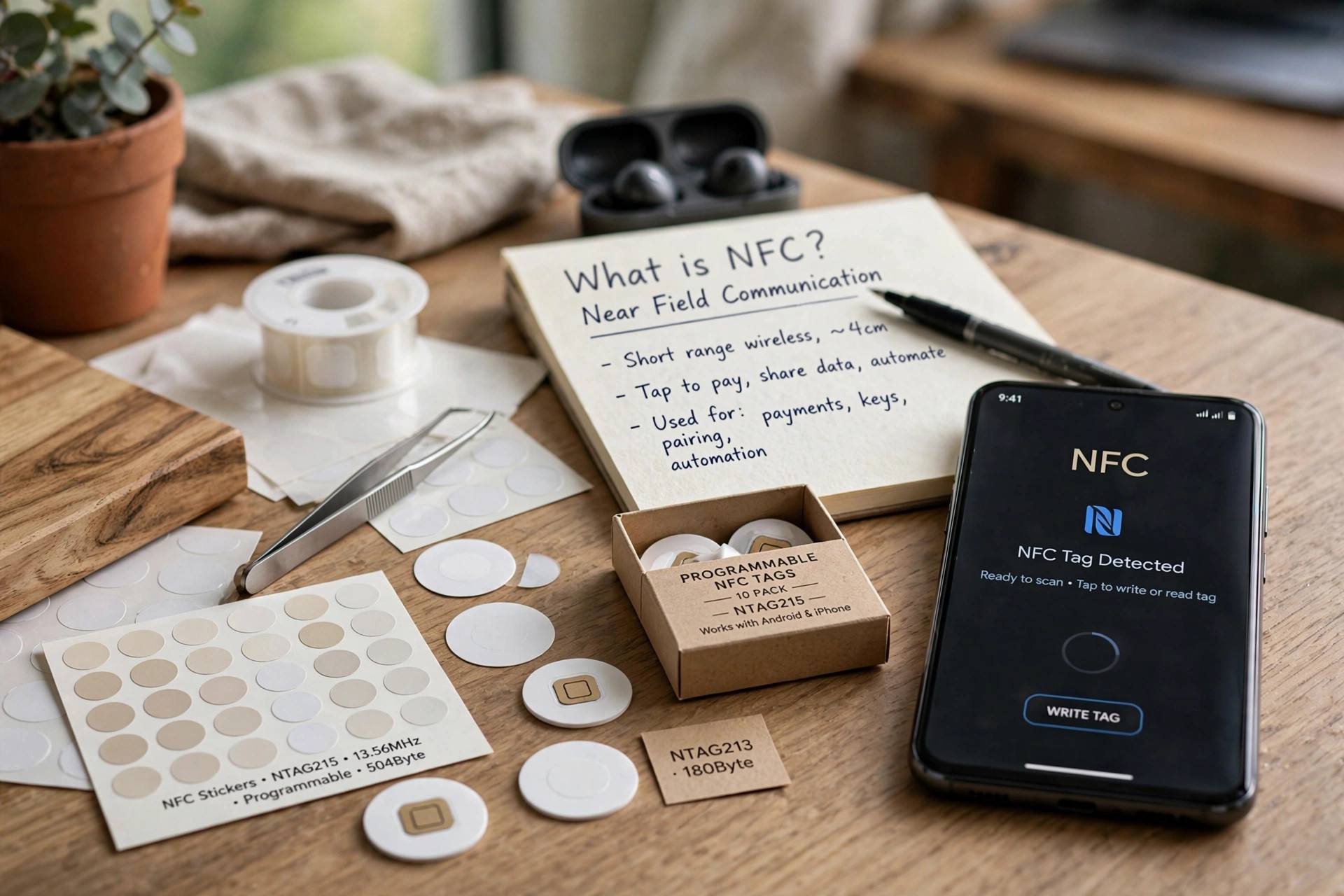
NFC stands for Near Field Communication, and on a phone it is a short-range wireless technology that lets your device exchange small amounts of data with another NFC-enabled device or tag when the two are very close together — usually within four centimeters. Unlike Wi-Fi or Bluetooth, NFC does not require pairing, scanning for devices, or entering codes. You simply hold your phone near the target, and the connection happens automatically. That immediacy is the whole point: NFC trades range and speed for simplicity and security.
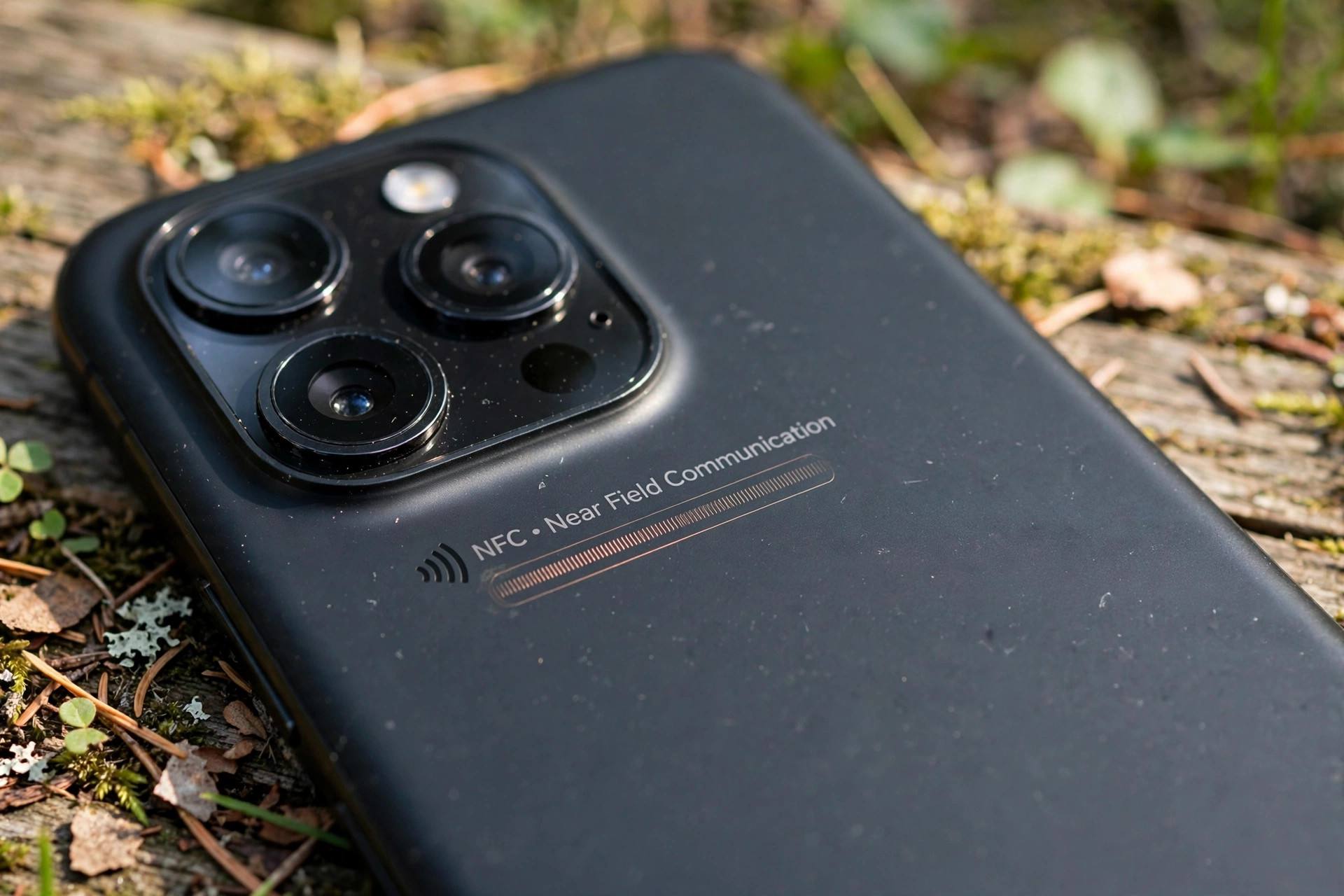
The hardware itself is tiny. Inside your phone sits a small NFC antenna, often built into the back panel near the camera. When it comes close to another NFC chip, the two create a brief electromagnetic link. One of them can be passive — powered by the field itself — which is why an unpowered NFC sticker on a poster can still talk to your phone. This is the same family of technology behind contactless bank cards, office key fobs, and transit passes, just shrunk down and made smart.
How NFC Works on Your Phone
Here is what happens in the split second when you tap. First, your phone’s NFC antenna generates a radio field. When another NFC device enters that field, the two devices detect each other and negotiate a connection in milliseconds. Data then moves between them at a modest speed — up to 424 kilobits per second, which is plenty for payment tokens, web addresses, or small text payloads, but nowhere near fast enough for streaming video or large files. That limitation is intentional and keeps the interaction quick.
NFC operates in three modes, and your phone uses all of them. In card emulation mode, your phone pretends to be a contactless bank card, transit card, or access badge. In reader/writer mode, your phone reads or writes to passive NFC tags — the little stickers and chips embedded in posters, products, and business cards. And in peer-to-peer mode, two phones exchange small data packets directly. how a modern smartphone combines dozens of radios like this is worth understanding, because NFC is just one of many wireless systems packed into a single device.
NFC vs. Bluetooth: Why Not Just Use Bluetooth?
People often wonder why phones bother with NFC when Bluetooth already handles wireless connections. The answer comes down to setup time and use case. Bluetooth is built for sustained connections — headphones, speakers, car audio — and requires discovery, pairing, and sometimes PINs. NFC is built for instant, one-shot interactions. Tapping to pay at a checkout would be absurd if you had to pair with the terminal every time.
In fact, the two technologies often cooperate rather than compete. Some devices use NFC to kick off a Bluetooth pairing: tap your phone to a speaker, NFC hands over the pairing details in an instant, and Bluetooth takes over for the heavy lifting of audio streaming. So rather than rivals, think of NFC as the handshake and Bluetooth as the conversation.
What Can You Actually Do With NFC on a Phone?
Tap-to-pay is the headline use, but it is far from the only one. Here is a realistic tour of what NFC does on a typical phone today:
1. Contactless payments
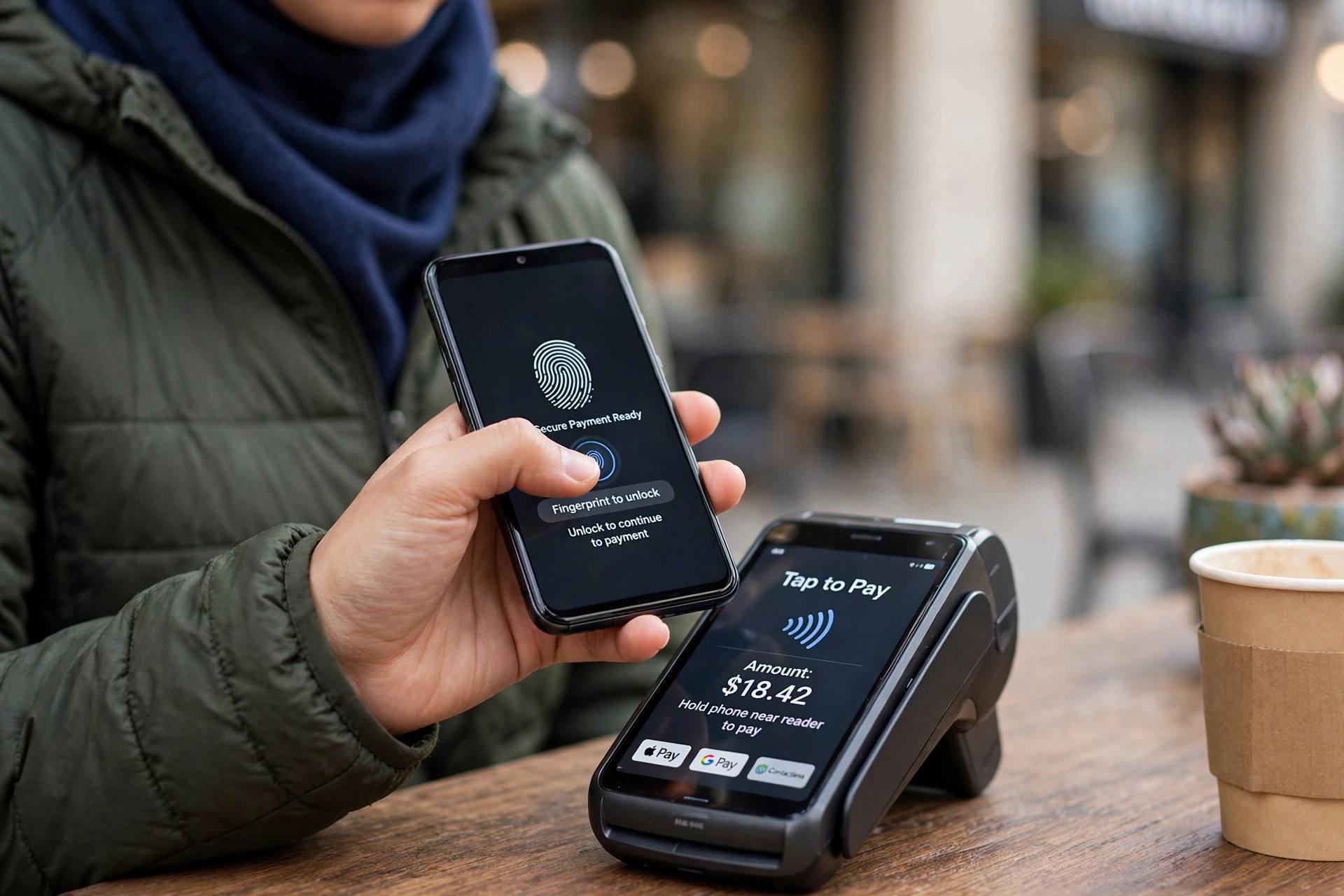
The most common use by far. Wallets like Google Pay and Apple Pay store a tokenized version of your card, and NFC transmits that token to the terminal. Your real card number never crosses the airwaves, which is why contactless phone payments are generally safer than swiping a physical card. Most payment terminals built in the last decade support this.
2. Transit and ticketing
Many metro systems, buses, and event venues now accept NFC phone payments or NFC ticket passes. You tap your phone at the gate and walk through — no separate card to carry. Some transit apps even work with your phone locked or in a low-power state, so a dying battery does not strand you at the station.
3. Pairing and sharing
Certain accessories and phones still support NFC-initiated pairing. Tap to connect to a speaker, or tap two phones together to share a contact, photo, or link on older devices. Newer phones handle much of this through other means now, but the one-tap pairing trick survives on plenty of gear.
4. NFC tags and automation
Blank NFC tags cost very little and stick almost anywhere. Program one to switch your phone to silent and start your sleep playlist when placed on your nightstand, or set one by the front door that turns on Wi-Fi and opens your to-do list when you arrive home. This is the sleeper feature that most owners never try, and it is genuinely delightful once set up.
5. Access control and keys
Hotel room keys, office badges, and some smart door locks now live inside phone wallets as NFC credentials. Tap your phone to the lock instead of carrying a plastic card. Car manufacturers have adopted this too — several models let you unlock and start the car with your phone as a digital key.
6. Reading product and identity information
Some passports, ID cards, and product labels carry NFC chips. Holding your phone near them can pull up product details, verify authenticity, or — with the right app — read travel document data. It is a small but growing corner of everyday life.
How to Check If Your Phone Has NFC
Almost every flagship phone sold in the last several years includes NFC, and most mid-range phones do as well. On an Android phone, open Settings and look for ‘Connected devices’ or ‘NFC’ in the search bar. If you see a toggle, you have it. On an iPhone, NFC is built into every model from the iPhone 6 onward and is always available for payments; background tag reading is supported on iPhone XS and later without any setup. Budget phones are the one category where NFC is sometimes cut to save cost, so check the spec sheet if you bought an entry-level device.
If the setting exists but payments do not work, the usual culprits are simple: the wallet app needs a card added, the phone case might be blocking the signal (metal cases are notorious), or the screen-lock requirement is enabled and you need to unlock first. A quick test at a self-checkout will tell you everything you need to know.
Is NFC Safe? The Security Question
Because NFC works at a distance of centimeters, an attacker would need to be uncomfortably close to intercept anything — and what they could intercept is deliberately limited. Payment wallets never transmit your real card number; they send a one-time token that is useless if captured. Every transaction also requires authentication on your phone, whether that is a fingerprint, face scan, or PIN.
The realistic risks are elsewhere. Malicious NFC tags can direct your phone to a phishing website or trigger an unwanted action, which is why you should never tap a tag from an untrusted source. And as with any radio feature you are not using, turning NFC off when you do not need it is a sensible, low-effort habit. Keep your phone’s software updated, and the built-in protections do the heavy lifting.
What Is NFC on a Phone: Does Yours Need It?
So, what is NFC on a phone in practical terms? It is the reason tap-to-pay works, the reason your phone can double as a transit pass or hotel key, and a handy shortcut for automating small parts of your day. If you pay with your phone, ride transit, or use digital keys, NFC is already earning its place. If you do none of those things, you can safely leave it off — but you might be surprised how quickly you start using it once you try.
My advice: enable it, add a card to your wallet app, and program one cheap NFC tag for a bedtime routine. In about a week, you will stop noticing the technology and start noticing how many small frictions it removes. That quiet usefulness is the hallmark of the best phone features — the ones you forget are there until you borrow someone else’s phone and realize yours could do something theirs cannot.
Frequently Asked Questions
Does NFC drain my phone battery?
Not meaningfully. NFC only activates its radio field during an actual tap interaction. The passive listening state uses negligible power — far less than Bluetooth or GPS left on all day. You do not need to toggle NFC off to save battery.
Can someone steal my card details by walking past me with an NFC reader?
No. Phone wallets transmit one-time tokens instead of real card numbers, and every transaction requires your phone to be unlocked with biometric or PIN authentication. The range is only a few centimeters, and skimming a phone wallet this way is not a realistic threat.
Does NFC work without an internet connection?
Yes. The tap interaction itself happens entirely between the two devices and needs no internet. Some wallet apps require a periodic connection to refresh payment tokens, but an individual payment at the terminal goes through over NFC alone.
Why is there no NFC on my phone?
A few budget phones omit NFC hardware to cut costs. If your phone’s settings have no NFC toggle and the spec sheet does not list it, the hardware simply is not there — no software update can add it. Check the specifications before assuming it is just turned off.
Is NFC the same as contactless on my bank card?
Same underlying technology, slightly different packaging. Your bank card has a passive NFC chip; your phone has an active NFC chip running a wallet app that adds tokenization and biometric authentication. That is why tapping your phone is generally safer than tapping a bare card.