

Let me start with the uncomfortable truth: most small businesses don’t need a CRM yet — they need a process. I’ve watched founders buy sophisticated customer relationship management software, use 10% of it for a month, then retreat to spreadsheets and sticky notes. The software wasn’t the problem. They automated chaos, and chaos doesn’t scale.
That said, when the time is right, a CRM is transformative. It remembers every customer interaction, never forgets a follow-up, and turns your sales process from memory-dependent to system-dependent. This guide covers what a CRM actually does, how to know you’re ready, the six things to evaluate, and how to implement without the usual expensive failure. For the sales process a CRM supports, see our guide on increasing sales for a small business — a core part of how to grow a small business.
Contents
- What a CRM Actually Does
- Do You Need One Yet
- The Six Things to Evaluate
- The Categories What Fits Whom
- The Real Cost Math
- Implementing Without the Usual Failure
- Data Hygiene the Unsexy Multiplier
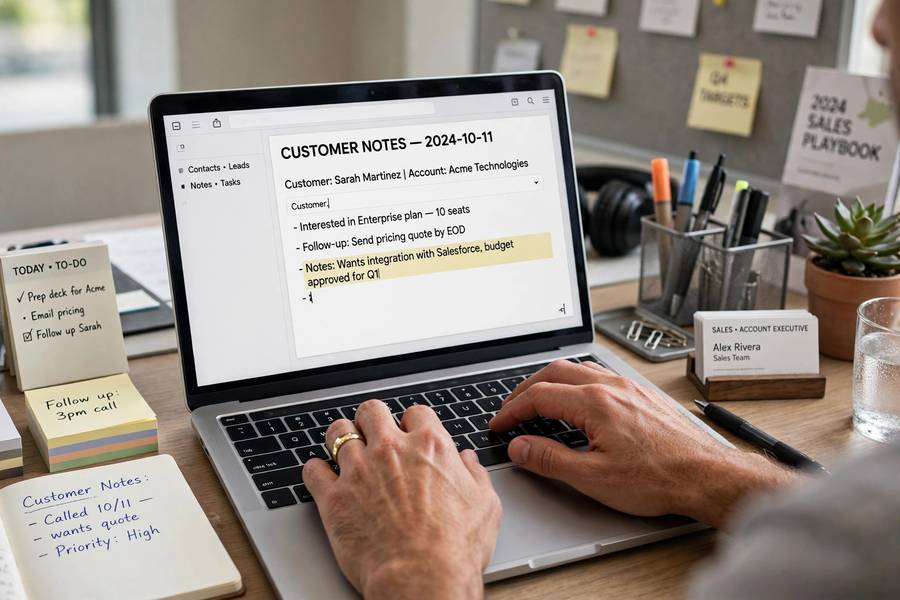
What a CRM Actually Does
Strip away the marketing and a CRM does four things:
1. Centralizes customer information. Every contact, every conversation, every quote, every purchase — in one searchable place. No more “did anyone follow up with Johnson?” No more customer history living in one employee’s head (or inbox, or phone).
2. Manages the pipeline. Visual tracking of where each prospect sits: new lead, contacted, quoted, negotiating, won, lost. You see the whole sales process at a glance instead of reconstructing it from memory.
3. Automates follow-up. Reminders when a quote goes cold, automatic check-in sequences, alerts when a high-value customer goes quiet. The system does the remembering so humans can do the relating.
4. Reports on what’s working. Conversion rates by stage, sales by source, activity by team member. The data to answer “where are we losing deals?” with evidence instead of opinions.
That’s it. A CRM is a memory prosthesis and a process enforcer. It doesn’t create sales — it prevents the losses that happen when sales depend on human memory: the forgotten follow-up, the lost quote, the customer nobody called back. In most small businesses, those preventable losses are worth more than the CRM costs many times over.
Do You Need One Yet
Honest assessment — you probably need a CRM when:
You’re losing track of leads. Inquiries slipping through cracks, follow-ups forgotten, quotes sent into the void. If you’ve ever thought “whatever happened to that prospect from last month?” — that’s the signal.
Customer info lives in multiple places. Some in email, some in a spreadsheet, some in your head, some with an employee. When no single person can see the full customer picture, you need centralization.
You have (or want) a repeatable sales process. If your sales follow stages — inquiry, quote, follow-up, close — a CRM enforces the process. If every sale is bespoke chaos, fix the process first (a CRM can’t create what doesn’t exist).
You’re hiring sales or support staff. The moment customer relationships must survive beyond your personal memory — because someone else now handles them — you need a system. New employees should inherit customer history, not start blind.
You’re probably not ready if: you have under 50 active customer relationships and handle them all personally without dropping balls, your sales process is “they call, I quote, they decide,” or you haven’t yet defined what stages your sales go through. A spreadsheet is a perfectly good CRM at this stage — upgrade when the spreadsheet groans, not before.
The rule: buy the CRM when the pain of not having one exceeds the cost of implementing one. Not when a salesperson calls, not when a competitor mentions theirs.
The Six Things to Evaluate
When you’re ready, judge options on these six — in this order:
1. Ease of use. The number-one predictor of CRM success is whether your team actually uses it. A powerful system nobody opens is worthless; a simple system everyone updates daily is gold. During trials, watch whether non-technical staff can figure it out without training. If they can’t, keep looking.
2. Pipeline fit. Can you configure stages matching your actual sales process — not a generic template? Your process is the truth; the software must adapt to it. If the CRM forces you into its model, it’ll be abandoned within months.
3. Contact management depth. How much history per contact? Can you log calls, emails, meetings, notes, and documents in one timeline? Can you segment customers (by value, by type, by stage)? Shallow contact records defeat the purpose.
4. Automation basics. At minimum: follow-up reminders, basic email sequences, and task automation. You don’t need AI-powered predictive scoring at this stage — you need the system to nag you about the quote from Tuesday.
5. Integration with your tools. Email, calendar, accounting software, website forms — the CRM should connect to what you already use. Every manual data transfer between systems is a point where data goes stale. Check the integration list before committing, not after.
6. Price at your scale. Per-user monthly pricing adds up fast with a team. Calculate the 12-month total for your actual user count, including any required tiers for the features you need. Then ask: does this cost less than the deals we’re currently losing to disorganization? If yes, it’s cheap.
Notice what’s not on the list: AI features, advanced analytics, mobile app bells and whistles. Those matter at 50 users, not at 5. Buy for your current reality with room to grow — not for a fantasy enterprise.

The Categories What Fits Whom
The CRM market clusters into rough categories. Knowing which cluster fits prevents both underbuying and overbuying:
Simple pipeline trackers. Minimalist tools focused on visual deal pipelines — often free or very cheap for small teams. Best for: freelancers, solo consultants, micro-businesses with straightforward sales. You get pipeline visibility and reminders without complexity. Limitation: thin contact history, limited automation.
Small-business all-rounders. The sweet spot for most small businesses: contact management, pipeline, basic automation, email integration, and reporting in one package, typically $15–50 per user monthly. Best for: teams of 2–20 with a defined sales process. This is where most of my clients land, and where most should stay for years.
Free tiers of major platforms. Several big-name CRMs offer genuinely useful free versions (limited users or contacts). Best for: businesses testing whether a CRM fits their workflow before committing budget. Limitation: the free tier is a funnel toward paid — evaluate whether the paid price works for you before investing months in the free version.
Industry-specific CRMs. Built for real estate, agencies, contractors, etc., with industry workflows pre-built. Best for: businesses whose sales process is highly industry-standard. The pre-built fit saves configuration time — but verify the industry assumptions match your process before assuming.
Enterprise platforms. Powerful, complex, expensive — designed for sales teams of dozens with dedicated administrators. Best for: not you, not yet. I’ve seen 5-person businesses buy enterprise CRMs on a growth fantasy. The implementation alone costs more than a year of the right-sized tool.
My default recommendation pattern: start with the simplest tool that handles your pipeline honestly. Upgrade when you hit real limits (not imagined future needs). Most small businesses never need more than the all-rounder tier.
The Real Cost Math
The sticker price is the smallest part. Budget the total:
Subscription: per-user monthly × users × 12. A $30/user tool with 5 users = $1,800/year. Fine — but that’s the floor, not the ceiling.
Implementation time: expect 10–20 hours to configure properly: pipeline stages, fields, integrations, imports. Value that time honestly. Rushed implementation (the “we’ll figure it out as we go” approach) is the top cause of CRM abandonment.
Training: 2–4 hours per user initially, plus ongoing reinforcement. The best CRM fails if the team doesn’t build the daily habit. Budget your time for this — it’s the highest-ROI part of the investment.
Data migration: cleaning and importing existing customer data. Often 5–10 hours of tedious work. Tedious but critical — a CRM seeded with messy data teaches users not to trust it.
Ongoing administration: someone owns the system — adds users, tweaks stages, runs reports. 1–2 hours monthly minimum. Without an owner, the CRM decays.
Total first-year reality: for a 5-person team on a mid-tier tool, expect $3,000–6,000 all-in. Compare that to the cost of lost follow-ups: if better follow-up closes even 2–3 extra deals a year, most businesses break even in months. Do your own version of this math — it’s the business case.
Implementing Without the Usual Failure
The standard CRM failure goes like this: buy software, import messy data, skip training, nobody uses it, blame the software, cancel in frustration. Here’s the sequence that works:
Week 1: Define the process on paper. Map your sales stages — the actual ones, not aspirational. Write down what information you capture at each stage and who does what. If you can’t draw it on a whiteboard, you’re not ready to configure software.
Week 2: Configure minimally. Set up only the pipeline, core fields, and essential integrations. Resist every urge to customize deeply — you don’t know what you need yet. Simple and live beats perfect and pending.
Week 3: Import clean data. Clean before importing: deduplicate, standardize formats, fill critical gaps. Import in batches and verify. A CRM with trustworthy data gets used; one with garbage gets ignored.
Week 4: Train and launch. Hands-on training with real scenarios, not feature tours. “Here’s how you log a call, here’s how you move a deal, here’s where your follow-ups live.” Then go live — everyone uses it for everything, starting now. Partial adoption kills CRMs; the holdout with the private spreadsheet undermines the whole system.
Month 2–3: Reinforce and refine. Weekly check: is everyone logging? What’s confusing? Adjust stages and fields based on real use. Add one automation at a time. Celebrate wins visibly — “the CRM reminded me to follow up and we closed Johnson” stories build the habit culturally.
The non-negotiable rule: if it’s not in the CRM, it didn’t happen. Leadership must model this — the moment the owner keeps deals in their head, the team follows suit and the system dies.
Data Hygiene the Unsexy Multiplier
A CRM is only as good as its data. The unglamorous maintenance that separates working systems from expensive address books:
Standardize entry. Agreed formats for names, phone numbers, addresses, and deal values. “Johnson,” “Johnson Inc,” and “Bob J.” as three separate contacts is how CRMs become useless. Set the standards on day one.
Deduplicate quarterly. Duplicates creep in constantly — imports, manual entry, web forms. A quarterly 30-minute dedup session keeps the database trustworthy.
Complete the critical fields. Define 3–5 fields that must be filled for every record (source, stage, next action, value, close date). Incomplete records can’t be reported on or followed up systematically.
Archive, don’t delete. Lost deals and inactive contacts hold valuable history — why deals were lost, what was tried. Archive them from active views but keep the data. Your future self analyzing loss patterns will thank you.
Review data quality monthly. The CRM owner spot-checks: are activities being logged? Are stages current? Are follow-up dates real? Five minutes of oversight prevents months of decay.
A CRM only pays off inside a real sales process — our marketing plan guide covers building one.

Frequently Asked Questions
The best CRM is the simplest one your team will actually use daily. Most small businesses thrive with a small-business all-rounder ($15–50/user/month) offering pipeline tracking, contact history, basic automation, and email integration. Avoid enterprise platforms until you truly need them.
You need one when leads slip through cracks, customer info lives in multiple places, you have a repeatable sales process to enforce, or you’re hiring staff who need customer history. Under ~50 relationships handled personally, a spreadsheet usually suffices.
Budget $3,000–6,000 all-in for the first year with a 5-person team: subscriptions ($15–50/user/month), plus implementation, training, data migration, and ongoing administration time. Compare that against the deals currently lost to forgotten follow-ups.
The top causes: automating a process that doesn’t exist yet, importing messy data nobody trusts, skipping training, and partial adoption where holdouts keep private spreadsheets. Define the process on paper first, configure minimally, clean data before import, and enforce “if it’s not in the CRM, it didn’t happen.”
Yes, at small scale — and you should until the spreadsheet groans. Spreadsheets handle contact lists and simple pipelines fine. Upgrade when follow-ups get missed, data lives in too many places, or multiple people need the same customer history.