What Is the Difference Between Minecraft Java and Bedrock?

So you want to buy Minecraft, and suddenly there are two versions staring at you. Java Edition. Bedrock Edition. Same blocks, same creepers, completely different ecosystems underneath. what is the difference between minecraft java and bedrock? Java is the original PC-only version with deep modding and community servers; Bedrock is the cross-platform version that runs on consoles, phones, and PC with unified multiplayer.
I have played both for years, and here is the short version before we get into details: if you play on a computer and care about mods, get Java. If you play on console or phone, or want to play with friends on different devices, get Bedrock. Everything below explains why.
What Is the Difference Between Minecraft Java and Bedrock? Platforms First
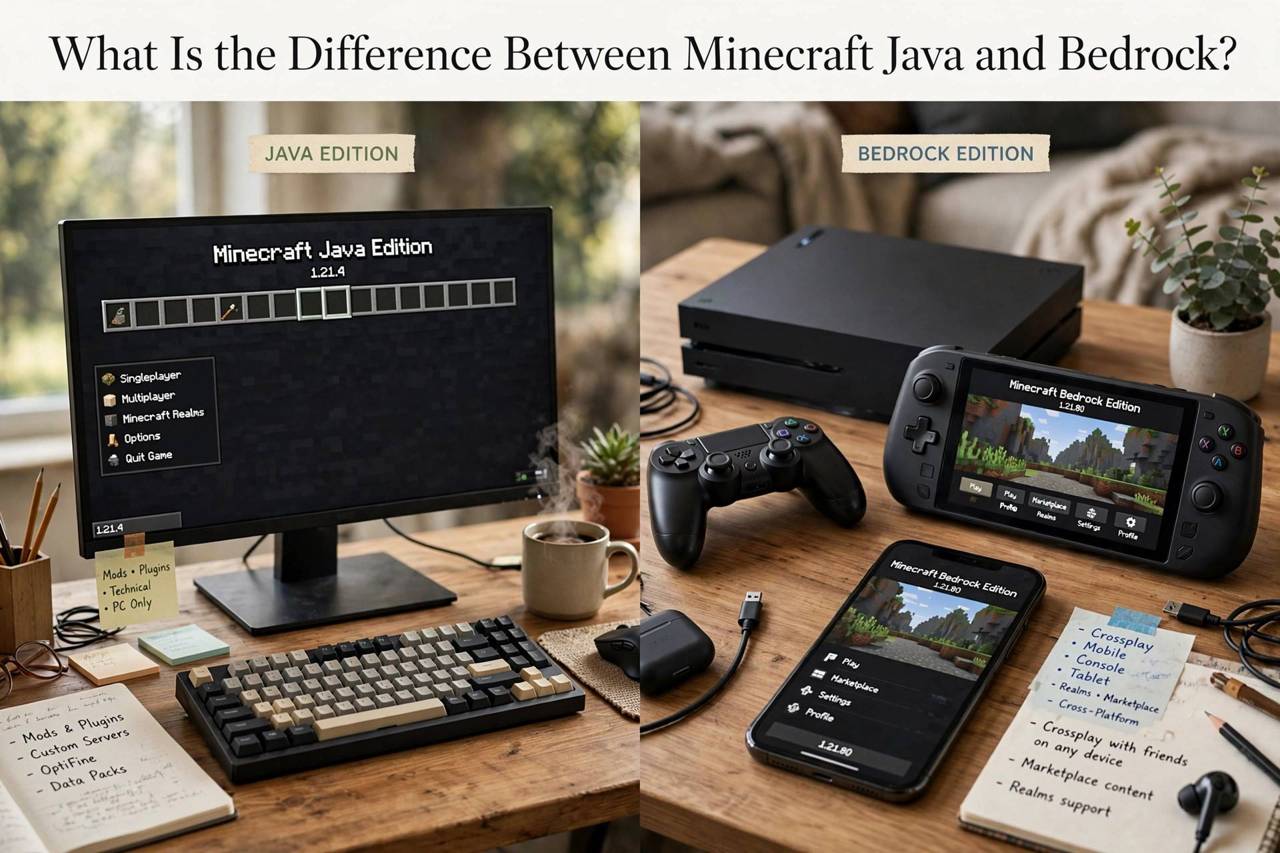
The single biggest difference is where each version runs. Java Edition runs only on Windows, Mac, and Linux computers. That is it. Bedrock Edition runs on Windows 10 and 11, Xbox, PlayStation, Nintendo Switch, iOS, and Android. If your main gaming device is a console or a phone, the decision is already made: Bedrock is your only option.
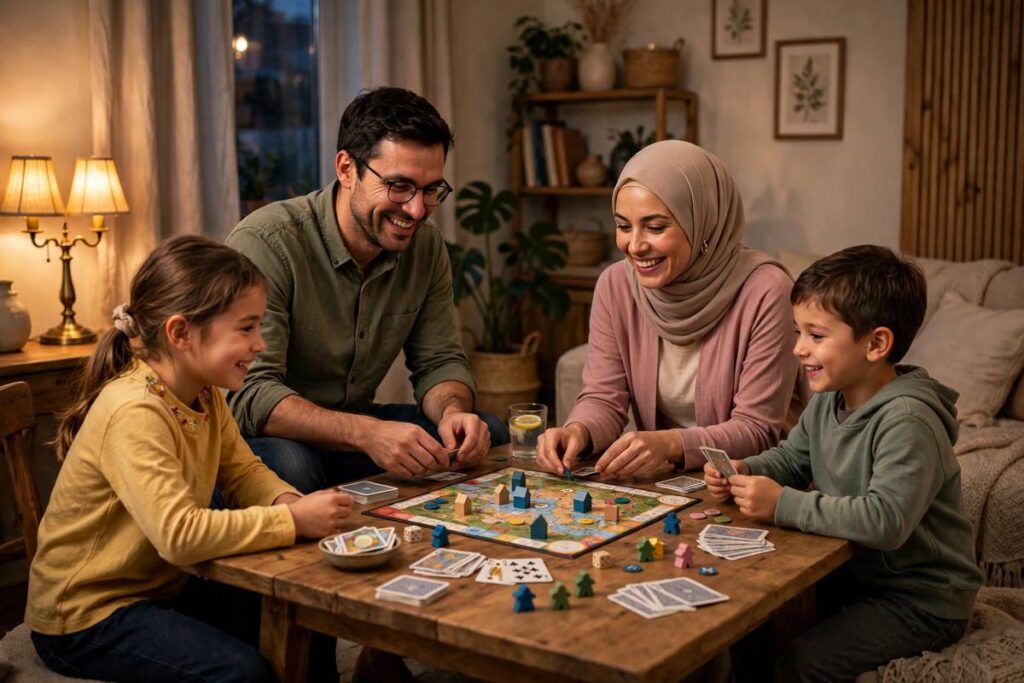
Bedrock’s superpower is cross-play. A kid on an iPad, a parent on a Switch, and a friend on Xbox can all join the same world together. Java cannot do this; Java players can only play with other Java players on PC. For families and friend groups on mixed devices, this alone settles it.
Java’s advantage is the opposite: depth on a single platform. The PC modding scene, custom servers, and technical community all live on Java. If everyone you play with is on computers, Java opens doors Bedrock cannot.
Mods, Servers, and Customization
This is where Java pulls far ahead. Java Edition supports full mods through loaders like Forge, Fabric, and NeoForge: total conversions, new dimensions, automation systems, shaders that make the game look photorealistic. The modding community has been building on Java for over a decade, and the library is enormous and free.
Bedrock has add-ons and the in-game Marketplace instead. Add-ons allow behavior and resource packs, and they have improved a lot, but they cannot match Java mods for depth. The Marketplace sells skins, texture packs, and adventure maps, much of it excellent, but it costs real money where Java equivalents are usually free.
Servers tell the same story. Java hosts legendary community servers with custom minigames and game modes built over years. Bedrock has featured servers too, and they are polished, but the Java server scene is larger, older, and more varied.
Gameplay and Technical Differences
The games look the same at a glance, but small differences add up. Combat is the famous one: Java kept the 1.9-era combat system with attack cooldowns and sweeping sword arcs, while Bedrock uses a simpler system without cooldown timing. Redstone, the game’s wiring system, behaves differently too; contraptions designed for one version often break in the other, which frustrates technical players switching over.
World generation, mob spawning rules, and even hardcore mode differ. Java has Hardcore mode with locked difficulty and permadeath; Bedrock does not have a true equivalent. Bedrock, on the other hand, tends to run more smoothly on low-end hardware and loads worlds faster, since it was built on a newer, more optimized codebase.
None of these differences make one version objectively better. They make each version better for different players, which is why the rivalry mostly comes down to which quirks you learned first.
Price, Updates, and the Fine Print
Pricing has simplified over the years. On PC, buying one edition now typically includes the other through the Minecraft Launcher, so PC players effectively get both. On consoles and mobile, you buy the Bedrock version for that platform.
Major updates release for both versions with the same headline features, though the details and timing can differ slightly. Snapshots and betas let players test upcoming features early on both sides. Account-wise, both now use Microsoft accounts, so parental controls and online safety settings work across the board.
One practical note for gift buyers: check the device before you buy. A Java gift code does nothing for a kid whose only device is a Switch. Match the version to the hardware and you avoid the most common purchase mistake.
Which One Should You Actually Get?
Get Java if you play on PC, want mods and custom servers, care about technical redstone, or want Hardcore mode. The community depth is unmatched, and everything interesting the community invents appears here first.
Get Bedrock if you play on console or mobile, want cross-play with friends on other devices, prefer smoother performance on modest hardware, or are buying for kids who just want to play together easily. The pick-up-and-play factor is genuinely better.
If you are on a Windows PC and truly cannot decide, you likely own both already through the launcher. Try each for a week. Most players develop a clear preference fast, usually based on whether they fell in love with mods or with playing alongside their friends.
Redstone, Combat, and Hardcore: The Nitty-Gritty
For technical players, the differences run deeper than platforms. Java’s redstone is quasi-connected, meaning pistons and components behave in ways that enable incredibly compact contraptions. Bedrock’s redstone is more literal and predictable but cannot replicate many classic Java machines. Whole YouTube channels exist on either side of this divide, and neither side will ever concede.
Combat splits the community too. Java’s cooldown-based system rewards timing: a well-timed charged hit deals far more damage than spam-clicking. Bedrock kept the faster, simpler combat, which many players prefer for PvP. If you learned on one system, the other feels subtly wrong for weeks.
Hardcore mode remains Java-exclusive: one life, locked to hard difficulty, and death deletes the world. It is the definitive way to play for thrill-seekers, and its absence on Bedrock is one of the most requested features in the game’s history. Bedrock players wanting stakes have to impose their own rules.
Switching Between Versions Without Tears
Many players end up bilingual, and the transition has known pain points. Your muscle memory for crafting, inventory management, and bridging techniques will betray you for the first few sessions. Controller players moving to keyboard face the steepest curve; give it a week before judging.
Skins, texture packs, and worlds do not transfer automatically between ecosystems. Java resource packs need conversion for Bedrock, and Marketplace purchases stay locked to Bedrock. Plan for some rebuilding, and treat it as a chance to start fresh rather than a loss.
The good news: the core game, the mining, the building, the exploring, is identical in spirit. A castle is a castle on either version. The differences live in the edges and the extras, which means switching is disorienting but never starting over.
The Culture of Each Version
Java’s community skews older and more technical: mod developers, server administrators, redstone engineers, and the content creators who document it all. The culture values depth, customization, and a certain DIY ethos. If you want to tinker with the game itself, this is your people.
Bedrock’s community is broader and younger, centered on cross-platform play, the Marketplace creator economy, and massive multiplayer events. The culture values accessibility and togetherness: the kid on a phone and the parent on a console building something side by side.
Neither culture is better; they are optimized for different joys. The Java player perfecting an automated farm and the Bedrock player exploring with friends are having equally valid fun. Pick the version whose community sounds like yours.
A Parent’s Guide to Buying Minecraft
If you are buying for a child, start with the device, not the version. Console, tablet, or phone means Bedrock, and that decision is made. Only if the child plays on a family computer does the choice open up.
On PC, consider the child’s temperament. A tinkerer who loves mods, YouTube tutorials, and custom servers will get more from Java. A social player who wants to join friends easily, especially friends on consoles, will be happier on Bedrock. When in doubt, Bedrock’s simplicity wins for younger kids.
Set up the Microsoft account yourself, enable the built-in parental controls, and decide on multiplayer settings before handing over the device. Both versions support Realms, Mojang’s private servers, which are the simplest safe multiplayer option: invite-only, no strangers, no server-hunting.
One more practical tip: buy from the official source only. Third-party key sellers cause endless headaches with revoked codes. The official store costs the same and the license is permanent.
Frequently Asked Questions
What is the main difference between Minecraft Java and Bedrock?
Java is the original PC-only version with extensive free modding and community servers. Bedrock is the cross-platform version for consoles, mobile, and PC with cross-play between devices.
Can Java and Bedrock players play together?
Not natively. Java players can only play with Java players, while Bedrock players can play together across consoles, mobile, and PC. Third-party tools exist but are unofficial and unreliable.
Which version is better for mods?
Java, by a wide margin. Its modding ecosystem is over a decade old, free, and far deeper than Bedrock’s add-ons and Marketplace content.
Do I need to buy both versions for PC?
No. On PC, purchasing Minecraft through the official launcher now includes both Java and Bedrock editions.
Is Bedrock or Java better for kids?
Bedrock is usually easier for kids: simpler multiplayer across devices, smoother performance, and built-in parental controls through Microsoft accounts.
Is Minecraft Java or Bedrock better on a low-end laptop?
Bedrock generally runs smoother on modest hardware thanks to its more optimized codebase, so it is the safer pick for an older or budget laptop. Java can run well too, especially with performance mods like Sodium, but it demands more tinkering. If the laptop struggles, try Bedrock first.
Can I get a refund if I bought the wrong version?
Official stores typically allow refunds within a short window if you have barely played, but policies vary by platform. Act quickly and contact the support of the store you purchased from. To avoid the problem entirely, double-check the device and edition before buying, especially when purchasing as a gift.
Do I need a console subscription to play Bedrock multiplayer?
On Xbox, online multiplayer requires Game Pass Core; on PlayStation, it requires PlayStation Plus. Nintendo Switch requires its own online membership. Local split-screen and LAN play do not need subscriptions, and Java multiplayer on PC needs none at all.