I’ve managed projects for over a decade, and I can tell you the dirty secret of the profession: most of project management isn’t managing — it’s administrating. Updating timelines, chasing status, reformatting updates for different audiences, maintaining the risk register nobody reads, building the slide deck that says what the dashboard already says. The actual management — the judgment calls, the difficult conversations, the strategic thinking — is maybe 30% of the hours.
AI is very good at the 70%. It’s mediocre at the 30%, and that’s exactly the right split — because the 30% is the job. This guide covers the practical reality of AI in project management: what it genuinely improves, how to integrate it without creating new problems, and where the human stays firmly in charge. The wider context: how to use AI at work.
Table of Contents
- The 70/30 Split (What AI Actually Takes Over)
- Planning: From Blank Page to Draft Plan
- Scheduling: Timelines That Update Themselves
- Status Updates: Write Once, Tailor Everywhere
- Risk Management: The Tireless Watcher
- Meeting and Communication Load
- Where Human Judgment Stays in Charge
- Introducing AI to Your PM Workflow
- The Traps to Avoid
- Frequently Asked Questions
The 70/30 Split (What AI Actually Takes Over)
Project management breaks into two kinds of work:
Administrative (the 70%): status collection and reporting, timeline maintenance, meeting notes and follow-ups, documentation, risk register upkeep, stakeholder updates, resource tracking. Rule-based, repetitive, time-consuming — and AI handles it well.
Judgmental (the 30%): prioritizing when everything’s urgent, navigating stakeholder politics, making scope tradeoff calls, handling underperformance, deciding what the project should be — not just tracking what it is. Contextual, consequential, human.
AI’s value proposition in PM is simple: compress the 70% so you can spend your hours on the 30%. The project managers who thrive with AI aren’t the ones who automate everything — they’re the ones who reinvest the saved hours into the judgment work that actually determines outcomes. A PM who spends freed-up time on stakeholder relationships and strategic thinking outperforms one who just runs more projects with the same shallow attention.
The failure mode is the reverse: using AI to run more projects at the same administrative depth, becoming a dashboard operator rather than a leader. The tool enables both paths; you choose.
Planning: From Blank Page to Draft Plan
The blank page is where projects go to stall. AI is excellent at producing the first draft of a plan:
Work breakdown. Describe the project goal and constraints; get a structured breakdown of phases, workstreams, and tasks. “Plan a website migration for a 200-page site with a 3-month deadline” returns phases (audit, staging, migration, validation), task lists per phase, and dependency notes. It’s generic — your job is to customize — but generic-and-structured beats blank-page paralysis every time.
Dependency mapping. “Given these tasks, what depends on what?” AI is good at surfacing the dependency chains humans miss — the testing that can’t start until the staging environment exists, the content that blocks the design review. Review the map with the team; they’ll catch what the AI invented and confirm what it found.
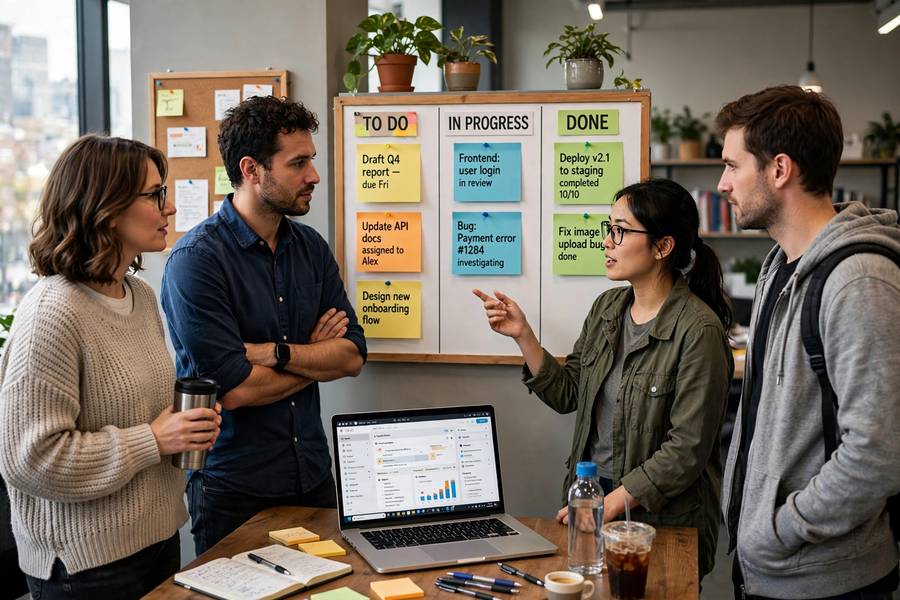
The planning workshop pattern: AI drafts the plan solo in 10 minutes, then the team reviews and corrects in a 1-hour workshop. Compare with the old way: 3 hours of whiteboard chaos producing a less complete plan. The AI doesn’t replace the workshop — it gives the workshop something concrete to react to, which produces better plans faster.
Scheduling: Timelines That Update Themselves
The living timeline — constantly updated, always current — is the PM artifact AI improves most:
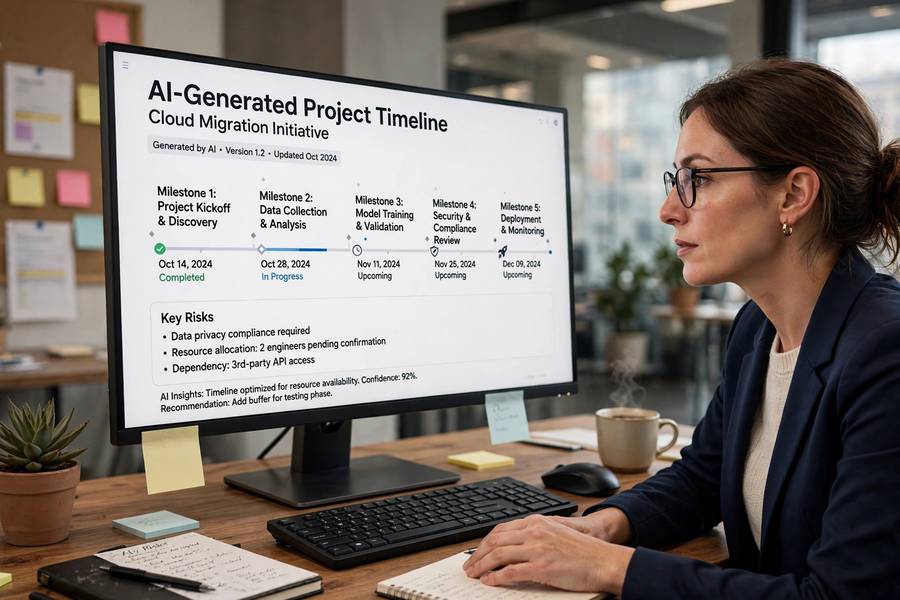
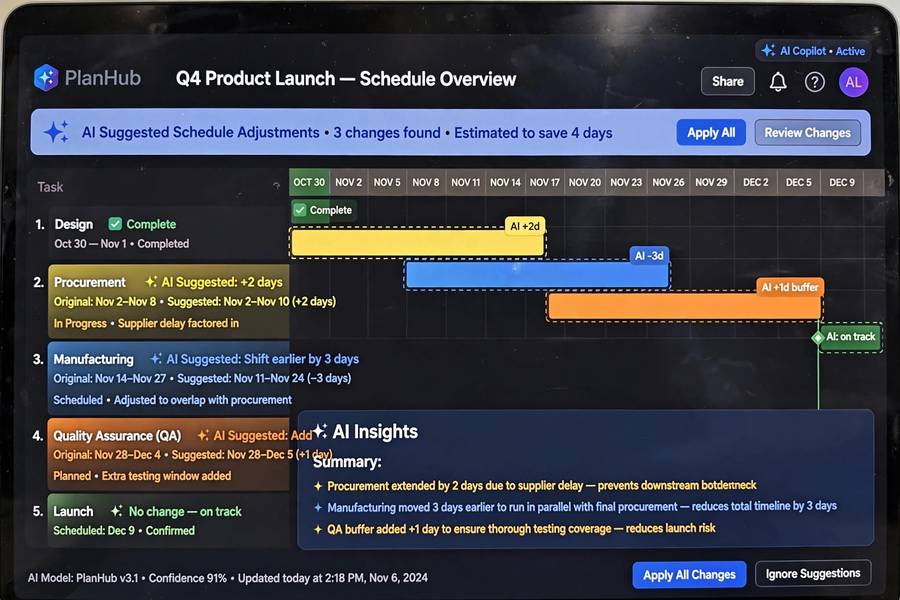
AI scheduling assistants (built into modern PM tools like Asana, Monday, ClickUp, and MS Project’s newer features) adjust timelines when tasks slip: dependent tasks shift, critical path recalculates, conflicts flag. The manual timeline-maintenance that ate Friday afternoons becomes automatic.
What-if analysis. “What if the design phase slips two weeks?” — instant recalculation of downstream impact, critical path changes, and deadline risk. This turns schedule conversations from gut-feel to data-informed: you walk into the stakeholder meeting knowing exactly what the slip costs.
Workload balancing. AI flags overallocated team members — “Sarah is assigned 47 hours next week across 6 tasks” — before burnout happens. It can suggest redistributions, but the final call is human (you know Sarah can handle it this once, or that she absolutely cannot).
The honesty requirement: AI scheduling is only as good as the input data. If task updates are stale, the timeline is fiction — beautifully maintained fiction. The discipline of keeping task status current doesn’t disappear with AI; it becomes more important, because now the whole system reacts to the data. Garbage in, gospel out — the team must feed the machine truthfully.
Status Updates: Write Once, Tailor Everywhere
The most universally hated PM task, now largely automatable:
The single-source pattern. Maintain one factual project record (tasks, milestones, blockers, decisions). AI generates tailored updates per audience: the exec summary (3 bullets, outcomes-focused), the team update (detailed, action-oriented), the client update (reassuring, jargon-free), the steering committee deck (risks highlighted, decisions needed).
Why this matters: the old way was rewriting the same facts four times, introducing inconsistencies. The new way is one truth, four presentations — consistent by construction. Stakeholders get the version they need; you write it once.
The weekly ritual: Friday afternoon, 20 minutes. Review the AI-drafted updates against reality, adjust tone and emphasis, approve distribution. What used to be a 2-hour writing slog becomes a 20-minute review — and the updates are better, because they’re generated from current data rather than Monday’s memory of Friday.
Risk Management: The Tireless Watcher
Risk registers are where good intentions go to die — created at kickoff, ignored thereafter. AI makes continuous risk monitoring feasible:
Pattern-based risk flagging. AI monitoring project data (task slippage patterns, dependency density, resource overallocation, velocity trends) flags emerging risks before humans notice: “three consecutive sprints with carryover in the backend workstream — delivery risk increasing.” It’s not predicting the future; it’s noticing the present faster than you can.
Risk register maintenance. “Review the risk register against this week’s status” — AI checks whether listed risks are still relevant, whether new ones emerged from recent events, and whether mitigations are actually happening. The register stays alive instead of fossilizing.
Scenario prompts. “What could derail this project in the next month?” — AI generates candidate risks from the project profile: key-person dependencies, external dependencies, timeline compression, scope creep indicators. Use it as a pre-mortem prompt for the team, not as an oracle. The value is in the discussion it triggers, not the list itself.
The limit: AI spots patterns in data; it doesn’t understand organizational politics, market shifts, or the client’s changing mood. The risks that kill projects are often human, not technical — and those need human antennae. Use AI for the systematic watching; keep your own instincts for the rest.
Meeting and Communication Load
Projects run on meetings, and AI trims the tax:
Automated capture. AI notetakers handle standups, reviews, and planning sessions — decisions logged, action items assigned, no more “wait, who was supposed to do that?”
Async status replacement. Many status meetings exist only because information doesn’t flow otherwise. With AI-generated async updates (from the single-source pattern above), the weekly status meeting often becomes unnecessary — replaced by a 5-minute read. Reclaim the hour; spend it on the blockers that actually need discussion. (For the capture layer underneath, best note-taking apps covers the tools.)
Stakeholder communication at scale. Different stakeholders need different cadences and depths. AI drafts each variant from the same source — the exec gets monthly outcomes, the working team gets weekly details, the client gets milestone updates. Nobody is over- or under-informed because the marginal cost of another tailored update is near zero.
The meeting that remains: decision meetings, kickoffs, retrospectives, difficult conversations — the ones where human presence is the point. AI doesn’t replace these; it clears the calendar of everything else so these get your full attention.
Where Human Judgment Stays in Charge
The definitive list — AI assists, humans decide:
Scope tradeoffs. What gets cut when the timeline slips? This is a values judgment about what matters — AI can model the options, but the call reflects priorities only humans hold.
Stakeholder politics. Who needs to hear what, in what order, with what framing. The organizational dynamics around a project are invisible to AI and decisive in practice.
Team health. Morale, burnout, conflict, motivation — the human system that produces the work. No dashboard captures it; no AI manages it.
Quality judgment. Is this good enough to ship? The standard lives in experienced heads, not in data.
Accountability. When the project fails — and some will — someone owns it. Software can’t own consequences. The PM’s name is on the project, which means the PM’s judgment must be in the decisions.
The throughline: AI handles information; humans handle meaning. Information scales; meaning doesn’t. The PM’s job is increasingly the meaning part — which is also the part that can’t be automated, and the part that matters most.
Introducing AI to Your PM Workflow
Practical rollout, learned from doing it:
Start with status updates. Highest pain, lowest risk, immediate visible win. The team sees the value in week one.
Add meeting capture next. Frees attention, improves follow-through, low controversy (with consent handled).
Then planning assistance. Draft plans with AI, refine in workshops. The team experiences AI as a starting point, not a replacement.
Layer in risk monitoring. Once the data flows are established, the watching becomes valuable.
Measure the shift. Track where hours go before and after: administrative hours should fall, judgment hours should rise. If administrative hours fall and judgment hours don’t rise — if you’re just running more projects — recalibrate. The goal is better management, not more management — which is the deeper aim of how to be more productive in any role.
The Traps to Avoid
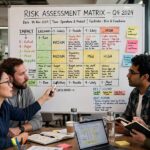
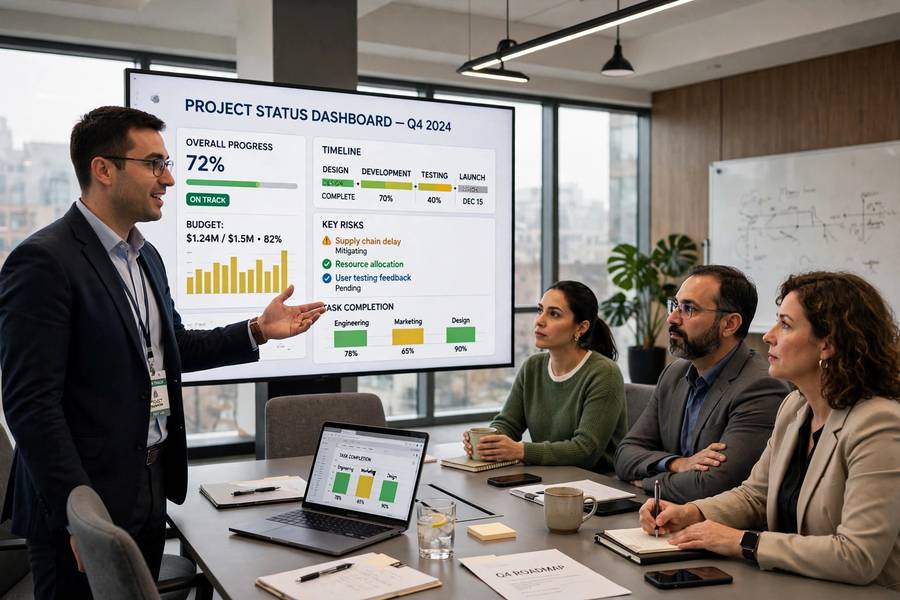
Dashboard theater. Beautiful AI-generated dashboards that nobody acts on. If the insight doesn’t change a decision, it’s decoration. Every report should answer: so what, now what?
Automation complacency. Trusting the AI timeline without verifying inputs. The system is confident; confidence isn’t correctness. Spot-check relentlessly.
Tool sprawl. Five AI tools that don’t integrate, each needing login, each with partial data. Consolidate ruthlessly — one ecosystem, deeply integrated, beats five brilliant point solutions.
Frequently Asked Questions
AI handles the administrative 70%: drafting plans, maintaining timelines, generating tailored status updates, transcribing meetings, monitoring risks, and flagging resource conflicts. The judgmental 30% — scope tradeoffs, stakeholder politics, team health, accountability — stays human. The best PMs reinvest saved hours into the judgment work.
It creates excellent first drafts: work breakdowns, task lists, dependency maps, and estimation starting points from historical data. The effective pattern is AI draft in 10 minutes followed by a team workshop to customize — faster and more complete than blank-page planning, but the team’s context is what makes it real.
No — it’s replacing project administration, not project management. AI can’t own consequences, navigate organizational politics, judge quality, or maintain team health. PMs who use AI to eliminate toil and focus on judgment become more valuable; PMs who only ever did administration face the real pressure.
Automation complacency (trusting AI outputs without verifying inputs), dashboard theater (reports nobody acts on), metric fixation (managing proxies instead of reality), communication atrophy (losing understanding by outsourcing all writing), and tool sprawl. Mitigate with verification habits, consolidated tooling, and keeping humans at every decision point.